You are not logged in.
- Topics: Active | Unanswered
#1 2016-11-02 18:03:11
- simoexpo
- Member
- Registered: 2016-11-02
- Posts: 2
Disable input on wayland
Hi, I'm using GNOME on wayland and I have some problem disabling my annoying touch screen, with GNOME on Xorg I was able to disable the touch screen with:
xinput disable [id]or with some xorg configuration like:
Section "InputClass"
	Identifier "Touchscreen disabler"
	MatchIsTouchscreen "on"
	Option "Ignore" "on"
EndSection
but both the xinput command and the xorg configuration file seems to be ignored (by xwayland?) with GNOME on wayland.
Any ideas? Thank you all 
Last edited by simoexpo (2016-11-02 18:04:06)
Offline
#2 2016-11-02 21:32:23
- damjan
- Member
- Registered: 2006-05-30
- Posts: 462
Re: Disable input on wayland
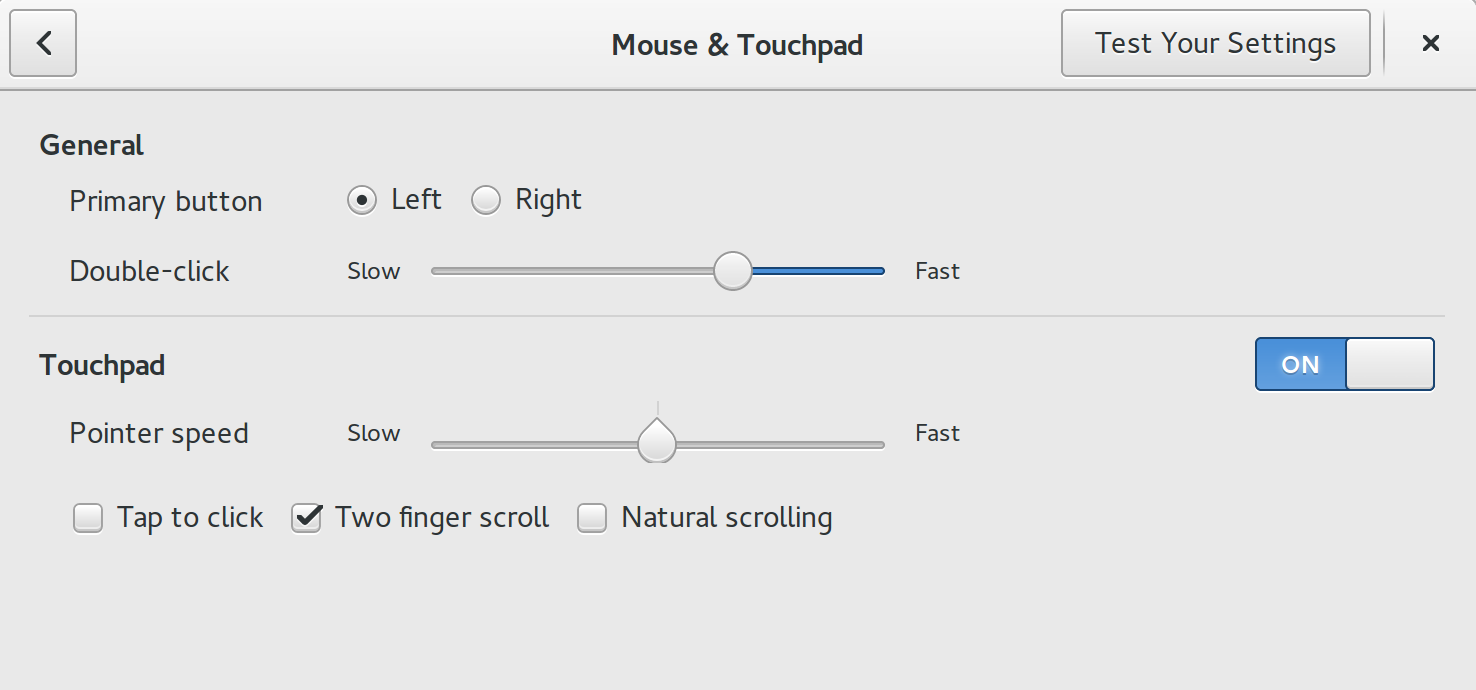
with wayland, the compositor is responsible for input handling. In Gnome that is mutter (right?), so search the Gnome settings center for input options and see what it has there
ps.
looking at this, it should have an option like that (I dont have Gnome).
http://i.stack.imgur.com/iaNI3.png
Last edited by damjan (2016-11-02 21:33:12)
Offline
#3 2016-11-03 09:14:39
- simoexpo
- Member
- Registered: 2016-11-02
- Posts: 2
Re: Disable input on wayland
Thank you for your reply, unfortunatly in GNOME settings, like the image you post, there is only the possibility to disable touchpad, there isn't an option to customize or disable the touch screen.
Offline