You are not logged in.
- Topics: Active | Unanswered
#1 2016-11-04 16:45:30
- Cobra_Fast
- Member
- Registered: 2016-06-25
- Posts: 7
[Solved] Fonts don't look quite right
I just installed about half a year worth of updates and now all the desktop fonts don't look just quite right.
For example my monospace font ProFont looks like this (it even looks different in gedit and urxvt): http://x.ezl.re/20161104_173803.png
But it is supposed to look like this: http://x.ezl.re/20161104_173938.png
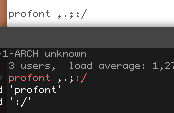

Other desktop fonts (I copied Tahoma and Segoe UI from Windows 7 a while back) also don't look quite right (they look distorted somehow), but I can't find a good example right now.
I have been playing around with cinnamon's font settings as well as the ~/.config/fontconfig/fonts.conf file but I can't find the right settings to go back to how it used to be.
$ xdpyinfo | grep dotssays 96x96, but if I change it to the actual 141 DPI as the wiki suggests for distorted fonts, nothing changes.
Also, I'm one of those weirdos who hates font smoothing/blurring so I just want to preemptively make clear that that's not the issue here.
Anyone any ideas?
Last edited by Cobra_Fast (2016-11-04 18:10:31)
Offline
#2 2016-11-04 17:31:14
- jasonwryan
- Anarchist

- From: .nz
- Registered: 2009-05-09
- Posts: 30,426
- Website
Re: [Solved] Fonts don't look quite right
Search for all of the threads here on the fontconfig update a couple of months ago...
Offline
#3 2016-11-04 18:10:16
- Cobra_Fast
- Member
- Registered: 2016-06-25
- Posts: 7
Re: [Solved] Fonts don't look quite right
Yess, solution found here: https://bbs.archlinux.org/viewtopic.php … 3#p1654103
Offline