You are not logged in.
- Topics: Active | Unanswered
#1 2017-11-25 16:53:13
- vlas
- Member

- From: Russia, Lipetsk
- Registered: 2016-04-29
- Posts: 29
[SOLVED] Libre Office. Almost blank GUI
I was advised to ask it on Arch Forums. There is my topic at: ask.libreoffice.org, forum.kde.org.
KDE Plasma 5. LO + language pack (russian). System is up to date.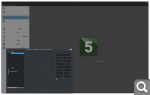
If started from command line without localization, everything look good:
LC_ALL=C libreofficeOpen GL is disabled, tried to all-reset with --safe-mode option.
Fresh and Still versions are the same. Googling was no effect.
Last edited by vlas (2018-05-23 05:59:38)
Watch out! © Kozma Prutkov
Offline
#2 2017-11-25 18:16:12
- jasonwryan
- Anarchist

- From: .nz
- Registered: 2009-05-09
- Posts: 30,426
- Website
Re: [SOLVED] Libre Office. Almost blank GUI
Have you tried another theme?
Offline
#3 2017-11-25 19:23:50
- vlas
- Member
- From: Russia, Lipetsk
- Registered: 2016-04-29
- Posts: 29
Re: [SOLVED] Libre Office. Almost blank GUI
Have you tried another theme?
Do you mean KDE theme or something in LO settings? I tried different in KDE settings, now I have Breeze-dark.
Watch out! © Kozma Prutkov
Offline
#4 2017-11-25 19:25:15
- jasonwryan
- Anarchist
- From: .nz
- Registered: 2009-05-09
- Posts: 30,426
- Website
Re: [SOLVED] Libre Office. Almost blank GUI
Breeze-dark obviously doesn't work, try one of the vanilla themes.
Offline
#5 2017-11-25 21:06:16
- seth
- Member

- From: Won't reply 2 private help req
- Registered: 2012-09-03
- Posts: 77,902
Re: [SOLVED] Libre Office. Almost blank GUI
And in case that's not obvious: a dark on bright one...
Offline
#6 2017-11-25 22:36:54
- Xabre
- Member

- From: Serbia
- Registered: 2009-03-19
- Posts: 757
Re: [SOLVED] Libre Office. Almost blank GUI
SAL_USE_VCLPLUGIN=gtk will produce issues with theme renering with breeze-dark.
SAL_USE_VCLPLUGIN=gtk3 will make the breeze-dark theme render correctly, as seen here
Also it's probably wise to uncheck the option to use plasma color scheme on non-KDE/Qt apps. (systemsettings/colors or something like that, there is a checkbox near the bottom of the window, am on Gnome now, and can't be bothered to install plasma)

Last edited by Xabre (2017-11-25 22:38:30)
Offline
#7 2017-11-25 22:43:06
- cfr
- Member
- From: Cymru
- Registered: 2011-11-27
- Posts: 7,178
Re: [SOLVED] Libre Office. Almost blank GUI
For the record, I am using LibreOffice with KDE and Breeze Dark. The only real glitch is that the scroll bar at the bottom in Calc doesn't indicate position at all, which makes it very confusing. Otherwise Calc and Writer seem fine. (I don't use the other stuff, so haven't tested.)
KDE settings:
* workspace theme: Breeze Dark
* desktop theme: Breeze Dark
* application style: widget style: Breeze; decorations: Breeze; GNOME application style: gtk2 and gtk3 themes: Breeze, prefer dark GTK3 theme NOT checked, cursor theme: Breeze
Note that it is crucial NOT to use the Breeze Dark theme in the GNOME application style configuration. Everything here should be as if you're using Breeze rather than Breeze Dark.
LibreOffice settings [translated into English, so may not match English exactly - hopefully translate into something reasonable in Russian]:
* LibreOffice:
* appearance: icon style: Breeze Dark
* programme colours: check these are set to something reasonable e.g. document background - white, programme background - dark grey or whatever
Admittedly, this doesn't make any sense, but the result is what you'd expect (roughly) if you'd chosen Breeze Dark as the theme for GNOME application style or set the dark-theme-preferred check-box for gtk3.
The result is not perfect, but it is pretty good and you can probably fine-tune further if you use LibreOffice a lot.
CLI Paste | How To Ask Questions
Arch Linux | x86_64 | GPT | EFI boot | refind | stub loader | systemd | LVM2 on LUKS
Lenovo x270 | Intel(R) Core(TM) i5-7200U CPU @ 2.50GHz | Intel Wireless 8265/8275 | US keyboard w/ Euro | 512G NVMe INTEL SSDPEKKF512G7L
Offline
#8 2018-05-21 19:57:49
- vlas
- Member
- From: Russia, Lipetsk
- Registered: 2016-04-29
- Posts: 29
Re: [SOLVED] Libre Office. Almost blank GUI
Sorry for no-answering, but... after self-fixing ;D it happens again X-[
BUT runs smooth from terminal (just "libreoffice <Enter>), NOT from .desktop files anyway! How to fix it? And what does it means in kickoff menu: "libreoffice %U". I deleted "%U" ending, still no luck.
P.S.: all the Breeze Dark stuff, and "Prefer dark GTK theme" is ON.
P.P.S: tried in newly added user - LOO works perfectly in any case.
Watch out! © Kozma Prutkov
Offline
#9 2018-05-21 20:04:18
- V1del
- Forum Moderator

- Registered: 2012-10-16
- Posts: 25,388
Re: [SOLVED] Libre Office. Almost blank GUI
Well did you export any of the alternate VCL themes? And if so where are you exporting them?
Offline
#10 2018-05-21 20:13:20
- vlas
- Member
- From: Russia, Lipetsk
- Registered: 2016-04-29
- Posts: 29
Re: [SOLVED] Libre Office. Almost blank GUI
Well did you export any of the alternate VCL themes? And if so where are you exporting them?
I tried all of the
export SAL_USE_VCLPLUGIN=gtk3
export SAL_USE_VCLPLUGIN=gtk
export SAL_USE_VCLPLUGIN=kde4
export SAL_USE_VCLPLUGIN=generic
with no effect.
Watch out! © Kozma Prutkov
Offline
#11 2018-05-21 20:28:22
- V1del
- Forum Moderator
- Registered: 2012-10-16
- Posts: 25,388
Re: [SOLVED] Libre Office. Almost blank GUI
Where? I'm going with you are exporting (or not) the (in)correct line at an incorrect spot. e.g. if you use your .bashrc that will not be sourced by plasma, but will be when you open your shell. Also FWIW don't delete the $U that is resolved to an actual file if you e.g. use dolphin to directly open a document
Offline
#12 2018-05-21 20:43:33
- vlas
- Member
- From: Russia, Lipetsk
- Registered: 2016-04-29
- Posts: 29
Re: [SOLVED] Libre Office. Almost blank GUI
Where?
You are right, there is line in my .bashrc:
export SAL_USE_VCLPLUGIN=gtk3 and after comment it - same issue.
So, command from terminal running OK, when same from Krunner are not.
But there is NO such line in newly created test user's .bashrc… Stuff running smooth.
Watch out! © Kozma Prutkov
Offline
#13 2018-05-21 21:15:19
- V1del
- Forum Moderator
- Registered: 2012-10-16
- Posts: 25,388
Re: [SOLVED] Libre Office. Almost blank GUI
printenv | grep VCL
It'd be best if you simply uncommented the corresponding line in /etc/profile.d/libreoffice-fresh.sh that is guaranteed to be sourced, find out where exactly you are exporting the currently wrong definition. (Plasma settings might be another candidate?)
Last edited by V1del (2018-05-21 21:15:43)
Offline
#14 2018-05-21 21:29:38
- vlas
- Member
- From: Russia, Lipetsk
- Registered: 2016-04-29
- Posts: 29
Re: [SOLVED] Libre Office. Almost blank GUI
After uncommenting export SAL_USE_VCLPLUGIN=gtk3 in /etc/profile.d/libreoffice-fresh.sh It works!!
Thank you, V1del!!!
But why in fresh user LOO runs well without any options I still can not understand...
UPD. But it does not want to run from Docky now, omg XD ...
SOLUTION. Added LOO to Docky by dragging /usr/lib/libreoffice/share/xdg/startcenter.desktop to it.
Last edited by vlas (2018-05-21 22:53:29)
Watch out! © Kozma Prutkov
Offline
#15 2018-05-22 08:59:28
- V1del
- Forum Moderator
- Registered: 2012-10-16
- Posts: 25,388
Re: [SOLVED] Libre Office. Almost blank GUI
Please mark as [SOLVED] by editing the title in your first post if this works correctly now.
Offline