You are not logged in.
- Topics: Active | Unanswered
Pages: 1
#1 2017-12-17 10:33:17
- volker.raschek
- Member

- From: Trier
- Registered: 2017-12-17
- Posts: 12
Add remote printer
Hello,
my Raspberry Pi 3 should serve as a print server in the local network, so I don't have to set up a printer for my family everywhere. This saves me the pain of having to search for the right drivers for every system.
Now I have some problems under Arch-Linux, which I can't solve at once and need some help.
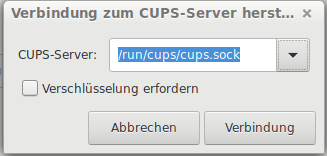
After a restart, the setting that I have added the print server disappears. See Annex 1.
How can I permanently save the print server or rather the connection settings?
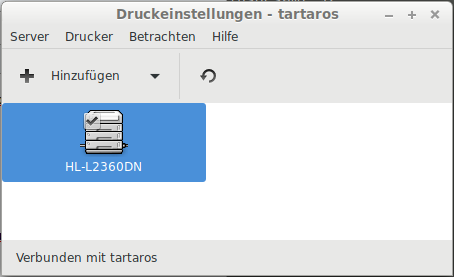
If I added the printer server manually again, I want to use LibreOffice or MasterPDF to print a document, but LibreOffice pertu does not find the configured printers that the Raspberry offers on the network. MasterPDF sometimes finds the printers, but returns an error code 1 for all of them.
Volker
Annex 1: Missing printer server http://666kb.com/i/dpbfefz8ls3jfsdts.png
Annex 2: Connected with printer server http://666kb.com/i/dpbfk6fpvef2g5xc0.png
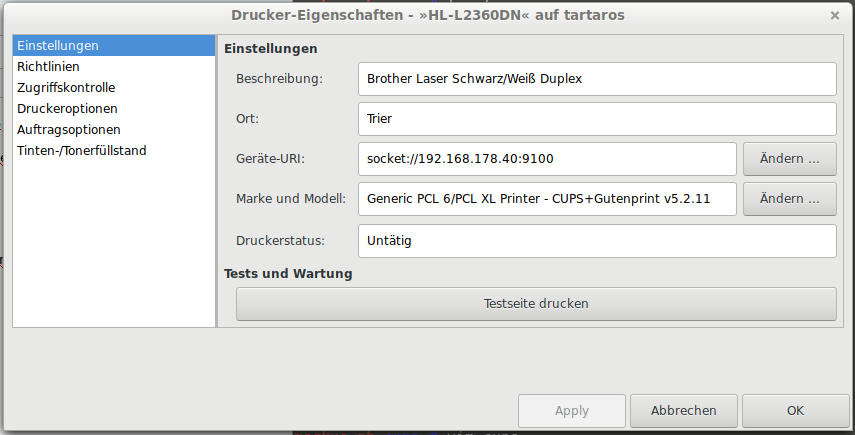
Annex 3: Settings from remote printer http://666kb.com/i/dpbflsuozvru6rhmo.png
Offline
Pages: 1