You are not logged in.
- Topics: Active | Unanswered
Pages: 1
#1 2018-12-12 19:39:06
- KisuYami
- Member

- Registered: 2018-12-12
- Posts: 4
Can't show Icons on Polybar
In the vim editor all the icons shows, but in the bar nothing, if i use "normal" emojis works fine too.
https://i.postimg.cc/YqYyt0wC/print.png
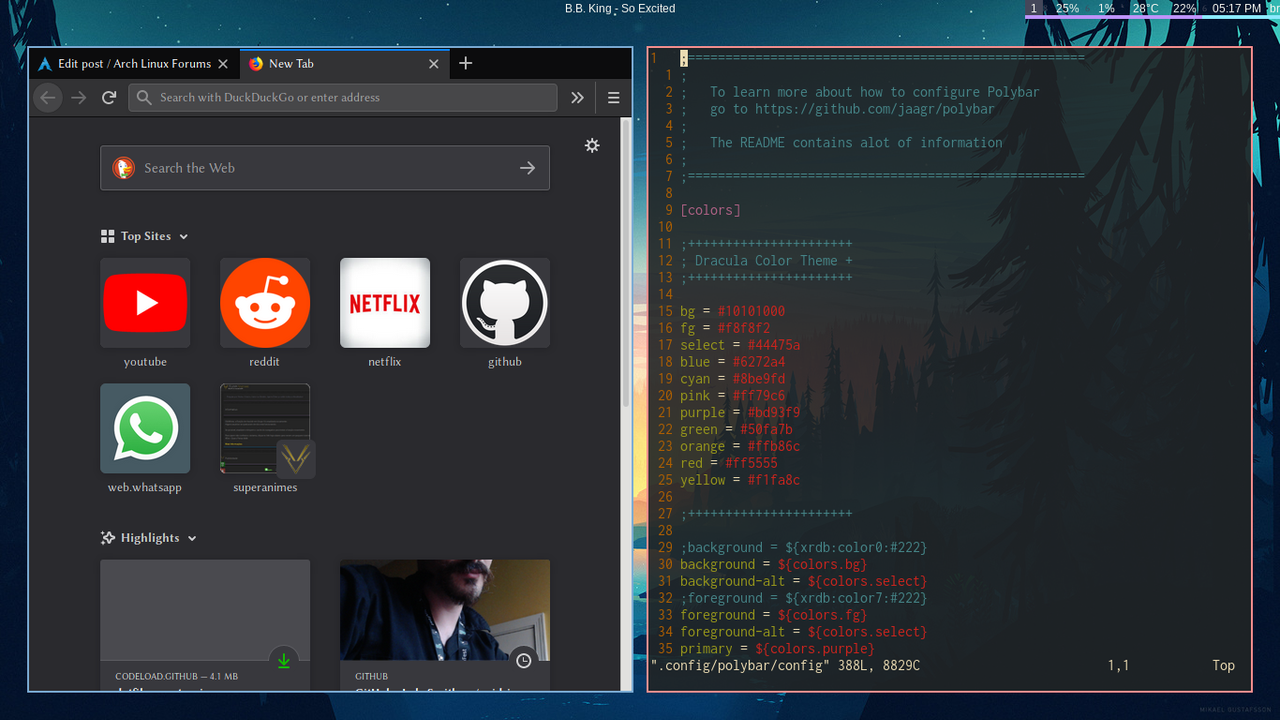
In vim
https://i.postimg.cc/658tcdR1/2018-12-1 … -scrot.png
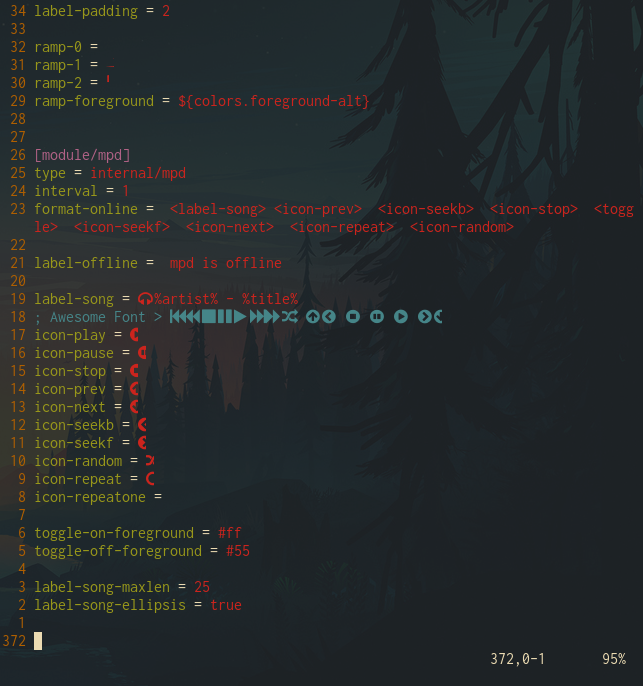
The fonts in the polybar/config
https://i.postimg.cc/brTDR1tv/2018-12-1 … -scrot.png
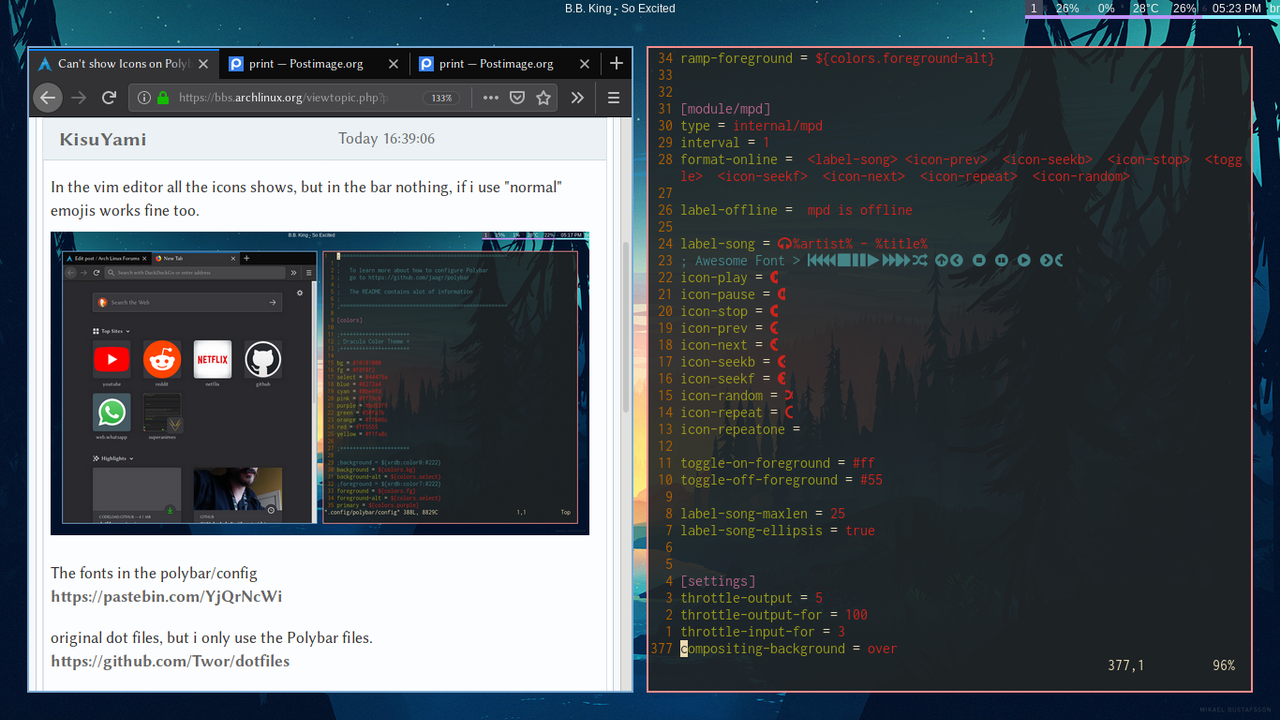
original dot files, but i only use the Polybar files.
https://github.com/Twor/dotfiles
Olther files dot files
https://github.com/LukeSmithxyz/voidrice
Executing polybar by terminal(polybar examble):
https://i.postimg.cc/13dBHDDM/2018-12-1 … -scrot.png
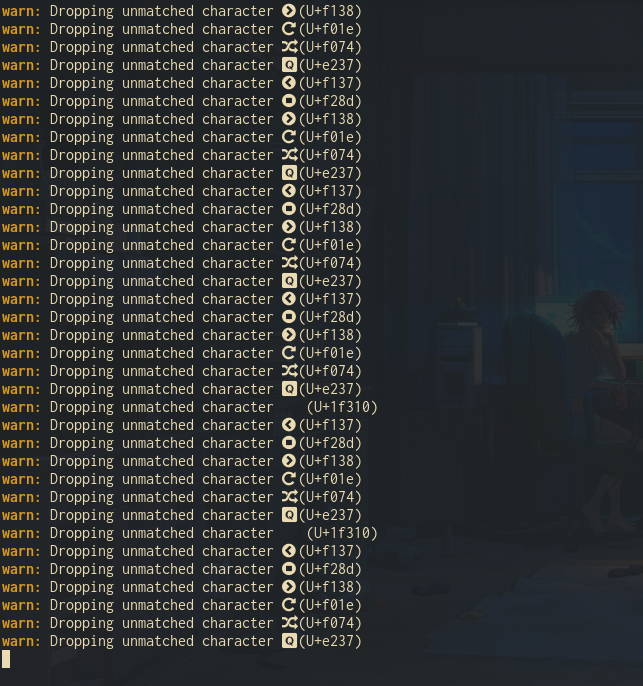
Solution:
Donwload the complete nerd fontes, copy those in /usr/share/fonts and fc-cache -fv
Mod Edit - Replaced oversized images with links.
CoC - Pasting pictures and code
Last edited by KisuYami (2018-12-13 21:55:36)
OS: Arch and Elementary Os
CPU: Intel(R) Core(TM) i3-6006U CPU @ 2.00GHz 4 cores
RAM: 4gb ddr3
Offline
#2 2018-12-12 21:20:39
- seth
- Member

- From: Don't DM me only for attention
- Registered: 2012-09-03
- Posts: 71,519
Re: Can't show Icons on Polybar
Please edit your post and replace the oversized images w/ links or linking thumbnails (limit is 200x200)
fc-match "Ubuntu Nerd Font"
fc-match "Wuncon Siji"
fc-match "FontAwesome"
What font do you use for the terminal emulator?
Offline
#3 2018-12-13 02:20:10
- osintusr
- Member

- Registered: 2017-11-03
- Posts: 18
Re: Can't show Icons on Polybar
Have you tried fc-list to check that "FontAwesome" is specified correctly in the config file? I.e. that there isn't space.
Last edited by osintusr (2018-12-13 02:20:50)
Offline
#4 2018-12-13 14:00:29
- patrickziegler
- Member
- From: ::1
- Registered: 2018-11-02
- Posts: 29
- Website
Re: Can't show Icons on Polybar
For FontAwesome 5 you need 3 font patterns:
Font Awesome 5 Brands:style=Regular
Font Awesome 5 Free:style=Regular
Font Awesome 5 Free:style=Solid
Offline
#5 2018-12-13 14:22:41
- KisuYami
- Member
- Registered: 2018-12-12
- Posts: 4
Re: Can't show Icons on Polybar
Please edit your post and replace the oversized images w/ links or linking thumbnails (limit is 200x200)
fc-match "Ubuntu Nerd Font"
fc-match "Wuncon Siji"
fc-match "FontAwesome"
What font do you use for the terminal emulator?
how to check the font fo terminal emulator?
the response for all fc-match commands:
LinBiolinum_Rah.ttf: "Linux Biolinum" "Regular"Last edited by KisuYami (2018-12-13 14:23:08)
OS: Arch and Elementary Os
CPU: Intel(R) Core(TM) i3-6006U CPU @ 2.00GHz 4 cores
RAM: 4gb ddr3
Offline
#6 2018-12-13 14:31:56
- seth
- Member
- From: Don't DM me only for attention
- Registered: 2012-09-03
- Posts: 71,519
Re: Can't show Icons on Polybar
Depends on the actual terminal emulator - and obviously you don't have any of the fonts configured for polybar installed, so start with this.
Also see comments #3 & #4 because "FontAwesome" is most likely misspelled.
Offline
#7 2018-12-13 14:32:57
- KisuYami
- Member
- Registered: 2018-12-12
- Posts: 4
Re: Can't show Icons on Polybar
Have you tried fc-list to check that "FontAwesome" is specified correctly in the config file? I.e. that there isn't space.
here are mentioned fonts in fc-list:
FontAwesome:

/usr/share/fonts/TTF/fa-brands-400.ttf: Font Awesome 5 Brands:style=Regular
/usr/share/fonts/TTF/fa-regular-400.ttf: Font Awesome 5 Free:style=Regular
/usr/share/fonts/TTF/fa-solid-900.ttf: Font Awesome 5 Free:style=Solid

Nerd( i ill try to install the Nerd Ubunto):

/home/reberti-arch/.local/share/fonts/Droid Sans Mono for Powerline Nerd Font Complete.otf: DroidSansMono Nerd Font:style=Book

I don't have Wuncon Siji, i tried to install but dont know where to get
OS: Arch and Elementary Os
CPU: Intel(R) Core(TM) i3-6006U CPU @ 2.00GHz 4 cores
RAM: 4gb ddr3
Offline
#8 2018-12-13 15:04:14
- seth
- Member
- From: Don't DM me only for attention
- Registered: 2012-09-03
- Posts: 71,519
Re: Can't show Icons on Polybar
https://aur.archlinux.org/packages/siji-git/
Please notice that merely copying a font into ~/.local/share/fonts will not in and by itself update the font cache.
Also AUR has a bunch of nerd fonts, https://aur.archlinux.org/packages/?O=0 … _Search=Go
Offline
#9 2018-12-13 15:15:31
- KisuYami
- Member
- Registered: 2018-12-12
- Posts: 4
Re: Can't show Icons on Polybar
Depends on the actual terminal emulator - and obviously you don't have any of the fonts configured for polybar installed, so start with this.
Also see comments #3 & #4 because "FontAwesome" is most likely misspelled.
The fonts show in vim, and normal imojes don't work too.
OS: Arch and Elementary Os
CPU: Intel(R) Core(TM) i3-6006U CPU @ 2.00GHz 4 cores
RAM: 4gb ddr3
Offline
#10 2018-12-13 15:46:05
- seth
- Member
- From: Don't DM me only for attention
- Registered: 2012-09-03
- Posts: 71,519
Re: Can't show Icons on Polybar
No, some *glyphs* show there - we still don't know provided by which font because you've not disclosed your terminal emulator, let alone its font configuration.
"Font Awesome" is clearly misspelled, you've stated not to have installed Wuncon Siji (which provides most "icons") and also "DroidSansMono Nerd Font" is not "Ubuntu Nerd Font"
Offline
Pages: 1