You are not logged in.
- Topics: Active | Unanswered
#1 2021-04-23 01:28:37
- ozooha
- Member
- Registered: 2009-09-29
- Posts: 184
[SOLVED]Issue with conky after recent update - mofo doesn't show up
After the most recent update my conky doesn't show up the desktop:
output when I run conky:
~ ⌚ 21:09:34
$ conky
conky: desktop window (400010) is subwindow of root window (6ca)
conky: window type - desktop
conky: drawing to created window (0x3400002)
conky: drawing to double buffer
conky: forked to background, pid is 6584

~ ⌚ 21:20:59
$
double free or corruption (out)
Below is my conky.conf file which is at ~/.config/conky/conky.conf
conky.config = {
    alignment = 'top_right',
	background = true,
    border_width = 1,
    cpu_avg_samples = 2,
	default_color = 'white',
    default_outline_color = 'white',
    default_shade_color = 'white',
    draw_borders = false,
    draw_graph_borders = true,
    draw_outline = false,
    draw_shades = false,
    use_xft = true,
    font = 'Sans:size=9',
    gap_x = 5,
    gap_y = 35,
    net_avg_samples = 2,
    no_buffers = true,
    out_to_console = false,
    out_to_stderr = false,
    extra_newline = false,
    own_window = true,
    own_window_type = 'desktop',
    own_window_transparent=false,
    own_window_hints=undecorated,below,sticky,skip_taskbar,skip_pager,
    own_window_argb_visual=true,
    own_window_argb_value=100,
    stippled_borders = 0,
    update_interval = 1.0,
    uppercase = false,
    use_spacer = 'none',
    show_graph_scale = false,
    show_graph_range = false,
    double_buffer=true,
    minimum_height=200,
    maximum_width=225
}


conky.text = [[
${font Noto Mono Regular:bold:size=9}SYSTEM ${hr 2}
${font Noto Mono Regular:normal:size=9}$sysname $kernel $alignr $machine
Host:$alignr$nodename
Uptime:$alignr$uptime
File System: $alignr${fs_type}

${font Noto Mono Regular:bold:size=9}PROCESSORS ${hr 2}
CPU 1: $alignr${cpu cpu1}%
${cpubar cpu1}
CPU 2: $alignr${cpu cpu2}%
${cpubar cpu2}
${cpugraph 7fff00 ff0000 -t}
${font Noto Mono Regular:bold:size=9}TOP PROCESSES ${hr 2}
${font Noto Mono Regular:normal:size=9}${top_mem name 1}${alignr}${top mem 1} %
${top_mem name 2}${alignr}${top mem 2} %
$font${top_mem name 3}${alignr}${top mem 3} %
$font${top_mem name 4}${alignr}${top mem 4} %

${font Noto Mono Regular:bold:size=9}MEMORY ${hr 2}
${font Noto Mono Regular:normal:size=9}RAM $alignc $mem/$memmax $alignr $memperc%
$membar

${font Noto Mono Regular:bold:size=9}DISKS ${hr 2}
${font Noto Mono Regular:normal:size=9}root $alignc ${fs_used /} / ${fs_size /}$alignr${fs_used_perc /}%
${fs_bar /}
STORE $alignc${fs_used /mnt/LocalDrive/STORE} / ${fs_size /mnt/LocalDrive/STORE}$alignr${fs_used_perc /mnt/LocalDrive/STORE}%
${fs_bar /mnt/LocalDrive/STORE}

${font Noto Mono Regular:bold:size=9}NETWORK ${hr 2}
${font Noto Mono Regular:normal:size=9}IP address: $alignr ${addr enp2s0}
${downspeedgraph enp2s0 7fff00 ff0000 -t}
DLS:${downspeed enp2s0}kb/s $alignr total:${totaldown enp2s0}
${upspeedgraph enp2s0 7fff00 ff0000 -t}
ULS:${upspeed enp2s0}kb/s $alignr total:${totalup enp2s0}

]]
Also I'm on gnome and I start it from ~/.config/autostart/conky.desktop
[Desktop Entry]
Type=Application
Exec=conky
Hidden=false
X-GNOME-Autostart-enabled=true
X-GNOME-Autostart-Delay=10
Name=conky_desktop
Comment=system monitoring display tool
When I run conky in debug mode:
ozooha@OZLinux ~ ]$ conky -D
DEBUG(0) [/build/conky/src/conky/src/conky.cc:2580]: reading contents from config file '/home/ozooha/.config/conky/conky.conf'
DEBUG(0) [/build/conky/src/conky/src/x11.cc:400]: enter init_X11()
DEBUG(0) [/build/conky/src/conky/src/x11.cc:481]: Fixed xinerama area to: 0 0 1680 1050
DEBUG(0) [/build/conky/src/conky/src/x11.cc:432]: leave init_X11()
DEBUG(0) [/build/conky/src/conky/src/x11.cc:641]: enter init_window()
DEBUG(0) [/build/conky/src/conky/src/x11.cc:481]: Fixed xinerama area to: 0 0 1680 1050
conky: desktop window (400010) is subwindow of root window (6ca)
DEBUG(0) [/build/conky/src/conky/src/x11.cc:620]: Found ARGB Visual
conky: window type - normal
conky: drawing to created window (0x3000002)
DEBUG(0) [/build/conky/src/conky/src/x11.cc:991]: leave init_window()
conky: drawing to double buffer
conky: forked to background, pid is 2633
Let me know if you require anymore information.
Thanks for your time and effort.
OZooHA
Last edited by ozooha (2021-04-24 23:58:37)
Offline
#2 2021-04-23 10:01:02
- robson75
- Member

- From: Poland
- Registered: 2020-06-28
- Posts: 144
Re: [SOLVED]Issue with conky after recent update - mofo doesn't show up
What is a mofo, and what is it responsible for?
Conky works very well for me
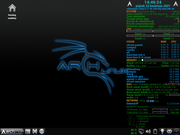
Show your conky_startup.sh yet
In my case it looks like this.
#!/bin/bash
killall conky
cd "/home/robson/.conky"
conky -c "/home/robson/.conky/conkyrc_info" &
Last edited by robson75 (2021-04-23 12:48:37)
Arch Linux Xfce - 64Bit Linux User #621110
Offline
#3 2021-04-23 23:00:58
- ozooha
- Member
- Registered: 2009-09-29
- Posts: 184
Re: [SOLVED]Issue with conky after recent update - mofo doesn't show up
I start my conky from the gnome desktop and its the 3rd piece of code above.
It starts from ~/.config/autostart/conky.desktop.
Dude, I like your glowing fonts..care to share your conky.conf file.
Last edited by ozooha (2021-04-23 23:04:48)
Offline
#4 2021-04-24 07:54:20
- seth
- Member

- From: Won't reply 2 private help req
- Registered: 2012-09-03
- Posts: 77,527
Re: [SOLVED]Issue with conky after recent update - mofo doesn't show up
What is a mofo, and what is it responsible for?
https://en.wikipedia.org/wiki/Oedipus
@ozooha are we sure this is an X11 session or do you run a nested server on wayland?
loginctl session-statusOffline
#5 2021-04-24 11:16:42
- robson75
- Member
- From: Poland
- Registered: 2020-06-28
- Posts: 144
Re: [SOLVED]Issue with conky after recent update - mofo doesn't show up
Dude, I like your glowing fonts..care to share your conky.conf file.
Here you go
conky
Arch Linux Xfce - 64Bit Linux User #621110
Offline
#6 2021-04-24 17:56:17
- ozooha
- Member
- Registered: 2009-09-29
- Posts: 184
Re: [SOLVED]Issue with conky after recent update - mofo doesn't show up
What is a mofo, and what is it responsible for?
https://en.wikipedia.org/wiki/Oedipus
@ozooha are we sure this is an X11 session or do you run a nested server on wayland?
loginctl session-status
X11 session
 » loginctl session-status                                                                                                                                                    ~
1 - ozooha (1000)
           Since: Sat 2021-04-24 10:15:30 EDT; 3h 38min ago
          Leader: 518 (gdm-session-wor)
            Seat: seat0; vc2
             TTY: tty2
         Service: gdm-autologin; type x11; class user
           State: active
            Unit: session-1.scope
                  ├─518 gdm-session-worker [pam/gdm-autologin]
                  ├─535 /usr/bin/gnome-keyring-daemon --daemonize --login
                  ├─539 /usr/lib/gdm-x-session --run-script /usr/bin/gnome-session
                  ├─541 /usr/lib/Xorg vt2 -displayfd 3 -auth /run/user/1000/gdm/Xauthority -nolisten tcp -background none -noreset -keeptty -novtswitch -verbose 3
                  └─553 /usr/lib/gnome-session-binary

Apr 24 13:52:43 OZLinux /usr/lib/gdm-x-session[541]: (II) AMDGPU(0): Modeline "832x624"x0.0   57.28  832 864 928 1152  624 625 628 667 -hsync -vsync (49.7 kHz e)
Apr 24 13:52:43 OZLinux /usr/lib/gdm-x-session[541]: (II) AMDGPU(0): Modeline "800x600"x0.0   49.50  800 816 896 1056  600 601 604 625 +hsync +vsync (46.9 kHz e)
Apr 24 13:52:43 OZLinux /usr/lib/gdm-x-session[541]: (II) AMDGPU(0): Modeline "800x600"x0.0   50.00  800 856 976 1040  600 637 643 666 +hsync +vsync (48.1 kHz e)
Apr 24 13:52:43 OZLinux /usr/lib/gdm-x-session[541]: (II) AMDGPU(0): Modeline "1152x864"x0.0  108.00  1152 1216 1344 1600  864 865 868 900 +hsync +vsync (67.5 kHz e)
Apr 24 13:52:43 OZLinux /usr/lib/gdm-x-session[541]: (II) AMDGPU(0): Modeline "1280x1024"x0.0  108.00  1280 1328 1440 1688  1024 1025 1028 1066 +hsync +vsync (64.0 kHz e)
Apr 24 13:52:43 OZLinux /usr/lib/gdm-x-session[541]: (II) AMDGPU(0): Modeline "1280x960"x0.0  108.00  1280 1376 1488 1800  960 961 964 1000 +hsync +vsync (60.0 kHz e)
Apr 24 13:52:43 OZLinux /usr/lib/gdm-x-session[541]: (II) AMDGPU(0): Modeline "1440x900"x0.0  136.75  1440 1536 1688 1936  900 903 909 942 -hsync +vsync (70.6 kHz e)
Apr 24 13:52:43 OZLinux /usr/lib/gdm-x-session[541]: (II) AMDGPU(0): Modeline "1440x900"x0.0   88.75  1440 1488 1520 1600  900 903 909 926 +hsync -vsync (55.5 kHz e)
Apr 24 13:52:59 OZLinux gdm-password][1313]: gkr-pam: unlocked login keyring
Apr 24 13:52:59 OZLinux gdm-password][1313]: pam_systemd_home(gdm-password:account): systemd-homed is not available: Unit dbus-org.freedesktop.home1.service not found.
Offline
#7 2021-04-24 17:57:54
- ozooha
- Member
- Registered: 2009-09-29
- Posts: 184
Re: [SOLVED]Issue with conky after recent update - mofo doesn't show up
ozooha wrote:Dude, I like your glowing fonts..care to share your conky.conf file.
Here you go
conky
Thanks.
Offline
#8 2021-04-24 19:28:10
- seth
- Member
- From: Won't reply 2 private help req
- Registered: 2012-09-03
- Posts: 77,527
Re: [SOLVED]Issue with conky after recent update - mofo doesn't show up
Offline
#9 2021-04-24 21:56:51
- ozooha
- Member
- Registered: 2009-09-29
- Posts: 184
Re: [SOLVED]Issue with conky after recent update - mofo doesn't show up
I am not sure how to resolve this since it gets installed using the extra repository.
Unless I misunderstand (likely) the issue in that thread.
Can you explain what needs to be done at my end based on the issue in that thread?
Thanks,
OZooHA
Offline
#10 2021-04-24 22:17:26
- seth
- Member
- From: Won't reply 2 private help req
- Registered: 2012-09-03
- Posts: 77,527
Re: [SOLVED]Issue with conky after recent update - mofo doesn't show up
There was a bug reg. gradients, so from your config one of the graphs.
You'd have to single-color them or downgrade conky and wait or use eg. https://aur.archlinux.org/packages/conky-git/ interim.
Offline
#11 2021-04-24 23:58:01
- ozooha
- Member
- Registered: 2009-09-29
- Posts: 184
Re: [SOLVED]Issue with conky after recent update - mofo doesn't show up
Sweet the conky-git got it working.
Offline