You are not logged in.
- Topics: Active | Unanswered
#1 2023-02-21 20:47:23
- poppybara
- Member
- Registered: 2023-02-21
- Posts: 22
[SOLVED] error: file /vmlinuz-linux not found in btrfs
Hello! I was recently updating my system, when it just froze mid update completely, and I was forced to reboot. What I didn't realise was that the update included some stuff for
linuxand firmware updates for it.
I have gone through some previous threads which referred to the same issue, but with not much success.
I apologize that I am only able to provide pictures, as I am aware it isn't convenient for people with sight disabilities.
Here is the error that grub shows:
https://files.catbox.moe/5u18fs.jpg
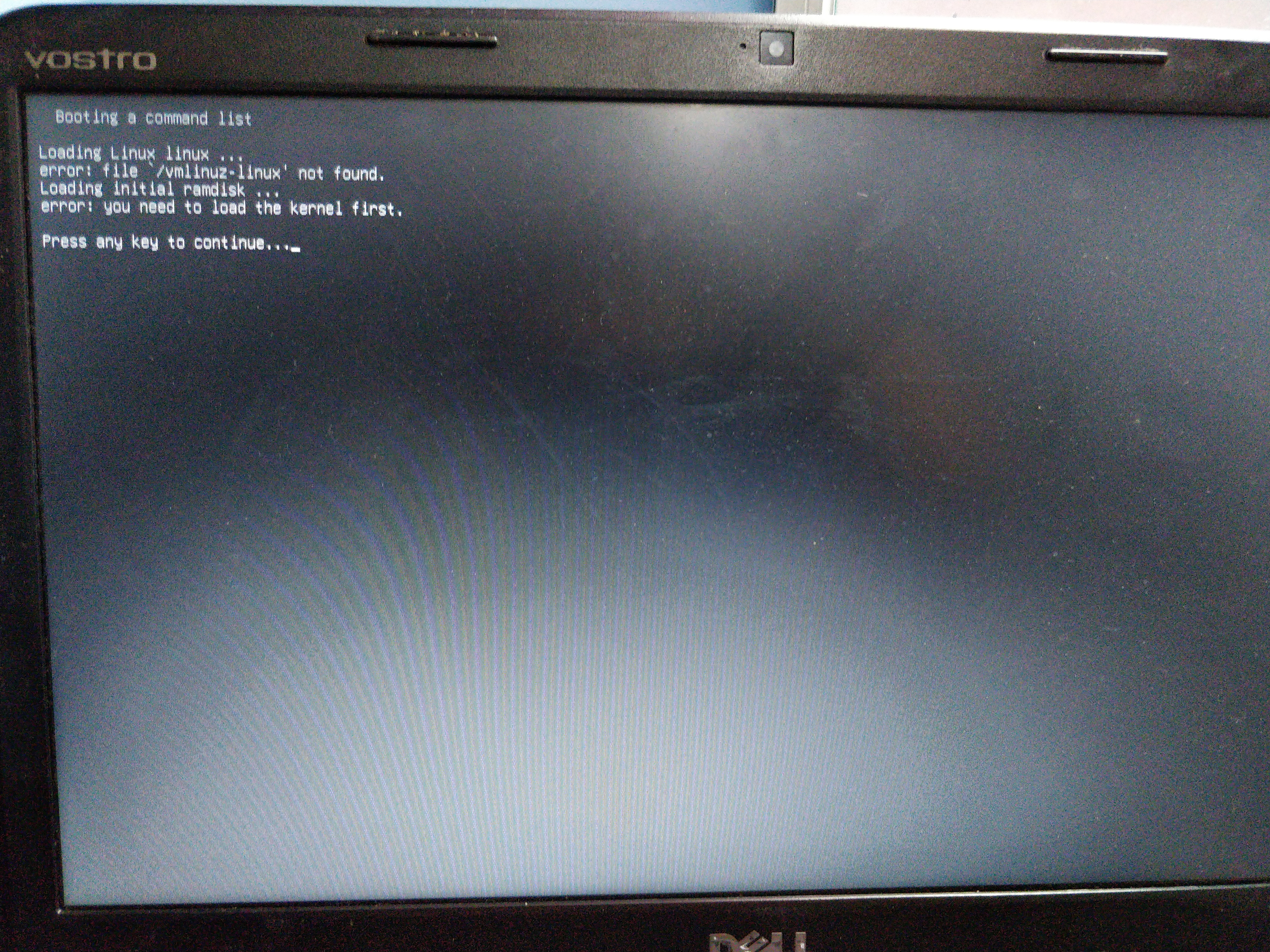
I tried chrooting into my arch install via a live USB, I tried running
sudo pacman -S linuxand also
sudo pacman -Syu.
This does generate a
vmlinuz-linuxfile in
boot.
Here are some pictures for the same:
https://files.catbox.moe/e5ul0v.jpg
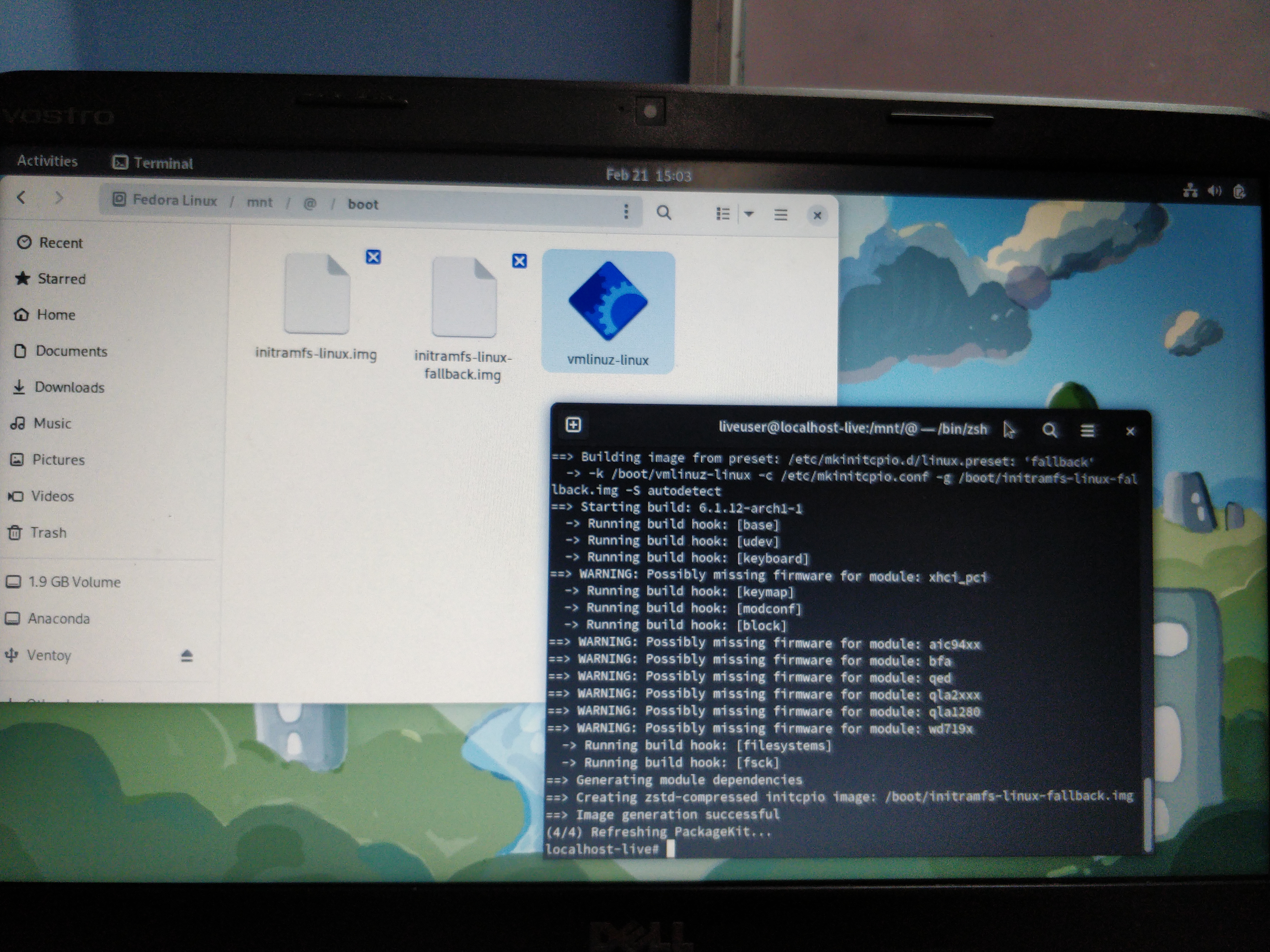
https://files.catbox.moe/ci3qmz.jpg
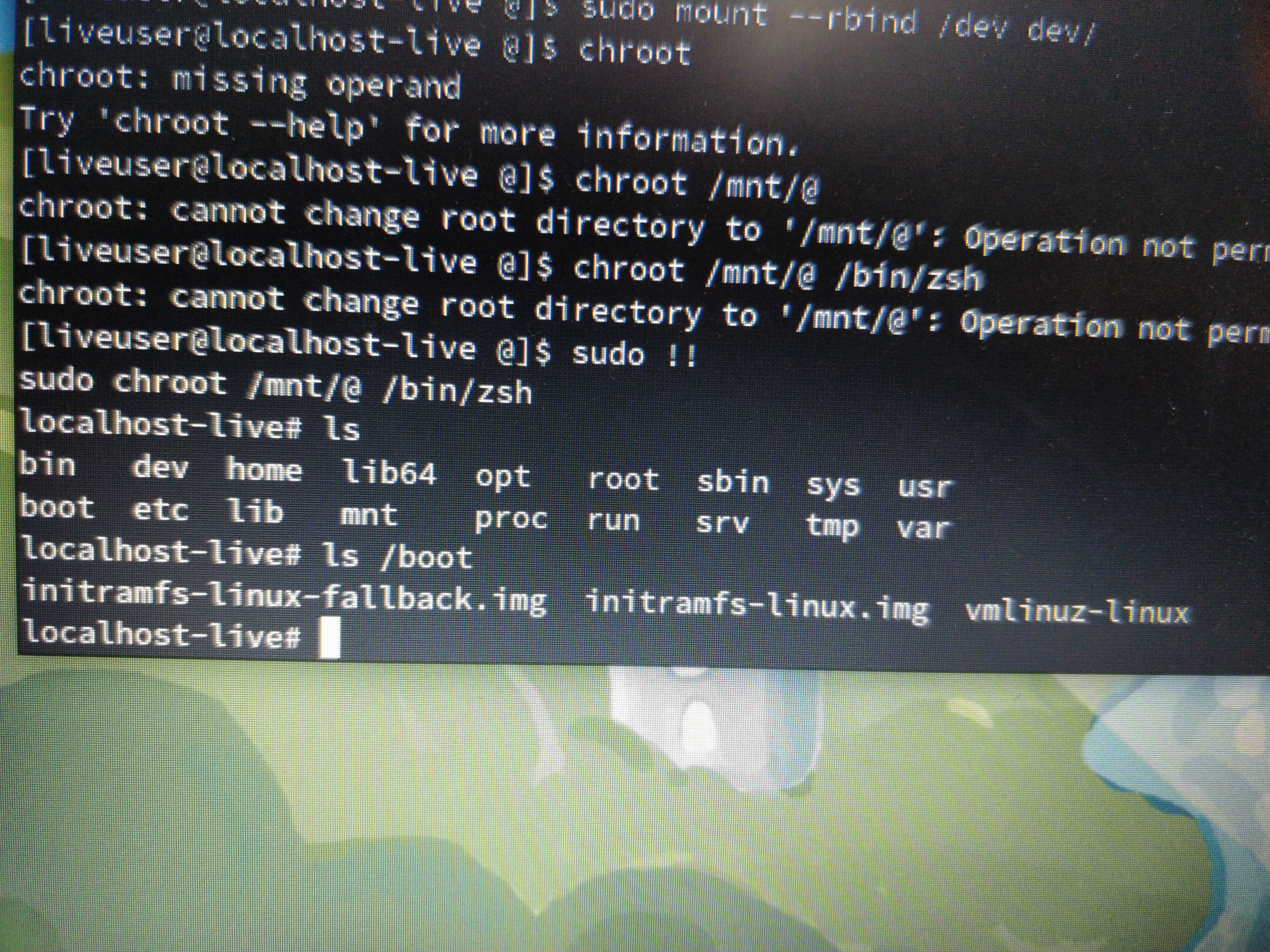
However, this doesn't solve the issue and blurts out the same error as shown in picture 1. i.e. GRUB being unable to find
/vmlinuzWhat can I be doing next?
Mod note: Removed large embedded links -- V1del
Last edited by poppybara (2023-02-22 04:05:37)
Offline
#2 2023-02-21 21:04:41
- V1del
- Forum Moderator

- Registered: 2012-10-16
- Posts: 25,255
Re: [SOLVED] error: file /vmlinuz-linux not found in btrfs
Please don't embed huge images directly: https://wiki.archlinux.org/title/Genera … s_and_code
How sure are you you don't have the ESP mounted to /boot normally and didn't do so on these reinstall attempts? Mount all partitions as you expect them to be under the path you will chroot in (e.g. / on /mnt, /boot on /mnt/boot and so forth) chroot in and rerun the installation command.
Offline
#3 2023-02-21 21:24:42
- poppybara
- Member
- Registered: 2023-02-21
- Posts: 22
Re: [SOLVED] error: file /vmlinuz-linux not found in btrfs
Please don't embed huge images directly: https://wiki.archlinux.org/title/Genera … s_and_code
My apologies.
How sure are you you don't have the ESP mounted to /boot normally and didn't do so on these reinstall attempts? Mount all partitions as you expect them to be under the path you will chroot in (e.g. / on /mnt, /boot on /mnt/boot and so forth) chroot in and rerun the installation command.
Prior to this, I also tried mounting the boot partition to /mnt/boot/ , which didn't yield any tangible results either.
I will mention this, I use Legacy BIOS so the ESP part might have been unnecessary.
I also followed the guide on the arch wiki for chrooting and adjusted them for my set up
Here is my lsblk
NAME        MAJ:MIN RM   SIZE RO TYPE MOUNTPOINTS
loop0         7:0    0   1.8G  1 loop
loop1         7:1    0   7.6G  1 loop
├─live-rw   253:1    0   7.6G  0 dm
└─live-base 253:2    0   7.6G  1 dm
loop2         7:2    0    32G  0 loop
└─live-rw   253:1    0   7.6G  0 dm
sda           8:0    0 465.8G  0 disk
├─sda1        8:1    0   200M  0 part
└─sda2        8:2    0 465.6G  0 part
sdb           8:16   1   7.3G  0 disk
├─sdb1        8:17   1   7.2G  0 part
└─sdb2        8:18   1    32M  0 part
sdc           8:32   1     0B  0 disk
sr0          11:0    1  1024M  0 rom
zram0       252:0    0   3.7G  0 disk [SWAP]
Here, sda is my laptops HDD, sdb is my live install and sdc is my phone via which I USB tether to get internet
And here are the commands I used for mounting my stuff
# mount /dev/sda1 /mnt/boot
# mount /dev/sda2 /mnt
# mount -t proc /proc proc/
# mount -t sysfs /sys sys/
# mount --rbind /dev dev/
# chroot /mnt/@ /bin/bash
Am I doing this right? It might be wrong considering the fact that I probably shouldn't be mounting sda1 as boot. Rather, I should be mounting /dev/sda2/boot at /mnt/boot.
Offline
#4 2023-02-21 22:50:30
- seth
- Member

- From: Won't reply 2 private help req
- Registered: 2012-09-03
- Posts: 76,383
Re: [SOLVED] error: file /vmlinuz-linux not found in btrfs
# mount /dev/sda1 /mnt/boot
# mount /dev/sda2 /mnt
The order is off.
You're mounting /dev/sda1 to /mnt/boot and then shadow that partition by mounting /dev/sda2 to /mnt
# mount /dev/sda2 /mnt
# mount /dev/sda1 /mnt/bootOffline
#5 2023-02-21 23:02:20
- poppybara
- Member
- Registered: 2023-02-21
- Posts: 22
Re: [SOLVED] error: file /vmlinuz-linux not found in btrfs
# mount /dev/sda1 /mnt/boot
# mount /dev/sda2 /mnt
The order is off.
You're mounting /dev/sda1 to /mnt/boot and then shadow that partition by mounting /dev/sda2 to /mnt# mount /dev/sda2 /mnt # mount /dev/sda1 /mnt/boot
How does that matter? Just out of curiosity
Edit: figured it out nvm
Last edited by poppybara (2023-02-21 23:15:50)
Offline
#6 2023-02-21 23:43:48
- poppybara
- Member
- Registered: 2023-02-21
- Posts: 22
Re: [SOLVED] error: file /vmlinuz-linux not found in btrfs
Update: Pacman is complaining that it is unable to detect the root filesystem.
Here is how I went about mounting this time:
# mount /dev/sda2 /mnt/
# mount /dev/sda1 /mnt/boot
# mount -t proc /proc proc/
# mount -t sysfs /sys sys/
# mount --rbind /dev dev/
# chroot /mnt/@ /bin/zshLast edited by poppybara (2023-02-21 23:47:23)
Offline
#7 2023-02-21 23:49:15
- seth
- Member
- From: Won't reply 2 private help req
- Registered: 2012-09-03
- Posts: 76,383
Re: [SOLVED] error: file /vmlinuz-linux not found in btrfs
[2023-02-22T04:50:16+0530] [ALPM-SCRIPTLET] ==> ERROR: /proc must be mounted!Sorry, didn't pay enough attention
# mount -t proc /proc proc/
# mount -t sysfs /sys sys/
# mount --rbind /dev dev/
# chroot /mnt/@ /bin/bashis off as well
You need to enter /mnt before mounting /proc
https://wiki.archlinux.org/title/Chroot
If you're doing this from the install iso, you can also just use arch-chroot after mounting /mnt and /mnt/boot
Offline
#8 2023-02-22 01:25:13
- poppybara
- Member
- Registered: 2023-02-21
- Posts: 22
Re: [SOLVED] error: file /vmlinuz-linux not found in btrfs
[2023-02-22T04:50:16+0530] [ALPM-SCRIPTLET] ==> ERROR: /proc must be mounted!Sorry, didn't pay enough attention
# mount -t proc /proc proc/ # mount -t sysfs /sys sys/ # mount --rbind /dev dev/ # chroot /mnt/@ /bin/bashis off as well
You need to enter /mnt before mounting /proc
https://wiki.archlinux.org/title/Chroot
If you're doing this from the install iso, you can also just use arch-chroot after mounting /mnt and /mnt/boot
Maybe it is a bit late, but I want to mention that I use BTRFS (you will see why I am mentioning this)
I downloaded the iso for arch and did the following:
# mount /dev/sda2 /mnt
# mount /dev/sda1 /mnt/boot
# arch-chroot /mntThis results in arch-chroot complaining that:
mount: /mnt/proc: mount point does not exist
             dmesg(1) may have more information after failed mount system call.
==> ERROR: failed to setup chroot /mnt
But, now I did the following:
# ls /mnt
boot   @.  @.snapshots   @home   @log   @pkg
This slipped my mind completely and was also present in one of the screenshots, that my proc is at /mnt/@/proc, NOT /mnt/proc.
Perhaps arch-chroot assumes you are using EXT4 or smth?
I tried mounting proc at /mnt/@proc and same for boot and also the same for rbind dev and sysfs
Still no avail
Offline
#9 2023-02-22 02:14:14
- Scimmia
- Fellow

- Registered: 2012-09-01
- Posts: 13,727
Re: [SOLVED] error: file /vmlinuz-linux not found in btrfs
You have to specify the subvol option when you mount it, same way you did when you installed the system.. See the btrfs wiki page.
Offline
#10 2023-02-22 02:49:50
- poppybara
- Member
- Registered: 2023-02-21
- Posts: 22
Re: [SOLVED] error: file /vmlinuz-linux not found in btrfs
You have to specify the subvol option when you mount it, same way you did when you installed the system.. See the btrfs wiki page.
I just did arch-install and let it do its thing
What should i be looking for in the wiki?
Offline
#11 2023-02-22 02:57:28
- Scimmia
- Fellow
- Registered: 2012-09-01
- Posts: 13,727
Re: [SOLVED] error: file /vmlinuz-linux not found in btrfs
archinstall is not a way of avoiding knowing how your system is set up. You take shortcuts in Arch, the WILL come back to bite you.
Offline
#12 2023-02-22 03:58:16
- poppybara
- Member
- Registered: 2023-02-21
- Posts: 22
Re: [SOLVED] error: file /vmlinuz-linux not found in btrfs
After roughly 12+ hrs of head banging, I have finally gotten it fixed!
BTRFS mounts differently than ext4(shocker), the Arch Wiki doesn't mention that in the chroot wiki, but thx to Scimmia I was able to figure it out.
Arch by default creates the following subvolumes for BTRFS:
@. @home @.snapshots @log @pkg boot The one of interest here is "@." aka the root folder
Mounted it by:
# mount -t btrfs -o subvol=@. /dev/sda2 /mntI personally didn't need to go any further, as the root directory itself contains the boot folder. The other boot folder (/dev/sda1) was the one with GRUB, no need to touch that
From there, I chrooted by:
# chroot /mnt /bin/bashAfter chrooting, I could run the usual commands:
# pacman -S linuxAfter regenerating the initcpios, I could breathe the sigh of relief knowing that proc mounting issue I had earlier was fixed
Sure it did throw an error up later but the thing I wanted actually was fixed
Big thanks to V1del and seth for helping the Arch Forums community for a very long time, you guys have helped me fix issues and guide me for a while now <3
Thank you so much Scimmia for leading me in the right direction.

Offline