You are not logged in.
- Topics: Active | Unanswered
#1 2024-02-03 16:44:16
- MetalInMyVeins
- Member
- Registered: 2024-02-03
- Posts: 35
[SOLVED] Installing windows 10 after arch linux fails
What happens:
> The windows installation fails at the "Finishing up" stage of the setup.
What did I do:
> Made live USB of windows 10 iso using `woeusb`.
> Set up unallocated space for windows using gparted while in arch linux. Like this: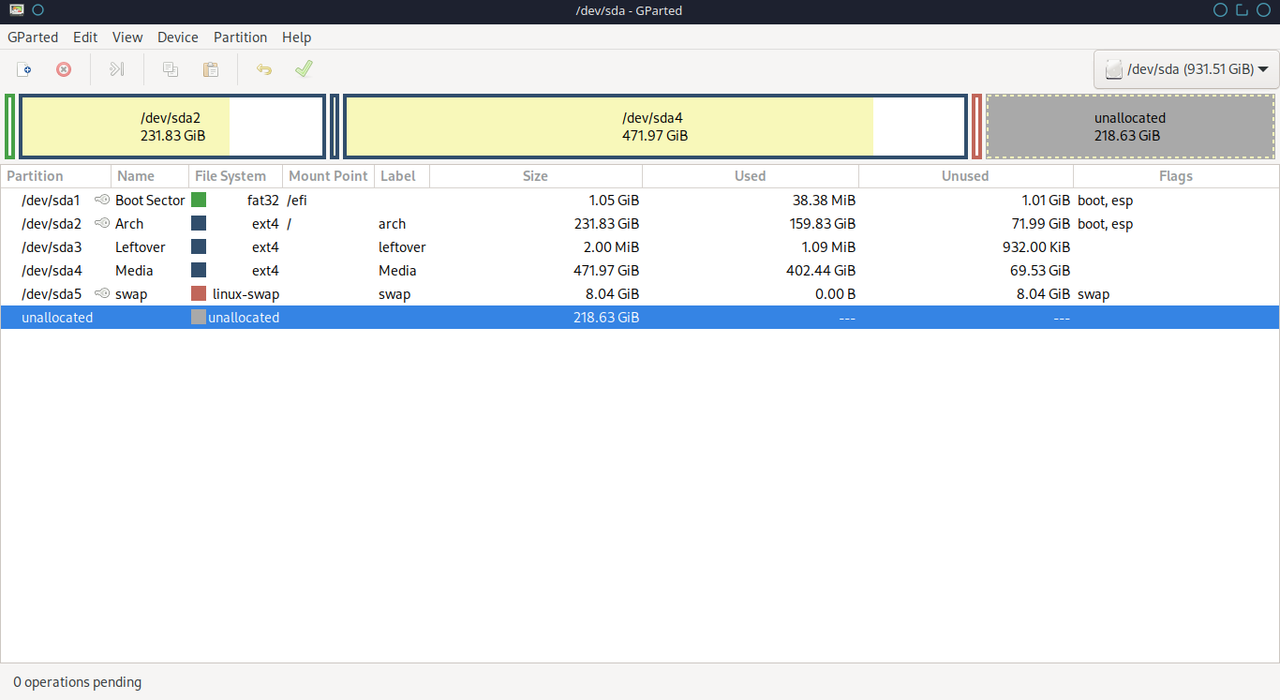
> Started installation. Everything goes well until the "Finishing up" stage. The setup fails and doesn't give any information about what went wrong. Like this: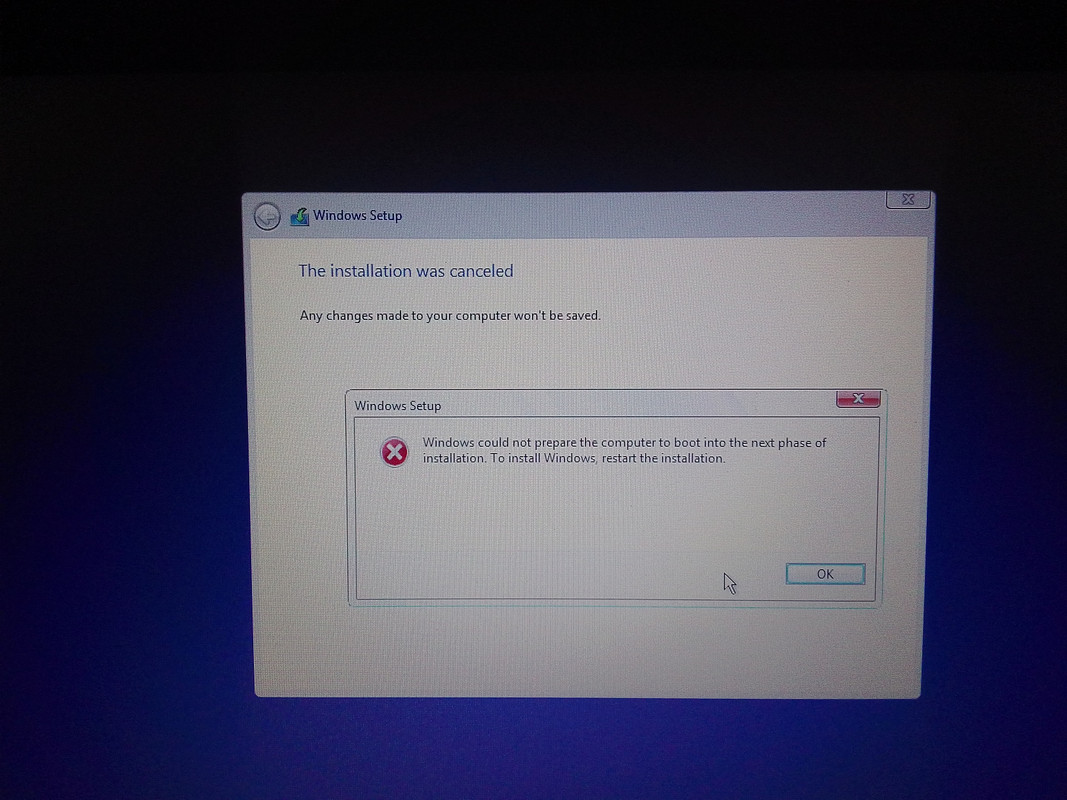
> Then after booting into arch linux, this is the gparted screenshot: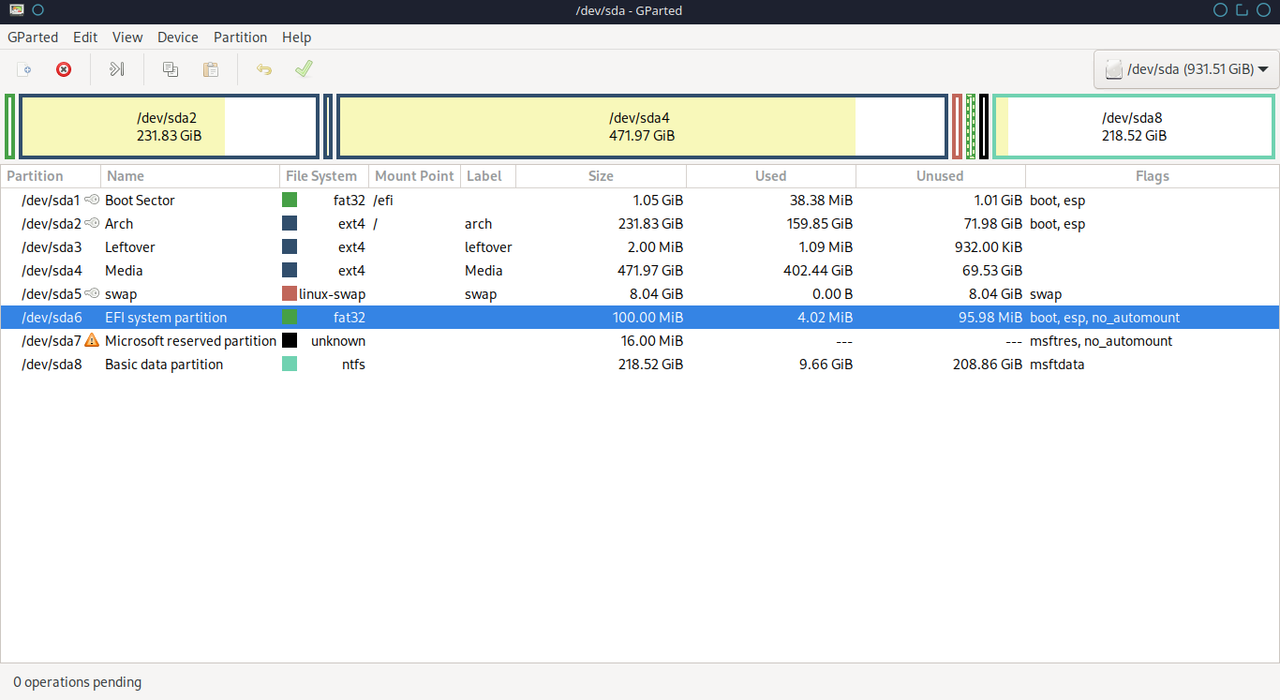
About my system:
Lenovo Thinkpad UEFI GPT
What I want:
> Install windows in a system which already has arch linux installed in it (dual boot).
SOLVED:
I removed the esp flag from /dev/sda2 and everything worked.
Last edited by MetalInMyVeins (2024-02-05 10:14:16)
Offline
#2 2024-02-03 20:31:18
- GeorgeJP
- Member

- From: Czech Republic
- Registered: 2020-01-28
- Posts: 190
Re: [SOLVED] Installing windows 10 after arch linux fails
Try to delete second EFI partition (/dev/sda6) created by Windows installation.
Then from Windows install disk try to repair boot.
Offline
#3 2024-02-04 08:47:28
- MetalInMyVeins
- Member
- Registered: 2024-02-03
- Posts: 35
Re: [SOLVED] Installing windows 10 after arch linux fails
Try to delete second EFI partition (/dev/sda6) created by Windows installation.
Then from Windows install disk try to repair boot.
How to repair boot? Where do i find that option?
Offline
#4 2024-02-04 11:40:18
- GeorgeJP
- Member
- From: Czech Republic
- Registered: 2020-01-28
- Posts: 190
Re: [SOLVED] Installing windows 10 after arch linux fails
Just start windows installation again and select destination to last partition.
I have no idea, why windows is creating new EFI partition, when it is already present.
Offline