You are not logged in.
- Topics: Active | Unanswered
#1 2024-02-22 21:44:55
- millions024
- Member
- Registered: 2024-02-22
- Posts: 30
disk is broken after trying to resize using kde partition manager
edited to merge the thread and to turn images into links (i don't have a way to directly copy the text from the terminal right now and i don't want to type out all the terminal outputs by hand so you'll have to click on links instead
while i was trying to move to linux i had 2 partitions on a 2tb drive: one ntfs with the files that were on the drive before i switched and an ext4 partition i was moving the files to
so i was gradually making the ntfs partition smaller and the ext4 one bigger using kde partition manager, and when i tried to delete the rest of the ntfs drive and resize the ext4 partition to fit it, it failed after moving the files to the left (by 700gb)
now my drive looks like this: (image)

This is what it looks like in fdisk: (image)
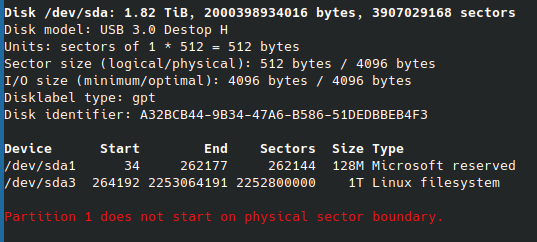
This is the output of fsck /dev/sda3: (image)

I would try ddrescue but i don't have another 2tb drive i can try this on. Can i fix this drive or am i screwed?
(incase you need to know, before this i had an ntfs partition of around 700gb and the rest of it was the ext4 partition from what i can remember)
edit 1: I tried testdisk before the post to see if there was anything to recover and it gave me 2 Mac partitions (I never put apfs on it), 2 ext4 partitions that can be recovered, and probably like 10 more that couldn’t
Here's some images:
- it listing the partitions that can't be recovered: (image)
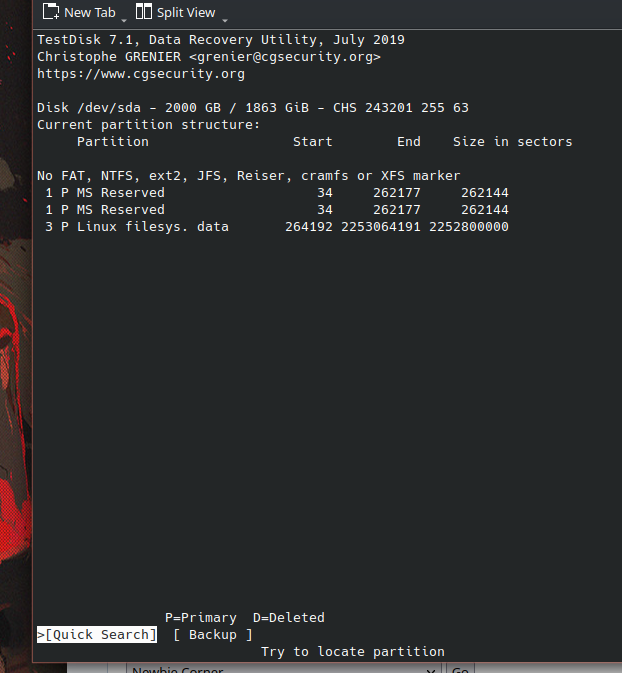
- what it says before hitting quick search: (image)
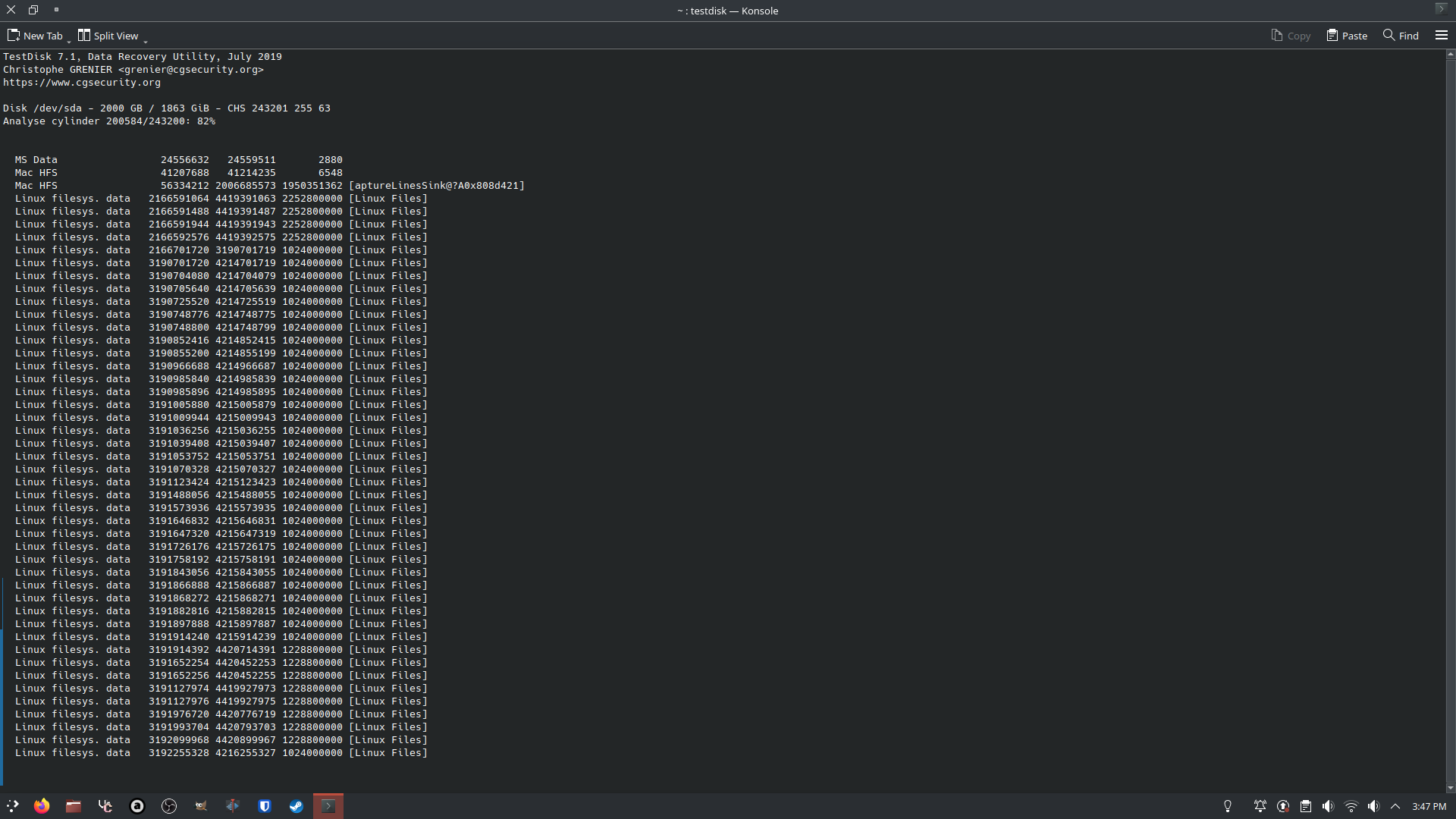
- testdisk discovering at least 5 of the same partition: (image)
tried it again after disabling fstrim, same result. when i try to view the files of the linux partitions i can recover, it says No file found, filesystem may be damaged.
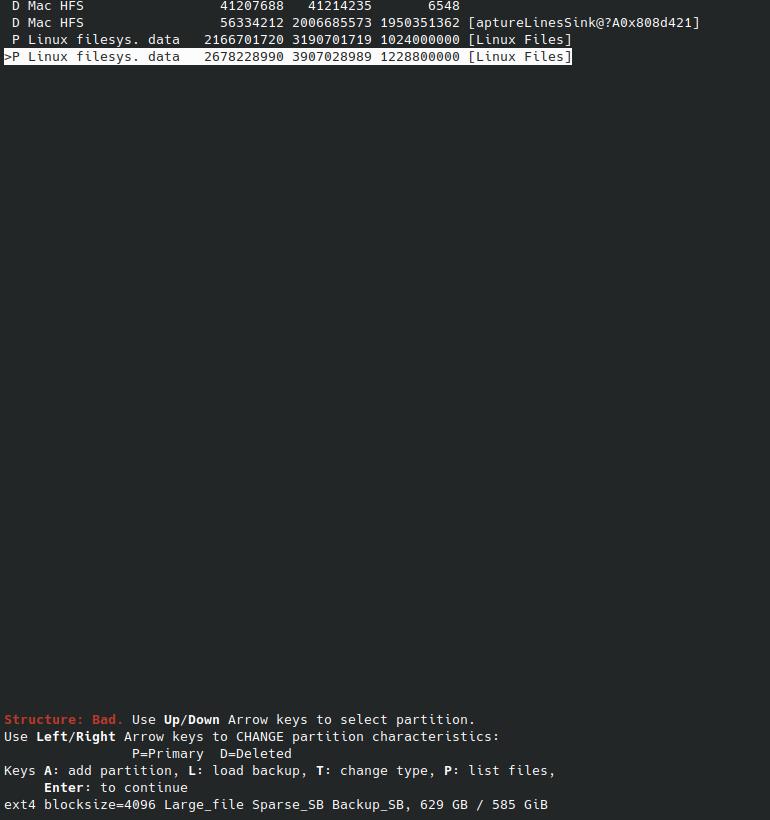
edit 2: In testdisk, i can mark the MS data and HFS partitions as Deleted, but i can't mark both linux filesystem partitions as primary because the "structure is bad".
It lets me check one of them off though. do i proceed with that or would that destroy the drive?
edit 3: Another update, sorry if this counts as spamming or is annoying to people on the forum
I found a testdisk partition table backup from the first time i tried it, and it lists a 134mb used / 128mb unknown partition and a 1153GB used out of 1074GB partition. Both of them display the same filesystem corrupted thing when i try to preview the files, but it lets me select both as primary. is there anything i can do with this?
edit: trying photorec, seems to be recovering files so far.
I have like 2 files in there that were saves of a game i play a lot, since the names seem to be randomized how would i go about finding them?
Last edited by millions024 (2024-02-23 00:48:05)
Offline
#2 2024-02-22 22:16:10
- frostschutz
- Member

- Registered: 2013-11-15
- Posts: 1,658
Re: disk is broken after trying to resize using kde partition manager
Don't mount anything, disable fstrim (uninstall or chmod -x /usr/bin/fstrim), ...
For experiments consider using a Copy-On-Write Overlay: https://raid.wiki.kernel.org/index.php/ … erlay_file
Then try your luck with testdisk, and others... if you're lucky the original partition is still whole but it depends on what exactly that program was doing. If it died mid-move, there might not be a single partition but at least two segments of one... you could use dm-linear to map it but you'd have to identify those segments first. Testdisk doesn't handle that. If the kde partitioner does not have a resume and recovery function, then probably no other program handles it either. If it can be done at all, it will be a manual process.
Offline
#3 2024-02-22 22:18:22
- millions024
- Member
- Registered: 2024-02-22
- Posts: 30
Re: disk is broken after trying to resize using kde partition manager
I tried testdisk before the post to see if there was anything to recover and it gave me 2 Mac partitions (I never put apfs on it), 2 ext4 partitions that can be recovered, and probably like 10 more that couldn’t
Offline
#4 2024-02-22 22:30:25
- millions024
- Member
- Registered: 2024-02-22
- Posts: 30
Re: disk is broken after trying to resize using kde partition manager
I forgot i had screenshots from when i tried it.
this is it saying the partitions that can't be recovered: 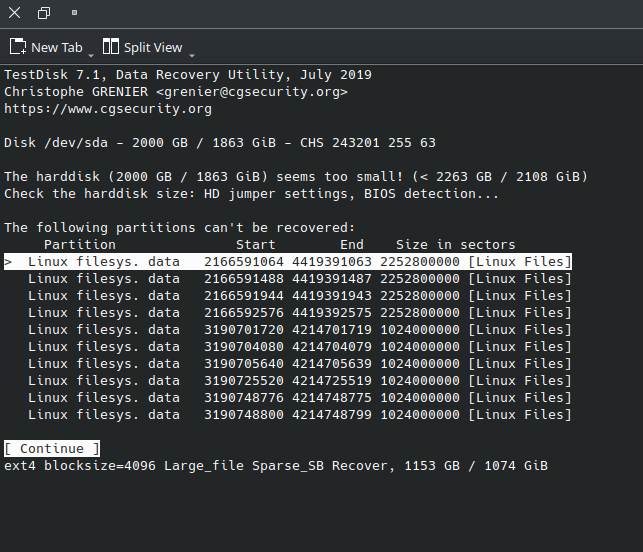
here's what it says before i quick search:
this is it in the middle of the search discovering a lot of ext4:
edit: tried it again after disabling fstrim, same result. when i try to view the files of the linux partitions i can recover, it says No file found, filesystem may be damaged.
Last edited by millions024 (2024-02-22 22:59:17)
Offline
#5 2024-02-22 23:01:46
- millions024
- Member
- Registered: 2024-02-22
- Posts: 30
Re: disk is broken after trying to resize using kde partition manager
In testdisk, i can mark the MS data and HFS partitions as Deleted, but i can't mark both linux filesystem partitions as primary because the "structure is bad".
It lets me check one of them off though. do i proceed with that or would that destroy the drive?

Offline
#6 2024-02-22 23:31:53
- millions024
- Member
- Registered: 2024-02-22
- Posts: 30
Re: disk is broken after trying to resize using kde partition manager
Another update, sorry if this counts as spamming or is annoying to people on the forum
I found a testdisk partition table backup from the first time i tried it, and it lists a 134mb used / 128mb unknown partition and a 1153GB used out of 1074GB partition. Both of them display the same filesystem corrupted thing when i try to preview the files, but it lets me select both as primary. is there anything i can do with this?
edit: trying photorec, seems to be recovering files so far.
I have like 2 files in there that were saves of a game i play a lot, since the names seem to be randomized how would i go about finding them?
Last edited by millions024 (2024-02-22 23:58:40)
Offline
#7 2024-02-23 00:32:33
- 2ManyDogs
- Forum Fellow
- Registered: 2012-01-15
- Posts: 4,648
Re: disk is broken after trying to resize using kde partition manager
The images in your posts are mostly text you could post in [ code ] tags. If you must post images, please read the General Guidelines and post only thumbnails or links to images. Please edit your previous posts to remove the huge images.
https://wiki.archlinux.org/title/Genera … s_and_code
https://bbs.archlinux.org/help.php#bbcode
In addition, if no one has responded to your latest post and you neeed to add information or updates, please edit your existing post rather than posting again.
Offline
#8 2024-02-23 00:36:33
- millions024
- Member
- Registered: 2024-02-22
- Posts: 30
Re: disk is broken after trying to resize using kde partition manager
The images in your posts are mostly text you could post in [ code ] tags. If you must post images, please read the General Guidelines and post only thumbnails or links to images. Please edit your previous posts to remove the huge images.
https://wiki.archlinux.org/title/Genera … s_and_code
https://bbs.archlinux.org/help.php#bbcodeIn addition, if no one has responded to your latest post and you neeed to add information or updates, please edit your existing post rather than posting again.
Sorry, editing them right now :thumbs_up:
Offline
#9 2024-02-23 00:48:58
- millions024
- Member
- Registered: 2024-02-22
- Posts: 30
Re: disk is broken after trying to resize using kde partition manager
2ManyDogs wrote:The images in your posts are mostly text you could post in [ code ] tags. If you must post images, please read the General Guidelines and post only thumbnails or links to images. Please edit your previous posts to remove the huge images.
https://wiki.archlinux.org/title/Genera … s_and_code
https://bbs.archlinux.org/help.php#bbcodeIn addition, if no one has responded to your latest post and you neeed to add information or updates, please edit your existing post rather than posting again.
Sorry, editing them right now :thumbs_up:
edited, can you remove the responses to the thread that i merged into the main post? i don't see an option to do it myself
Offline
#10 2024-02-23 10:30:31
- frostschutz
- Member
- Registered: 2013-11-15
- Posts: 1,658
Re: disk is broken after trying to resize using kde partition manager
edit: trying photorec, seems to be recovering files so far.
I have like 2 files in there that were saves of a game i play a lot, since the names seem to be randomized how would i go about finding them?
Depends on the contents of those saves. If its a random format then photorec won't recognize them as files at all.
If it's a known file type (for example, Stardew Valley uses XML) you can try to search photorec for (text files with header tx?) type and then you'll have to check file contents yourself (take a known good savefile and grep for unique contents like specific xml tags).
As for recovering the filesystem itself, it may be possible in theory but there isn't a ready made tool for recovering a botched mid-move. If it can be done it'll be a manual process of identifying the data segments on disk.
Last edited by frostschutz (2024-02-23 10:31:47)
Offline
#11 2024-02-23 16:19:22
- millions024
- Member
- Registered: 2024-02-22
- Posts: 30
Re: disk is broken after trying to resize using kde partition manager
millions024 wrote:edit: trying photorec, seems to be recovering files so far.
I have like 2 files in there that were saves of a game i play a lot, since the names seem to be randomized how would i go about finding them?
Depends on the contents of those saves. If its a random format then photorec won't recognize them as files at all.
If it's a known file type (for example, Stardew Valley uses XML) you can try to search photorec for (text files with header tx?) type and then you'll have to check file contents yourself (take a known good savefile and grep for unique contents like specific xml tags).
As for recovering the filesystem itself, it may be possible in theory but there isn't a ready made tool for recovering a botched mid-move. If it can be done it'll be a manual process of identifying the data segments on disk.
it was a geometry dash save [.dat], and when i dragged a blank save file into the website photorec gives you to see if it would be recovered it said unknown
i already formatted the thing and started fresh (with btrfs for the snapshots feature)
i actually had a cloud save and a hard drive from my old pc with most of the stuff on it so the only thing i really lost was a month of gd stuff and videos i'd recorded over time
Offline