You are not logged in.
- Topics: Active | Unanswered
#1 2024-06-09 19:35:32
- poppybara
- Member
- Registered: 2023-02-21
- Posts: 22
[SOLVED]Kernel panic on boot since last update
Hello Everyone!
I was updating my arch install and my laptop suddenly froze up. I decided to hard restart only to find my install to be hard stuck on a kernel panic on boot.
I have no idea what has caused it and I am sorry that I am unable to provide next to no information aside from above.
Here is what I have tried:
1. Verify that my root file system is fine (it is indeed fine) (Also note that I use XFS)
2. Try chrooting via a live environment using arch-chroot to reverse the update or finish it.
I get stuck at 2. as arch-chroot complains about the following:
/bin/bash: error while loading shared libraries: /usr/lib/libncursesw.so.6: file too short Upon running
ls -l /usr/lib/libncursesw.so.6 I find the following:
lrwxrwxrwx 1 root root 18 May 23 2023 /usr/lib/libncursesw.so.6 -> libncursesw.so.6.4I am not sure how to proceed further, or if my idea about going ahead and actually finishing the update is going to be worth it
Thanks in advance!
Last edited by poppybara (2024-06-11 01:47:07)
Offline
#2 2024-06-09 20:30:49
- seth
- Member

- From: Won't reply 2 private help req
- Registered: 2012-09-03
- Posts: 78,161
Re: [SOLVED]Kernel panic on boot since last update
ncurses is broken => everything is broken.
Don't chroot, use "pacman --root=/mnt --cachedir=/mnt/var/cache/pacman/pkg/" for everything.
Then check the system integrity:
LC_ALL=C pacman --root=/mnt --cachedir=/mnt/var/cache/pacman/pkg/ -Qkk | grep -v ', 0 altered files'Everything that shows up w/ broken or missing mtree has to be re-installed using "--dbonly" first.
Then without the flag along all the packages that show suspicious file deviations.
Ifff the list is to overwhelming you can re-install all packages but you still have to fix the databases first or you'll run into file conflicts.
Don't forgt to mount the /boot partition into /mnt/boot, if you have one.
Offline
#3 2024-06-09 20:41:35
- poppybara
- Member
- Registered: 2023-02-21
- Posts: 22
Re: [SOLVED]Kernel panic on boot since last update
Hello seth, thank you for your wonderful contributions for people like me over the years.
The list is indeed too overwhelming and I am not sure how I would go about "fixing the database", please tell me how I would do that.
Can I just re-install all packages directly and hope nothing goes wrong 
Offline
#4 2024-06-09 20:46:09
- seth
- Member
- From: Won't reply 2 private help req
- Registered: 2012-09-03
- Posts: 78,161
Re: [SOLVED]Kernel panic on boot since last update
"fixing the database" == "--dbonly", if you want to re-install all packages, use the sequence in the wiki but
1. you'll need to add "--root=/mnt --cachedir=/mnt/var/cache/pacman/pkg/" because you're using the pacman from the install iso
2. you'll have to do this twice, the first pass with --dbonly (this will generate lots of "empty file" errorst that you can ignore), the second without
You'll also need a recent-ish install iso to have an up-to-date keyring available (so not one from 2022 or so)
You can post the list of broken packages if you want a comment on how terrible it really is. A couple of file deviations are normal.
Offline
#5 2024-06-09 21:07:56
- poppybara
- Member
- Registered: 2023-02-21
- Posts: 22
Re: [SOLVED]Kernel panic on boot since last update
Thank you so much
I will just prefer the nuclear option to reinstall everything rather than sifting through the broken packages as it will just hopefully be less problematic.
While doing so, I have come across a packahe conflict.
iptables and iptables-nft are in conflictHitting "N" aborts the entire process, while hitting "Y" breaks dependency
ebtables, which are needed by incus and lxd.
I don't mind getting rid of incus and lxd, how do I proceed forward?
Offline
#6 2024-06-09 21:10:16
- seth
- Member
- From: Won't reply 2 private help req
- Registered: 2012-09-03
- Posts: 78,161
Re: [SOLVED]Kernel panic on boot since last update
You can just install iptables-ntf (and replace iptables with it), otherwise you'll have to remove the packages depending on iptables-nft first
Offline
#7 2024-06-09 21:19:05
- poppybara
- Member
- Registered: 2023-02-21
- Posts: 22
Re: [SOLVED]Kernel panic on boot since last update
Doing the following
pacman #root and cache stuff# -S iptables-nftDidnt seem to help much. For reference, I am just running this
pacman #root and cache stuff# -S $(pacman -Qnq) --dbonlyand after which will run the same without "--dbonly" as you advised.
The problem arises with the "iptables" and "iptables-nft" conflict again.
I already happen to have 'iptables-nft" installed, and not "iptables"
I am not sure how to solve this conflict
Offline
#8 2024-06-09 21:20:46
- seth
- Member
- From: Won't reply 2 private help req
- Registered: 2012-09-03
- Posts: 78,161
Re: [SOLVED]Kernel panic on boot since last update
What is the acutal error message you're facing? In doubt link a photo of the monitor…
Offline
#9 2024-06-09 21:25:22
- poppybara
- Member
- Registered: 2023-02-21
- Posts: 22
Re: [SOLVED]Kernel panic on boot since last update
Sure, I am attaching a video instead to demonstrate the issue. Perhaps I am not doing a great job at explaining this (^^);
Offline
#10 2024-06-09 21:30:01
- seth
- Member
- From: Won't reply 2 private help req
- Registered: 2012-09-03
- Posts: 78,161
Re: [SOLVED]Kernel panic on boot since last update
You're trying to install ip-tables (it'll somehow show up in the list of packages), try to add "--ignore iptables" or remove the two pacakges that explicitly depend on iptables-nft, allow the system to install iptables and replace it w/ iptables-nft afterwards.
Offline
#11 2024-06-09 21:53:35
- poppybara
- Member
- Registered: 2023-02-21
- Posts: 22
Re: [SOLVED]Kernel panic on boot since last update
I have installed packages as you have advised and at last, I can finally boot!
But now I face another issue with almost every package acting... not so nicely.
I am attaching images for convenience.
Even pacman seems to be having some file conflicts. I think I have done goofed.
https://files.catbox.moe/ydw4nv.jpg
https://files.catbox.moe/1yszk0.jpg
https://files.catbox.moe/6sn98g.jpg
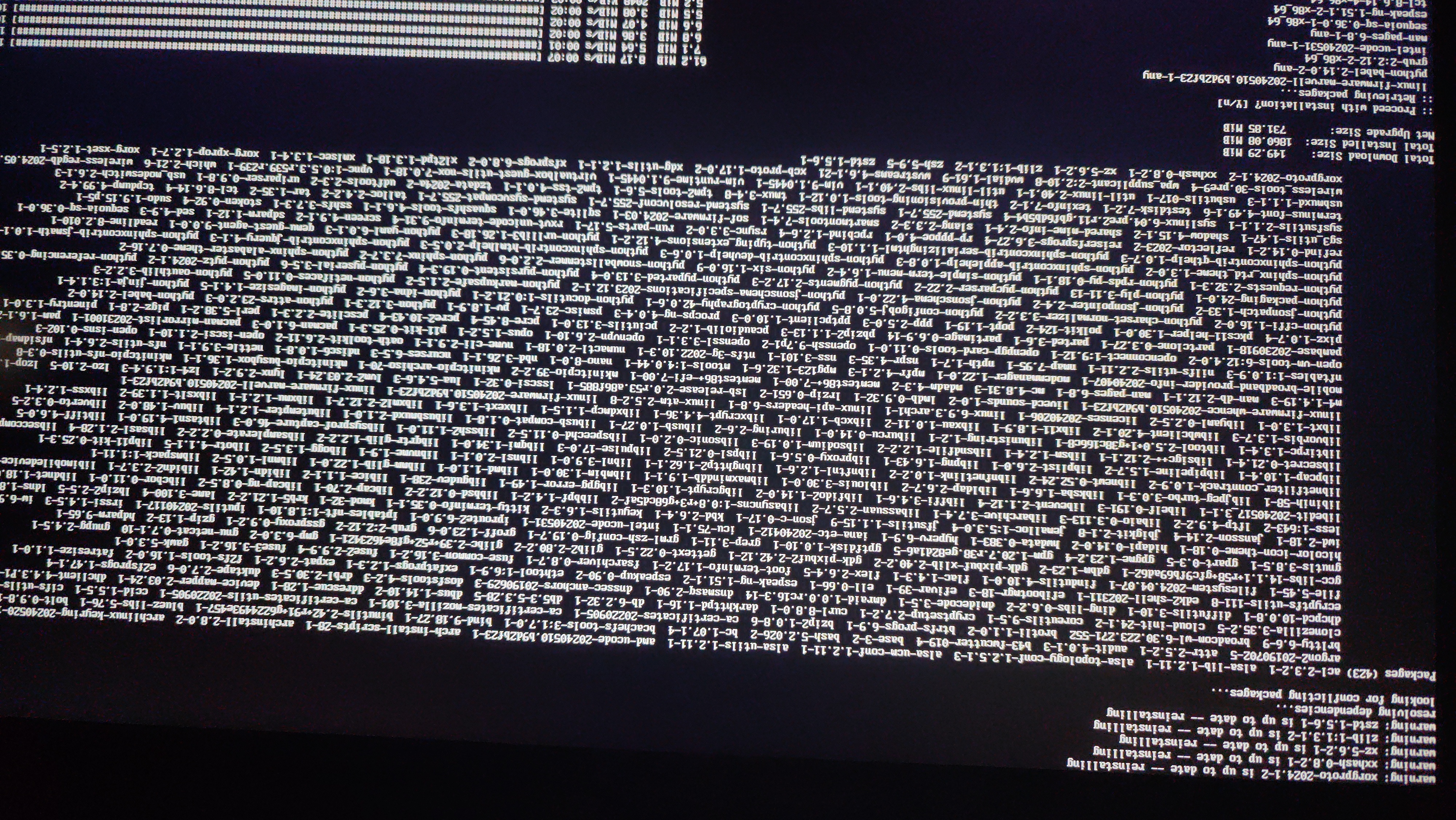

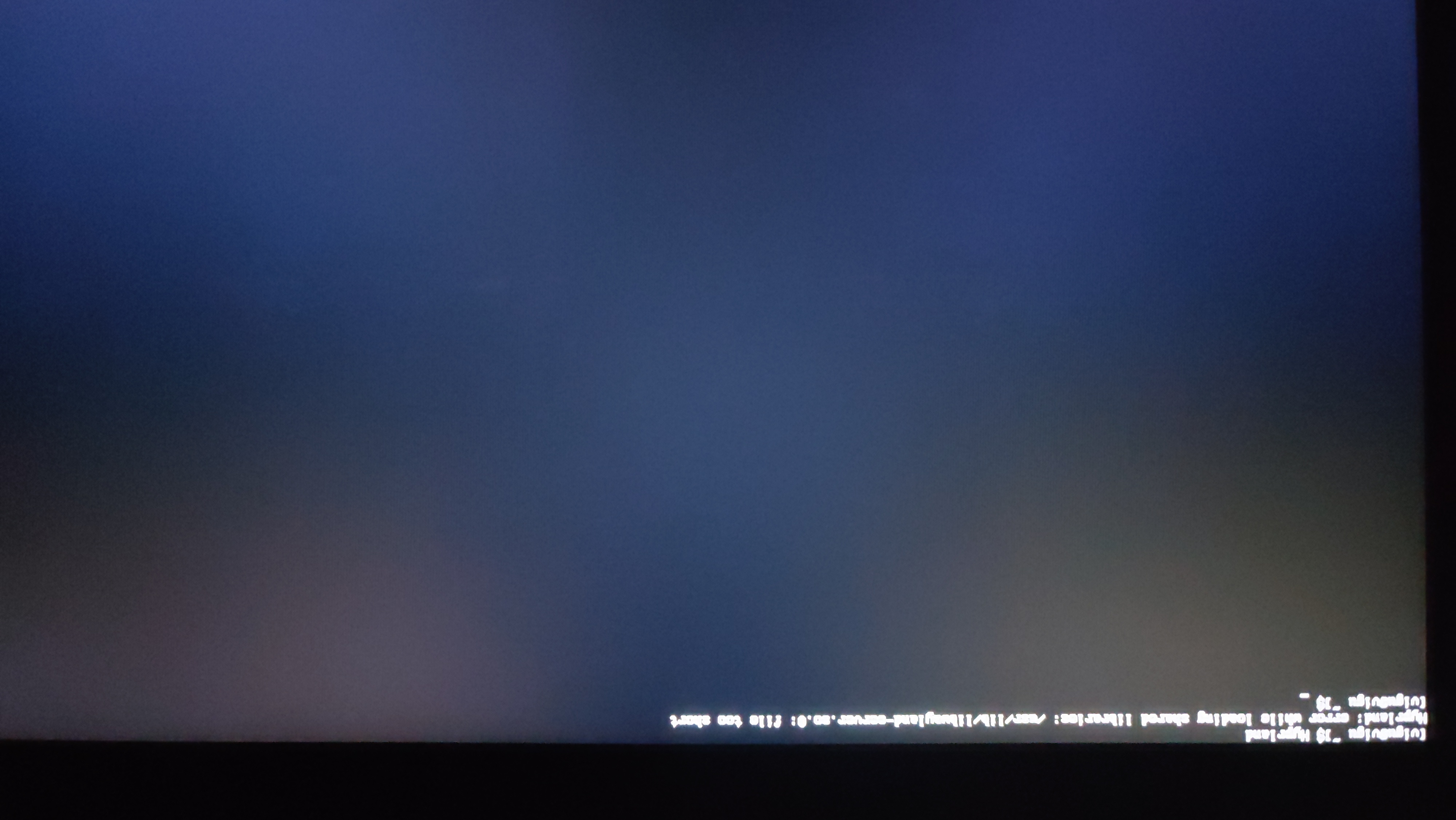
One of the images represents the packages that were re-installed, and it struck me odd that the list was rather small.
I have a list of the packages in total (including dependencies) from the following:
pacman -QmqThank you do much for all the help so far!
Offline
#12 2024-06-09 21:59:07
- seth
- Member
- From: Won't reply 2 private help req
- Registered: 2012-09-03
- Posts: 78,161
Re: [SOLVED]Kernel panic on boot since last update
D'ohh.
When you previously re-installed all packages you didn't "$(pacman --root=/mnt -Qnq)", did you?
Ie. you "re-"installed the packages of the install iso, explaining the iptables conflict… sorry, I didn't pick up on that.
Offline
#13 2024-06-09 22:04:23
- poppybara
- Member
- Registered: 2023-02-21
- Posts: 22
Re: [SOLVED]Kernel panic on boot since last update
me no understand
if it changed packages of the iso file, then how would that explain the kernel booting and panic not occuring?
am i missing something?
Offline
#14 2024-06-09 22:11:58
- seth
- Member
- From: Won't reply 2 private help req
- Registered: 2012-09-03
- Posts: 78,161
Re: [SOLVED]Kernel panic on boot since last update
If you boot the install is and run "pacman -Qnq" it'll print the packages that exist on the install iso.
"pacman --root=/mnt -Qnq" will print the packages installed on your system and what you wanted to use.
Offline
#15 2024-06-09 22:35:17
- poppybara
- Member
- Registered: 2023-02-21
- Posts: 22
Re: [SOLVED]Kernel panic on boot since last update
I see, that was incredibly stupid of me to not notice myself!
I have run through the updates and confirmed that everything does indeed work now!
.. except a few AUR packages, which led me to some dbus related issue? Not sure what is happening here
https://files.catbox.moe/0jkc60.jpg
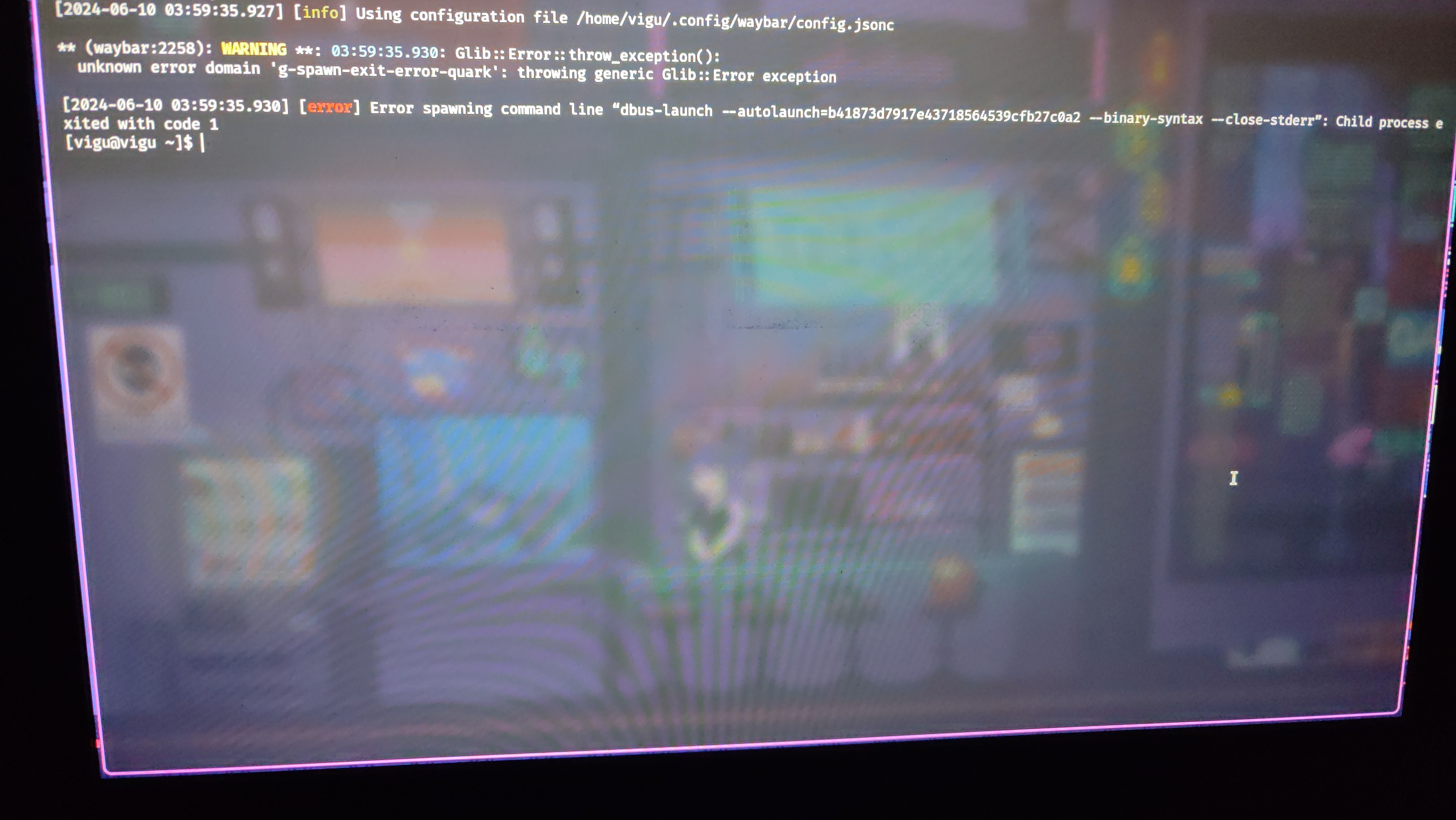
Hopefully this is the final nail in this thread, incredible thankful for everything today!
Offline
#16 2024-06-09 22:47:25
- seth
- Member
- From: Won't reply 2 private help req
- Registered: 2012-09-03
- Posts: 78,161
Re: [SOLVED]Kernel panic on boot since last update
That looks like it's coming from waybar?
However there's rarely a good reason to run dbus-launch - what launches waybar, what does its config look like and what is ahead of the error?
Since your GUI works again, please don't post images of text - always post the text.
Offline
#17 2024-06-09 22:53:37
- poppybara
- Member
- Registered: 2023-02-21
- Posts: 22
Re: [SOLVED]Kernel panic on boot since last update
That is indeed waybar, I post it because I don't have waybar functioning
Sure, if there is a need for text from hereon I will post it.
Offline
#18 2024-06-10 06:19:24
- seth
- Member
- From: Won't reply 2 private help req
- Registered: 2012-09-03
- Posts: 78,161
Re: [SOLVED]Kernel panic on boot since last update
what launches waybar, what does its config look like and what is ahead of the error?
Offline
#19 2024-06-11 00:56:59
- poppybara
- Member
- Registered: 2023-02-21
- Posts: 22
Re: [SOLVED]Kernel panic on boot since last update
waybar is launched by my hyprland config
exec-once = waybarnothing too fancy, however, clearly launching it lanually yielded that dbus problem
Offline
#20 2024-06-11 01:26:05
- poppybara
- Member
- Registered: 2023-02-21
- Posts: 22
Re: [SOLVED]Kernel panic on boot since last update
actually something i found by digging more
the audio doesnt seem to actually work either
I dug up a bit more to find that user@1000 service is failing
[vigu@vigu ~]$ systemctl status user@1000
× user@1000.service - User Manager for UID 1000
     Loaded: loaded (/usr/lib/systemd/system/user@.service; static)
    Drop-In: /usr/lib/systemd/system/user@.service.d
             └─10-login-barrier.conf
     Active: failed (Result: exit-code); 9s ago
       Docs: man:user@.service(5)
    Process: 1400 ExecStart=/usr/lib/systemd/systemd --user (code=exited, status=224/PAM)
   Main PID: 1400 (code=exited, status=224/PAM)
        CPU: 4ms

Jun 11 06:48:30 vigu systemd[1]: Starting User Manager for UID 1000...
Jun 11 06:48:30 vigu (systemd)[1400]: pam_warn(systemd-user:account): function=[pam_sm_acct_mgmt] flags=0x8000 service=[systemd-user] terminal=[<unknown>] user=[vigu] r>
Jun 11 06:48:30 vigu (systemd)[1400]: PAM failed: Authentication failure
Jun 11 06:48:30 vigu (systemd)[1400]: user@1000.service: Failed to set up PAM session: Operation not permitted
Jun 11 06:48:30 vigu systemd[1]: user@1000.service: Main process exited, code=exited, status=224/PAM
Jun 11 06:48:30 vigu systemd[1]: user@1000.service: Failed with result 'exit-code'.
Jun 11 06:48:30 vigu systemd[1]: Failed to start User Manager for UID 1000.
Upon looking into the service file, it was empty! (at /usr/lib/systemd/system/user@.service)
But weirdly enough, /run/user/1000 folder clearly existed and had content in it
[vigu@vigu ~]$ ls /run/user/1000/
app  dconf  hypr  mpd  pulse  rofi.pid  swww.socket  wayland-1  wayland-1.lock
Offline
#21 2024-06-11 01:42:52
- poppybara
- Member
- Registered: 2023-02-21
- Posts: 22
Re: [SOLVED]Kernel panic on boot since last update
Did some investigating and found out that pacman was being funky while reinstalling stuff
the file
/etc/pam.d/systemd-user.pacnewwas populated instead of /etc/pam.d/systemd-user file.
Not sure if this should be reported as a bug, but i will mark this thread as solved for now.
Thanks seth! Appreciate your contribution over the years!
Offline