You are not logged in.
- Topics: Active | Unanswered
#1 2026-06-10 10:37:05
- gommn
- Member
- From: EU
- Registered: 2023-04-25
- Posts: 4
MSI B650 Tomahawk WIFI failure to suspend
Hi.
Short description:
I'm on a fresh install and I'm having an issue where the computer wakes up a few seconds after being suspended (Or basically never properly suspends in the first place -- more below).
Edit: I'm using the regular linux package, not lts or hardened or anything. I'm on 7.0.10. However I also tried Fedora 44 (older kernel) and suspend didn't work either. I'm dual booting Windows where basically everything works so I don't suspect a hardware fault. It's also a brand new board that I just got.
Hardware:
Ryzen 9 9900x
Nvidia 5070 (nvidia-dkms)
g.skill Flare RAM (64gb)
MSI b650 Tomahawk WIFI (latest BIOS ie version 7D75v1R1, secure boot disabled, bootloader is systemd-boot)
MT7922 network card
Things I've tried:
disabling XHCI handoff
disabling EXPO
enabling and disabling ErP
rfkilling bluetooth and unloading drivers (btusb, btmtk, bluetooth)
passing usbcore.autosuspend=-1
disabling stuff in /proc/acpi/wakeup (tried: DP68, DP60, 6PP7, XHC0, XHC1 and XHC2 resulting in the same behavior)
disabling bluetooth/wifi or both of them in the bios
wanted to tweak ASPM but couldn't find an option in the BIOS
(wake from usb and pcie had already been off by default)
Here's my lspci:
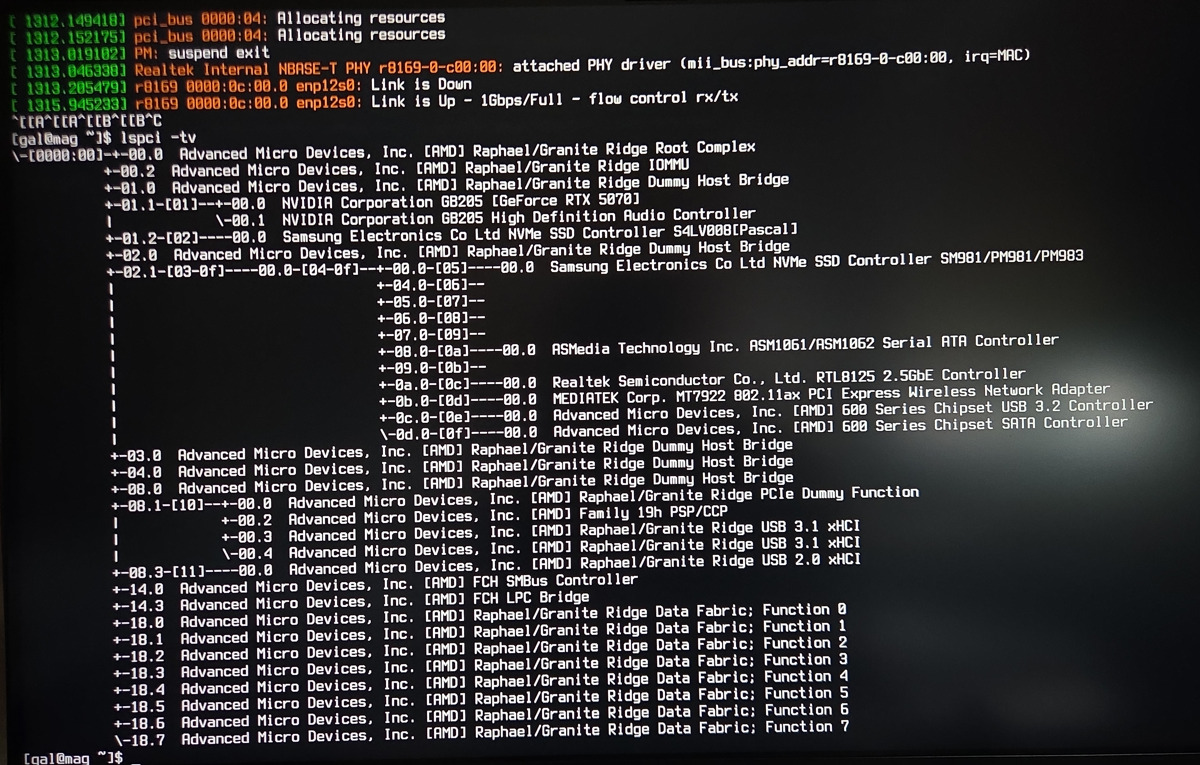
/proc/acpi/wakeup: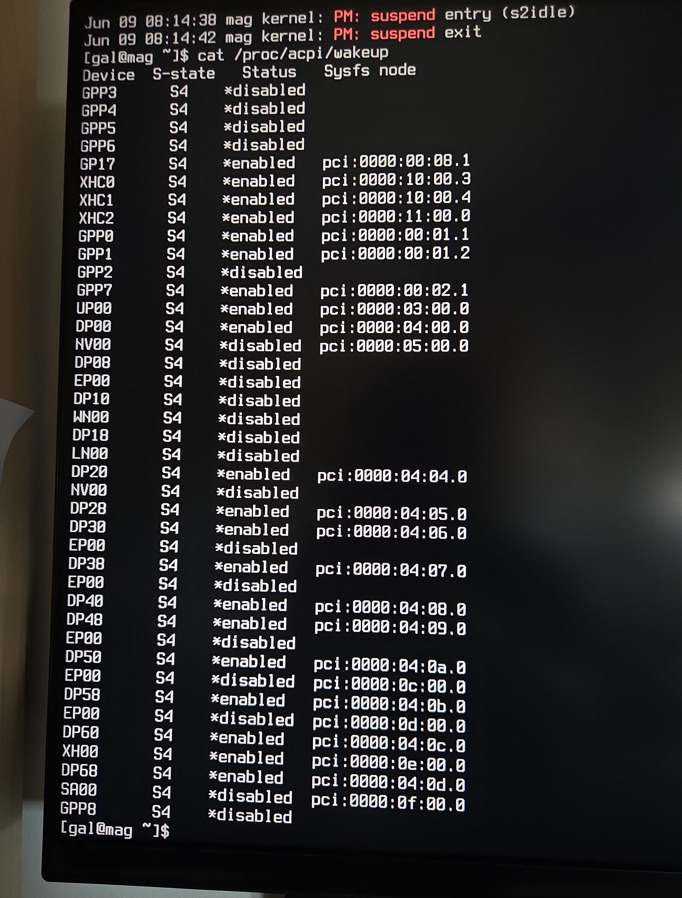
Result of journalctl -k -b | grep -E "PM: suspend|PM: resume|wake|wakeup|mt79|btusb|bluetooth"
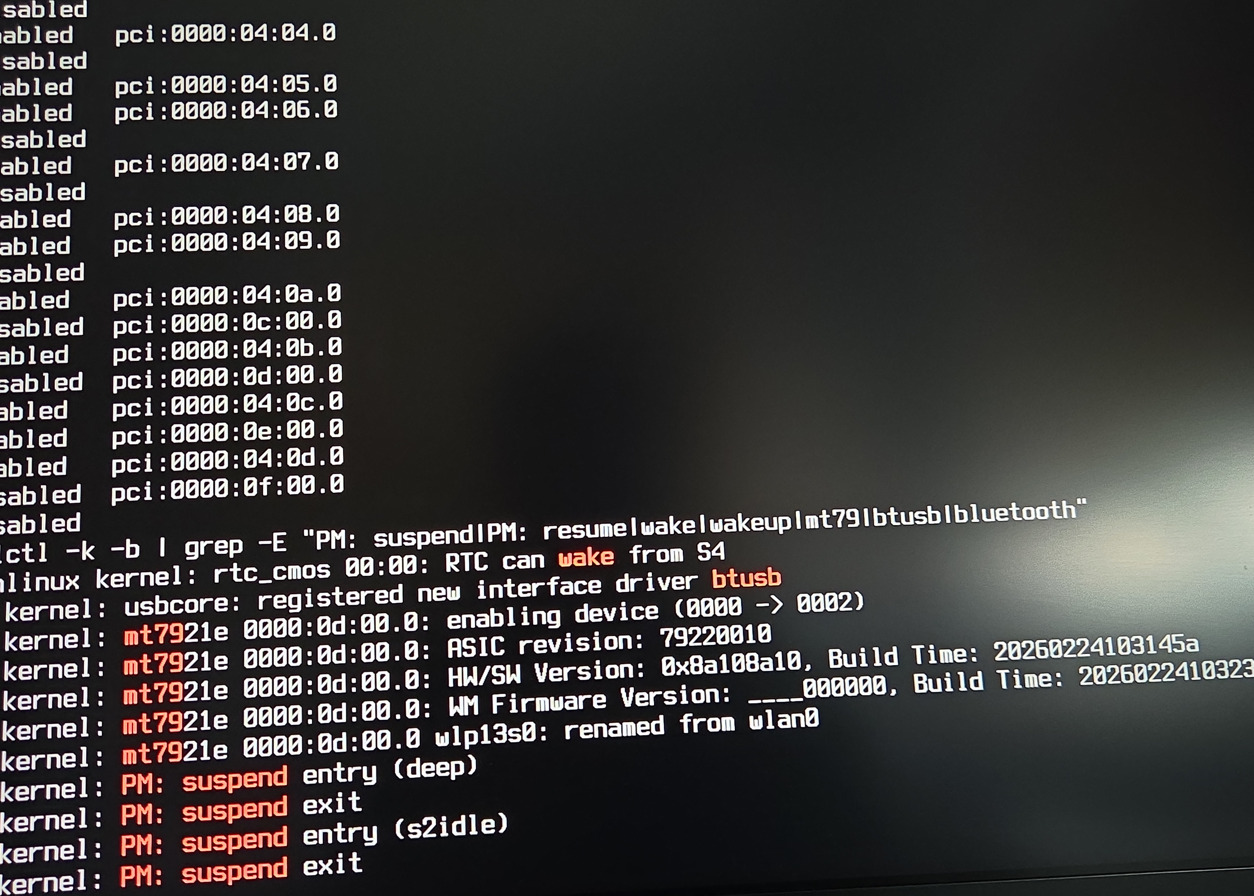
So as far as I can tell it tries deep sleeping (deep is set in /sys/power/mem_sleep) and then s2idle and it then wakes up...
Then I tried looking at wakeup_sources and found this device 0000:00:02.1:
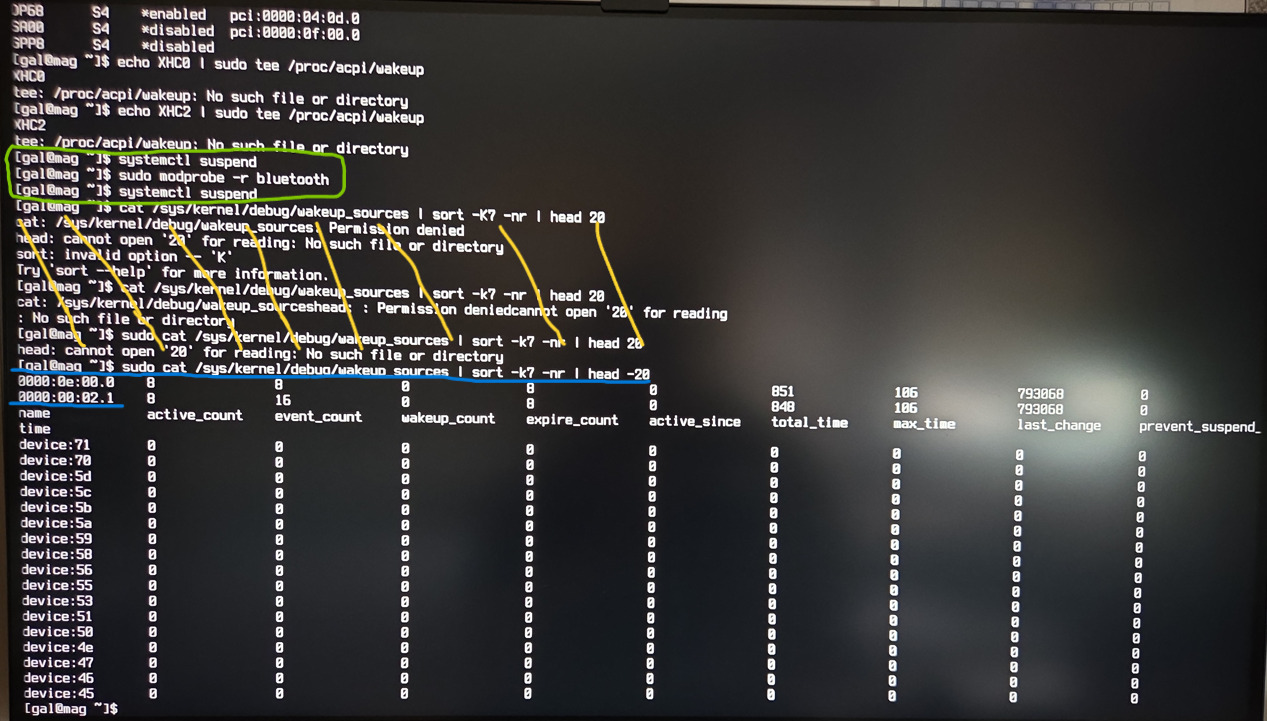
But if I'm looking at the lspci above right, there's a whole bunch of devices on 0000:00:02.1 - I'm pretty sure it's the AMD GPP bridge.
I also found that there was a "PME: Spurious native interrupt!" coming from it when I ran dmesg -w and tried suspending.
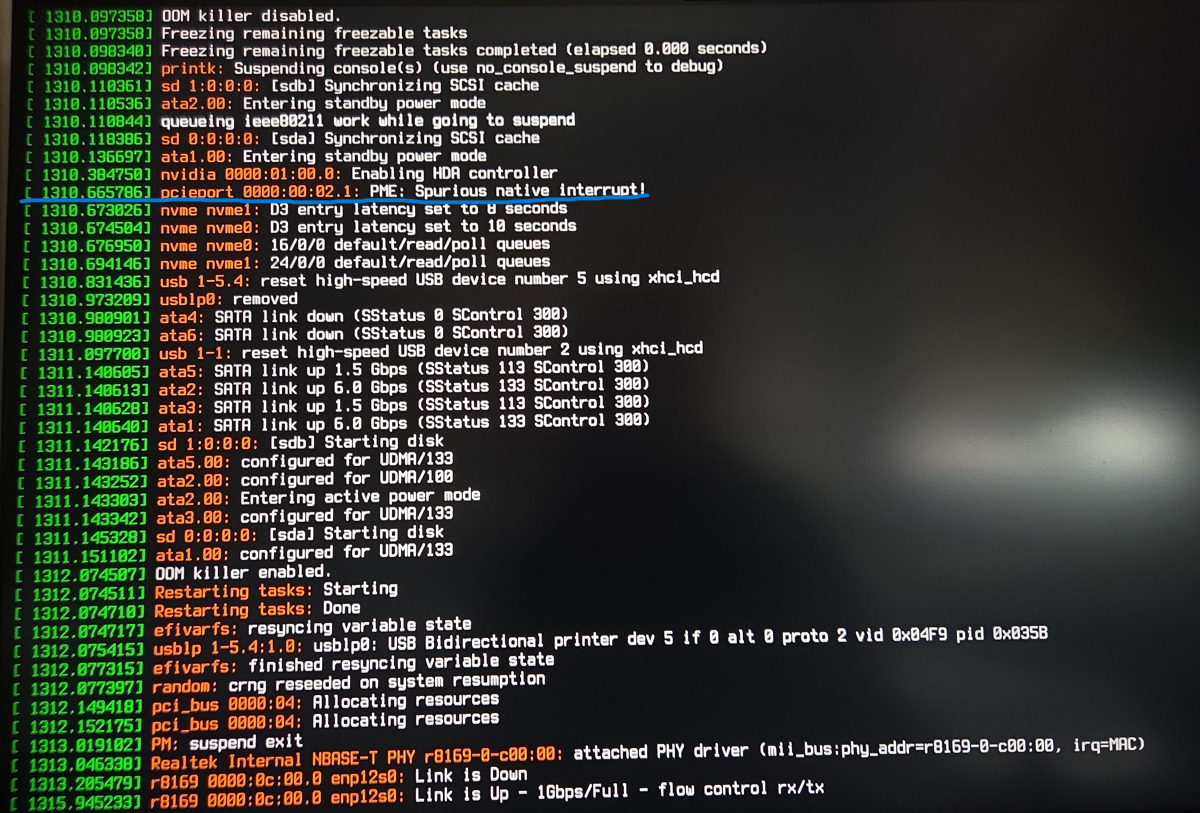
Result of /sys/power/pm_wakeup_irq after waking suspend was 7. Searched for it:

Found pinctrl_amd. Searched for that with dmesg and got stuff related to that pcie device from before with more spurious native interrupts.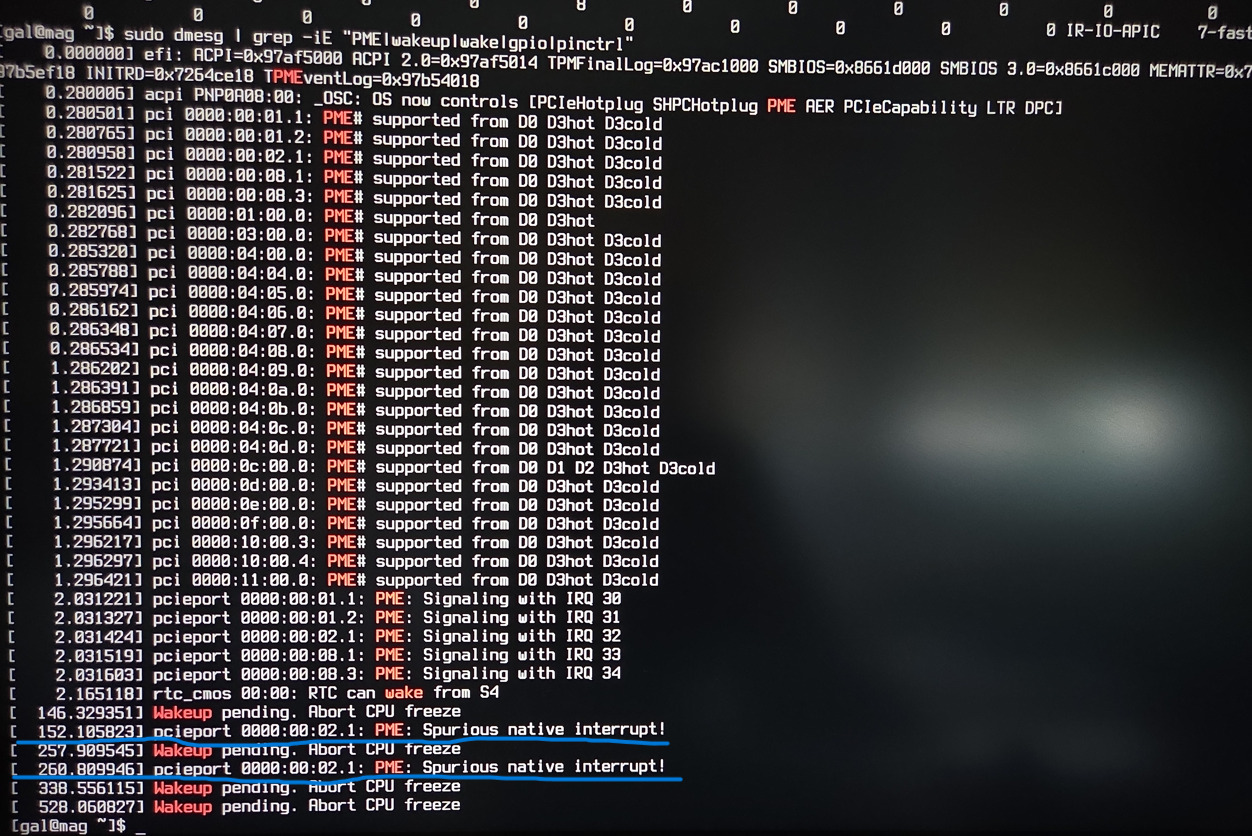
Before all this it'd been reporting that some kinda usb device 1-7 was failing to enumerate and was giving errors -110 and -71 if I remember right. I tried draining the caps and when I rebooted it turned out that it was the Mediatek card stuck in some weird state. But since then it's been showing up. Yet suspend still doesn't work and those usb errors just got replaced by what I posted here.
I also made sure that the nvidia services like nvidia-suspend were enabled.
I'm out of ideas and I'd appreciate any advice.
Last edited by gommn (2026-06-10 10:40:59)
Offline
#2 2026-06-12 00:29:34
- ypomortsev
- Member
- Registered: 2026-06-12
- Posts: 1
Re: MSI B650 Tomahawk WIFI failure to suspend
Have you tried disabling GPP0/1? This fixed immediate wake for me on MSI X870 Tomahawk, per Wiki. It's shown as enabled in your screenshot and not mentioned in things you've tried.
cat /etc/udev/rules.d/fix-msi-tomahawk-suspend.rules
SUBSYSTEM=="pci", DRIVER=="pcieport", ATTR{vendor}=="0x1022", ATTR{device}=="0x14db", ATTR{power/wakeup}="disabled"
Offline