You are not logged in.
- Topics: Active | Unanswered
#1 2015-10-15 08:25:31
- Utini
- Member
- Registered: 2015-09-28
- Posts: 481
- Website
Pulseaudio = no sound via hdmi, pulseaudio --kill = everything fine
Hey there, I am on a Dell XPS 15 9530 running Arch with alsa + pulseaudio and suddenly don't get any sound over HDMI anymore.
If I "pulseaudio --kill" then the sound via HDMI works just fine. I recently also had troubles with no sound via speakers, pulseaudio --kill fixed that (see the @edit's at the end of the post).
Also for Audacious:
If it uses ALSA Output with -> Pulseaudio default server -> No Audio
If it uses ALSA Output with -> Speakers -> Normal Audio
How ever, it seems like pulseaudio automatically restarts after killing? And then pulseaudio is running, but the sound suddenly works as well.
Also: Some app "lock" on one output device. E.g. I just started telegram and pavucontrol has it listed with HDMI as output device altough HDMI isn't even connected. I can't switch its output to analaog stereo, it just stays at HDMI.
aplay -l (when HDMI is plugged in):
**** List of PLAYBACK Hardware Devices ****
card 0: HDMI [HDA Intel HDMI], device 3: HDMI 0 [HDMI 0]
  Subdevices: 0/1
  Subdevice #0: subdevice #0
card 0: HDMI [HDA Intel HDMI], device 7: HDMI 1 [HDMI 1]
  Subdevices: 1/1
  Subdevice #0: subdevice #0
card 0: HDMI [HDA Intel HDMI], device 8: HDMI 2 [HDMI 2]
  Subdevices: 1/1
  Subdevice #0: subdevice #0
card 1: PCH [HDA Intel PCH], device 0: ALC3661 Analog [ALC3661 Analog]
  Subdevices: 0/1
  Subdevice #0: subdevice #0
I am not sure why there are 3 HDMI's listed when I only got one (+ displayport + spid/f).
aplay -D plughw:0,3 /usr/share/sounds/alsa/Front_Center.wav
aplay: main:722: audio open error: Device or resource busyNo sound...
aplay -D plughw:0,7 /usr/share/sounds/alsa/Front_Center.wav
Playing WAVE '/usr/share/sounds/alsa/Front_Center.wav' : Signed 16 bit Little Endian, Rate 48000 Hz, MonoNo sound...
aplay -D plughw:0,8 /usr/share/sounds/alsa/Front_Center.wav
Playing WAVE '/usr/share/sounds/alsa/Front_Center.wav' : Signed 16 bit Little Endian, Rate 48000 Hz, MonoNo sound...
Pavucontrols lists HDMI / Displayport as output device + pluggend in.
The volume for PCM is on max in the audio mixer and not muted.
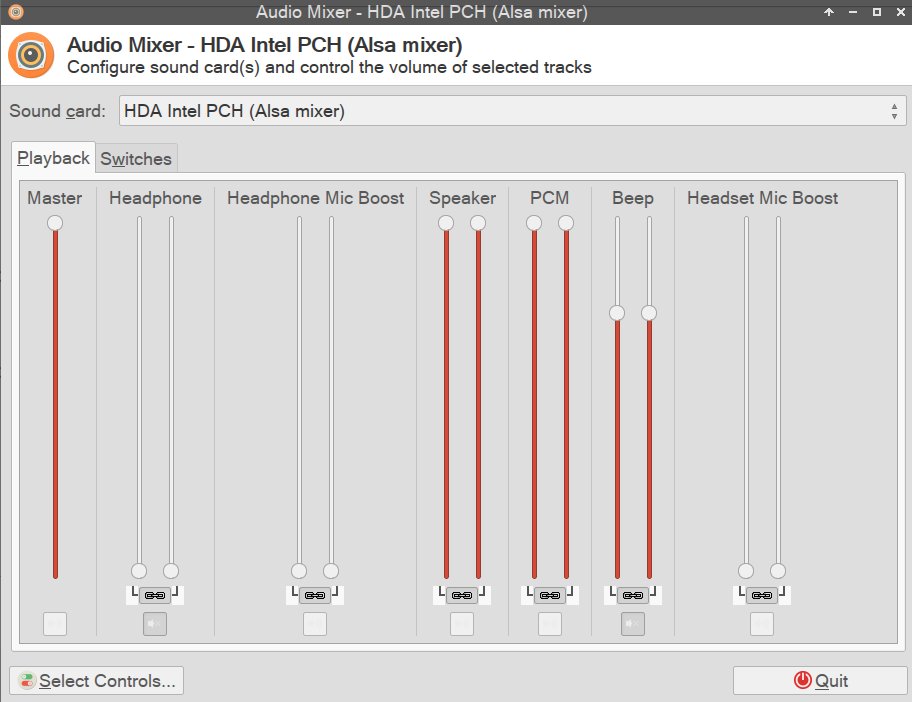
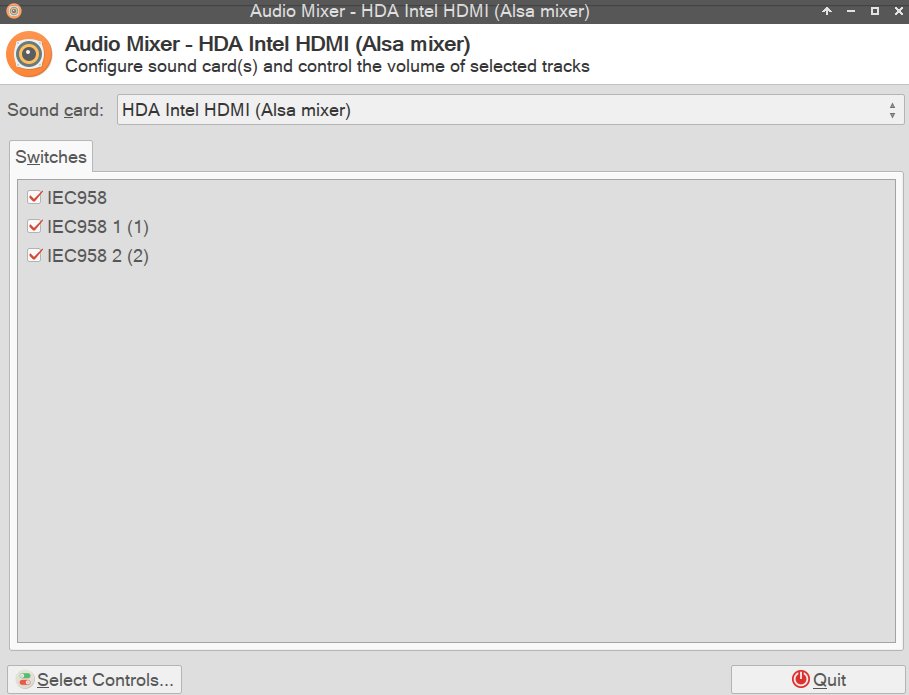
In e.g. VLC I select "Audio -> Audio Device -> HDMI" and the sound disappears.
Sound via HDMI has worked before and I havent changed much except changing my /etc/pulse/default.pa (notice the #load-module module-switch-on-connect which I had enabled but now disabled again):
#!/usr/bin/pulseaudio -nF
#
# This file is part of PulseAudio.
#
# PulseAudio is free software; you can redistribute it and/or modify it
# under the terms of the GNU Lesser General Public License as published by
# the Free Software Foundation; either version 2 of the License, or
# (at your option) any later version.
#
# PulseAudio is distributed in the hope that it will be useful, but
# WITHOUT ANY WARRANTY; without even the implied warranty of
# MERCHANTABILITY or FITNESS FOR A PARTICULAR PURPOSE. See the GNU
# General Public License for more details.
#
# You should have received a copy of the GNU Lesser General Public License
# along with PulseAudio; if not, see <http://www.gnu.org/licenses/>.

# This startup script is used only if PulseAudio is started per-user
# (i.e. not in system mode)

.nofail

### Load something into the sample cache
#load-sample-lazy x11-bell /usr/share/sounds/freedesktop/stereo/bell.oga
#load-sample-lazy pulse-hotplug /usr/share/sounds/freedesktop/stereo/device-added.oga
#load-sample-lazy pulse-coldplug /usr/share/sounds/freedesktop/stereo/device-added.oga
#load-sample-lazy pulse-access /usr/share/sounds/freedesktop/stereo/message.oga

.fail

### Automatically restore the volume of streams and devices
load-module module-device-restore
load-module module-stream-restore
load-module module-card-restore

### Automatically augment property information from .desktop files
### stored in /usr/share/application
load-module module-augment-properties

### Should be after module-*-restore but before module-*-detect
load-module module-switch-on-port-available
#load-module module-switch-on-connect


### Load audio drivers statically
### (it's probably better to not load these drivers manually, but instead
### use module-udev-detect -- see below -- for doing this automatically)
#load-module module-alsa-sink
#load-module module-alsa-source device=hw:1,0
#load-module module-oss device="/dev/dsp" sink_name=output source_name=input
#load-module module-oss-mmap device="/dev/dsp" sink_name=output source_name=input
#load-module module-null-sink
#load-module module-pipe-sink

### Automatically load driver modules depending on the hardware available
.ifexists module-udev-detect.so
load-module module-udev-detect
.else
### Use the static hardware detection module (for systems that lack udev support)
load-module module-detect
.endif

### Automatically connect sink and source if JACK server is present
.ifexists module-jackdbus-detect.so
.nofail
load-module module-jackdbus-detect channels=2
.fail
.endif

### Automatically load driver modules for Bluetooth hardware
.ifexists module-bluetooth-policy.so
load-module module-bluetooth-policy
.endif

.ifexists module-bluetooth-discover.so
load-module module-bluetooth-discover
.endif

### Load several protocols
.ifexists module-esound-protocol-unix.so
load-module module-esound-protocol-unix
.endif
load-module module-native-protocol-unix

### Network access (may be configured with paprefs, so leave this commented
### here if you plan to use paprefs)
#load-module module-esound-protocol-tcp
#load-module module-native-protocol-tcp
#load-module module-zeroconf-publish

### Load the RTP receiver module (also configured via paprefs, see above)
#load-module module-rtp-recv

### Load the RTP sender module (also configured via paprefs, see above)
#load-module module-null-sink sink_name=rtp format=s16be channels=2 rate=44100 sink_properties="device.description='RTP Multicast Sink'"
#load-module module-rtp-send source=rtp.monitor

### Load additional modules from GConf settings. This can be configured with the paprefs tool.
### Please keep in mind that the modules configured by paprefs might conflict with manually
### loaded modules.
.ifexists module-gconf.so
.nofail
load-module module-gconf
.fail
.endif

### Automatically restore the default sink/source when changed by the user
### during runtime
### NOTE: This should be loaded as early as possible so that subsequent modules
### that look up the default sink/source get the right value
load-module module-default-device-restore

### Automatically move streams to the default sink if the sink they are
### connected to dies, similar for sources
load-module module-rescue-streams

### Make sure we always have a sink around, even if it is a null sink.
load-module module-always-sink

### Honour intended role device property
load-module module-intended-roles

### Automatically suspend sinks/sources that become idle for too long
load-module module-suspend-on-idle

### If autoexit on idle is enabled we want to make sure we only quit
### when no local session needs us anymore.
.ifexists module-console-kit.so
load-module module-console-kit
.endif
.ifexists module-systemd-login.so
load-module module-systemd-login
.endif

### Enable positioned event sounds
load-module module-position-event-sounds

### Cork music/video streams when a phone stream is active
load-module module-role-cork

### Modules to allow autoloading of filters (such as echo cancellation)
### on demand. module-filter-heuristics tries to determine what filters
### make sense, and module-filter-apply does the heavy-lifting of
### loading modules and rerouting streams.
load-module module-filter-heuristics
load-module module-filter-apply

# X11 modules should not be started from default.pa so that one daemon
# can be shared by multiple sessions.

### Load X11 bell module
#load-module module-x11-bell sample=x11-bell

### Register ourselves in the X11 session manager
#load-module module-x11-xsmp

### Publish connection data in the X11 root window
#.ifexists module-x11-publish.so
#.nofail
#load-module module-x11-publish
#.fail
#.endif

### Make some devices default
#set-default-sink output
#set-default-source input


#srbchannel=no
Any ideas? 
@edit: And now suddenly without doing ANYTHING sound related I get no more sound via my laptops speakers. On the other hand pavucontrols now shows sound being played via HDMI, altough no HDMI is connected.
@edit2: "pulseaudio --kill" fixed my speakers.
@edit3: with pulseaudio still killed, sound via HDMI works as it should.. so pulseaudio is causing the troubles?
Last edited by Utini (2015-10-15 11:51:06)
Setup 1: Thinkpad T14s G3, 14" FHD - R7 6850U - 32GB RAM - 2TB Solidigm P44 Pro NVME
Setup 2: Thinkpad X1E G1, 15.6" FHD - i7-8850H - 32GB RAM - NVIDIA GTX 1050Ti - 2x 1TB Samsung 970 Pro NVME
Accessories: Filco Majestouch TKL MX-Brown Mini Otaku, Benq XL2420T (144Hz), Lo(w)gitech G400, Puretrak Talent, Sennheiser HD800S + Meier Daccord FF + Meier Classic FF
Offline
#2 2015-10-17 15:38:24
- Utini
- Member
- Registered: 2015-09-28
- Posts: 481
- Website
Re: Pulseaudio = no sound via hdmi, pulseaudio --kill = everything fine
Another thing I noticed: When I run VLC with "optirun" then I get sound via hdmi for like half a second. Then it is mute again. If I switch the audio device to "stereo analog" then my laptops speakers will output the sound. If I switch back to HDMI then I get "half a second of sound" again :S
Any ideas ?
Setup 1: Thinkpad T14s G3, 14" FHD - R7 6850U - 32GB RAM - 2TB Solidigm P44 Pro NVME
Setup 2: Thinkpad X1E G1, 15.6" FHD - i7-8850H - 32GB RAM - NVIDIA GTX 1050Ti - 2x 1TB Samsung 970 Pro NVME
Accessories: Filco Majestouch TKL MX-Brown Mini Otaku, Benq XL2420T (144Hz), Lo(w)gitech G400, Puretrak Talent, Sennheiser HD800S + Meier Daccord FF + Meier Classic FF
Offline
#3 2015-10-18 20:35:13
- V1del
- Forum Moderator

- Registered: 2012-10-16
- Posts: 25,373
Re: Pulseaudio = no sound via hdmi, pulseaudio --kill = everything fine
Give the output of
sudo fuser -v /dev/snd/*aplay error message leads me to believe that something blocks pulseaudio from accessing the device. Thrown in
pacmd list-cards
pacmd list-sinks
for good measure
Offline
#4 2015-10-20 15:41:47
- Utini
- Member
- Registered: 2015-09-28
- Posts: 481
- Website
Re: Pulseaudio = no sound via hdmi, pulseaudio --kill = everything fine
Give the output of
sudo fuser -v /dev/snd/*aplay error message leads me to believe that something blocks pulseaudio from accessing the device. Thrown in
pacmd list-cards
pacmd list-sinks
for good measure
It seems like sound via HDMI is there for 0,5seconds sometimes. I also noticed this on VLC without "optirun". Just right after switching to the HDMI-Output I get sound for 0,5seconds (sometimes). I have no clue why.
Output (without TV connected with HDMI):
neida@_____:~$ sudo fuser -v /dev/snd/*
                     USER        PID ACCESS COMMAND
/dev/snd/controlC0:  sneida     6899 F.... pulseaudio
                     sneida     7000 F.... panel-17-mixer
/dev/snd/controlC1:  sneida     6899 F.... pulseaudio
                     sneida     7000 F.... panel-17-mixer
sneida@_____:~$ pacmd list-sinks
2 sink(s) available.
* index: 0
name: <alsa_output.pci-0000_00_03.0.hdmi-stereo>
driver: <module-alsa-card.c>
flags: HARDWARE DECIBEL_VOLUME LATENCY DYNAMIC_LATENCY
state: SUSPENDED
suspend cause: IDLE
priority: 9950
volume: front-left: 65536 / 100% / 0.00 dB, front-right: 65536 / 100% / 0.00 dB
balance 0.00
base volume: 65536 / 100% / 0.00 dB
volume steps: 65537
muted: no
current latency: 0.00 ms
max request: 0 KiB
max rewind: 0 KiB
monitor source: 0
sample spec: s16le 2ch 44100Hz
channel map: front-left,front-right
Stereo
used by: 0
linked by: 0
configured latency: 0.00 ms; range is 8.00 .. 1999.82 ms
card: 0 <alsa_card.pci-0000_00_03.0>
module: 6
properties:
alsa.resolution_bits = "16"
device.api = "alsa"
device.class = "sound"
alsa.class = "generic"
alsa.subclass = "generic-mix"
alsa.name = "HDMI 0"
alsa.id = "HDMI 0"
alsa.subdevice = "0"
alsa.subdevice_name = "subdevice #0"
alsa.device = "3"
alsa.card = "0"
alsa.card_name = "HDA Intel HDMI"
alsa.long_card_name = "HDA Intel HDMI at 0xf7a1c000 irq 37"
alsa.driver_name = "snd_hda_intel"
device.bus_path = "pci-0000:00:03.0"
sysfs.path = "/devices/pci0000:00/0000:00:03.0/sound/card0"
device.bus = "pci"
device.vendor.id = "8086"
device.vendor.name = "Intel Corporation"
device.product.id = "0c0c"
device.product.name = "Xeon E3-1200 v3/4th Gen Core Processor HD Audio Controller"
device.form_factor = "internal"
device.string = "hdmi:0"
device.buffering.buffer_size = "352768"
device.buffering.fragment_size = "176384"
device.access_mode = "mmap+timer"
device.profile.name = "hdmi-stereo"
device.profile.description = "Digital Stereo (HDMI)"
device.description = "Built-in Audio Digital Stereo (HDMI)"
alsa.mixer_name = "Intel Haswell HDMI"
alsa.components = "HDA:80862807,80860101,00100000"
module-udev-detect.discovered = "1"
device.icon_name = "audio-card-pci"
ports:
hdmi-output-0: HDMI / DisplayPort (priority 5900, latency offset 0 usec, available: no)
properties:
device.icon_name = "video-display"
active port: <hdmi-output-0>
index: 1
name: <alsa_output.pci-0000_00_1b.0.analog-stereo>
driver: <module-alsa-card.c>
flags: HARDWARE HW_MUTE_CTRL HW_VOLUME_CTRL DECIBEL_VOLUME LATENCY DYNAMIC_LATENCY
state: SUSPENDED
suspend cause: IDLE
priority: 9959
volume: front-left: 18471 / 28% / -33.00 dB, front-right: 18471 / 28% / -33.00 dB
balance 0.00
base volume: 65536 / 100% / 0.00 dB
volume steps: 65537
muted: no
current latency: 0.00 ms
max request: 0 KiB
max rewind: 0 KiB
monitor source: 1
sample spec: s16le 2ch 48000Hz
channel map: front-left,front-right
Stereo
used by: 0
linked by: 0
configured latency: 0.00 ms; range is 0.50 .. 1837.50 ms
card: 1 <alsa_card.pci-0000_00_1b.0>
module: 7
properties:
alsa.resolution_bits = "16"
device.api = "alsa"
device.class = "sound"
alsa.class = "generic"
alsa.subclass = "generic-mix"
alsa.name = "ALC3661 Analog"
alsa.id = "ALC3661 Analog"
alsa.subdevice = "0"
alsa.subdevice_name = "subdevice #0"
alsa.device = "0"
alsa.card = "1"
alsa.card_name = "HDA Intel PCH"
alsa.long_card_name = "HDA Intel PCH at 0xf7a18000 irq 36"
alsa.driver_name = "snd_hda_intel"
device.bus_path = "pci-0000:00:1b.0"
sysfs.path = "/devices/pci0000:00/0000:00:1b.0/sound/card1"
device.bus = "pci"
device.vendor.id = "8086"
device.vendor.name = "Intel Corporation"
device.product.id = "8c20"
device.product.name = "8 Series/C220 Series Chipset High Definition Audio Controller"
device.form_factor = "internal"
device.string = "front:1"
device.buffering.buffer_size = "352800"
device.buffering.fragment_size = "176400"
device.access_mode = "mmap+timer"
device.profile.name = "analog-stereo"
device.profile.description = "Analog Stereo"
device.description = "Built-in Audio Analog Stereo"
alsa.mixer_name = "Realtek ALC3661"
alsa.components = "HDA:10ec0668,102805fe,00100003"
module-udev-detect.discovered = "1"
device.icon_name = "audio-card-pci"
ports:
analog-output-speaker: Speakers (priority 10000, latency offset 0 usec, available: unknown)
properties:
device.icon_name = "audio-speakers"
analog-output-headphones: Headphones (priority 9000, latency offset 0 usec, available: no)
properties:
device.icon_name = "audio-headphones"
active port: <analog-output-speaker>
sneida@_____:~$ Last edited by Utini (2015-10-20 15:42:41)
Setup 1: Thinkpad T14s G3, 14" FHD - R7 6850U - 32GB RAM - 2TB Solidigm P44 Pro NVME
Setup 2: Thinkpad X1E G1, 15.6" FHD - i7-8850H - 32GB RAM - NVIDIA GTX 1050Ti - 2x 1TB Samsung 970 Pro NVME
Accessories: Filco Majestouch TKL MX-Brown Mini Otaku, Benq XL2420T (144Hz), Lo(w)gitech G400, Puretrak Talent, Sennheiser HD800S + Meier Daccord FF + Meier Classic FF
Offline
#5 2015-10-21 09:57:38
- V1del
- Forum Moderator
- Registered: 2012-10-16
- Posts: 25,373
Re: Pulseaudio = no sound via hdmi, pulseaudio --kill = everything fine
Can you kill panel-17-mixer and check if you are still having issues? (Might have to kill pulseaudio as well and let it respawn so it can properly take over the card) Do you have pulseaudio-alsa installed? any /etc/asound.conf or .asoundrc in your $HOME directory we should know about?
Offline
#6 2015-10-28 08:06:37
- Utini
- Member
- Registered: 2015-09-28
- Posts: 481
- Website
Re: Pulseaudio = no sound via hdmi, pulseaudio --kill = everything fine
Can you kill panel-17-mixer and check if you are still having issues? (Might have to kill pulseaudio as well and let it respawn so it can properly take over the card) Do you have pulseaudio-alsa installed? any /etc/asound.conf or .asoundrc in your $HOME directory we should know about?
Yes, pulseaudio-alsa is also installed.
No .asound file in my $HOME directory.
/etc/asound.conf:
# Use PulseAudio by default
pcm.!default {
  type pulse
  fallback "sysdefault"
  hint {
    show on
    description "Default ALSA Output (currently PulseAudio Sound Server)"
  }
}

ctl.!default {
  type pulse
  fallback "sysdefault"
}

# vim:set ft=alsaconf:
Well.. for example right now "panel-17-mixer" is not running (no idea why not). And I still get this bug... for 1 second there is sound via HDMI, then it is silent.
sneida@_____:~$ sudo fuser -v /dev/snd/*
                     USER        PID ACCESS COMMAND
/dev/snd/controlC0:  gdm         732 F.... pulseaudio
                     sneida     1042 F.... pulseaudio
/dev/snd/controlC1:  gdm         732 F.... pulseaudio
                     sneida     1042 F.... pulseaudio
@Edit:
I am not able to increase the duration of the sound output via HDMI if I let a video play for a few minutes via laptop speakers. When I then switch to HDMI output, the audio will be for 2-3 seconds instead of just 1 second. The audio quality via HDMI is terrible though.
Also I did "Pulseaudio --kill" while HDMI was connected to let pulseaudio to a "re-scan":
sudo fuser -v /dev/snd/*
[sudo] password for sneida:
                     USER        PID ACCESS COMMAND
/dev/snd/controlC0:  gdm         846 F.... pulseaudio
                     sneida     1657 F.... pulseaudio
/dev/snd/controlC1:  gdm         846 F.... pulseaudio
                     sneida     1657 F.... pulseaudio
/dev/snd/pcmC1D0c:   sneida     1657 F...m pulseaudio
"PCMC1D0c" is suddenly listed?
sneida@_____:~$ pacmd list-sinks
2 sink(s) available.
    index: 0
	name: <alsa_output.pci-0000_00_03.0.hdmi-stereo>
	driver: <module-alsa-card.c>
	flags: HARDWARE DECIBEL_VOLUME LATENCY DYNAMIC_LATENCY
	state: SUSPENDED
	suspend cause: IDLE
	priority: 9950
	volume: front-left: 86586 / 132% / 7,26 dB,   front-right: 86586 / 132% / 7,26 dB
	        balance 0,00
	base volume: 65536 / 100% / 0,00 dB
	volume steps: 65537
	muted: no
	current latency: 0,00 ms
	max request: 0 KiB
	max rewind: 0 KiB
	monitor source: 0
	sample spec: s16le 2ch 48000Hz
	channel map: front-left,front-right
	             Stereo
	used by: 0
	linked by: 0
	configured latency: 0,00 ms; range is 8,00 .. 1837,33 ms
	card: 0 <alsa_card.pci-0000_00_03.0>
	module: 6
	properties:
		alsa.resolution_bits = "16"
		device.api = "alsa"
		device.class = "sound"
		alsa.class = "generic"
		alsa.subclass = "generic-mix"
		alsa.name = "HDMI 0"
		alsa.id = "HDMI 0"
		alsa.subdevice = "0"
		alsa.subdevice_name = "subdevice #0"
		alsa.device = "3"
		alsa.card = "0"
		alsa.card_name = "HDA Intel HDMI"
		alsa.long_card_name = "HDA Intel HDMI at 0xf7a1c000 irq 36"
		alsa.driver_name = "snd_hda_intel"
		device.bus_path = "pci-0000:00:03.0"
		sysfs.path = "/devices/pci0000:00/0000:00:03.0/sound/card0"
		device.bus = "pci"
		device.vendor.id = "8086"
		device.vendor.name = "Intel Corporation"
		device.product.id = "0c0c"
		device.product.name = "Xeon E3-1200 v3/4th Gen Core Processor HD Audio Controller"
		device.form_factor = "internal"
		device.string = "hdmi:0"
		device.buffering.buffer_size = "352768"
		device.buffering.fragment_size = "176384"
		device.access_mode = "mmap+timer"
		device.profile.name = "hdmi-stereo"
		device.profile.description = "Digital Stereo (HDMI)"
		device.description = "Built-in Audio Digital Stereo (HDMI)"
		alsa.mixer_name = "Intel Haswell HDMI"
		alsa.components = "HDA:80862807,80860101,00100000"
		module-udev-detect.discovered = "1"
		device.icon_name = "audio-card-pci"
	ports:
		hdmi-output-0: HDMI / DisplayPort (priority 5900, latency offset 0 usec, available: yes)
			properties:
				device.icon_name = "video-display"
				device.product.name = "SAMSUNG"
	active port: <hdmi-output-0>
  * index: 1
	name: <alsa_output.pci-0000_00_1b.0.analog-stereo>
	driver: <module-alsa-card.c>
	flags: HARDWARE HW_MUTE_CTRL HW_VOLUME_CTRL DECIBEL_VOLUME LATENCY DYNAMIC_LATENCY
	state: SUSPENDED
	suspend cause: IDLE
	priority: 9959
	volume: front-left: 38361 /  59% / -13,96 dB,   front-right: 38361 /  59% / -13,96 dB
	        balance 0,00
	base volume: 65536 / 100% / 0,00 dB
	volume steps: 65537
	muted: no
	current latency: 0,00 ms
	max request: 0 KiB
	max rewind: 0 KiB
	monitor source: 1
	sample spec: s16le 2ch 44100Hz
	channel map: front-left,front-right
	             Stereo
	used by: 0
	linked by: 1
	configured latency: 0,00 ms; range is 0,50 .. 2000,00 ms
	card: 1 <alsa_card.pci-0000_00_1b.0>
	module: 7
	properties:
		alsa.resolution_bits = "16"
		device.api = "alsa"
		device.class = "sound"
		alsa.class = "generic"
		alsa.subclass = "generic-mix"
		alsa.name = "ALC3661 Analog"
		alsa.id = "ALC3661 Analog"
		alsa.subdevice = "0"
		alsa.subdevice_name = "subdevice #0"
		alsa.device = "0"
		alsa.card = "1"
		alsa.card_name = "HDA Intel PCH"
		alsa.long_card_name = "HDA Intel PCH at 0xf7a18000 irq 35"
		alsa.driver_name = "snd_hda_intel"
		device.bus_path = "pci-0000:00:1b.0"
		sysfs.path = "/devices/pci0000:00/0000:00:1b.0/sound/card1"
		device.bus = "pci"
		device.vendor.id = "8086"
		device.vendor.name = "Intel Corporation"
		device.product.id = "8c20"
		device.product.name = "8 Series/C220 Series Chipset High Definition Audio Controller"
		device.form_factor = "internal"
		device.string = "front:1"
		device.buffering.buffer_size = "352800"
		device.buffering.fragment_size = "176400"
		device.access_mode = "mmap+timer"
		device.profile.name = "analog-stereo"
		device.profile.description = "Analog Stereo"
		device.description = "Built-in Audio Analog Stereo"
		alsa.mixer_name = "Realtek ALC3661"
		alsa.components = "HDA:10ec0668,102805fe,00100003"
		module-udev-detect.discovered = "1"
		device.icon_name = "audio-card-pci"
	ports:
		analog-output-speaker: Speakers (priority 10000, latency offset 0 usec, available: unknown)
			properties:
				device.icon_name = "audio-speakers"
		analog-output-headphones: Headphones (priority 9000, latency offset 0 usec, available: no)
			properties:
				device.icon_name = "audio-headphones"
	active port: <analog-output-speaker>
sneida@_____:~$
Edit2:
I continued playing around, re-installed pulseaudio-alsa... Checked that pavucontrol lists the HDMi port as plugged in...suddenly I was able to play sound via HDMI for nearly 10 seconds...in terrible quality though. And then it was silent again. -.-
Maybe this helps?
sneida@_____:~$ dmesg | egrep -i 'err|pulse|audio|sound|underrun|latency|xrun|buffer'
[    0.000000] ACPI: IRQ0 used by override.
[    0.000000] ACPI: IRQ9 used by override.
[    0.000000] spurious 8259A interrupt: IRQ7.
[    0.167938] pmd_set_huge: Cannot satisfy [mem 0xf8000000-0xf8200000] with a huge-page mapping due to MTRR override.
[    0.168521] perf_event_intel: PMU erratum BJ122, BV98, HSD29 worked around, HT is on
[    0.195637] ACPI: Using IOAPIC for interrupt routing
[    0.435255] ACPI: PCI Interrupt Link [LNKA] (IRQs 3 4 5 6 10 *11 12 14 15)
[    0.435299] ACPI: PCI Interrupt Link [LNKB] (IRQs 3 4 5 6 10 11 12 14 15) *0, disabled.
[    0.435341] ACPI: PCI Interrupt Link [LNKC] (IRQs *3 4 5 6 10 11 12 14 15)
[    0.435383] ACPI: PCI Interrupt Link [LNKD] (IRQs 3 4 5 6 *10 11 12 14 15)
[    0.435425] ACPI: PCI Interrupt Link [LNKE] (IRQs 3 4 5 6 10 11 12 14 15) *0, disabled.
[    0.435468] ACPI: PCI Interrupt Link [LNKF] (IRQs 3 4 5 6 10 11 12 14 15) *0, disabled.
[    0.435510] ACPI: PCI Interrupt Link [LNKG] (IRQs 3 4 *5 6 10 11 12 14 15)
[    0.435550] ACPI: PCI Interrupt Link [LNKH] (IRQs 3 *4 5 6 10 11 12 14 15)
[    0.437501] e820: reserve RAM buffer [mem 0x00058000-0x0005ffff]
[    0.437502] e820: reserve RAM buffer [mem 0x0009f000-0x0009ffff]
[    0.437503] e820: reserve RAM buffer [mem 0xb8483000-0xbbffffff]
[    0.437504] e820: reserve RAM buffer [mem 0xb88ce000-0xbbffffff]
[    0.437505] e820: reserve RAM buffer [mem 0xca796000-0xcbffffff]
[    0.437506] e820: reserve RAM buffer [mem 0x42fe00000-0x42fffffff]
[    0.583517] pcieport 0000:00:01.0: Signaling PME through PCIe PME interrupt
[    0.583519] pci 0000:02:00.0: Signaling PME through PCIe PME interrupt
[    0.583537] pcieport 0000:00:1c.0: Signaling PME through PCIe PME interrupt
[    0.583558] pcieport 0000:00:1c.2: Signaling PME through PCIe PME interrupt
[    0.583559] pci 0000:06:00.0: Signaling PME through PCIe PME interrupt
[    0.583578] pcieport 0000:00:1c.3: Signaling PME through PCIe PME interrupt
[    0.583579] pci 0000:07:00.0: Signaling PME through PCIe PME interrupt
[    0.583666] efifb: framebuffer at 0xd0000000, mapped to 0xffffc90002000000, using 22528k, total 22528k
[    0.592629] Console: switching to colour frame buffer device 400x112
[    0.601485] fb0: EFI VGA frame buffer device
[    1.822103] Console: switching to colour frame buffer device 400x112
[    1.831415] i915 0000:00:02.0: fb0: inteldrmfb frame buffer device
[    2.548534] tpm_tis 00:07: [Hardware Error]: Adjusting reported timeouts: A 10000->750000us B 10000->2000000us C 10000->750000us D 10000->750000us
[    2.573197] snd_hda_codec_realtek hdaudioC1D0: autoconfig for ALC3661: line_outs=1 (0x14/0x0/0x0/0x0/0x0) type:speaker
[    2.573202] snd_hda_codec_realtek hdaudioC1D0:    speaker_outs=0 (0x0/0x0/0x0/0x0/0x0)
[    2.573204] snd_hda_codec_realtek hdaudioC1D0:    hp_outs=1 (0x15/0x0/0x0/0x0/0x0)
[    2.573205] snd_hda_codec_realtek hdaudioC1D0:    mono: mono_out=0x0
[    2.573207] snd_hda_codec_realtek hdaudioC1D0:    inputs:
[    2.573209] snd_hda_codec_realtek hdaudioC1D0:      Headphone Mic=0x19
[    2.573211] snd_hda_codec_realtek hdaudioC1D0:      Headset Mic=0x1b
[    2.573213] snd_hda_codec_realtek hdaudioC1D0:      Internal Mic=0x12
[    2.573884] iwlwifi 0000:06:00.0: Direct firmware load for iwlwifi-7260-15.ucode failed with error -2
[    2.573904] iwlwifi 0000:06:00.0: Direct firmware load for iwlwifi-7260-14.ucode failed with error -2
[    2.576269] input: HDA Intel HDMI HDMI/DP,pcm=3 as /devices/pci0000:00/0000:00:03.0/sound/card0/input9
[    2.576346] input: HDA Intel HDMI HDMI/DP,pcm=7 as /devices/pci0000:00/0000:00:03.0/sound/card0/input10
[    2.576405] input: HDA Intel HDMI HDMI/DP,pcm=8 as /devices/pci0000:00/0000:00:03.0/sound/card0/input11
[    2.586488] input: HDA Digital PCBeep as /devices/pci0000:00/0000:00:1b.0/sound/card1/input12
[    2.586703] input: HDA Intel PCH Headphone Mic as /devices/pci0000:00/0000:00:1b.0/sound/card1/input13
[    2.680793] ACPI Warning: \_SB_.PCI0.PEG0.PEGP._DSM: Argument #4 type mismatch - Found [Buffer], ACPI requires [Package] (20150619/nsarguments-95)
[    2.682171] ACPI Warning: \_SB_.PCI0.PEG0.PEGP._DSM: Argument #4 type mismatch - Found [Buffer], ACPI requires [Package] (20150619/nsarguments-95)
Could it be a buffering problem?
Or is something disabling the sound as some kind of "power saving feature" ? E.g. TLP ?
Edit #6578576:
I can now output sound via HDMI (since re-installing pulseaudio-alsa) but it is in terrible quality. Also: As soon as I move the mouse (e.g. via touchpad) the sound is gone 
Basically: I switch from laptop speaker output to HDMI output and have terrible sound via HDMI. Once I move the cursor -> silence !
I also tried this with AC connected and without, both give me the same problem.
Edit: Same thing happens with audacious (as with VLC). So not VLC related.
Last edited by Utini (2015-10-28 13:56:07)
Setup 1: Thinkpad T14s G3, 14" FHD - R7 6850U - 32GB RAM - 2TB Solidigm P44 Pro NVME
Setup 2: Thinkpad X1E G1, 15.6" FHD - i7-8850H - 32GB RAM - NVIDIA GTX 1050Ti - 2x 1TB Samsung 970 Pro NVME
Accessories: Filco Majestouch TKL MX-Brown Mini Otaku, Benq XL2420T (144Hz), Lo(w)gitech G400, Puretrak Talent, Sennheiser HD800S + Meier Daccord FF + Meier Classic FF
Offline
#7 2015-10-28 20:28:38
- Utini
- Member
- Registered: 2015-09-28
- Posts: 481
- Website
Re: Pulseaudio = no sound via hdmi, pulseaudio --kill = everything fine
Oh bloody hell.. I found the problem.. it is "intel_immou"...
Changin the kernel line option from "intel_immou=on" to "intel_iommu=igfx_off" fixed the issue... but does this now also mean that intel iommou isn't activated anymore ?
Setup 1: Thinkpad T14s G3, 14" FHD - R7 6850U - 32GB RAM - 2TB Solidigm P44 Pro NVME
Setup 2: Thinkpad X1E G1, 15.6" FHD - i7-8850H - 32GB RAM - NVIDIA GTX 1050Ti - 2x 1TB Samsung 970 Pro NVME
Accessories: Filco Majestouch TKL MX-Brown Mini Otaku, Benq XL2420T (144Hz), Lo(w)gitech G400, Puretrak Talent, Sennheiser HD800S + Meier Daccord FF + Meier Classic FF
Offline