You are not logged in.
- Topics: Active | Unanswered
#1 2015-11-09 09:15:48
- dsmorozov
- Member
- Registered: 2015-11-09
- Posts: 3
[SOLVED]Spacing between to lines of file name is too large
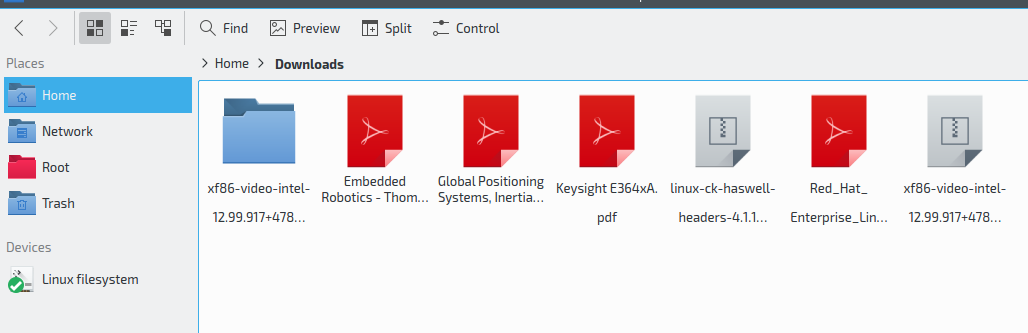
I've made a clean installation for my new host a couple of days ago and faced this problem.
Dolphin 15.08.2
KDE Frameworks 5.15.0
Qt 5.5.1 (built against 5.5.0)
http://s8.hostingkartinok.com/uploads/i … 7325ef.png
As you can see not all files are affected, but those who affected contain no special characters.
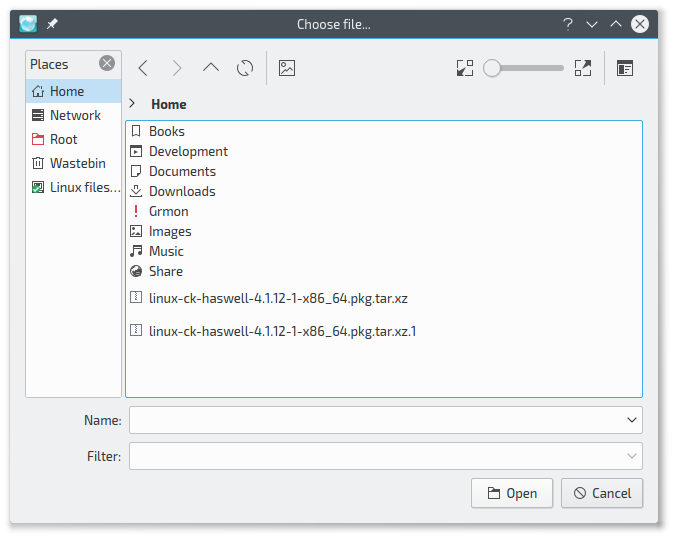
Issue also could be seen in Save As dialogue (floating spacing with last two lines)
http://s8.hostingkartinok.com/uploads/i … 4e77dc.png
My font is Exo2, but changing font makes no difference. Configuration, just in case:
http://s8.hostingkartinok.com/uploads/i … 82c2d1.png
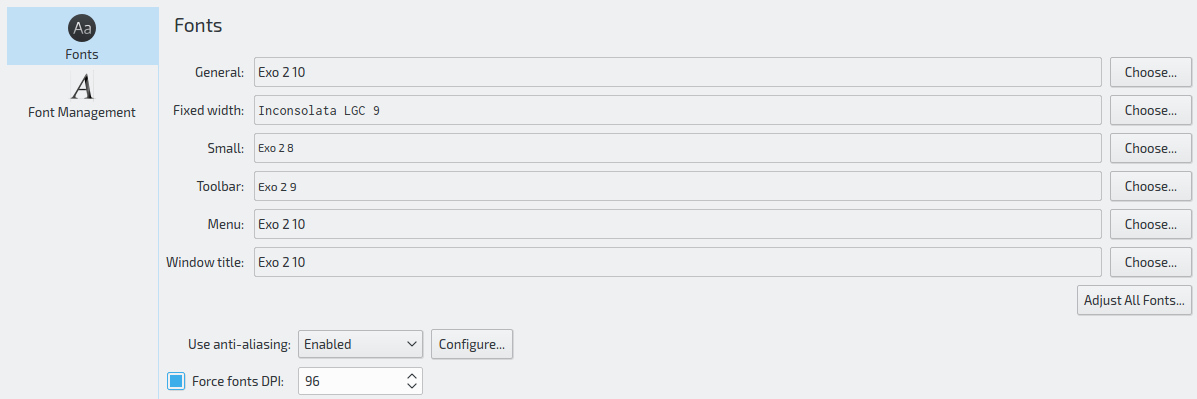
I have also set Exo2 font using qt5ct with no effect.
I have two more hosts with the same configuration, the same fonts, updated to the same versions etc, but without this issue.
Mod note: converted imgs to urls -- WorMzy
Last edited by WorMzy (2015-11-09 11:09:41)
Offline
#2 2015-11-09 09:58:24
- skunktrader
- Member
- From: Brisbane, Australia
- Registered: 2010-02-14
- Posts: 1,681
Re: [SOLVED]Spacing between to lines of file name is too large
Perhaps the too large spacing depends on the size of the icon
Offline
#3 2015-11-09 10:22:29
- dsmorozov
- Member
- Registered: 2015-11-09
- Posts: 3
Re: [SOLVED]Spacing between to lines of file name is too large
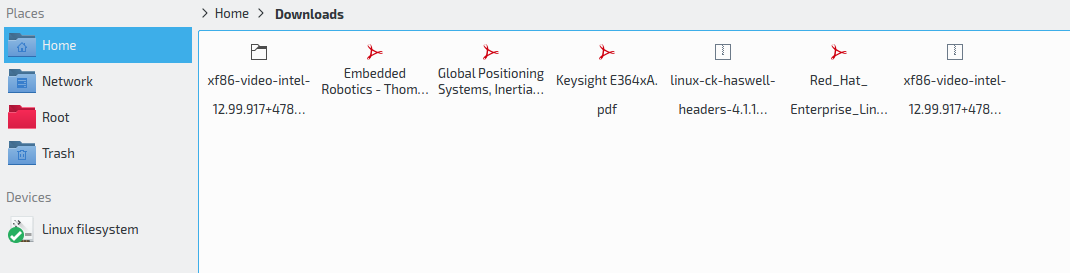
Perhaps the too large spacing depends on the size of the icon
Sadly, no.
http://s8.hostingkartinok.com/uploads/i … 15e398.png
Mod note: converted imgs to urls -- WorMzy
Last edited by WorMzy (2015-11-09 11:10:02)
Offline
#4 2015-11-09 10:37:26
- dsmorozov
- Member
- Registered: 2015-11-09
- Posts: 3
Re: [SOLVED]Spacing between to lines of file name is too large
Solved. I've installed otf-exo from AUR, and looks like the package is missing something like udating font cache. I've just installed ttf-droid from community without even switching to it in System Settings, and spacing looks good now all over the system.
Offline
#5 2015-11-09 11:07:42
- WorMzy
- Administrator

- From: Scotland
- Registered: 2010-06-16
- Posts: 13,718
- Website
Re: [SOLVED]Spacing between to lines of file name is too large
Welcome to Arch, dsmorozov. Please take a moment to read through the forum etiquette, particularly the section regarding image sizes.
Sakura:-
Mobo: MSI MAG X570S TORPEDO MAX // Processor: AMD Ryzen 9 5950X @4.9GHz // GFX: AMD Radeon RX 5700 XT // RAM: 32GB (4x 8GB) Corsair DDR4 (@ 3000MHz) // Storage: 1x 3TB HDD, 6x 1TB SSD, 2x 120GB SSD, 1x 275GB M2 SSD
Making lemonade from lemons since 2015.
Offline