You are not logged in.
- Topics: Active | Unanswered
Pages: 1
#1 2019-01-03 14:21:59
- LonelyPyxel
- Member
- Registered: 2016-06-17
- Posts: 9
can't umount /mnt because /mnt/dev is busy
Hello everyone.
I am installing Arch Linux on an old laptop and I have ran into an error.
After exiting from the new system, I cannot unmount /mnt.
When I run
umount -R /mnt, the following is output:
umount: /mnt/dev: target is busyIf I try to chroot to the new system, I get the following error:
 mount: /mnt/dev: udev already mounted on /mnt/dev.
==> ERROR: failed to setup chroot /mnt
I checked each tty and none were using the mount.
I ran
fuser -vm /mnt, and I got the following:
        USER                    PID                 ACCESS         COMMAND
        root                       kernel              mount              /mnt
I am using gpt and my partitions are as follows:
/dev/sda1 200M, for boot
/dev/sda2 9G, swap
/dev/sda3 30G, for /
/dev/sda4 659G, for /home
/dev/sda5 2M, BIOS boot
One note is that after I created the filesystems and swap, I went back and deleted /dev/sda4, created a new partition in the same place but a little smaller, and then said NO when asked if I would like remove the signature. I then created /dev/sda5 and set it to BIOS boot type. (so that I was able to install grub). Since then, I haven't done anything related to partitioning or mounting.
Any help would be appreciated.
Last edited by LonelyPyxel (2019-01-03 14:26:51)
Offline
#2 2019-01-03 14:25:46
- schard
- Forum Moderator

- From: Hannover
- Registered: 2016-05-06
- Posts: 2,721
- Website
Re: can't umount /mnt because /mnt/dev is busy
You are probably using the respective mount point as working directory within some shell session.
Inofficial first vice president of the Rust Evangelism Strike Force
Offline
#3 2019-01-03 14:34:58
- Trilby
- Inspector Parrot

- Registered: 2011-11-29
- Posts: 30,531
- Website
Re: can't umount /mnt because /mnt/dev is busy
after I created the filesystems and swap, I went back and deleted /dev/sda4, created a new partition in the same place but a little smaller
Did you do all of this before you chrooted? Or did you do any of these steps from within the chroot?
"UNIX is simple and coherent" - Dennis Ritchie; "GNU's Not Unix" - Richard Stallman
Offline
#4 2019-01-03 20:54:45
- LonelyPyxel
- Member
- Registered: 2016-06-17
- Posts: 9
Re: can't umount /mnt because /mnt/dev is busy
LonelyPyxel wrote:after I created the filesystems and swap, I went back and deleted /dev/sda4, created a new partition in the same place but a little smaller
Did you do all of this before you chrooted? Or did you do any of these steps from within the chroot?
I did these steps AFTER I chrooted.
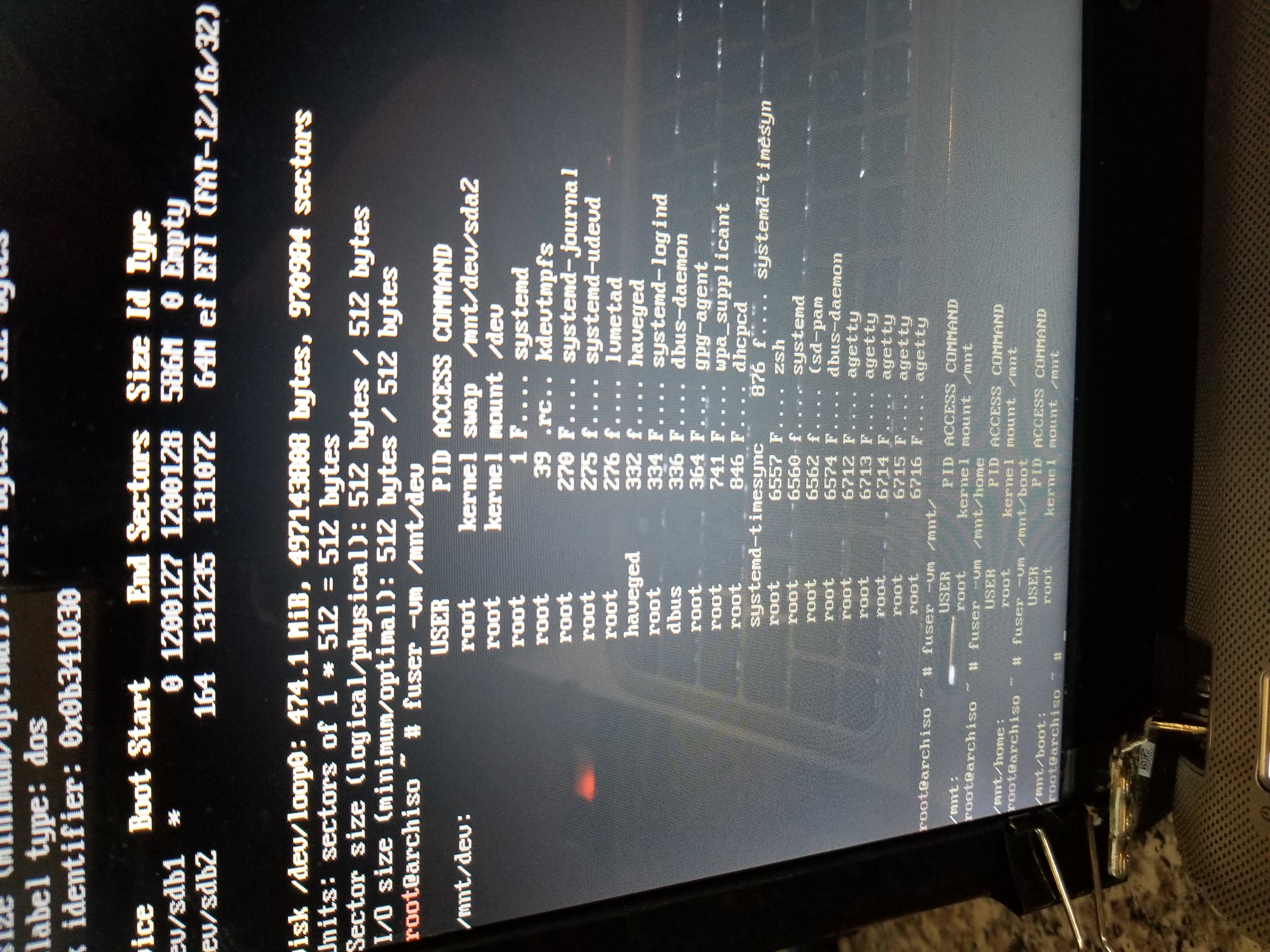
Another note is, when I run
fuser -mv /mnt/dev (as opposed to fuser -mv /mnt, like in OP)
I get all this.
Offline
#5 2019-01-03 21:00:54
- Trilby
- Inspector Parrot
- Registered: 2011-11-29
- Posts: 30,531
- Website
Re: can't umount /mnt because /mnt/dev is busy
Those steps should have been done before chrooting. This may likely explain the problem as you would have mounted devices within the chroot. Honestly, I'm not 100% sure what I'd expect to happen in such a case, but the error message in your first post seems like a plausible and reasonable result of those conditions.
"UNIX is simple and coherent" - Dennis Ritchie; "GNU's Not Unix" - Richard Stallman
Offline
Pages: 1