You are not logged in.
Bakcground:
I installed Arch with the 2019.01.01 ISO on a XPS 13 9350, alongside WIndows 10, following the installation instructions on the official wiki.
After installation I rebooted and installed gnome, gnome-tweaks and lightdm, and enabled lightdm with systemctl.
AFter another reboot I was able to log into the graphical environment normally.
Problem:
When I start GNOME settings from the applications menu in the dash, the following happens:
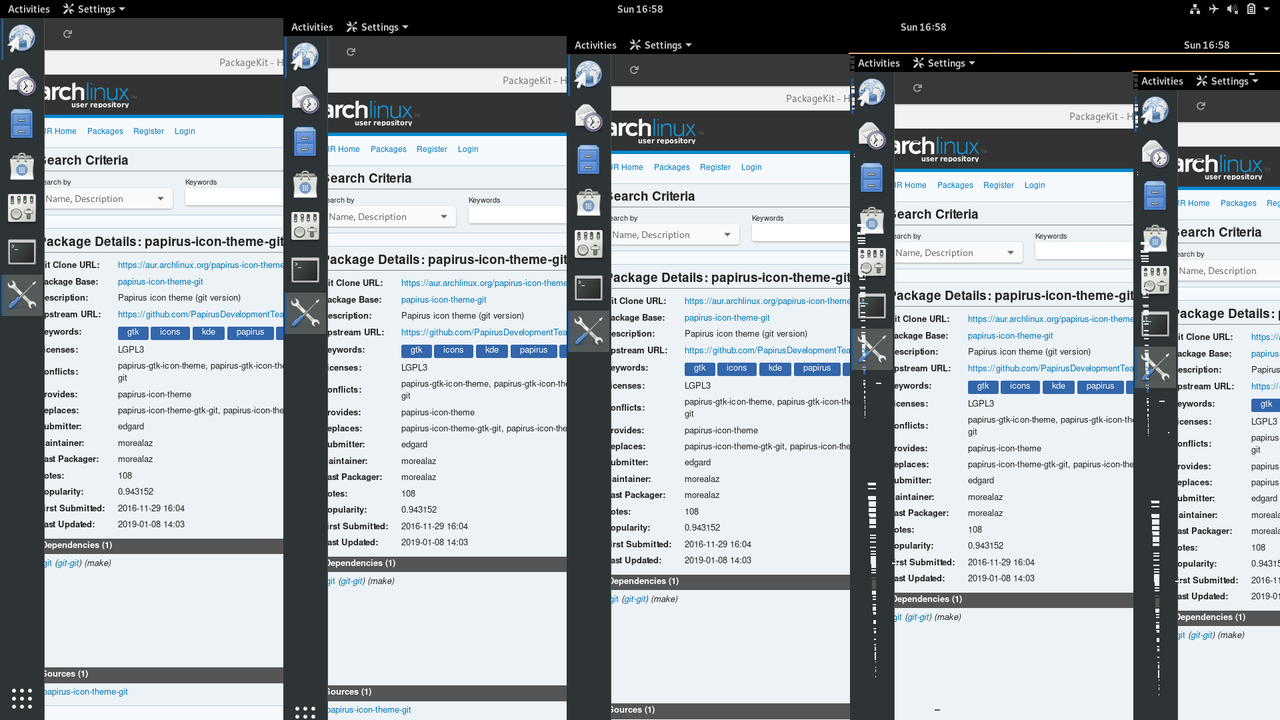
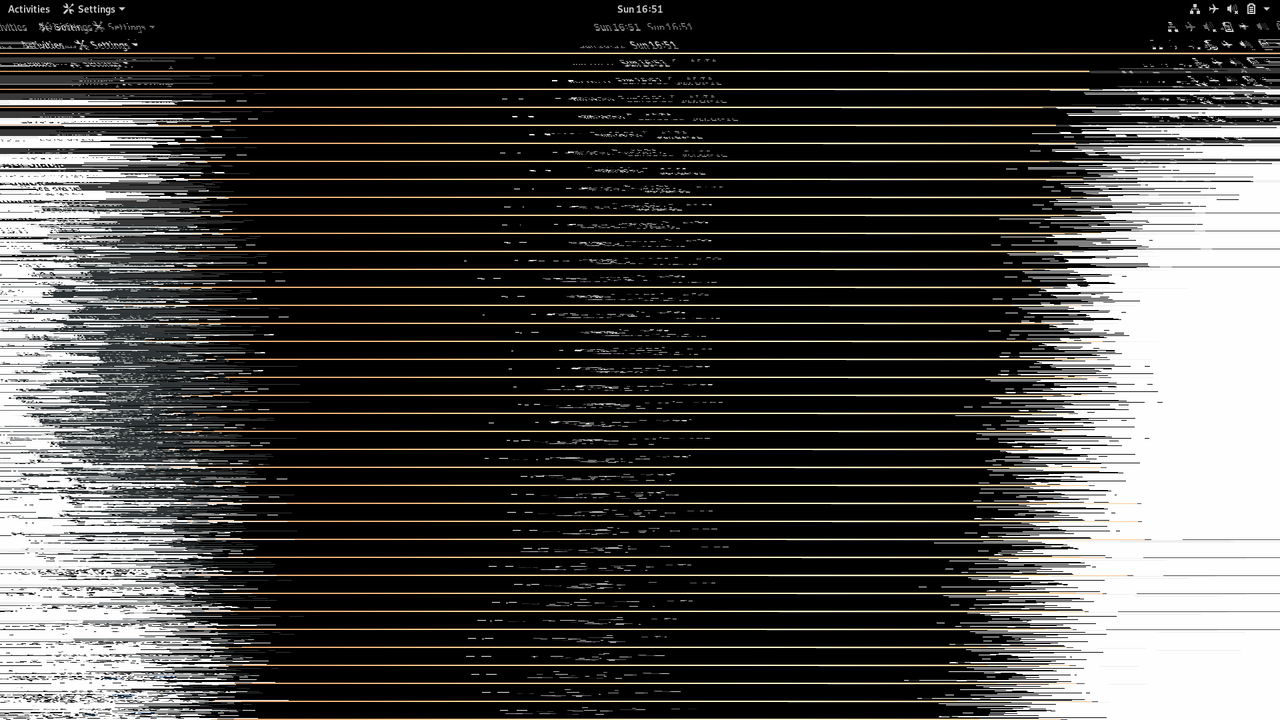
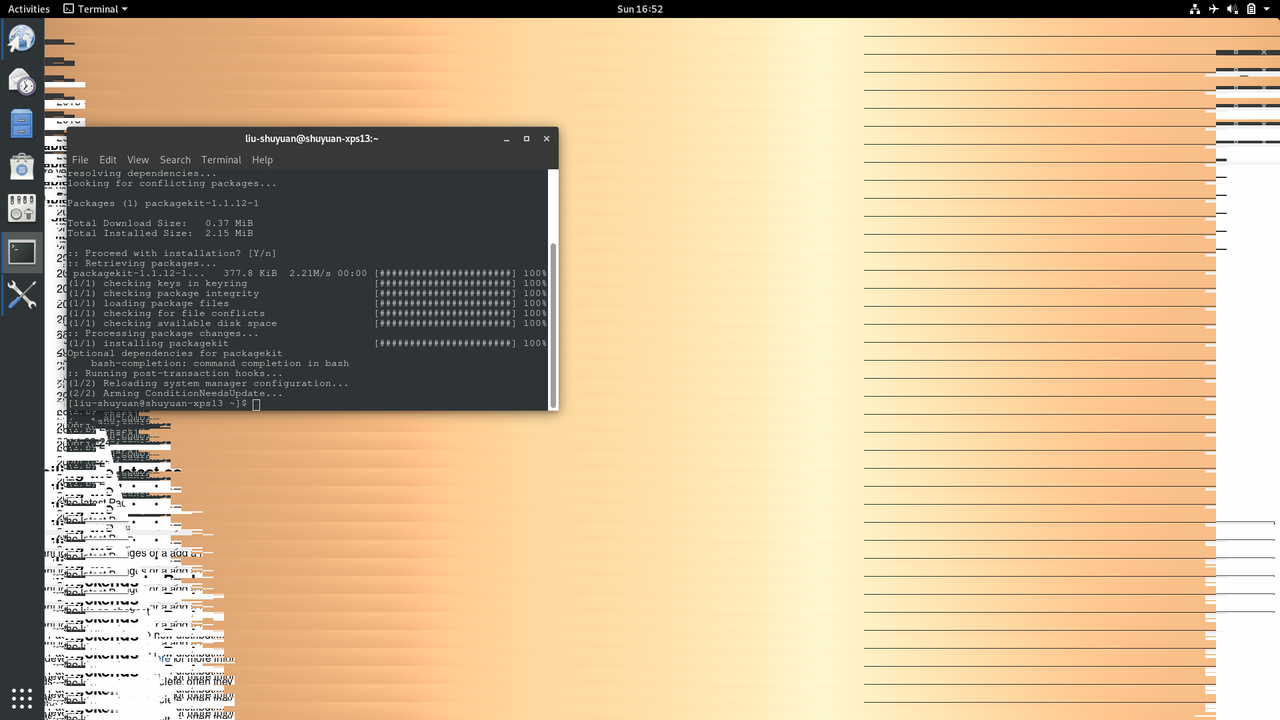
The screen would start to distort and flicker as shown in the screenshot below, and although GNOME settings appears in the dash as running, its window does not show up
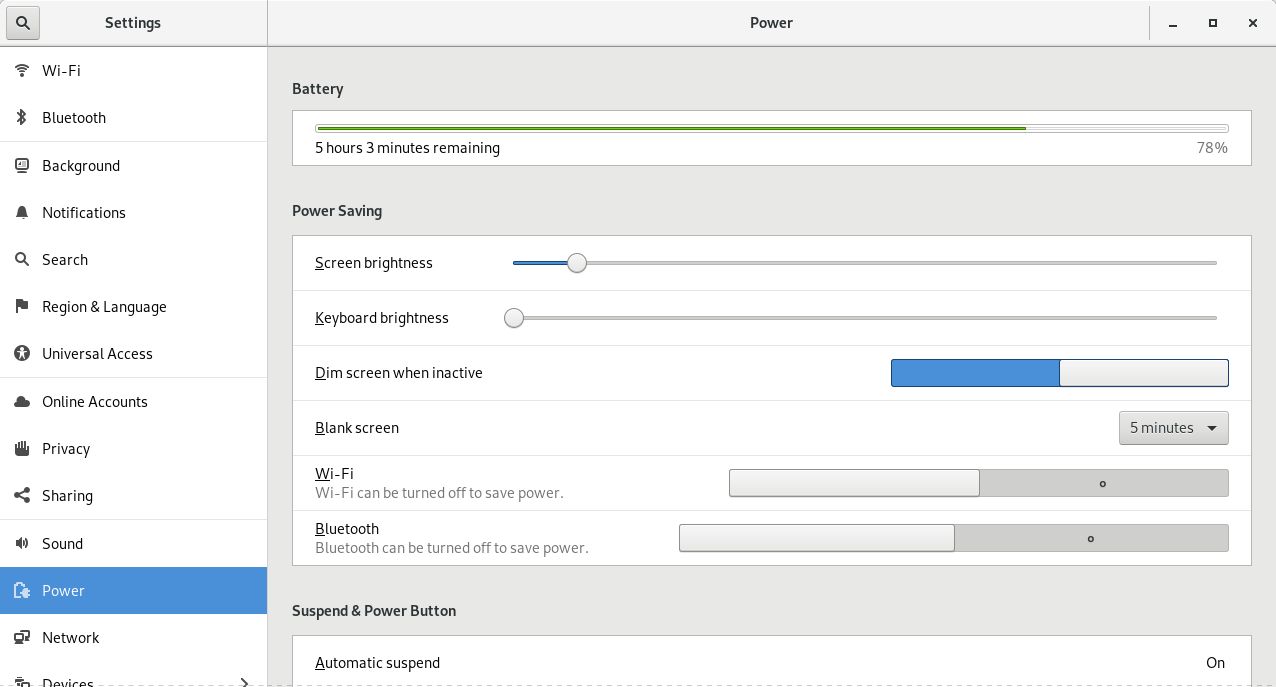
Sometimes it would start without casing the wierd distortion, but the UI is clearly not normal, as shown in the screenshot below, and when switching tabs (eg. WIFI, Bluetooth, etc), Settings would crash and quit.
Screenshots:
https://i.postimg.cc/Zqd1W8bd/Screensho … -58-22.png
https://i.postimg.cc/jS9pqgbT/Screensho … -51-38.png
https://i.postimg.cc/Y9NZ3tm2/Screensho … -52-05.png
https://i.postimg.cc/WzbWwgvS/Screensho … -07-35.png
commandline output of gnome-control-center:
(gnome-control-center:1330): Pango-CRITICAL **: 18:39:00.194: pango_layout_get_pixel_extents: assertion 'PANGO_IS_LAYOUT (layout)' failed
(gnome-control-center:1330): Pango-CRITICAL **: 18:39:00.194: pango_layout_get_pixel_extents: assertion 'PANGO_IS_LAYOUT (layout)' failed
(gnome-control-center:1330): Pango-CRITICAL **: 18:39:00.195: pango_layout_get_pixel_extents: assertion 'PANGO_IS_LAYOUT (layout)' failed
(gnome-control-center:1330): Pango-CRITICAL **: 18:39:00.195: pango_layout_get_pixel_extents: assertion 'PANGO_IS_LAYOUT (layout)' failed
(gnome-control-center:1330): Pango-CRITICAL **: 18:39:00.196: pango_layout_get_pixel_extents: assertion 'PANGO_IS_LAYOUT (layout)' failed
(gnome-control-center:1330): Pango-CRITICAL **: 18:39:00.196: pango_layout_get_pixel_extents: assertion 'PANGO_IS_LAYOUT (layout)' failed
(gnome-control-center:1330): Pango-CRITICAL **: 18:39:00.197: pango_layout_get_pixel_extents: assertion 'PANGO_IS_LAYOUT (layout)' failed
(gnome-control-center:1330): Pango-CRITICAL **: 18:39:00.197: pango_layout_get_pixel_extents: assertion 'PANGO_IS_LAYOUT (layout)' failed
(gnome-control-center:1330): Pango-CRITICAL **: 18:39:00.263: pango_layout_get_pixel_extents: assertion 'PANGO_IS_LAYOUT (layout)' failed
(gnome-control-center:1330): Gtk-CRITICAL **: 18:39:00.263: gtk_render_layout: assertion 'PANGO_IS_LAYOUT (layout)' failed
(gnome-control-center:1330): Pango-CRITICAL **: 18:39:00.264: pango_layout_get_pixel_extents: assertion 'PANGO_IS_LAYOUT (layout)' failed
(gnome-control-center:1330): Gtk-CRITICAL **: 18:39:00.264: gtk_render_layout: assertion 'PANGO_IS_LAYOUT (layout)' failed
(gnome-control-center:1330): Pango-CRITICAL **: 18:39:00.265: pango_layout_get_pixel_extents: assertion 'PANGO_IS_LAYOUT (layout)' failed
(gnome-control-center:1330): Gtk-CRITICAL **: 18:39:00.265: gtk_render_layout: assertion 'PANGO_IS_LAYOUT (layout)' failed
(gnome-control-center:1330): Pango-CRITICAL **: 18:39:00.338: pango_layout_get_pixel_extents: assertion 'PANGO_IS_LAYOUT (layout)' failed
(gnome-control-center:1330): Gtk-CRITICAL **: 18:39:00.338: gtk_render_layout: assertion 'PANGO_IS_LAYOUT (layout)' failed
(gnome-control-center:1330): Pango-CRITICAL **: 18:39:00.338: pango_layout_get_pixel_extents: assertion 'PANGO_IS_LAYOUT (layout)' failed
(gnome-control-center:1330): Gtk-CRITICAL **: 18:39:00.338: gtk_render_layout: assertion 'PANGO_IS_LAYOUT (layout)' failed
(gnome-control-center:1330): Pango-CRITICAL **: 18:39:00.338: pango_layout_get_pixel_extents: assertion 'PANGO_IS_LAYOUT (layout)' failed
(gnome-control-center:1330): Gtk-CRITICAL **: 18:39:00.339: gtk_render_layout: assertion 'PANGO_IS_LAYOUT (layout)' failed
Mod edit: Removed oversized images -- V1del
Last edited by V1del (2019-01-27 19:16:01)
Offline
Installing noto-fonts seems to have 'accidentally' solved the problem. Don't know exactly why, but it's working fine now.
Offline