You are not logged in.
- Topics: Active | Unanswered
Pages: 1
#1 2019-03-24 16:31:14
- zw963
- Member
- Registered: 2018-06-18
- Posts: 213
Pdf content show only partly. [Solved]
I use Okular for read pdf document. i install it with:
pacman -S okularThis package is worked, but content only show partly.
Following is a image for for describe http://zw963.github.io/images/21383273227319.png
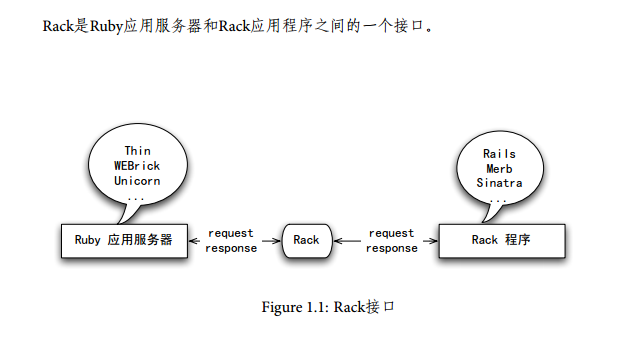
the correct output should be this: http://zw963.github.io/images/2123478516398.png
this is the pdf file: http://zw963.github.io/images/269781763628643.pdf
Thanks
Last edited by zw963 (2019-03-24 17:32:01)
Offline
#2 2019-03-24 16:40:26
- Trilby
- Inspector Parrot

- Registered: 2011-11-29
- Posts: 30,530
- Website
Re: Pdf content show only partly. [Solved]
My first suspicion was a font issue, but all the fonts in that pdf are embedded. Do other pdf viewers work? mupdf for example.
"UNIX is simple and coherent" - Dennis Ritchie; "GNU's Not Unix" - Richard Stallman
Offline
#3 2019-03-24 16:47:06
- zw963
- Member
- Registered: 2018-06-18
- Posts: 213
Re: Pdf content show only partly. [Solved]
mupdf is working, but okular still not working, Thanks you.
I guess the problem is caused by I use gnome, i just more familiar with okular, so, i install this package.
I install two package from KDE (konsole + okular), konsole is work well, only okular not work well.
Last edited by zw963 (2019-03-24 16:48:37)
Offline
#4 2019-03-24 16:58:39
- Trilby
- Inspector Parrot
- Registered: 2011-11-29
- Posts: 30,530
- Website
Re: Pdf content show only partly. [Solved]
I just installed okular and can confirm the same problem with that pdf. Okular does not report any error (or any other output).
"UNIX is simple and coherent" - Dennis Ritchie; "GNU's Not Unix" - Richard Stallman
Offline
#5 2019-03-24 17:01:39
- V1del
- Forum Moderator

- Registered: 2012-10-16
- Posts: 25,426
Re: Pdf content show only partly. [Solved]
Worksforme, any error messages in the terminal when launching it within okular? Are you on wayland? Can you try on xorg, or with QT_QPA_PLATFORM=wayland set?
Online
#6 2019-03-24 17:04:31
- zw963
- Member
- Registered: 2018-06-18
- Posts: 213
Re: Pdf content show only partly. [Solved]
Following is output:
 ╰─ $ okular rack.pdf
QFileSystemWatcher::removePaths: list is empty
QFileSystemWatcher::removePaths: list is empty
BTW: those two line info is output when i close pdf.
Thanks
> Are you on wayland? Can you try on xorg,
In am on xorg.
 ╰─ $ loginctl show-session $XDG_SESSION_ID -p Type
Type=x11
╰─ $ QT_QPA_PLATFORM=wayland okular rack.pdf
qt.qpa.plugin: Could not find the Qt platform plugin "wayland" in ""
This application failed to start because no Qt platform plugin could be initialized. Reinstalling the application may fix this problem.
Available platform plugins are: eglfs, linuxfb, minimal, minimalegl, offscreen, vnc, xcb.
Aborted (core dumped)-----------------------------------------
EDIT:
I open with Gnome builtin Document Viewer(evince), issue same as Okular.
╰─ $ evince rack.pdf
! SyncTeX Error : No file?
Last edited by zw963 (2019-03-24 17:14:38)
Offline
#7 2019-03-24 17:26:48
- V1del
- Forum Moderator
- Registered: 2012-10-16
- Posts: 25,426
Re: Pdf content show only partly. [Solved]
Then you might be lacking the package poppler-data which contains some additional font/encoding information for combined CJK and english pdfs.
Online
#8 2019-03-24 17:30:35
- zw963
- Member
- Registered: 2018-06-18
- Posts: 213
Re: Pdf content show only partly. [Solved]
Then you might be lacking the package poppler-data which contains some additional font/encoding information for combined CJK and english pdfs.
It worked, thanks!
Offline
Pages: 1