You are not logged in.
- Topics: Active | Unanswered
#1 2019-04-01 23:39:32
- tobinjones
- Member
- Registered: 2019-04-01
- Posts: 3
[SOLVED] Cura: garbled UI under wayland, sway, and nouveau
I'm trying to run Cura, but when loaded, I see the splash screen followed by a completely garbled/transparent window.
It looks like this:
https://user-images.githubusercontent.c … c90e15.png
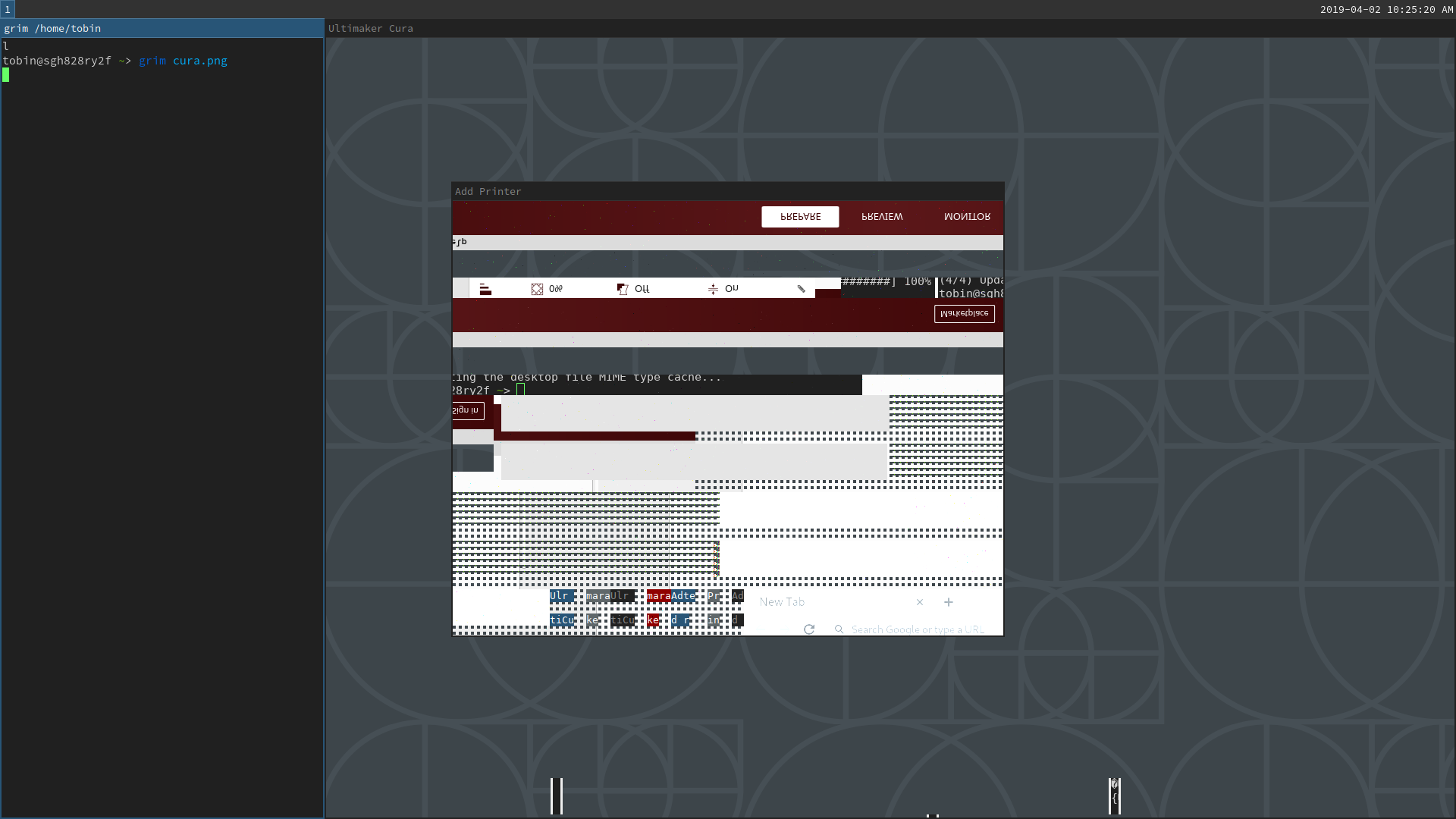
I'm running Arch (up-to-date) with Wayland, using the Sway window manager and an NVIDIA graphics card using the Nouveau driver.
> uname -r
5.0.5-arch1-1-ARCH
> lspci -nnk | grep -iA2 vga
00:1f.5 Non-VGA unclassified device [0000]: Intel Corporation 200 Series/Z370 Chipset Family SPI Controller [8086:a2a4]
00:1f.6 Ethernet controller [0200]: Intel Corporation Ethernet Connection (2) I219-LM [8086:15b7]
	DeviceName: LAN (AMT)
--
15:00.0 VGA compatible controller [0300]: NVIDIA Corporation GF106GL [Quadro 2000] [10de:0dd8] (rev a1)
	Subsystem: NVIDIA Corporation GF106GL [Quadro 2000] [10de:084a]
	Kernel driver in use: nouveau
--
21:00.0 VGA compatible controller [0300]: NVIDIA Corporation GP107GL [Quadro P1000] [10de:1cb1] (rev a1)
	Subsystem: Hewlett-Packard Company GP107GL [Quadro P1000] [103c:11bc]
	Kernel driver in use: vfio-pci
I'm using the latest version of Cura,
> cura --version
Using Wayland-EGL
cura version: 4.0.0
Running it in debug mode doesn't give any obvious (to me) errors:
cura --debug &> out.txt... gives this output: out.txt
The rest of my applications work fine, as does `glxgears`.
Any ideas where I could start to further debug this issue?
Last edited by tobinjones (2019-04-02 18:43:32)
Offline
#2 2019-04-01 23:44:48
- jasonwryan
- Anarchist

- From: .nz
- Registered: 2009-05-09
- Posts: 30,426
- Website
Re: [SOLVED] Cura: garbled UI under wayland, sway, and nouveau
Read the Code of Conduct and only post thumbnails http://wiki.archlinux.org/index.php/Cod … s_and_code
Offline
#3 2019-04-02 00:15:08
- tobinjones
- Member
- Registered: 2019-04-01
- Posts: 3
Re: [SOLVED] Cura: garbled UI under wayland, sway, and nouveau
Sorry! And thank you for changing it to a link.
Offline
#4 2019-04-02 18:43:07
- tobinjones
- Member
- Registered: 2019-04-01
- Posts: 3
Re: [SOLVED] Cura: garbled UI under wayland, sway, and nouveau
Ok this was my fault -- I had the environment variable `QT_QPA_PLATFORM=wayland_egl` set, which forced cura to use a backend it doesn't support, rather than x11 via xwayland.
Deleting that environment variable, or setting QT_QPA_PLATFORM=xcb fixes things. Whoops! Cheers!
Offline