You are not logged in.
Pages: 1
Hi,
I have no knowledge about Linux, but I started do a course from Linux Foundation, and after some YT search I decided to go with Arch, despite the difficulty many report.
I am very excited, because following ArchWiki step by step, I now have an operating system that works perfectly and I'm looking forward to studying more suggested features.
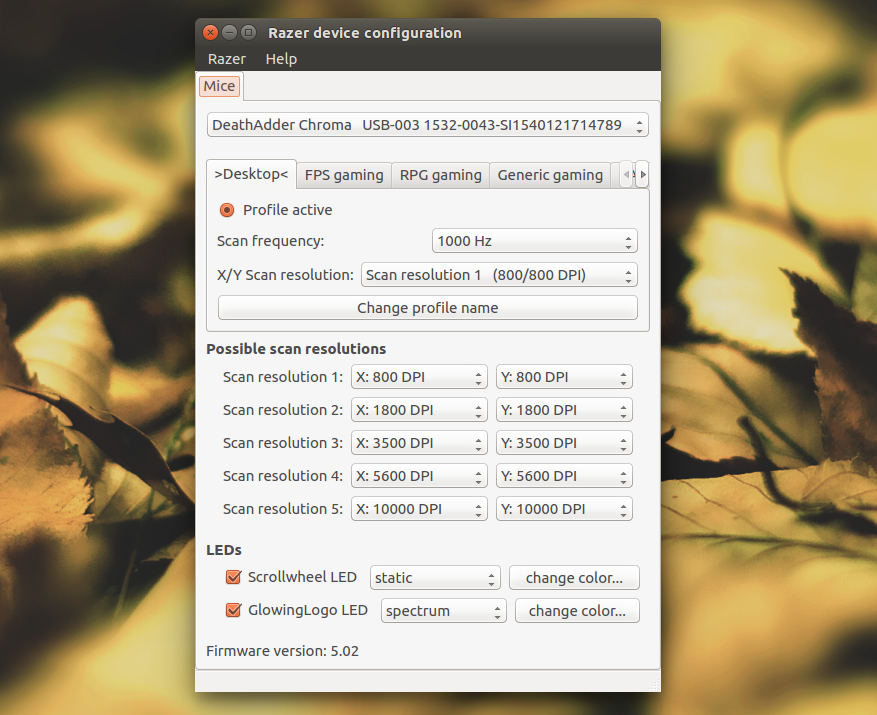
But I'm stuck with Razer Peripherals and especially I can't get a window for quickly switch between DPI Profiles such as gaming etc. (My mouse is a Deathadder 2013)
Actions I've done:
Sudo pacman -S razercfgyay -S razergenieCreated xorg.conf
/etc/X11/xorg.conf
 Section "InputDevice"
    Identifier  "Mouse"
    Driver  "mouse"
    Option  "Device" "/dev/input/mice"
 EndSection
Restart
After Login in terminal
udevadm control --reload-rulessudo systemctl start razerdand
sudo systemctl enable razerdNow, Whenever I try to run "Razer Configuration" from Applications list, a loading icon appears in task manager and nothing happens. (I use plasma as Desktop Environment)
What I want to get is something like that https://1.bp.blogspot.com/-fZ1kySny_6g/ … hadder.png
Mod Edit - Replaced oversized image with link.
CoC - Pasting pictures and code
Last edited by rockdie (2019-11-24 20:34:08)
Offline
I did an extra search and the solution was simpler than I expected.
Install the openrazer-meta AUR
Install a graphical front-end such as razergenie AUR
Install linux-headers
Last but not least: Use
sudo gpasswd -a $USER plugdevto add user to plugdev group
Last edited by rockdie (2019-11-24 20:33:16)
Offline
Pages: 1