You are not logged in.
- Topics: Active | Unanswered
#1 2020-04-08 04:48:55
- lesf0
- Member
- Registered: 2020-04-08
- Posts: 3
Skypeforlinux no video with Logitech, Inc. QuickCam E2500 series
I've got a pretty aged webcam which works flawlessly in different apps like google-chrome, discord (with v4l1compat enabled), v4l test utility, but not with skypeforlinux.
lsusb
Bus 006 Device 002: ID 046d:089d Logitech, Inc. QuickCam E2500 series
Skype detects my webcam but displays black screen on settings page. No relevant errors in log.
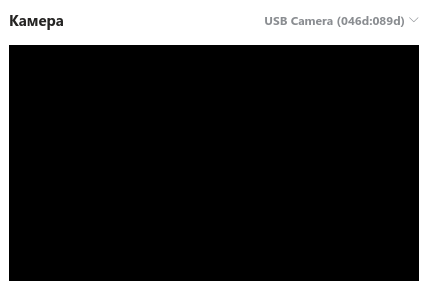
I've tried both v4l1compat and v4l2convert with no luck.
This question on microsoft explains exactly same situation, but offitial recommendation was to, well, reboot pc and reinstall skype.
Has anybody had the same issue and managed to fix it?
Last edited by lesf0 (2020-04-08 04:49:24)
Offline
#2 2020-04-08 06:19:49
- bulletmark
- Member
- From: Brisbane, Australia
- Registered: 2013-10-22
- Posts: 714
Re: Skypeforlinux no video with Logitech, Inc. QuickCam E2500 series
but not with skypeforlinux.
Please quote the actual package you have tried. If you have not tried the skypeforlinux-preview-bin version then please try that.
Offline
#3 2020-04-08 06:24:05
- lesf0
- Member
- Registered: 2020-04-08
- Posts: 3
Re: Skypeforlinux no video with Logitech, Inc. QuickCam E2500 series
lesf0 wrote:but not with skypeforlinux.
Please quote the actual package you have tried. If you have not tried the skypeforlinux-preview-bin version then please try that.
skypeforlinux-preview-bin 8.59.76.47-1
Offline
#4 2020-04-08 07:05:05
- bulletmark
- Member
- From: Brisbane, Australia
- Registered: 2013-10-22
- Posts: 714
Re: Skypeforlinux no video with Logitech, Inc. QuickCam E2500 series
Sorry can not help. Seems a common issue for that webcam, e.g. https://askubuntu.com/questions/23253/q … -not-skype although you say you tried that.
Offline