You are not logged in.
- Topics: Active | Unanswered
#1 2020-12-02 13:35:38
- mpennington
- Member
- Registered: 2020-12-02
- Posts: 6
New PC Build, live usb and install won't boot 95% of the time
I recently built a new computer, using the following hardware:
MB: Gigabyte X570 Aorus Pro Wifi
CPU: AMD Ryzen 5 3400G
PSU: EVGA Supernova 750 GA
HDD: WD Blue 4TB
Memory: 32GB Corsair Vengeance LPX.
About 95% of the time when I try to boot into the live USB the screen goes blank and nothing happens. I've tried setting acpi=off, as well as all the settings here. Turning off acpi seems to get me farther, as then I get the "Welcome to Arch" Message as well as some more output, but then during the boot up process there is a kernel oops and everything halts. Here is the output: https://i.postimg.cc/X3Qr9Gs9/1202200016a-HDR.jpg. I've tried googling acpi=off causes kernel oops and similar queries, but to no success. I'm at my wits end, and would really appreciate if anyone could help me. Looking at the above message it is hard to tell exactly what is wrong with my limited expertise, but it seems to be a problem with the motherboard. I also updated the BIOS, but to no effect. Every once and a while I will get a successful boot without using acpi=off, but it seems to be happening less and less often. Thus I was able to install arch on the hard drive, and have been playing around with kernel parameters on that rather than the live USB, but both have the same problems so it seems to be something hardware related. I'm really hoping there's some magic kernel parameter that I haven't been able to found thus far that will fix everything, but I'm beginning to lose hope. Thank you for your time and help, and let me know if there's any more info you need from me!
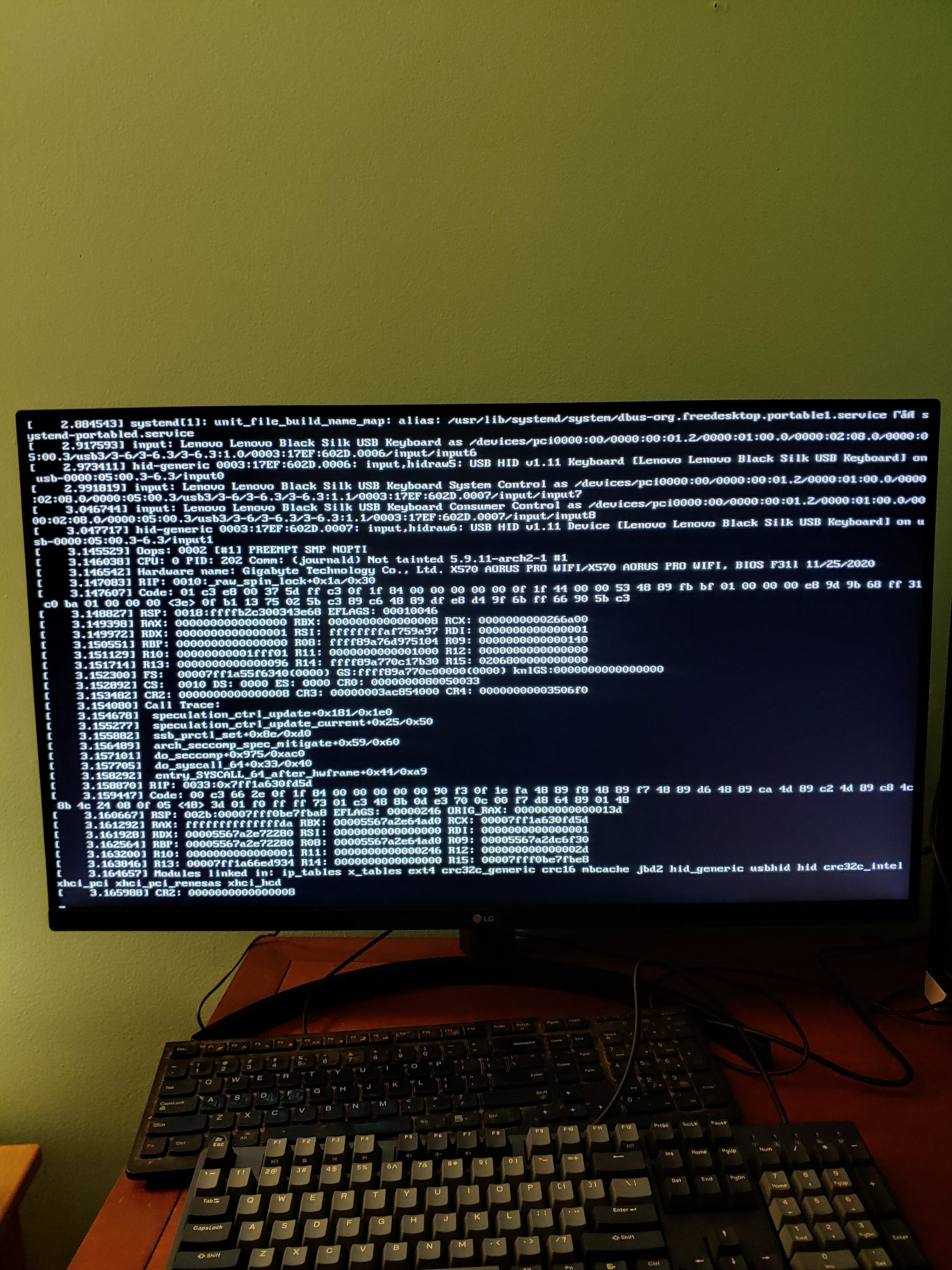
moderator edit -- replaced oversized image with link.
Pasting pictures and code
Last edited by 2ManyDogs (2020-12-02 13:42:17)
Offline
#2 2020-12-02 13:50:07
- V1del
- Forum Moderator

- Registered: 2012-10-16
- Posts: 25,361
Re: New PC Build, live usb and install won't boot 95% of the time
Welcome to the boards
acpi=off is never a parameter you want to generally use. Based on previous experience I'd say one thing you should try is using
iommu=softmaybe also throw in nomodeset if it is gpu related. If you somehow manage to get to a terminal after a faulty boot, post the output of
sudo journalctl -b-1which hopefuly contains some more information: https://wiki.archlinux.org/index.php/Li … in_clients
Also please do not embed huge images directly: https://wiki.archlinux.org/index.php/Co … s_and_code
Offline
#3 2020-12-02 14:15:26
- mpennington
- Member
- Registered: 2020-12-02
- Posts: 6
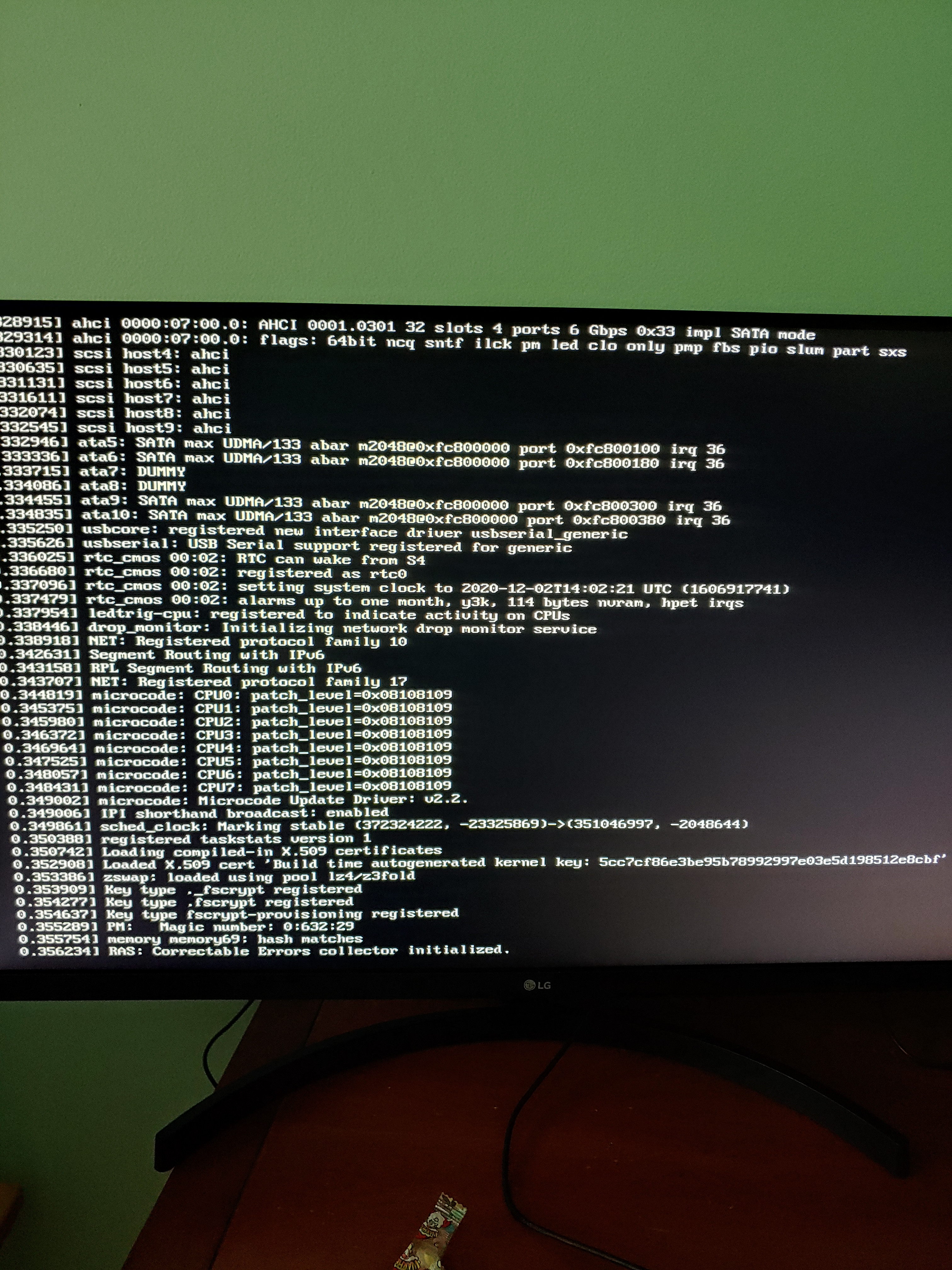
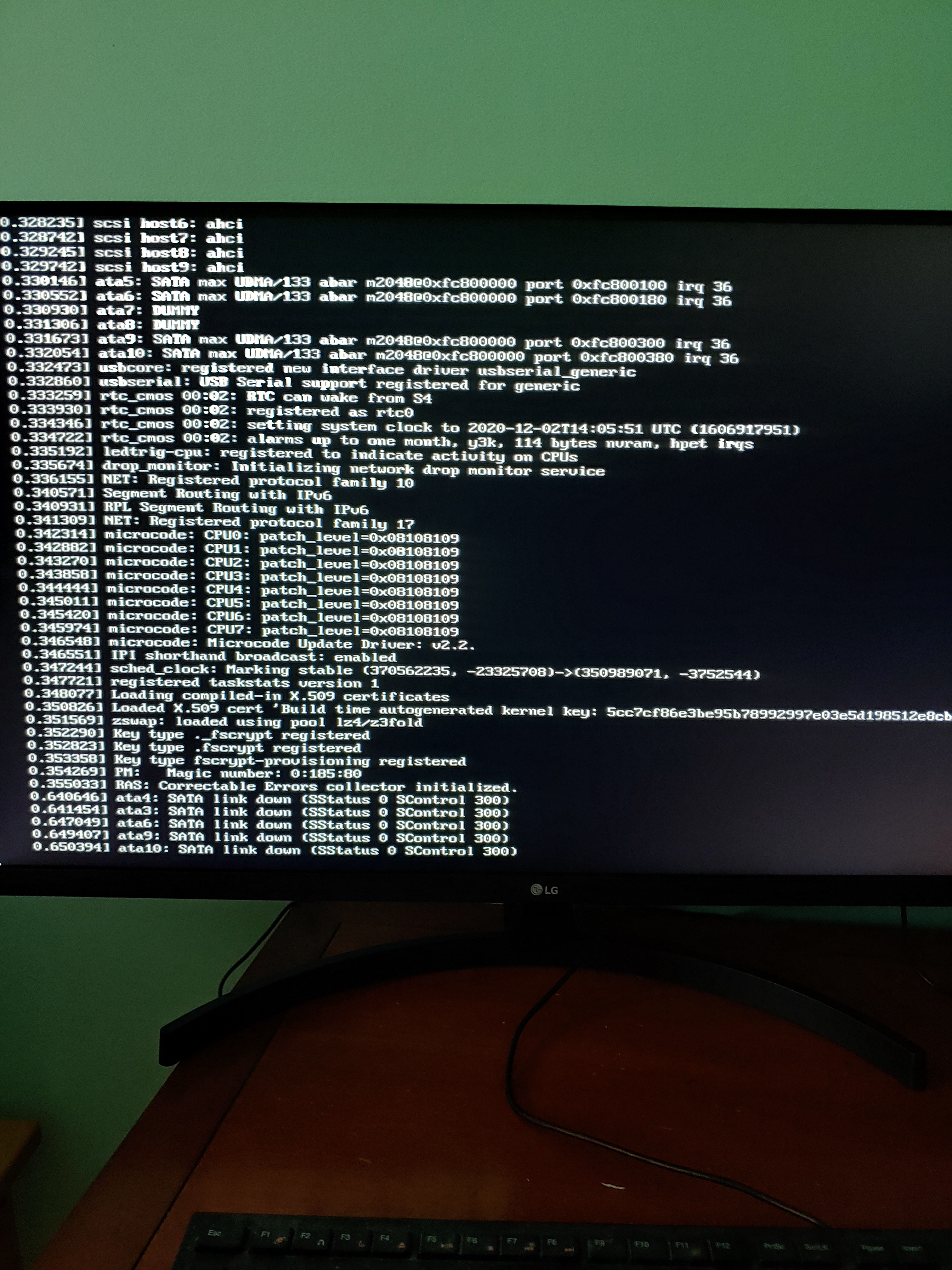
Offline
#4 2020-12-02 14:27:41
- V1del
- Forum Moderator
- Registered: 2012-10-16
- Posts: 25,361
Re: New PC Build, live usb and install won't boot 95% of the time
No errors there, does it get stuck at that point? Do you get better logs with loglevel=7 ? Just a wild shot based on the error you got from your initial picture, which I didn't suggest because I assumed a link with the disabled acpi, mitigations=off might help as well.
Offline
#5 2020-12-02 14:52:52
- mpennington
- Member
- Registered: 2020-12-02
- Posts: 6
Re: New PC Build, live usb and install won't boot 95% of the time
It does get stuck at that point. I was just able to boot into the system successfully after changing a BIOS parameter to use integrated graphics by default, about to reboot and see if that fixes it permanently or if this was just a random one-off like before. But in the meanwhile, here are the results of sudo journalctl -b-1: https://gist.github.com/39e11efa0e76786 … 7c803806df.
EDIT: Just tried to boot again, same thing...
mitigations=off doesn't seem to change anything, neither does loglevel=7.
Last edited by mpennington (2020-12-02 15:02:29)
Offline
#6 2020-12-02 15:56:08
- mpennington
- Member
- Registered: 2020-12-02
- Posts: 6
Re: New PC Build, live usb and install won't boot 95% of the time
I just found a workaround that allows me to boot every time, but it's annoying... I have to change the BIOS setting iommu from either enabled to disabled or disabled to enabled, strangely it doesn't seem to matter what I change it to or from. Then booting works every time. Weird.
Offline
#7 2020-12-02 15:57:50
- V1del
- Forum Moderator
- Registered: 2012-10-16
- Posts: 25,361
Re: New PC Build, live usb and install won't boot 95% of the time
hmm what about iommu=pt instead of soft (... technically with it enabled I suppose)
Offline
#8 2020-12-02 19:13:43
- mpennington
- Member
- Registered: 2020-12-02
- Posts: 6
Re: New PC Build, live usb and install won't boot 95% of the time
No luck with that either.. I discovered it boots just fine if I enter the BIOS first, but always fails if I don't. Any thoughts on what could cause this?
Offline
#9 2020-12-02 22:15:23
- Tarqi
- Member

- From: Ixtlan
- Registered: 2012-11-27
- Posts: 180
- Website
Re: New PC Build, live usb and install won't boot 95% of the time
You external drive is not responding fast enough for the bios, so after some time (setup first as example), it is ready and the bios will find it, otherwise it will just hang on scanning for usb drives. Try to boot, if it hangs do a soft-reset (ctrl-alt-del), maybe that's enough. Otherwise try another drive.
Edit: This assumes, that you not get any boot menu, i.e. you can not boot at all.
Last edited by Tarqi (2020-12-02 23:23:22)
Knowing others is wisdom, knowing yourself is enlightenment. ~Lao Tse
Offline
#10 2020-12-03 03:47:34
- mpennington
- Member
- Registered: 2020-12-02
- Posts: 6
Re: New PC Build, live usb and install won't boot 95% of the time
Hmmm yeah I don't think that's it, I do get to the boot menu. It's after that that I can't boot.
Offline
#11 2020-12-03 08:07:27
- seth
- Member

- From: Won't reply 2 private help req
- Registered: 2012-09-03
- Posts: 77,687
Re: New PC Build, live usb and install won't boot 95% of the time
boots just fine if I enter the BIOS first, but always fails if I don't
Slow device init?
Entropy starvation?
https://wiki.archlinux.org/index.php/ke … _KMS_start
https://wiki.debian.org/BoottimeEntropyStarvation
https://wiki.archlinux.org/index.php/Rng-tools / https://wiki.archlinux.org/index.php/Haveged
Offline
#12 2020-12-03 08:23:47
- rowdog
- Member
- From: East Texas
- Registered: 2009-08-19
- Posts: 118
Re: New PC Build, live usb and install won't boot 95% of the time
I don't really know from experience but I saw that iommu=noats worked for "some guy on the internet." I've got it in my notes for when my Aorus gets here.
Offline