You are not logged in.
- Topics: Active | Unanswered
Pages: 1
#1 2020-12-17 10:09:13
- domx93
- Member
- Registered: 2020-11-30
- Posts: 56
[SOLVED] Lenovo y50-70 doesn't boot
Hello, suddenly since a week my lenovo y50-70 doesn't boot, I did all the updates via chroot but even if today it updated the kernel it didn't help. I just see what I show in the picture, can you help me? Where can I find more detailed logfiles? Thanks.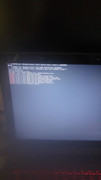
Last edited by domx93 (2020-12-20 00:45:38)
Offline
#2 2020-12-17 17:00:29
- domx93
- Member
- Registered: 2020-11-30
- Posts: 56
Re: [SOLVED] Lenovo y50-70 doesn't boot
I downgraded to linux-5.9.11 and it booted again.
Offline
#3 2020-12-17 20:47:26
- seth
- Member

- From: Won't reply 2 private help req
- Registered: 2012-09-03
- Posts: 78,461
Re: [SOLVED] Lenovo y50-70 doesn't boot
You're likely either forgetting to mount the /boot partition before updating or you are mounting the /boot partition but are actually booting from the root partition - either way running and installed kernel fall apart.
Output of "mount"?
Offline
#4 2020-12-20 00:16:46
- domx93
- Member
- Registered: 2020-11-30
- Posts: 56
Re: [SOLVED] Lenovo y50-70 doesn't boot
You're likely either forgetting to mount the /boot partition before updating or you are mounting the /boot partition but are actually booting from the root partition - either way running and installed kernel fall apart.
Output of "mount"?
Hi, this is the output of mount with the old kernel (the working one):
[domenico@domx-archy50 ~]$ mount
proc on /proc type proc (rw,nosuid,nodev,noexec,relatime)
sys on /sys type sysfs (rw,nosuid,nodev,noexec,relatime)
dev on /dev type devtmpfs (rw,nosuid,relatime,size=8144624k,nr_inodes=2036156,mode=755,inode64)
run on /run type tmpfs (rw,nosuid,nodev,relatime,mode=755,inode64)
efivarfs on /sys/firmware/efi/efivars type efivarfs (rw,nosuid,nodev,noexec,relatime)
/dev/sda5 on / type ext4 (rw,relatime)
securityfs on /sys/kernel/security type securityfs (rw,nosuid,nodev,noexec,relatime)
tmpfs on /dev/shm type tmpfs (rw,nosuid,nodev,inode64)
devpts on /dev/pts type devpts (rw,nosuid,noexec,relatime,gid=5,mode=620,ptmxmode=000)
tmpfs on /sys/fs/cgroup type tmpfs (ro,nosuid,nodev,noexec,size=4096k,nr_inodes=1024,mode=755,inode64)
cgroup2 on /sys/fs/cgroup/unified type cgroup2 (rw,nosuid,nodev,noexec,relatime,nsdelegate)
cgroup on /sys/fs/cgroup/systemd type cgroup (rw,nosuid,nodev,noexec,relatime,xattr,name=systemd)
pstore on /sys/fs/pstore type pstore (rw,nosuid,nodev,noexec,relatime)
none on /sys/fs/bpf type bpf (rw,nosuid,nodev,noexec,relatime,mode=700)
cgroup on /sys/fs/cgroup/cpu,cpuacct type cgroup (rw,nosuid,nodev,noexec,relatime,cpu,cpuacct)
cgroup on /sys/fs/cgroup/hugetlb type cgroup (rw,nosuid,nodev,noexec,relatime,hugetlb)
cgroup on /sys/fs/cgroup/net_cls,net_prio type cgroup (rw,nosuid,nodev,noexec,relatime,net_cls,net_prio)
cgroup on /sys/fs/cgroup/cpuset type cgroup (rw,nosuid,nodev,noexec,relatime,cpuset)
cgroup on /sys/fs/cgroup/freezer type cgroup (rw,nosuid,nodev,noexec,relatime,freezer)
cgroup on /sys/fs/cgroup/rdma type cgroup (rw,nosuid,nodev,noexec,relatime,rdma)
cgroup on /sys/fs/cgroup/blkio type cgroup (rw,nosuid,nodev,noexec,relatime,blkio)
cgroup on /sys/fs/cgroup/perf_event type cgroup (rw,nosuid,nodev,noexec,relatime,perf_event)
cgroup on /sys/fs/cgroup/pids type cgroup (rw,nosuid,nodev,noexec,relatime,pids)
cgroup on /sys/fs/cgroup/memory type cgroup (rw,nosuid,nodev,noexec,relatime,memory)
cgroup on /sys/fs/cgroup/devices type cgroup (rw,nosuid,nodev,noexec,relatime,devices)
systemd-1 on /proc/sys/fs/binfmt_misc type autofs (rw,relatime,fd=30,pgrp=1,timeout=0,minproto=5,maxproto=5,direct,pipe_ino=16440)
mqueue on /dev/mqueue type mqueue (rw,nosuid,nodev,noexec,relatime)
hugetlbfs on /dev/hugepages type hugetlbfs (rw,relatime,pagesize=2M)
debugfs on /sys/kernel/debug type debugfs (rw,nosuid,nodev,noexec,relatime)
tracefs on /sys/kernel/tracing type tracefs (rw,nosuid,nodev,noexec,relatime)
tmpfs on /tmp type tmpfs (rw,nosuid,nodev,nr_inodes=409600,inode64)
configfs on /sys/kernel/config type configfs (rw,nosuid,nodev,noexec,relatime)
fusectl on /sys/fs/fuse/connections type fusectl (rw,nosuid,nodev,noexec,relatime)
/var/lib/snapd/snaps/spotify_43.snap on /var/lib/snapd/snap/spotify/43 type squashfs (ro,nodev,relatime,x-gdu.hide)
/var/lib/snapd/snaps/whatsdesk_20.snap on /var/lib/snapd/snap/whatsdesk/20 type squashfs (ro,nodev,relatime,x-gdu.hide)
/var/lib/snapd/snaps/core18_1932.snap on /var/lib/snapd/snap/core18/1932 type squashfs (ro,nodev,relatime,x-gdu.hide)
/var/lib/snapd/snaps/gnome-3-28-1804_145.snap on /var/lib/snapd/snap/gnome-3-28-1804/145 type squashfs (ro,nodev,relatime,x-gdu.hide)
/var/lib/snapd/snaps/gtk-common-themes_1514.snap on /var/lib/snapd/snap/gtk-common-themes/1514 type squashfs (ro,nodev,relatime,x-gdu.hide)
/var/lib/snapd/snaps/snapd_10492.snap on /var/lib/snapd/snap/snapd/10492 type squashfs (ro,nodev,relatime,x-gdu.hide)
tmpfs on /run/user/1000 type tmpfs (rw,nosuid,nodev,relatime,size=1630296k,nr_inodes=407574,mode=700,uid=1000,gid=1000,inode64)
run on /run/snapd/ns type tmpfs (rw,nosuid,nodev,relatime,mode=755,inode64)
nsfs on /run/snapd/ns/whatsdesk.mnt type nsfs (rw)
oh yes, it looks like I don't have the efi partition mounted (it is /dev/sda4), should I mount it in /etc/fstab?
Last edited by domx93 (2020-12-20 00:18:47)
Offline
#5 2020-12-20 00:45:13
- domx93
- Member
- Registered: 2020-11-30
- Posts: 56
Re: [SOLVED] Lenovo y50-70 doesn't boot
Yes, I added it in /etc/fstab and the system boots even with the new kernel, thank you! But why this was not necessary for the old kernel?
Offline
#6 2020-12-20 08:29:43
- seth
- Member
- From: Won't reply 2 private help req
- Registered: 2012-09-03
- Posts: 78,461
Re: [SOLVED] Lenovo y50-70 doesn't boot
When you installed the system you hopefully followed the installation guide and mounted the boot partition - the first kernel you installed moved there and you are also booting from that partition.
W/o adding it to fstab, /boot just became some directory on your root partition and the kernel update went there, but you won't boot that kernel (but the old one)
Downgrading the kernel w/o the boot partition being mounted *still* moved the kernel to the /boot directory on the root partition (you may want to clean that up by unmounting /boot and deleting the files that now show up - you can "file /boot/vmlinuz-linux" to see which kernel you're facing w/ boot being either mounted or not) but it also especially brought the modules in /lib/modules back in sync (which is the important part for stuff to work)
Offline
#7 2020-12-20 20:01:04
- domx93
- Member
- Registered: 2020-11-30
- Posts: 56
Re: [SOLVED] Lenovo y50-70 doesn't boot
When you installed the system you hopefully followed the installation guide and mounted the boot partition - the first kernel you installed moved there and you are also booting from that partition.
W/o adding it to fstab, /boot just became some directory on your root partition and the kernel update went there, but you won't boot that kernel (but the old one)
Downgrading the kernel w/o the boot partition being mounted *still* moved the kernel to the /boot directory on the root partition (you may want to clean that up by unmounting /boot and deleting the files that now show up - you can "file /boot/vmlinuz-linux" to see which kernel you're facing w/ boot being either mounted or not) but it also especially brought the modules in /lib/modules back in sync (which is the important part for stuff to work)
ah wow, great! Thank you again!
Offline
Pages: 1