You are not logged in.
- Topics: Active | Unanswered
#1 2021-05-13 20:47:56
- trent234
- Member
- Registered: 2019-01-21
- Posts: 6
[Solved] Looking for xorg inactivity timer value
I've got the standard DPMS setup, and I like it for the most part.
╸❯❯❯ xset q
...
Screen Saver:
  prefer blanking:  yes    allow exposures:  yes
  timeout:  600    cycle:  600
Colors:
  default colormap:  0x20    BlackPixel:  0x0    WhitePixel:  0xffffff
Font Path:
  built-ins
DPMS (Energy Star):
  Standby: 600    Suspend: 600    Off: 600
  DPMS is Enabled
  Monitor is On
The only thing I don't like is when it blanks the screen when I'm still looking at the screen but haven't input anything e.g. video call. I want to write a script for my status bar (dwm) that counts down until the screen power off so I'm not caught off guard. DPMS manpages reference the "amount of time of inactivity in seconds" as the value to determine when to power down the display.
Question:
Where can I access the inactivity timer value?
Thanks,
Trent
Last edited by trent234 (2021-05-14 21:39:19)
Offline
#2 2021-05-14 07:19:38
- seth
- Member

- From: Won't reply 2 private help req
- Registered: 2012-09-03
- Posts: 77,527
Re: [Solved] Looking for xorg inactivity timer value
XGetIdleTime, XScreenSaverQueryInfo - lookup eg. the xautolock code, engine.c
Wouldn't it be better to just ensure to block dpms during "video call" (ie. the fucking zoom nuisance…)
Most video players and even some browsers do that themselves, but you could either wrap the fucking zoom (yes, I hate this shit - silly smalltalk over the internet crap) binary in a script that dis- and enables DPMS or run a script that polls the process list for suspicious clients (yes, we'll go there again: zoom sucks big time) and toggles dpms accordingly (since you've a 600s timeout, the script can run at this interval if you interact to start the interaction stunning client)
Offline
#3 2021-05-14 07:28:20
- Ropid
- Member
- Registered: 2015-03-09
- Posts: 1,069
Re: [Solved] Looking for xorg inactivity timer value
There's a small program "xprintidle" that's intended for bash scripts. There's a package for it in the AUR.
The tool prints the idle time in milliseconds. Here's an example bash command line that shows how to use it:
while true; do sleep 1; echo "seconds until monitor standby: $(( 600 - $(xprintidle) / 1000 ))"; doneOffline
#4 2021-05-14 07:52:09
- karabaja4
- Member

- From: Croatia
- Registered: 2008-09-14
- Posts: 1,048
- Website
Re: [Solved] Looking for xorg inactivity timer value
Maybe this script will help, I wrote it to disable DPMS if there is any activity in ALSA (sounds are playing) because I was annoyed that my screen was blanking while watching a movie (when input devices are obviously idle), and DPMS was not suppresed properly. Should work with any app that is producing sounds.
crontab -e
*/5  * * * *    /home/igor/arch/scripts/dpms.sh
#!/bin/bash
# shellcheck disable=SC2155
set -euo pipefail
declare -ir _timeout=600
declare -ir _current="$(xset -display :0.0 q | awk '/Standby:/ { print $2 }')"
_enable() {
if [[ "${_current}" == "0" ]]
then
xset -display :0.0 dpms ${_timeout} ${_timeout} ${_timeout}
fi
}
_disable() {
if [[ "${_current}" != "0" ]]
then
xset -display :0.0 dpms 0 0 0
fi
}
if grep -q "RUNNING" /proc/asound/card*/pcm*/sub*/status
then
_disable
else
_enable
fi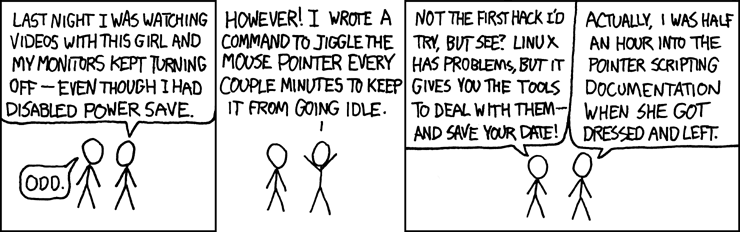
Last edited by karabaja4 (2021-05-14 08:11:19)
Offline
#5 2021-05-14 16:34:00
- seth
- Member
- From: Won't reply 2 private help req
- Registered: 2012-09-03
- Posts: 77,527
Re: [Solved] Looking for xorg inactivity timer value
while sleep 600; do grep -q RUNNING /proc/asound/card*/pcm*/sub*/status && xset -dpms || xset +dpms; doneOffline
#6 2021-05-14 21:36:15
- trent234
- Member
- Registered: 2019-01-21
- Posts: 6
Re: [Solved] Looking for xorg inactivity timer value
ie. the fucking zoom nuisance…
Yep, Zoom is exactly what I was referring too.
I can't believe how relevant and accurate that comic strip is.
Based on your responses I stumbled upon xssstate from suckless. I managed to miss their whole tool section until now. It seems to provide the timer value I was looking for and is a similar tool to xprintidle that @Ropid mentioned. With that, getting a slightly prettier output for my statusbar was trivial:
#!/bin/sh

if [ $(xssstate -s) == "disabled" ];
then
	printf "-"
else
	tosleep=$(($(xssstate -t) / 1000))
	if [ $tosleep -gt 60 ];
	then
		tosleep="$(($tosleep / 60))"
		unit="m"
		printf "$tosleep$unit"
	else
		unit="s"
		printf "$tosleep$unit"
	fi
fi
And a small script to toggle DPMS on and off-
if [ $(xssstate -s) == "disabled" ];
then
	xset s 600
else
	xset s 0
fi
Its nice having a visual confirmation that its off, so that I'm not worried about it mid call.
And I also setup a systemd timer to disable DPMS when alsa is running. So I've got the manual option I was originally looking for and a great automated one too. All with a visual confirmation in my statusbar. Awesome. Marking as solved. Thanks all.
Trent
Offline