You are not logged in.
- Topics: Active | Unanswered
#1 2021-09-21 07:10:26
- gardenair
- Member
- Registered: 2021-08-17
- Posts: 42
[SOLVED]How to take Screenshot.
I am using xfce on my Arch Linux. I am interested to take picture/screenshot of SSID's of from WiFi applet.The screenshot program works well but it doesn't capture screenshot of system tray icons when they are open.
I am interested to take picture of all WiFi ssids which my laptop is catching.If I click on WiFi applet on the system tray , it list all ssids, then I use "Screenshot" program which doesn't take its picture/screenshot, I think because the WiFi menu is currently active.When I click on "Screenshot" the WiFi menu disappear.
Kindly guide me how may I fix the issue?
Last edited by gardenair (2021-09-21 14:23:55)
Offline
#2 2021-09-21 07:18:44
- graysky
- Wiki Maintainer

- From: :wq
- Registered: 2008-12-01
- Posts: 10,734
- Website
Re: [SOLVED]How to take Screenshot.
Which "screenshot program?" xfce4-screenshooter?
Offline
#3 2021-09-21 07:28:32
- gardenair
- Member
- Registered: 2021-08-17
- Posts: 42
Re: [SOLVED]How to take Screenshot.
yes under Accessories.......>Screenshot which is default in xfce.
Offline
#4 2021-09-21 07:42:53
- Fixxer
- Member
- From: Poland
- Registered: 2011-08-29
- Posts: 232
Re: [SOLVED]How to take Screenshot.
Install scrot from a repository. Read scrot --help. You can use delay with N seconds. In this meantime show up wifi icon / popup window. For example:
scrot -cd 10 ~/Desktop/wifi.pngYou can frame / crop image in for example mtpaint program, etc.
OR
You can just get SSIDs by command (hope that network-manager is in use):
nmcli device wifi listLast edited by Fixxer (2021-09-21 07:47:54)
Offline
#5 2021-09-21 08:30:09
- Docbroke
- Member

- From: India
- Registered: 2015-06-13
- Posts: 1,466
Re: [SOLVED]How to take Screenshot.
When you press mouse button your wifi menu closes. You will need to have a shortcut setup in your window manager so that for e.g, you press PrtScr button and screen is captured using scrot or any program you use, that way you will not have to use mouse to capture a screen.
Arch is home!
https://github.com/Docbroke
Offline
#6 2021-09-21 09:58:02
- gardenair
- Member
- Registered: 2021-08-17
- Posts: 42
Re: [SOLVED]How to take Screenshot.
Thanks "Fixxer" your valuable guideline. Appreciate it . scrot is really a powerful tool for such things.
Offline
#7 2021-09-21 10:57:08
- robson75
- Member

- From: Poland
- Registered: 2020-06-28
- Posts: 144
Re: [SOLVED]How to take Screenshot.
I'm using xfce4-screenshooter and to take a screenshot of say networkmanager information you need to set a delay in xfce4-screenshooter to say 5 seconds. and then you run xfce4-screenshooter, click to take a screenshot and at this point click on the Wi-Fi icon.
Anyway you have it shown on my screen shot
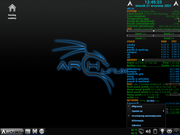
Arch Linux Xfce - 64Bit Linux User #621110
Offline
#8 2021-09-26 01:06:02
- jishuo1213
- Member
- Registered: 2021-09-22
- Posts: 3
Re: [SOLVED]How to take Screenshot.
I am using flameshot to take screenshot.
Offline