You are not logged in.
- Topics: Active | Unanswered
Pages: 1
#1 2022-02-07 12:17:43
- jicekal
- Member
- Registered: 2022-02-07
- Posts: 3
usb hdd not detected
I have used an Seagate usb hdd for a while but now it is not detected.
I was testing https://bbs.archlinux.org/viewtopic.php?id=225234
After turning off the disk by
udisksctl power-off -b /dev/disk/...it is not detected anymore. lsblk or fdisk -l does not show the disk.
Rebooting the system does not work. Plugging it into another machine (mac) does not work.
When plugging, journalctl -f shows the below messages. What can I try to revive the disk?
Feb 07 21:01:14 my.home dbus-daemon[675]: [system] Activating via systemd: service name='org.freedesktop.Avahi' unit='dbus-org.freedesktop.Avahi.service' requested by ':1.158' (uid=977 pid=5819 comm="/usr/lib/colord-sane ")
Feb 07 21:01:14 my.home dbus-daemon[675]: [system] Activation via systemd failed for unit 'dbus-org.freedesktop.Avahi.service': Unit dbus-org.freedesktop.Avahi.service not found.
Feb 07 21:01:16 my.home kernel: usb 1-1.1: new high-speed USB device number 9 using xhci_hcd
Feb 07 21:01:16 my.home kernel: usb 1-1.1: New USB device found, idVendor=152d, idProduct=0579, bcdDevice= 1.00
Feb 07 21:01:16 my.home kernel: usb 1-1.1: New USB device strings: Mfr=1, Product=2, SerialNumber=3
Feb 07 21:01:16 my.home kernel: usb 1-1.1: Product: USB Mass Storage
Feb 07 21:01:16 my.home kernel: usb 1-1.1: Manufacturer: JMicron
Feb 07 21:01:16 my.home kernel: usb 1-1.1: SerialNumber: 152D00579000
Feb 07 21:01:16 my.home kernel: usb-storage 1-1.1:1.0: USB Mass Storage device detected
Feb 07 21:01:16 my.home kernel: scsi host0: usb-storage 1-1.1:1.0
Feb 07 21:01:16 my.home mtp-probe[5840]: checking bus 1, device 9: "/sys/devices/pci0000:00/0000:00:14.0/usb1/1-1/1-1.1"
Feb 07 21:01:16 my.home mtp-probe[5840]: bus: 1, device: 9 was not an MTP device
Feb 07 21:01:16 my.home mtp-probe[5853]: checking bus 1, device 9: "/sys/devices/pci0000:00/0000:00:14.0/usb1/1-1/1-1.1"
Feb 07 21:01:16 my.home mtp-probe[5853]: bus: 1, device: 9 was not an MTP device
Feb 07 21:01:16 my.home dbus-daemon[675]: [system] Activating via systemd: service name='org.freedesktop.Avahi' unit='dbus-org.freedesktop.Avahi.service' requested by ':1.160' (uid=977 pid=5852 comm="/usr/lib/colord-sane ")
Feb 07 21:01:16 my.home dbus-daemon[675]: [system] Activation via systemd failed for unit 'dbus-org.freedesktop.Avahi.service': Unit dbus-org.freedesktop.Avahi.service not found.
Feb 07 21:01:17 my.home kernel: scsi 0:0:0:0: Direct-Access     JMICRON  JMS579                PQ: 0 ANSI: 6
Feb 07 21:01:17 my.home kernel: sd 0:0:0:0: Attached scsi generic sg0 type 0
Feb 07 21:01:17 my.home kernel: sd 0:0:0:0: [sda] Unit Not Ready
Feb 07 21:01:17 my.home kernel: sd 0:0:0:0: [sda] Sense Key : Illegal Request [current]
Feb 07 21:01:17 my.home kernel: sd 0:0:0:0: [sda] Add. Sense: Invalid command operation code
Feb 07 21:01:17 my.home kernel: sd 0:0:0:0: [sda] Read Capacity(10) failed: Result: hostbyte=DID_OK driverbyte=DRIVER_OK
Feb 07 21:01:17 my.home kernel: sd 0:0:0:0: [sda] Sense Key : Illegal Request [current]
Feb 07 21:01:17 my.home kernel: sd 0:0:0:0: [sda] Add. Sense: Invalid command operation code
Feb 07 21:01:17 my.home kernel: sd 0:0:0:0: [sda] 0 512-byte logical blocks: (0 B/0 B)
Feb 07 21:01:17 my.home kernel: sd 0:0:0:0: [sda] 0-byte physical blocks
Feb 07 21:01:17 my.home kernel: sd 0:0:0:0: [sda] Write Protect is off
Feb 07 21:01:17 my.home kernel: sd 0:0:0:0: [sda] Mode Sense: 00 00 00 00
Feb 07 21:01:17 my.home kernel: sd 0:0:0:0: [sda] Asking for cache data failed
Feb 07 21:01:17 my.home kernel: sd 0:0:0:0: [sda] Assuming drive cache: write through
Feb 07 21:01:17 my.home kernel: sd 0:0:0:0: [sda] Unit Not Ready
Feb 07 21:01:17 my.home kernel: sd 0:0:0:0: [sda] Sense Key : Illegal Request [current]
Feb 07 21:01:17 my.home kernel: sd 0:0:0:0: [sda] Add. Sense: Invalid command operation code
Feb 07 21:01:17 my.home kernel: sd 0:0:0:0: [sda] Read Capacity(10) failed: Result: hostbyte=DID_OK driverbyte=DRIVER_OK
Feb 07 21:01:17 my.home kernel: sd 0:0:0:0: [sda] Sense Key : Illegal Request [current]
Feb 07 21:01:17 my.home kernel: sd 0:0:0:0: [sda] Add. Sense: Invalid command operation code
Feb 07 21:01:17 my.home kernel: sd 0:0:0:0: [sda] Attached SCSI disk
Last edited by jicekal (2022-02-08 00:52:13)
Offline
#2 2022-02-07 22:47:15
- seth
- Member

- From: Won't reply 2 private help req
- Registered: 2012-09-03
- Posts: 78,120
Re: usb hdd not detected
Is this a usb-sata adaper?
JMICRON JMS579 is notorious - does it still work on a usb2 port?
Offline
#3 2022-02-08 00:46:06
- jicekal
- Member
- Registered: 2022-02-07
- Posts: 3
Re: usb hdd not detected
@seth I'm not sure about "JMicron".
I can't find the string from journal before the failure of the disk. It appears after the failure. I guess it may be the adapter internally used by the external disk enclosure.
I've used the disk via usb3-usb2 connector. I tried it directly via usb2 port, but it did not work.
Last edited by jicekal (2022-02-08 00:47:14)
Offline
#4 2022-02-08 07:15:54
- seth
- Member
- From: Won't reply 2 private help req
- Registered: 2012-09-03
- Posts: 78,120
Re: usb hdd not detected
Do you have a journal covering the attachment of the drive before it broke (so one can see what got attached where)
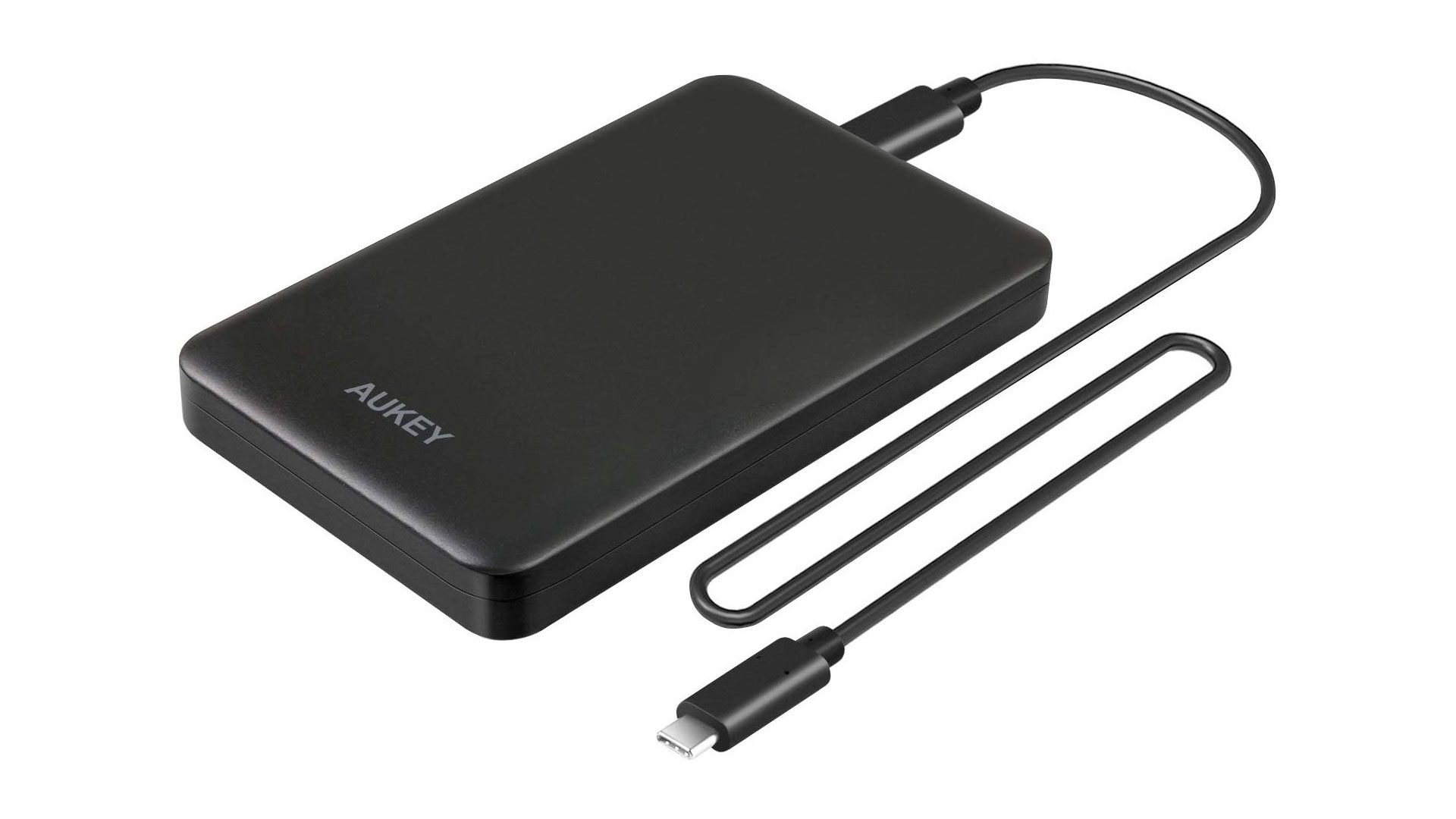
To be sure, is this more like https://www.bc-robotics.com/wp-content/ … /sata2.jpg or like https://9to5toys.com/wp-content/uploads … al-HDD.jpg ?

Offline
#5 2022-02-08 08:02:00
- jicekal
- Member
- Registered: 2022-02-07
- Posts: 3
Re: usb hdd not detected
Here is the journal when the hdd worked normally.
Feb 07 18:41:53 my.home kernel: usb 2-1.2: new SuperSpeed USB device number 5 using xhci_hcd
Feb 07 18:41:53 my.home kernel: usb 2-1.2: New USB device found, idVendor=0bc2, idProduct=ab26, bcdDevice= 1.07
Feb 07 18:41:53 my.home kernel: usb 2-1.2: New USB device strings: Mfr=1, Product=2, SerialNumber=3
Feb 07 18:41:53 my.home kernel: usb 2-1.2: Product: BUP Slim BK
Feb 07 18:41:53 my.home kernel: usb 2-1.2: Manufacturer: Seagate
Feb 07 18:41:53 my.home kernel: usb 2-1.2: SerialNumber: NA7W4JBX
Feb 07 18:41:53 my.home kernel: scsi host0: uas
Feb 07 18:41:53 my.home kernel: scsi 0:0:0:0: Direct-Access     Seagate  BUP Slim BK      0107 PQ: 0 ANSI: 6
Feb 07 18:41:53 my.home mtp-probe[4947]: checking bus 2, device 5: "/sys/devices/pci0000:00/0000:00:14.0/usb2/2-1/2-1.2"
Feb 07 18:41:53 my.home kernel: sd 0:0:0:0: Attached scsi generic sg0 type 0
Feb 07 18:41:53 my.home mtp-probe[4947]: bus: 2, device: 5 was not an MTP device
Feb 07 18:41:53 my.home mtp-probe[4960]: checking bus 2, device 5: "/sys/devices/pci0000:00/0000:00:14.0/usb2/2-1/2-1.2"
Feb 07 18:41:53 my.home mtp-probe[4960]: bus: 2, device: 5 was not an MTP device
Feb 07 18:41:53 my.home dbus-daemon[596]: [system] Activating via systemd: service name='org.freedesktop.Avahi' unit='dbus-org.freedesktop.Avahi.service' requested by ':1.127' (uid=977 pid=4959 comm="/usr/lib/colord-sane ")
Feb 07 18:41:53 my.home dbus-daemon[596]: [system] Activation via systemd failed for unit 'dbus-org.freedesktop.Avahi.service': Unit dbus-org.freedesktop.Avahi.service not found.
Feb 07 18:41:57 my.home kernel: sd 0:0:0:0: [sda] 3907029167 512-byte logical blocks: (2.00 TB/1.82 TiB)
Feb 07 18:41:57 my.home kernel: sd 0:0:0:0: [sda] 4096-byte physical blocks
Feb 07 18:41:57 my.home kernel: sd 0:0:0:0: [sda] Write Protect is off
Feb 07 18:41:57 my.home kernel: sd 0:0:0:0: [sda] Mode Sense: 53 00 00 08
Feb 07 18:41:57 my.home kernel: sd 0:0:0:0: [sda] Write cache: enabled, read cache: enabled, doesn't support DPO or FUA
Feb 07 18:41:57 my.home kernel: sd 0:0:0:0: [sda] Optimal transfer size 33553920 bytes not a multiple of physical block size (4096 bytes)
Feb 07 18:41:57 my.home kernel:  sda: sda1
Feb 07 18:41:57 my.home kernel: sd 0:0:0:0: [sda] Attached SCSI disk
Feb 07 18:41:58 my.home kernel: ntfs3: Unknown parameter 'windows_names'
Feb 07 18:41:58 my.home ntfs-3g[4978]: Version 2021.8.22 external FUSE 29
Feb 07 18:41:58 my.home ntfs-3g[4978]: Mounted /dev/sda1 (Read-Write, label "Seagate Backup Plus Drive", NTFS 3.1)
Feb 07 18:41:58 my.home ntfs-3g[4978]: Cmdline options: rw,nodev,nosuid,uid=1000,gid=1000,windows_names,uhelper=udisks2
Feb 07 18:41:58 my.home udisksd[1061]: Mounted /dev/sda1 at /run/media/my.Seagate Backup Plus Drive on behalf of uid 1000
Feb 07 18:41:58 my.home ntfs-3g[4978]: Mount options: nodev,nosuid,uhelper=udisks2,allow_other,nonempty,relatime,rw,default_permissions,fsname=/dev/sda1,blkdev,blksize=4096
Feb 07 18:41:58 my.home ntfs-3g[4978]: Global ownership and permissions enforced, configuration type 7
Feb 07 18:41:58 my.home dbus-daemon[944]: [session uid=1000 pid=944] Activating service name='org.gnome.Shell.HotplugSniffer' requested by ':1.11' (uid=1000 pid=989 comm="/usr/bin/gnome-shell ")
Feb 07 18:41:58 my.home dbus-daemon[944]: [session uid=1000 pid=944] Successfully activated service 'org.gnome.Shell.HotplugSniffer'
The product is the second type (https://9to5toys.com/wp-content/uploads … al-HDD.jpg). The hdd itself is sealed in the case.
Offline
#6 2022-02-08 10:00:30
- seth
- Member
- From: Won't reply 2 private help req
- Registered: 2012-09-03
- Posts: 78,120
Re: usb hdd not detected
I guess seagate rebrands jmicron chips, the controller or the firmware took a hit and now it shows up w/ some base config.
Unfortunatedly https://www.seagate.com/en/en/support/e … -portable/ doesn't provide a firmware matching your serial number (so you could try to install and reset the firmware)
Since the usb port and host system are irrelevant, the last thing to test is the cable.
Offline
Pages: 1