You are not logged in.
- Topics: Active | Unanswered
#1 2022-03-05 16:53:58
- ozooha
- Member
- Registered: 2009-09-29
- Posts: 184
[SOLVED] Conky disappears from desktop when i login from suspend
I use the Gnome desktop environment and auto start my conky using the file below.
[Desktop Entry]
Name=Conky
GenericName=ConkyStartup
Comment=Start conky on boot
Exec=/usr/bin/conky --pause=5
Terminal=false
Type=Application
X-GNOME-Autostart-enabled=true
Everything works fine during auto start and all, however when I log in from suspend conky disappears.
Is there something else I need to configure which will force conky to reappear when I login from suspend?
I have to always use this CLI to get it back
conky </dev/null &>/dev/null &
Thanks for you time and attention.
OZooHA
EDITED Later:
Maybe I am mis-communicating what I mean by suspend.
For me suspend is the option on the gnome setting menu under power - when idle for 15 mins desktop goes to automatic suspend.
When I manually suspend and resume, using the suspend option on the power button ( panel menu of gnome), conky seems to be alive.
I hope this helps.
My apologies for misleading you with my incorrect communication.
OZooHA
Last edited by ozooha (2022-03-11 03:43:41)
Offline
#2 2022-03-05 19:58:38
- seth
- Member

- From: Won't reply 2 private help req
- Registered: 2012-09-03
- Posts: 77,277
Re: [SOLVED] Conky disappears from desktop when i login from suspend
It probably crashes. Is the process still around?
Otherwise check coredumpctl.
Online
#3 2022-03-05 23:41:28
- ozooha
- Member
- Registered: 2009-09-29
- Posts: 184
Re: [SOLVED] Conky disappears from desktop when i login from suspend
There is nothing related to conky in the coredumpctl.
It seems to have crashed given:
~ % sudo ps -aux | grep conky
ozooha      8279  0.0  0.0   6672  2588 pts/0    S+   18:44   0:00 grep --color=auto --exclude-dir=.bzr --exclude-dir=CVS --exclude-dir=.git --exclude-dir=.hg --exclude-dir=.svn --exclude-dir=.idea --exclude-dir=.tox conky
Last edited by ozooha (2022-03-05 23:56:43)
Offline
#4 2022-03-05 23:45:22
- Slithery
- Administrator

- From: Norfolk, UK
- Registered: 2013-12-01
- Posts: 5,776
Re: [SOLVED] Conky disappears from desktop when i login from suspend
Why do you think that irexec (which is a infrared controller program) has anything to do with conky?
Offline
#5 2022-03-05 23:50:10
- ozooha
- Member
- Registered: 2009-09-29
- Posts: 184
Re: [SOLVED] Conky disappears from desktop when i login from suspend
Sorry, I have corrected the code in the first msg. I had the wrong desktop info.
Offline
#6 2022-03-06 07:25:44
- seth
- Member
- From: Won't reply 2 private help req
- Registered: 2012-09-03
- Posts: 77,277
Re: [SOLVED] Conky disappears from desktop when i login from suspend
Run conky from an interactive shell and *don't* redirect the output to /dev/null. S3 to make it crash, see whether it prints some error.
Also post your conky config.
Online
#7 2022-03-06 14:59:40
- robson75
- Member

- From: Poland
- Registered: 2020-06-28
- Posts: 144
Re: [SOLVED] Conky disappears from desktop when i login from suspend
You need to set in your config conky
own_window_type = 'normal',Arch Linux Xfce - 64Bit Linux User #621110
Offline
#8 2022-03-06 15:40:36
- ozooha
- Member
- Registered: 2009-09-29
- Posts: 184
Re: [SOLVED] Conky disappears from desktop when i login from suspend
Run conky from an interactive shell and *don't* redirect the output to /dev/null. S3 to make it crash, see whether it prints some error.
Also post your conky config.
I ran it from the terminal after logging back from suspend without the null as requested:
~ % conky
conky: desktop window (400010) is subwindow of root window (6c9)
conky: window type - desktop
conky: drawing to created window (0x1c00002)
conky: drawing to double buffer
It doesn't crash as hoped.
Here is my conky.config info:
conky.config = {
    alignment = 'top_right',
	background = false,
    border_width = 1,
    cpu_avg_samples = 2,
	--default_color = 'white',
    default_outline_color = 'white',
    default_shade_color = 'white',
    draw_borders = false,
    draw_graph_borders = true,
    draw_outline = false,
    draw_shades = false,
    use_xft = true,
    font = 'Sans:size=9',
    gap_x = 5,
    gap_y = 35,
    net_avg_samples = 2,
    no_buffers = true,
    out_to_console = false,
    out_to_stderr = false,
    extra_newline = false,
    own_window = true,
    own_window_type = 'desktop',
    own_window_transparent=true,
    own_window_hints=undecorated,below,sticky,skip_taskbar,skip_pager,
    own_window_argb_visual=true,
    own_window_argb_value=100,
    stippled_borders = 0,
    update_interval = 1.0,
    uppercase = false,
    use_spacer = 'none',
    show_graph_scale = false,
    show_graph_range = false,
    double_buffer=true,
    minimum_height=200,
    maximum_width=225,
--- Color settings ---
    default_color = '#d5f21c',--#5a9515',--'#0A960F',
    color0 = '#FFFFFF',
    color1 = '#0998ED',
    color2 = '#C37D0E',
    color3 = '#0EB3C3',
    color4 = '#FCE94F',
}
Offline
#9 2022-03-06 15:42:09
- ozooha
- Member
- Registered: 2009-09-29
- Posts: 184
Re: [SOLVED] Conky disappears from desktop when i login from suspend
You need to set in your config conky
own_window_type = 'normal',
See post #8 for the config info.
I do not want it to be normal as it makes it a window instead of being part of the desktop.
Offline
#10 2022-03-06 15:43:42
- seth
- Member
- From: Won't reply 2 private help req
- Registered: 2012-09-03
- Posts: 77,277
Re: [SOLVED] Conky disappears from desktop when i login from suspend
Did the window "disappear" nevertheless?
Here is my conky.config info:
The conky.text also, please (it's probably more relevant)
Online
#11 2022-03-06 16:49:37
- robson75
- Member
- From: Poland
- Registered: 2020-06-28
- Posts: 144
Re: [SOLVED] Conky disappears from desktop when i login from suspend
My conky looks like this
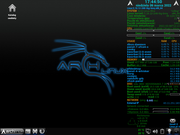
And this is a fragment of my conky config
conky.config = {
--- Conky settings ---
    update_interval = 1,
    total_run_times = 0,
    background = false,
    cpu_avg_samples = 2,
    net_avg_samples = 2,
    double_buffer = true,

--- Window specifications ---
    own_window = true,
    own_window_type = 'normal',
    own_window_transparent = true,
    own_window_argb_visual = true,
    own_window_hints = 'undecorated,sticky,below,skip_taskbar,skip_pager',
    --own_window_colour = '#000000',
    maximum_width = 300,
    alignment = 'top_right',
    gap_x = 1,
    gap_y = 0,

--- Graphics settings ---
    draw_shades = false,
    draw_outline = false,
    draw_borders = true,
    draw_graph_borders = true,
    border_width = 0,
    border_inner_margin = 0,
    border_outer_margin = 0,

--- Text settings ---
    override_utf8_locale = true,
    use_xft = true,
    font = 'Bold:size= 9',
    xftalpha = 1,

--- Color settings ---
    default_color = '#0A960F',
    color0 = '#FFFFFF',
    color1 = '#0998ED',
    color2 = '#C37D0E',
    color3 = '#0EB3C3',
    color4 = '#FCE94F',
And with the desktop value set, conky will disappear when you click the mouse on the desktop.
And to run conky I have a file with executable rights granted
#!/bin/sh
killall conky
conky -c "/home/robson/.conky/conkyrc_info" &
conky -c "/home/robson/.conky/mail_info" &
exit 0
Last edited by robson75 (2022-03-06 17:24:04)
Arch Linux Xfce - 64Bit Linux User #621110
Offline
#12 2022-03-06 19:03:27
- ozooha
- Member
- Registered: 2009-09-29
- Posts: 184
Re: [SOLVED] Conky disappears from desktop when i login from suspend
Did the window "disappear" nevertheless?
Here is my conky.config info:
The conky.text also, please (it's probably more relevant)
it did not disappear.
The conky text:
conky.text = [[
${image /home/ozooha/.config/conky/Logo.png -p 90,41 -s 35x35}
${font Fira Mono Regular:bold:size=9}SYSTEM ${hr 2}
${font Fira Mono Regular:normal:size=9}$sysname $kernel $alignr $machine
Host:$alignr$nodename
Uptime:$alignr$uptime
File System: $alignr${fs_type}
${font Fira Mono Regular:bold:size=9}PROCESSORS ${hr 2}
CPU 1: $alignr${cpu cpu1}%
${cpubar cpu1}
CPU 2: $alignr${cpu cpu2}%
${cpubar cpu2}
${cpugraph 7fff00 ff0000 -t}
${font Fira Mono Regular:bold:size=9}TOP PROCESSES ${alignr 17}RAM ${alignr 8} CPU
${font Fira Mono Regular:normal:size=9}${top_mem name 1}${alignr}${top mem 1}% ${alignr}${top cpu 1}%
${top_mem name 2}${alignr}${top mem 2}% ${alignr}${top mem 2}%
$font${top_mem name 3}${alignr}${top mem 3}% ${top mem 3}%
$font${top_mem name 4}${alignr}${top mem 4}% ${top mem 4}%
$font${top_mem name 5}${alignr}${top mem 5}% ${top mem 5}%
${font Fira Mono Regular:bold:size=9}MEMORY ${hr 2}
${font Fira Mono Regular:normal:size=9}RAM $alignc $mem/$memmax $alignr $memperc%
$membar
${font Fira Mono Regular:bold:size=9}DISKS ${hr 2}
${font Fira Mono Regular:normal:size=9}root $alignc ${fs_used /} / ${fs_size /}$alignr${fs_used_perc /}%
${fs_bar /}
STORE $alignc${fs_used /mnt/LocalDrive/STORE} / ${fs_size /mnt/LocalDrive/STORE}$alignr${fs_used_perc /mnt/LocalDrive/STORE}%
${fs_bar /mnt/LocalDrive/STORE}
NTFSDrive $alignc${fs_used /mnt/NFSDrive/NTFSDrive} / ${fs_size /mnt/NFSDrive/NTFSDrive}$alignr${fs_used_perc /mnt/NFSDrive/NTFSDrive}%
${fs_bar /mnt/NFSDrive/NTFSDrive}
WDC $alignc ${fs_used /mnt/NFSDrive/WDC_COMBO} / ${fs_size /mnt/NFSDrive/WDC_COMBO} $alignr ${fs_used_perc /mnt/NFSDrive/WDC_COMBO}%
${fs_bar /mnt/NFSDrive/WDC_COMBO}
DVR $alignc ${fs_used /mnt/NFSDrive/DVR} / ${fs_size /mnt/NFSDrive/DVR} $alignr ${fs_used_perc /mnt/NFSDrive/DVR}%
${fs_bar /mnt/NFSDrive/DVR}
STOREAGE $alignc ${fs_used /mnt/NFSDrive/STOREAGE} / ${fs_size /mnt/NFSDrive/STOREAGE} $alignr ${fs_used_perc /mnt/NFSDrive/STOREAGE}%
${fs_bar /mnt/NFSDrive/STOREAGE}
#Just breaks--
${font Fira Mono Regular:bold:size=9}NETWORK ${hr 2}
${font Fira Mono Regular:normal:size=9}IP address: $alignr ${addr enp5s0}
${downspeedgraph enp5s0 7fff00 ff0000 -t}
DLS: ${downspeed enp5s0}/s $alignr total: ${totaldown enp5s0}
${upspeedgraph enp5s0 7fff00 ff0000 -t}
ULS: ${upspeed enp5s0}/s $alignr total: ${totalup enp5s0}
${font Fira Mono Regular:bold:size=9}RSS FEED ${hr 2}
${font Fira Mono Regular:normal:size=7}#Super+space$alignr Main Menu
${font Fira Mono Regular:bold:size=8}xxxxx:
${font Fira Mono Regular:normal:size=7}${rss https://xxxxxxx/feed 10 item_titles 5}${font}
${color}${hr 2}
${color}${execi 1200 curl -s www.wttr.in/xxxxxx | sed -n '3,7{s/\d27\[[0-9;]*m//g;s/^..//;s/ *$//;p}'}
]]
Offline
#13 2022-03-06 19:11:23
- ozooha
- Member
- Registered: 2009-09-29
- Posts: 184
Re: [SOLVED] Conky disappears from desktop when i login from suspend
My conky looks like this
https://i.postimg.cc/yJs7Z0SH/Zrzut-ekranu-z-2022-03-06-17-44-50.png
And this is a fragment of my conky config
conky.config = {
--- Conky settings ---
    update_interval = 1,
    total_run_times = 0,
    background = false,
    cpu_avg_samples = 2,
    net_avg_samples = 2,
    double_buffer = true,

--- Window specifications ---
    own_window = true,
    own_window_type = 'normal',
    own_window_transparent = true,
    own_window_argb_visual = true,
    own_window_hints = 'undecorated,sticky,below,skip_taskbar,skip_pager',
    --own_window_colour = '#000000',
    maximum_width = 300,
    alignment = 'top_right',
    gap_x = 1,
    gap_y = 0,

--- Graphics settings ---
    draw_shades = false,
    draw_outline = false,
    draw_borders = true,
    draw_graph_borders = true,
    border_width = 0,
    border_inner_margin = 0,
    border_outer_margin = 0,

--- Text settings ---
    override_utf8_locale = true,
    use_xft = true,
    font = 'Bold:size= 9',
    xftalpha = 1,

--- Color settings ---
    default_color = '#0A960F',
    color0 = '#FFFFFF',
    color1 = '#0998ED',
    color2 = '#C37D0E',
    color3 = '#0EB3C3',
    color4 = '#FCE94F',
And with the desktop value set, conky will disappear when you click the mouse on the desktop.
And to run conky I have a file with executable rights granted
#!/bin/sh
killall conky
conky -c "/home/robson/.conky/conkyrc_info" &
conky -c "/home/robson/.conky/mail_info" &
exit 0
Thanks.
I do have a lot of similarities with yours except for the desktop instead of the normal.
Like I said above normal works and is preferred as i want it to be part of the desktop. Normal provides it to be a window which I do not prefer.
Thanks again.
OZooHA
Offline
#14 2022-03-06 20:40:32
- seth
- Member
- From: Won't reply 2 private help req
- Registered: 2012-09-03
- Posts: 77,277
Re: [SOLVED] Conky disappears from desktop when i login from suspend
it did not disappear
in that case we can't expect any error message or other problem indication.
Keep it running from the interactive shell and see whether it crashes later on (eg. depending on the S3 duration)
If not, we need to consider the specific activation to be the cause.
Did it previously crash/disappear despite being invoked as "conky </dev/null &>/dev/null &"?
Online
#15 2022-03-07 11:13:51
- robson75
- Member
- From: Poland
- Registered: 2020-06-28
- Posts: 144
Re: [SOLVED] Conky disappears from desktop when i login from suspend
Then maybe try to set own_window_type = with different parameters 'dock', 'panel', 'override'.
Arch Linux Xfce - 64Bit Linux User #621110
Offline
#16 2022-03-07 11:43:22
- SimonJ
- Member

- From: Spain
- Registered: 2021-05-11
- Posts: 355
- Website
Re: [SOLVED] Conky disappears from desktop when i login from suspend
I am no expert but I have done some work with conky and this is my window section and it stays even after suspend
conky.config = {
  use_xft = true,
  xftalpha = .1,
  update_interval = 1,
  total_run_times = 0,

  background = true,

  own_window = true,
  own_window_type = 'desktop',
  own_window_class = 'Conky',
  own_window_transparent = true,
  own_window_hints = 'undecorated,below,sticky,skip_taskbar,skip_pager',
  own_window_colour = '000000',
  own_window_argb_visual = true,
  own_window_argb_value = 0,

  double_buffer = true,

  minimum_width = 230,
  maximum_width = 230,
  minimum_height = 680,
  gap_x = 80,
  gap_y = 20,
  alignment = 'top_right',

  draw_shades = false,
  draw_outline = false,
  draw_borders = false,
  draw_graph_borders = false,

  no_buffers = true,
  text_buffer_size = 2048,
  uppercase = false,
  override_utf8_locale = true,

  default_color = 'FFFFFF',
  default_shade_color = '333333',
  default_outline_color = 'black',
  color1 = 'eceff4',
  color3 = 'd8dee9',

  -- Graphics settings #
    draw_shades = false,
    draw_outline = false,
    draw_borders = false,
    draw_graph_borders = true,

    -- Text settings #
    use_xft = true,
    font = 'DejaVu Sans:size=10',
    xftalpha = 0.8,

    uppercase = false,

    color1 = '#ffffff',
    color2 = 'orange',

  lua_load = '~/.conky/conky-dials.lua',
  lua_draw_hook_post = 'main',
}
Rlu: 222126
Offline
#17 2022-03-07 17:09:36
- ozooha
- Member
- Registered: 2009-09-29
- Posts: 184
Re: [SOLVED] Conky disappears from desktop when i login from suspend
it did not disappear
in that case we can't expect any error message or other problem indication.
Keep it running from the interactive shell and see whether it crashes later on (eg. depending on the S3 duration)
If not, we need to consider the specific activation to be the cause.
It does not crash after running it from a terminal even after resuming from suspend as the it gives no crash messages.
Did it previously crash/disappear despite being invoked as "conky </dev/null &>/dev/null &"?
Nope.
Offline
#18 2022-03-07 21:12:51
- ozooha
- Member
- Registered: 2009-09-29
- Posts: 184
Re: [SOLVED] Conky disappears from desktop when i login from suspend
I am no expert but I have done some work with conky and this is my window section and it stays even after suspend
conky.config = {
  use_xft = true,
  xftalpha = .1,
  update_interval = 1,
  total_run_times = 0,

  background = true,

  own_window = true,
  own_window_type = 'desktop',
  own_window_class = 'Conky',
  own_window_transparent = true,
  own_window_hints = 'undecorated,below,sticky,skip_taskbar,skip_pager',
  own_window_colour = '000000',
  own_window_argb_visual = true,
  own_window_argb_value = 0,

  double_buffer = true,

  minimum_width = 230,
  maximum_width = 230,
  minimum_height = 680,
  gap_x = 80,
  gap_y = 20,
  alignment = 'top_right',

  draw_shades = false,
  draw_outline = false,
  draw_borders = false,
  draw_graph_borders = false,

  no_buffers = true,
  text_buffer_size = 2048,
  uppercase = false,
  override_utf8_locale = true,

  default_color = 'FFFFFF',
  default_shade_color = '333333',
  default_outline_color = 'black',
  color1 = 'eceff4',
  color3 = 'd8dee9',

  -- Graphics settings #
    draw_shades = false,
    draw_outline = false,
    draw_borders = false,
    draw_graph_borders = true,

    -- Text settings #
    use_xft = true,
    font = 'DejaVu Sans:size=10',
    xftalpha = 0.8,

    uppercase = false,

    color1 = '#ffffff',
    color2 = 'orange',

  lua_load = '~/.conky/conky-dials.lua',
  lua_draw_hook_post = 'main',
}
Tried unsuccessfully a few of your settings which I thought might make the difference:
own_window_class = 'Conky'
total_run_times = 0
What is you desktop and how do you call your conky?
Are these similar to mine? (see the thread for my desktop and autostart)
Thanks for you inputs.
OZooHA
Offline
#19 2022-03-07 21:13:45
- ozooha
- Member
- Registered: 2009-09-29
- Posts: 184
Re: [SOLVED] Conky disappears from desktop when i login from suspend
Then maybe try to set own_window_type = with different parameters 'dock', 'panel', 'override'.
Tried these options but they are not what I want.
Thank you though for your inputs.
Offline
#20 2022-03-07 21:23:57
- ozooha
- Member
- Registered: 2009-09-29
- Posts: 184
Re: [SOLVED] Conky disappears from desktop when i login from suspend
Maybe I am mis-communicating what I mean by suspend.
For me suspend is the option on the gnome setting menu under power - when idle for 15 mins desktop goes to automatic suspend.
When I manually suspend and resume, using the suspend option on the power button ( panel menu of gnome), conky seems to be alive.
I hope this helps.
My apologies for misleading you with my incorrect communication.
OZooHA
Offline
#21 2022-03-07 21:58:22
- SimonJ
- Member
- From: Spain
- Registered: 2021-05-11
- Posts: 355
- Website
Re: [SOLVED] Conky disappears from desktop when i login from suspend
What is you desktop and how do you call your conky?
Are these similar to mine? (see the thread for my desktop and autostart)Thanks for you inputs.
OZooHA
I use XFCE4, I just thought it might help. Good luck.
Rlu: 222126
Offline
#22 2022-03-08 07:18:15
- seth
- Member
- From: Won't reply 2 private help req
- Registered: 2012-09-03
- Posts: 77,277
Re: [SOLVED] Conky disappears from desktop when i login from suspend
It does not crash after running it from a terminal even after resuming from suspend as the it gives no crash messages.
For me suspend is the option on the gnome setting menu under power - when idle for 15 mins desktop goes to automatic suspend.
When I manually suspend and resume, using the suspend option on the power button ( panel menu of gnome), conky seems to be alive.
How did you trigger the previous test (where conky didn't cras after the S3 and therefore we didn't get any pot. error messages)?
Does the idle/suspend involve DPMS? Maybe that's the cause rather than the S3 (the output vanishes and conky stumbles over a 0-sized root window or something like that)
Tried these options but they are not what I want.
The more interesting question would certainly be whether they provoke the same conky crash.
Online
#23 2022-03-08 14:35:36
- ozooha
- Member
- Registered: 2009-09-29
- Posts: 184
Re: [SOLVED] Conky disappears from desktop when i login from suspend
It does not crash after running it from a terminal even after resuming from suspend as the it gives no crash messages.
For me suspend is the option on the gnome setting menu under power - when idle for 15 mins desktop goes to automatic suspend.
When I manually suspend and resume, using the suspend option on the power button ( panel menu of gnome), conky seems to be alive.How did you trigger the previous test (where conky didn't cras after the S3 and therefore we didn't get any pot. error messages)?
Does the idle/suspend involve DPMS? Maybe that's the cause rather than the S3 (the output vanishes and conky stumbles over a 0-sized root window or something like that)
It was triggered by keeping it idle for 15 mins which made it go to suspend mode because of the gnome power settings. So yes, the idle/suspend involves DPMS.
So whats the way around it or the fix?
Tried these options but they are not what I want.
The more interesting question would certainly be whether they provoke the same conky crash.
This, I presume, helps in isolating the probable cause and not the fix to my particular problem ( since I don't any of those options).
Offline
#24 2022-03-08 15:08:48
- seth
- Member
- From: Won't reply 2 private help req
- Registered: 2012-09-03
- Posts: 77,277
Re: [SOLVED] Conky disappears from desktop when i login from suspend
It was triggered by keeping it idle for 15 mins
That makes the differentiation irrelevant - it would seem the problem requires
a) conky being invoked through the autostart desktop service
b) the S3 being cause by the system idleness
So we'd look at the desktop service; what if you
a) remove the " --pause=5"
b) Exec=/usr/bin/bash -c "/usr/bin/conky --pause=5 </dev/null &>/dev/null &"
?
I presume, helps in isolating the probable cause and not the fix to my particular problem
Isolating the cause is a fundamental step of any fix/mitigation effort.
Online
#25 2022-03-08 17:14:33
- ozooha
- Member
- Registered: 2009-09-29
- Posts: 184
Re: [SOLVED] Conky disappears from desktop when i login from suspend
It was triggered by keeping it idle for 15 mins
That makes the differentiation irrelevant - it would seem the problem requires
a) conky being invoked through the autostart desktop service
b) the S3 being cause by the system idlenessSo we'd look at the desktop service; what if you
a) remove the " --pause=5"
b) Exec=/usr/bin/bash -c "/usr/bin/conky --pause=5 </dev/null &>/dev/null &"
?
So this again doesn't work.
It gives the same result as before this modification to Exec.
The resume from suspend due to DPMS makes conky disappear.
Offline