You are not logged in.
- Topics: Active | Unanswered
#1 2022-07-31 05:38:48
- heyslava
- Member
- Registered: 2022-06-04
- Posts: 31
Cant' load my desktop. Probably USB devices
Hello!
I am trying to load my desktop but I can't. I see only dmesg logs but I can't find any problem there
On screen is everything I see. https://kapitonov.tech/img/1d3ffe393106bd8.png
I tried to plug out my Kingston and a4tech device, couldn't load as well
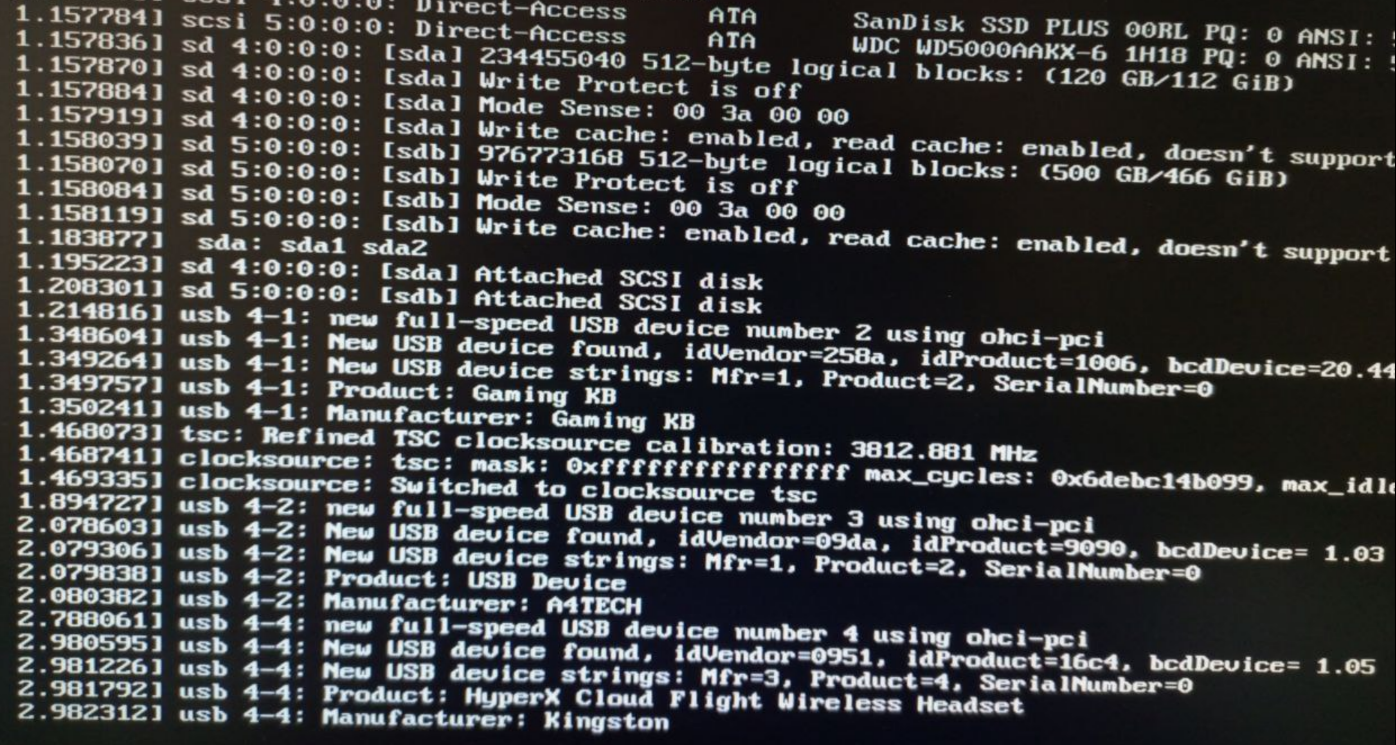
It happened after I updated my system with
pacman -SyuOffline
#2 2022-07-31 06:22:38
- seth
- Member

- From: Won't reply 2 private help req
- Registered: 2012-09-03
- Posts: 76,504
Re: Cant' load my desktop. Probably USB devices
There's no error indication in that image.
Try to boot the multi-user.target (2nd link below) and upload a system journal from there.
sudo journalctl -b | curl -F 'file=@-' 0x0.stThen try to isolate the graphical target (also 2nd link below…) and look out for errors.
Online
#3 2022-07-31 07:26:04
- heyslava
- Member
- Registered: 2022-06-04
- Posts: 31
Re: Cant' load my desktop. Probably USB devices
Then try to isolate the graphical target (also 2nd link below…) and look out for errors.
Sorry, I don't quite understand you.
I chrooted, then I ran
systemctl set-default multi-user.target
sudo journalctl -b | curl -F 'file=@-' 0x0.st
I've got
http://0x0.st/oeXP.txt .
After that I tried to isolate but I occurred some error here
Running in chroot, ignoring command 'isolate'Last edited by heyslava (2022-07-31 07:26:37)
Offline
#4 2022-07-31 07:43:36
- seth
- Member
- From: Won't reply 2 private help req
- Registered: 2012-09-03
- Posts: 76,504
Re: Cant' load my desktop. Probably USB devices
https://wiki.archlinux.org/title/System … ent_target
I chrooted, then I ran
That's useless, we need the journal of the boot where you can't "load my desktop" and the idea was to attempt to boot the installed system using the kernel parameter in https://wiki.archlinux.org/title/System … _boot_into
Online
#5 2022-07-31 07:48:34
- heyslava
- Member
- Registered: 2022-06-04
- Posts: 31
Re: Cant' load my desktop. Probably USB devices
How can I do it?
I see only that image (from the link) and there are not changes that's why I chrooted
Offline
#6 2022-07-31 08:11:53
- seth
- Member
- From: Won't reply 2 private help req
- Registered: 2012-09-03
- Posts: 76,504
Re: Cant' load my desktop. Probably USB devices
Online
#7 2022-07-31 11:13:45
- CalebCintary
- Member
- Registered: 2021-10-06
- Posts: 1
Re: Cant' load my desktop. Probably USB devices
I have same problem. I tried to install lts kernel and its booted.
Offline
#8 2022-07-31 11:47:07
- heyslava
- Member
- Registered: 2022-06-04
- Posts: 31
Re: Cant' load my desktop. Probably USB devices
I have same problem. I tried to install lts kernel and its booted.
Can you please explain it a bit?
Offline
#9 2022-07-31 12:53:27
- seth
- Member
- From: Won't reply 2 private help req
- Registered: 2012-09-03
- Posts: 76,504
Re: Cant' load my desktop. Probably USB devices
It's *IMPOSSIBLE* for CalebCintary to determine whether he's got the "same problem" since there's no indication whatsoever what your problem might be.
Don't grasp for straws, produce the system journal of a failing boot, then we'll see what your problem actually is.
Since you've an nvidia chip and don't know what kernel parameters are, you're probably not setting "ibt=off"?
Online
#10 2022-07-31 13:39:46
- heyslava
- Member
- Registered: 2022-06-04
- Posts: 31
Re: Cant' load my desktop. Probably USB devices
Don't grasp for straws, produce the system journal of a failing boot, then we'll see what your problem actually is.
I've read your link above. It says Press e when the menu shows up and add them on the linux line but I do not have menu. I changed my grub config and ran
grub-mkconfig -o /boot/grub/grub.cfgbut I met some error: line 262: /boot/grub/grub.cfg.new: No such file or directory
I do it with arch-chroot otherwise I see only that screen and blinking cursor. This is the reason why I cannot satisfy your suggestion and can't give any additional info.
Last edited by heyslava (2022-07-31 13:40:14)
Offline
#11 2022-07-31 13:43:33
- seth
- Member
- From: Won't reply 2 private help req
- Registered: 2012-09-03
- Posts: 76,504
Re: Cant' load my desktop. Probably USB devices
Did you chrrot into the system and mount the /boot partition before that?
Are you using grub to being with?
How did you install archlinux?
Online
#12 2022-07-31 13:51:48
- heyslava
- Member
- Registered: 2022-06-04
- Posts: 31
Re: Cant' load my desktop. Probably USB devices
Yes, I did
Yes, I use grub. I have already changed grubconfig to hide menu on the start few months ago
I followed the official guide
Offline
#13 2022-07-31 14:23:15
- seth
- Member
- From: Won't reply 2 private help req
- Registered: 2012-09-03
- Posts: 76,504
Re: Cant' load my desktop. Probably USB devices
Did you run the command as root?
Is the /boot partition mounted rw?
Can you
touch /boot/foo
touch /boot/grub/bar
?
Online
#14 2022-07-31 14:53:50
- heyslava
- Member
- Registered: 2022-06-04
- Posts: 31
Re: Cant' load my desktop. Probably USB devices
Yes, I am root
Honestly, I do not know how to answer. I run mount /dev/sda1 /mnt and mount /dev/sda2 /mnt/boot
I can create your first file, but I can't second because I do not have this folder. I installed my loader into /boot/EFI
Offline
#15 2022-07-31 15:08:35
- seth
- Member
- From: Won't reply 2 private help req
- Registered: 2012-09-03
- Posts: 76,504
Re: Cant' load my desktop. Probably USB devices
What is inside the /boot directory?
What is inside the /boot directory if you umount /dev/sda2?
What's the output of "lsblk -f"?
Get us a system journal of the installed system from the install iso (chroot and "… -b -1" or https://wiki.archlinux.org/title/System … al_to_view )
Online
#16 2022-08-01 08:12:26
- krabat
- Member
- Registered: 2014-07-03
- Posts: 40
Re: Cant' load my desktop. Probably USB devices
If your hardware features an AMD CPU you may want to have a look at https://bbs.archlinux.org/viewtopic.php?id=278535.
The solution would be to either downgrade linux to 5.18.14 or use the kernel command line parameter mentioned in that thread.
Offline