You are not logged in.
- Topics: Active | Unanswered
#1 2023-06-06 11:33:08
- Plop
- Member
- Registered: 2023-06-06
- Posts: 5
Emergency mode after a timeshift restoration
Hi,
I’m glad to post my first message in this community, I hope you will help me to repair my arch installation. I’m on arch since fews weeks.
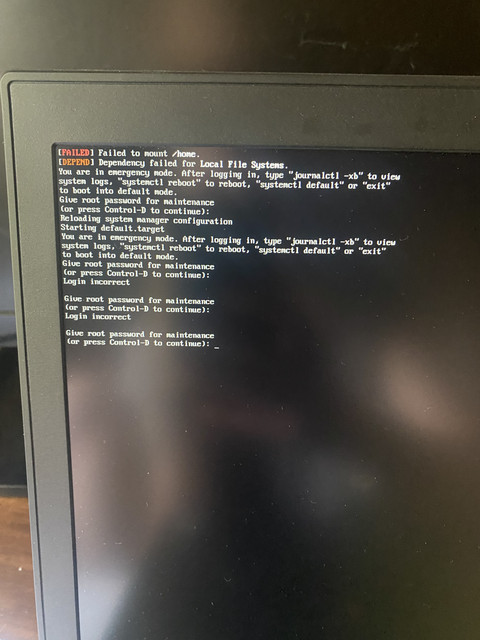
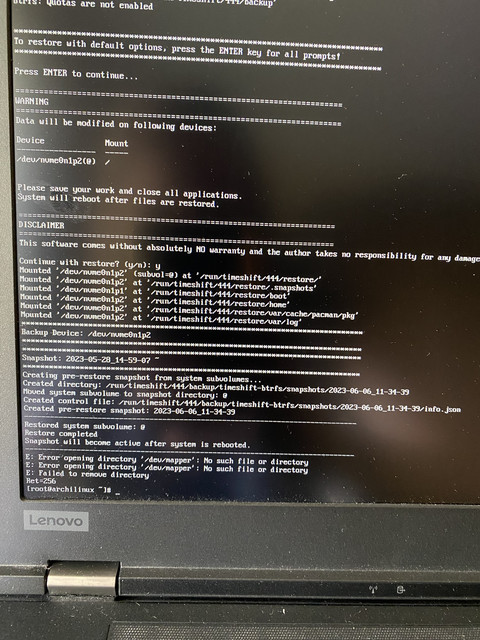
I restored a snapshot with timeshift and now I have :
[failed] failed to mount /home
[depend] dependency failed for local file system
When I try to restore a snapshot, I get : /dev/mapper, no such file or directory.
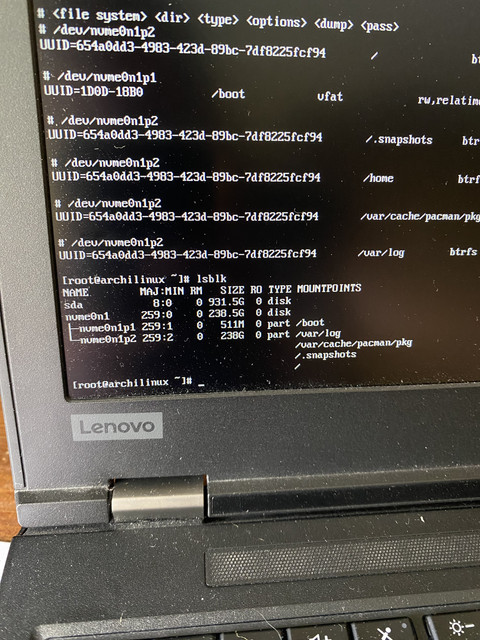
Some infos :
https://i.ibb.co/VDsqP7n/IMG-0815.jpg
https://i.ibb.co/ZYpH2Zz/IMG-0816.jpg
https://i.ibb.co/rF2hzsP/IMG-0818.jpg

https://i.ibb.co/p1FX71t/IMG-0819.jpg
Thank’s for your help.
moderator edit -- replaced oversized images with links.
Pasting pictures and code
Last edited by 2ManyDogs (2023-06-06 11:34:53)
Offline
#2 2023-06-06 12:22:24
- V1del
- Forum Moderator

- Registered: 2012-10-16
- Posts: 25,248
Re: Emergency mode after a timeshift restoration
Your ESP is mounted to /boot and thus the kernel images not part of the snapshot logic of a BTRFS file system. When you rollback to a previous snapshot in this constellation the state of your partitions will revert to the state of the snapshot, but the kernel modules from "that time" are not going to match the up to date kernel that is getting loaded from /boot.
You either need to downgrade the kernel package explicitly to the correspondingly matching old version, or mount your ESP away from /boot and use a btrfs and snapshot aware bootloader (... e.g. grub-btrfs or refind) or explicitly exclude/make a subvolume for /usr/lib/modules which you can then single out from the snapshot logistics.
Offline
#3 2023-06-06 12:49:59
- Plop
- Member
- Registered: 2023-06-06
- Posts: 5
Re: Emergency mode after a timeshift restoration
Thanks for your answer. What is the safest way to repair it ? Downgrading the kernel, mount my ESP away from /boot or handling a subvolume ? I will investigate it, I’m not comfortable yet with Arch. But anyway, I will do my best and I can reinstall Arch in case I really fail badly 
Offline
#4 2023-06-06 12:51:59
- V1del
- Forum Moderator
- Registered: 2012-10-16
- Posts: 25,248
Re: Emergency mode after a timeshift restoration
Either switch back to the latest version snapshot-wise or downgrade the kernel appropriately are the two least side effecting things you can do.
Offline
#5 2023-06-06 13:12:21
- Plop
- Member
- Registered: 2023-06-06
- Posts: 5
Re: Emergency mode after a timeshift restoration
I’m not sure to well understand. You said « the two least side effecting » so it means I shouldn’t do those two things. I tried to restore an old snapshot with timeshift but I get : /dev/mapper : no such file or directory.
Offline
#6 2023-06-06 13:28:47
- V1del
- Forum Moderator
- Registered: 2012-10-16
- Posts: 25,248
Re: Emergency mode after a timeshift restoration
No these two are the simplest to do. Either revert your snapshot to the "current" state or downgrade the kernel to the version that's used in the snapshot (the version whose directories you see under /usr/lib/modules)
Why did you try to restore a snapshot in the first place?
Offline
#7 2023-06-07 10:43:16
- Plop
- Member
- Registered: 2023-06-06
- Posts: 5
Re: Emergency mode after a timeshift restoration
I wanted to set up a second screen so I made some modifications, so I restored a old snapshot.
I haven’t success to repair my Arch. I will install it in a VM. I really like Arch, a lot to learn. Thanks for your help and have a nice day.
Offline