You are not logged in.
- Topics: Active | Unanswered
#1 2023-07-23 11:11:16
- Ayu2805
- Member
- Registered: 2023-07-23
- Posts: 52
[Solved]QT prompt for file selection is not showing the user directory
Since,
xdg-user-dirs-gtk is installed and the user directories shows up in GTK file selection prompt as follows,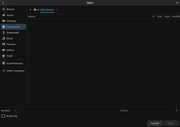
But the QT file selection prompt is not showing the user directories as follows,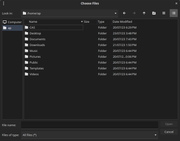
Since it doesn't shows up, when I need to change the directories I have to go back to the home directory and then change it which is quite annoying.
Do tell me if I have missed an optional dependency during installation or if it has any other solution. 
Last edited by Ayu2805 (2023-07-23 14:13:36)
Offline
#2 2023-07-23 13:54:00
- seth
- Member

- From: Won't reply 2 private help req
- Registered: 2012-09-03
- Posts: 76,120
Re: [Solved]QT prompt for file selection is not showing the user directory
You can just drag and drop directories into the left section or edit ~/.config/QtProject.conf (the shortcuts entry)
Offline
#3 2023-07-23 14:11:32
- Ayu2805
- Member
- Registered: 2023-07-23
- Posts: 52
Re: [Solved]QT prompt for file selection is not showing the user directory
Thanks it worked 
Offline