You are not logged in.
- Topics: Active | Unanswered
Pages: 1
#1 2023-10-14 07:12:50
- HomyC0der
- Member
- Registered: 2023-09-25
- Posts: 20
Microphone not working
Hello, i have enabled output device, now sound is working. But microphone doesn't work at all.
~ ❯ arecord -l
**** List of CAPTURE Hardware Devices ****
card 0: PCH [HDA Intel PCH], device 0: ALC256 Analog [ALC256 Analog]
  Subdevices: 1/1
  Subdevice #0: subdevice #0
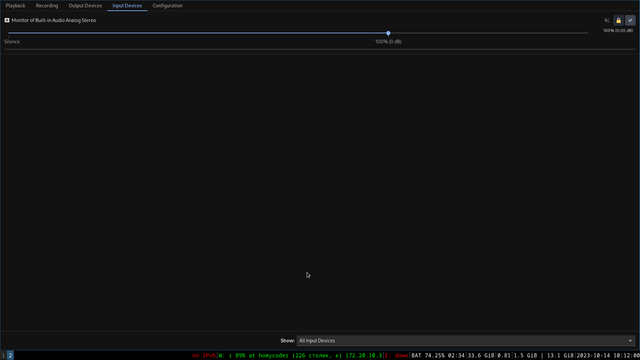
Pavucontrol says: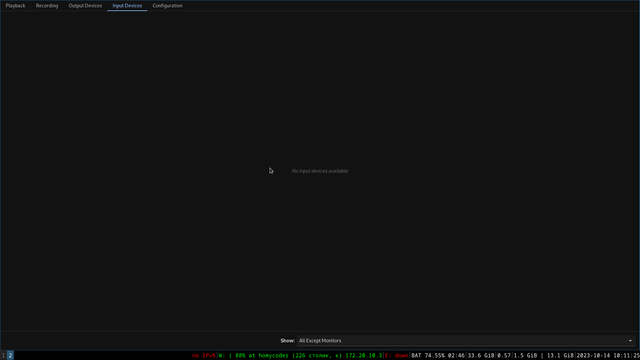
Offline
#2 2023-10-14 08:45:37
- othersamo_
- Member
- From: Braislava
- Registered: 2020-10-26
- Posts: 161
Re: Microphone not working
Can you check whether system recognizes the microphone as connected? Have you also checked the journal logs, arent any pavucontrol logs there?
"Why join the navy if you can be a pirate?"
- Steve Jobs
Offline
#3 2023-10-14 14:48:33
- HomyC0der
- Member
- Registered: 2023-09-25
- Posts: 20
Re: Microphone not working
Thanks you to your reply! I solved this problem by this move:
Edit /etc/pulse/default.pa and insert a load-module line specifying your device as follows:

load-module module-alsa-source device=hw:0,0
# the line above should be somewhere before the line below
.ifexists module-udev-detect.so
Offline
Pages: 1