You are not logged in.
- Topics: Active | Unanswered
#1 2023-10-17 18:30:17
- pguillot
- Member
- Registered: 2021-02-19
- Posts: 3
Libreoffice doesn't apply my print quality parameter with my MG3200
Hi everybody,
I recently installed an not so young Canon Epson MG3200 on a fresh updated archlinux with this environment :
- kernel 6.1.56-1-lts
- Cinnamon 5.8.4
- LibreOffice-still 7.5.7
- cups 2.4.7
For the printer, I use the AUR package "cnijfilter-mg4200" that I modify to compil it it for my printer (see here : https://aur.archlinux.org/packages/cnij … nt-856033).
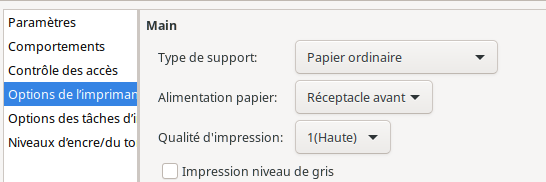
In the print options, you have a "parameter quality that you can modify from 1 (best quality) to 4 (lower) :
or :
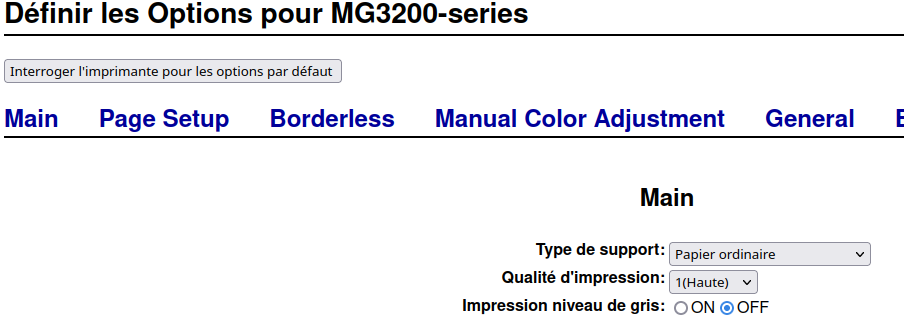
If you use a text edit like leafpad, depending of the quality selected on the print driver, the print result lighter or darker.
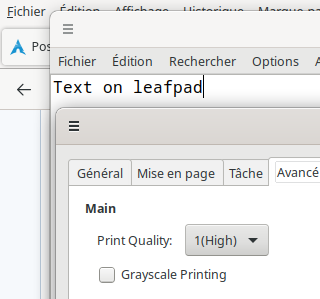
The problem is, if I open a document created before using this printer, whatever the quality you have choose on cups, the print quality is alway at 4 even if the LibreOffice print screen show the quality set on cups !
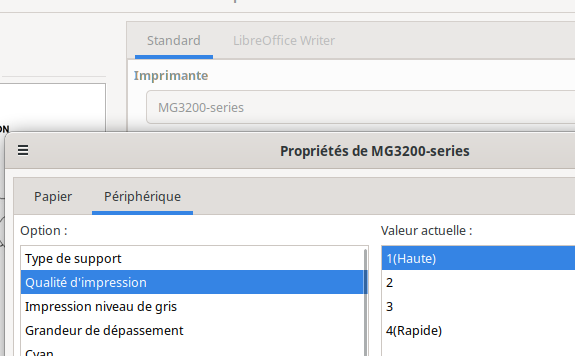
You can change the quality in different way :
- Choose the quality before printing (reselect the quality 1 for example)
- Edit print properties and save you file : the set up remain
- modify the defaut.ott for new document
But it's a pain to do for all my older files... Did you have encountered this problem ?
Thank a lot for a possible solution 
Offline