You are not logged in.
- Topics: Active | Unanswered
Pages: 1
#1 2023-10-23 02:37:36
- rk_au
- Member
- Registered: 2023-04-19
- Posts: 7
Issue with kicad display
Hello everyone,
I installed kicad via pacman from the Extra repository, but am unable to get it to display properly. The interface seems corrupted or incomplete.
https://fars.ee/AI7imiUJIc_mk2Fg9Jy2J9Em9NC8.jpg
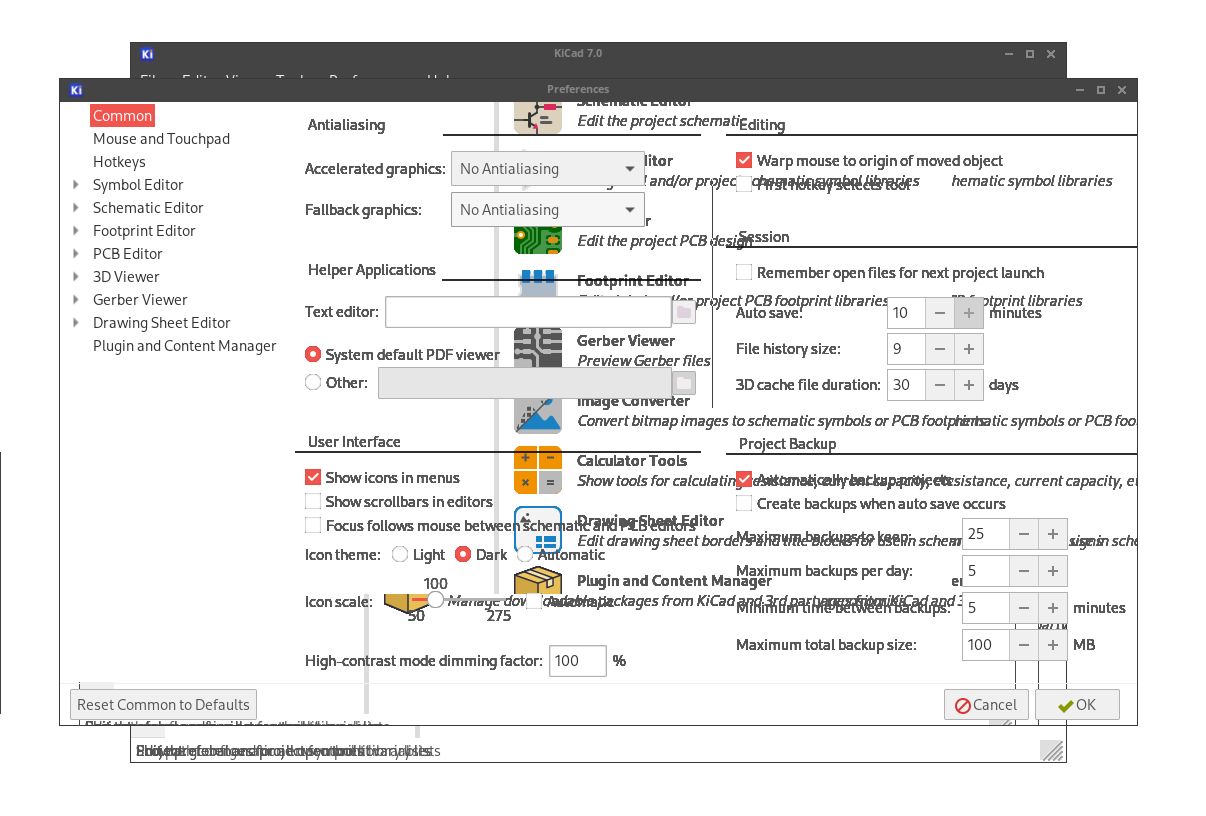
Some more details about my system:
Kernel version: 6.5.8.arch1-1
CPU: Intel i7-12700
GPU: Nvidia GTX 970
Driver: Nvidia 535.113.01-6
WM:Openbox(X11)
Kicad 7.0.8-1
I have also tried running kicad using only the integrated graphics on my CPU but see the same problem.
Does anyone have any suggestions on what might be causing this or how I could resolve it?
Thank you in advance for your time.
Moderator Edit [ewaller] Converted over sized image to a link
Last edited by ewaller (2023-10-23 13:53:31)
Offline
#2 2023-10-23 14:04:08
- ewaller
- Administrator

- From: Pasadena, CA
- Registered: 2009-07-13
- Posts: 20,703
Re: Issue with kicad display
Most definitely not seeing that on Kicad 7.0 on Intel Iris graphics using the Sway window manager and Wayland.
It appears you have the Preferences dialog being rendered on top of the starting window, but the dialog background is completely transparent. Any settings you may have adjusted as to transparancy?
Try moving the dialog window to see the underlying main window. Is the main window also transparent (can you see deeper windows, or perhaps the desktop?)
From what I see, the window both look correct, the dialog items obscuring the items on the main window beneath them; if only the dialog background were not transparent, things would be okay.
Nothing is too wonderful to be true, if it be consistent with the laws of nature -- Michael Faraday
The shortest way to ruin a country is to give power to demagogues.— Dionysius of Halicarnassus
---
How to Ask Questions the Smart Way
Offline
#3 2023-10-23 16:04:13
- rk_au
- Member
- Registered: 2023-04-19
- Posts: 7
Re: Issue with kicad display
Most definitely not seeing that on Kicad 7.0 on Intel Iris graphics using the Sway window manager and Wayland.
It appears you have the Preferences dialog being rendered on top of the starting window, but the dialog background is completely transparent. Any settings you may have adjusted as to transparancy?
Try moving the dialog window to see the underlying main window. Is the main window also transparent (can you see deeper windows, or perhaps the desktop?)From what I see, the window both look correct, the dialog items obscuring the items on the main window beneath them; if only the dialog background were not transparent, things would be okay.
Thank you for the suggestion. After further testing, I don't think this is an transparency issue. When switching between screens in kicad, it seems to repeatedly overlay the previous Kicad screen's graphics on top of the current kicad screen (even if moving the window away from the previous screen). The overlay issue persists only with kicad.
Unfortunately I don't have access to the computer right now to provide screenshots. If it would help, I can try to get some examples as soon as possible.
Offline
#4 2023-10-23 16:17:36
- ewaller
- Administrator
- From: Pasadena, CA
- Registered: 2009-07-13
- Posts: 20,703
Re: Issue with kicad display
Are you using any kind of composite manager? https://wiki.archlinux.org/title/Xorg#L … e_managers
Nothing is too wonderful to be true, if it be consistent with the laws of nature -- Michael Faraday
The shortest way to ruin a country is to give power to demagogues.— Dionysius of Halicarnassus
---
How to Ask Questions the Smart Way
Offline
#5 2023-10-23 16:23:51
- rk_au
- Member
- Registered: 2023-04-19
- Posts: 7
Re: Issue with kicad display
Are you using any kind of composite manager? https://wiki.archlinux.org/title/Xorg#L … e_managers
Yes, I am currently using xcompmgr.
Offline
#6 2023-10-23 16:28:09
- ewaller
- Administrator
- From: Pasadena, CA
- Registered: 2009-07-13
- Posts: 20,703
Re: Issue with kicad display
See if disabling that has any effect.
Nothing is too wonderful to be true, if it be consistent with the laws of nature -- Michael Faraday
The shortest way to ruin a country is to give power to demagogues.— Dionysius of Halicarnassus
---
How to Ask Questions the Smart Way
Offline
#7 2023-10-24 02:25:14
- rk_au
- Member
- Registered: 2023-04-19
- Posts: 7
Re: Issue with kicad display
See if disabling that has any effect.
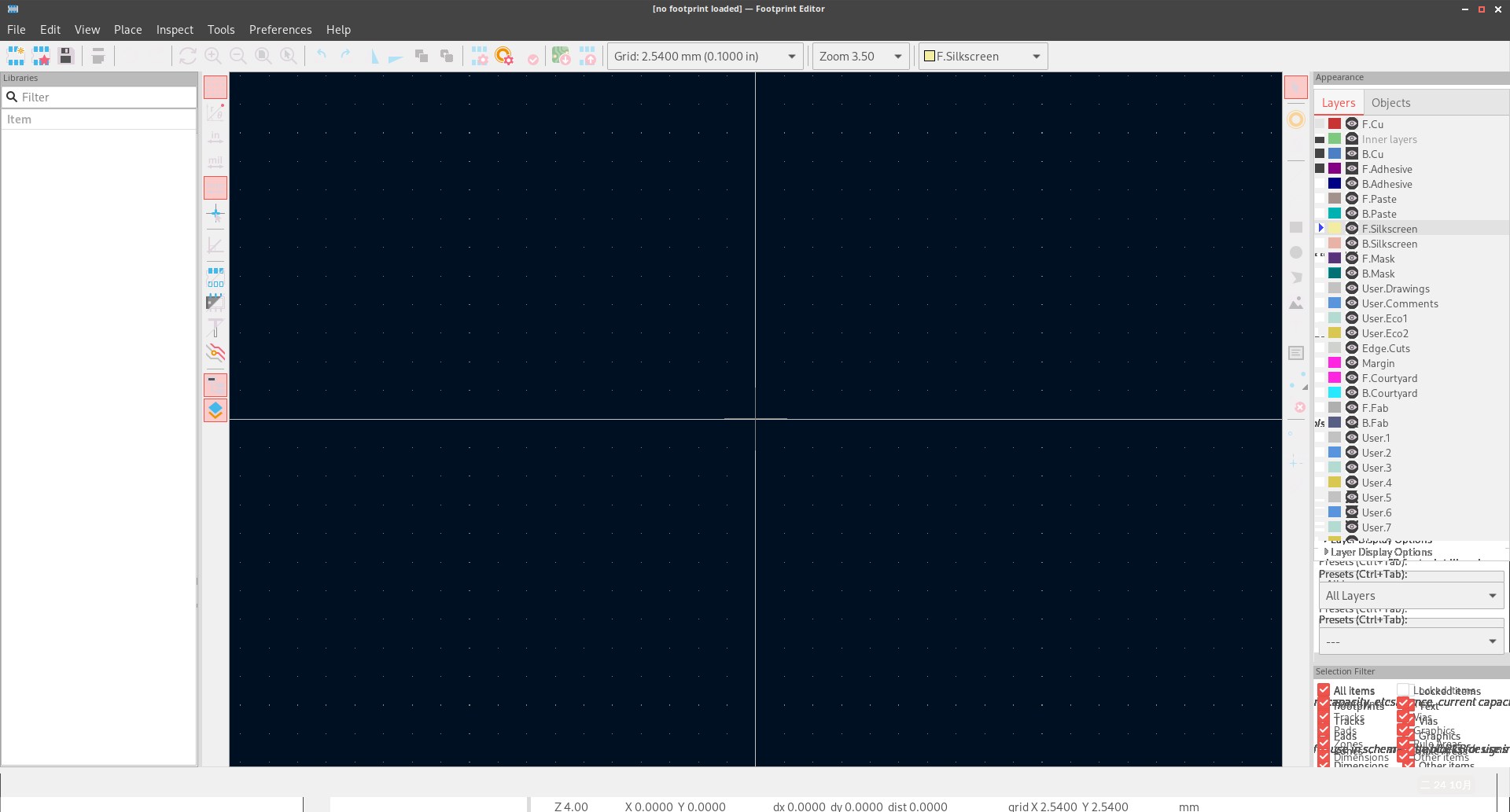
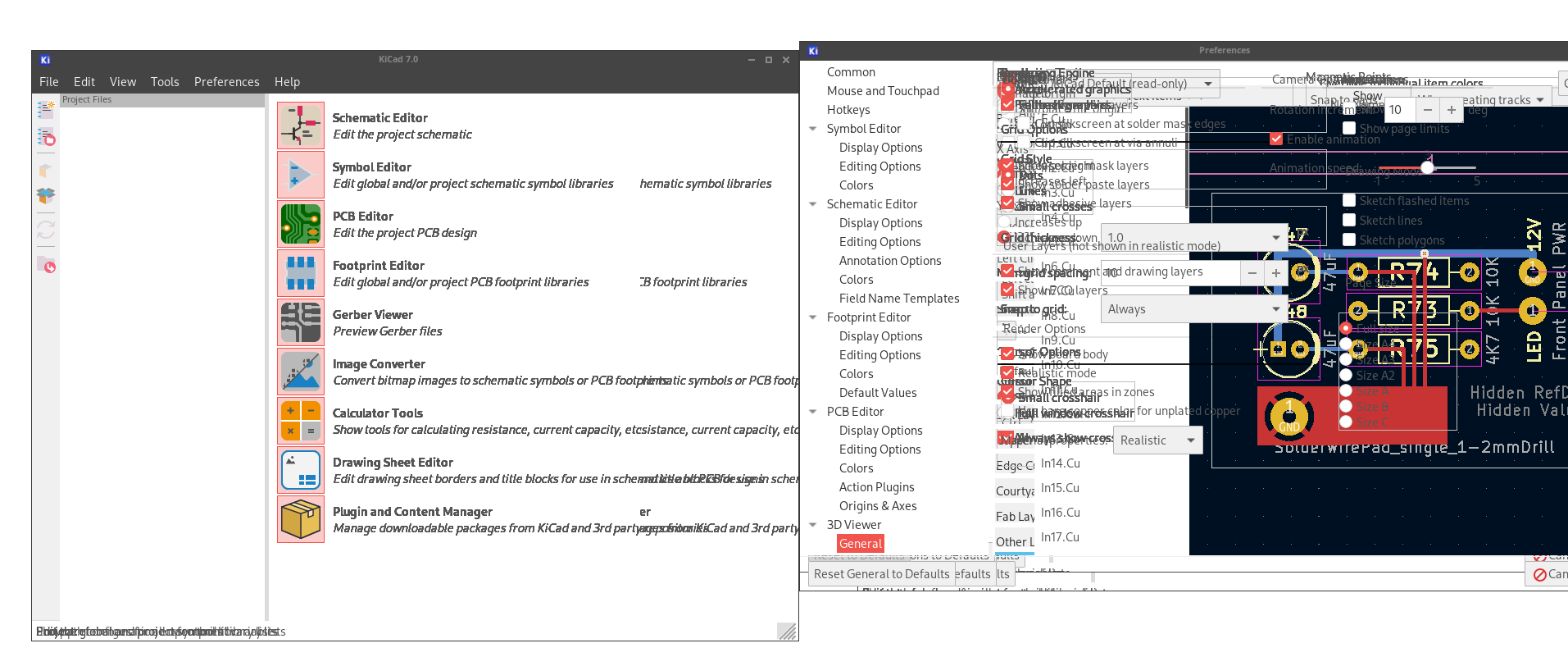
I tried disabling it, but encountered a similar issue. Please see the images comparing when xcompmgr is enabled and disabled.
with xcompmgr
https://fars.ee/9pwK.png
https://fars.ee/9P62.png
https://fars.ee/ZNm_.png
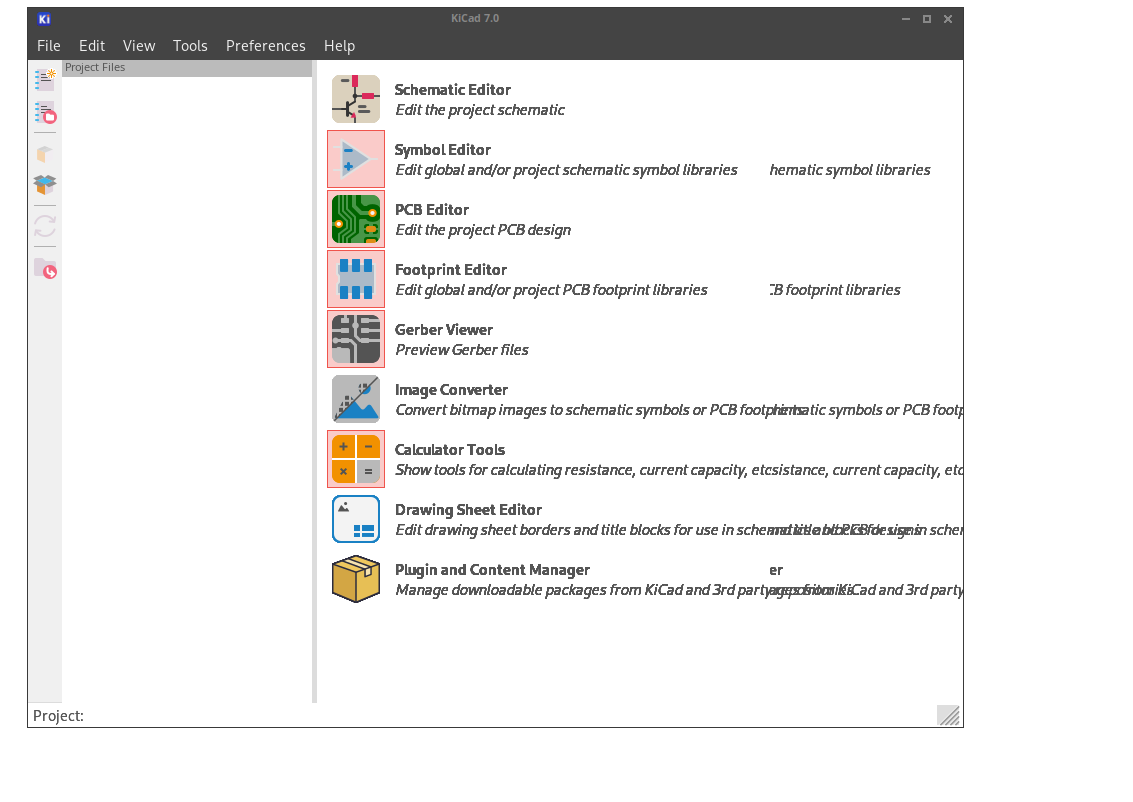
without xcompmgr
https://fars.ee/ggTD.png
https://fars.ee/3o3F.png
https://fars.ee/fJo-.png
https://fars.ee/OcN6.png
https://fars.ee/YTmG.png
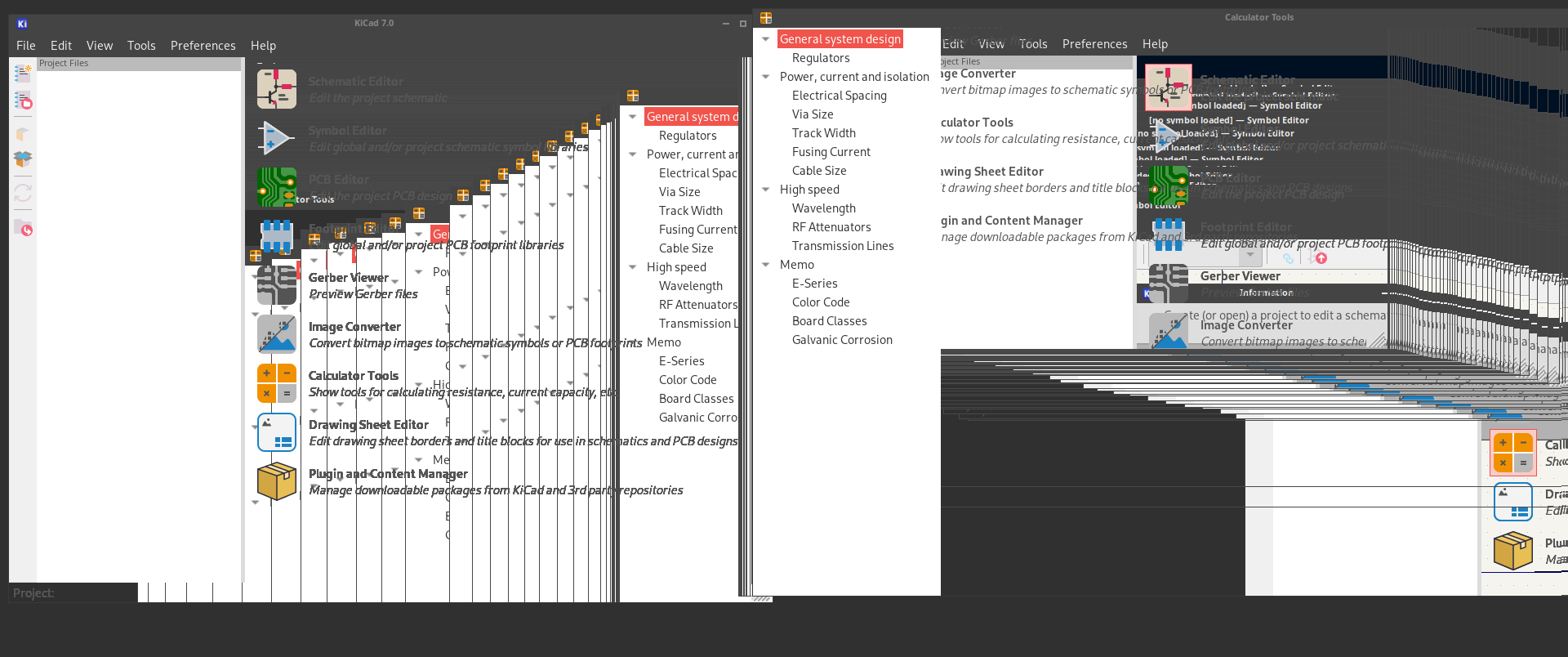
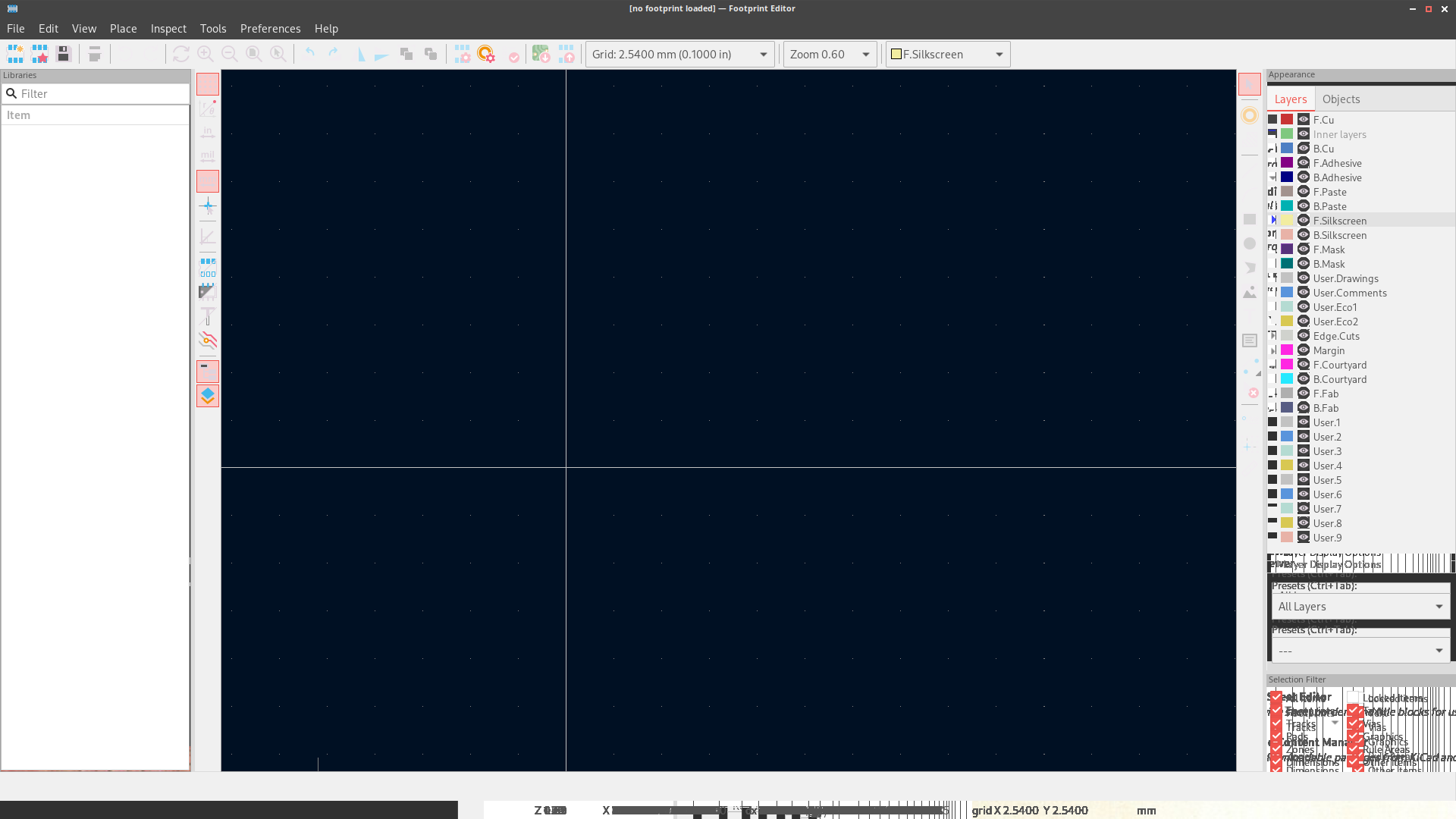
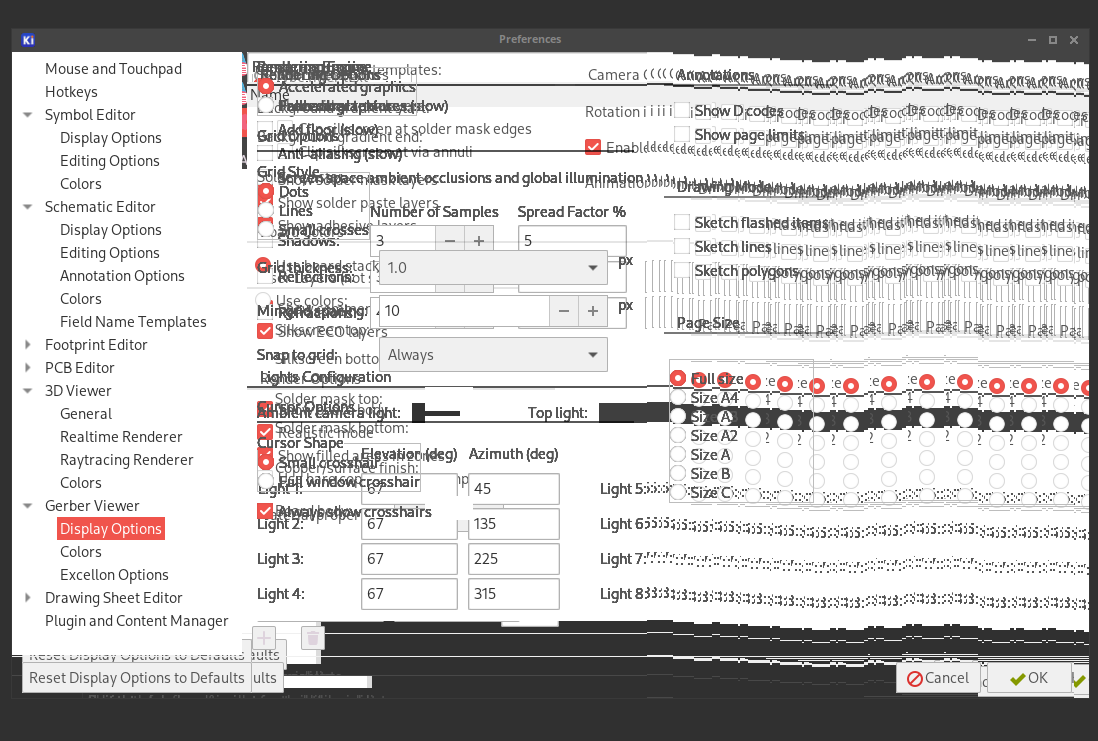
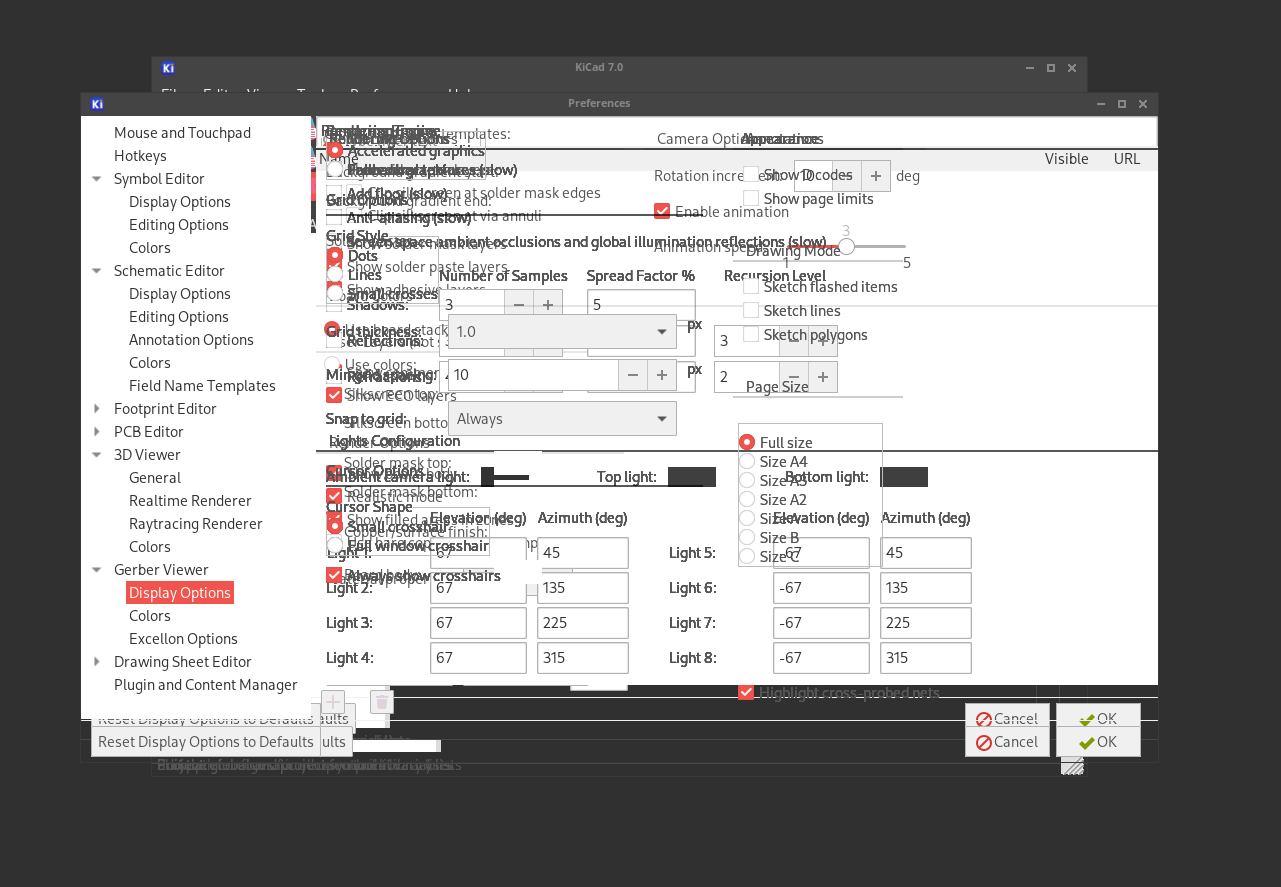
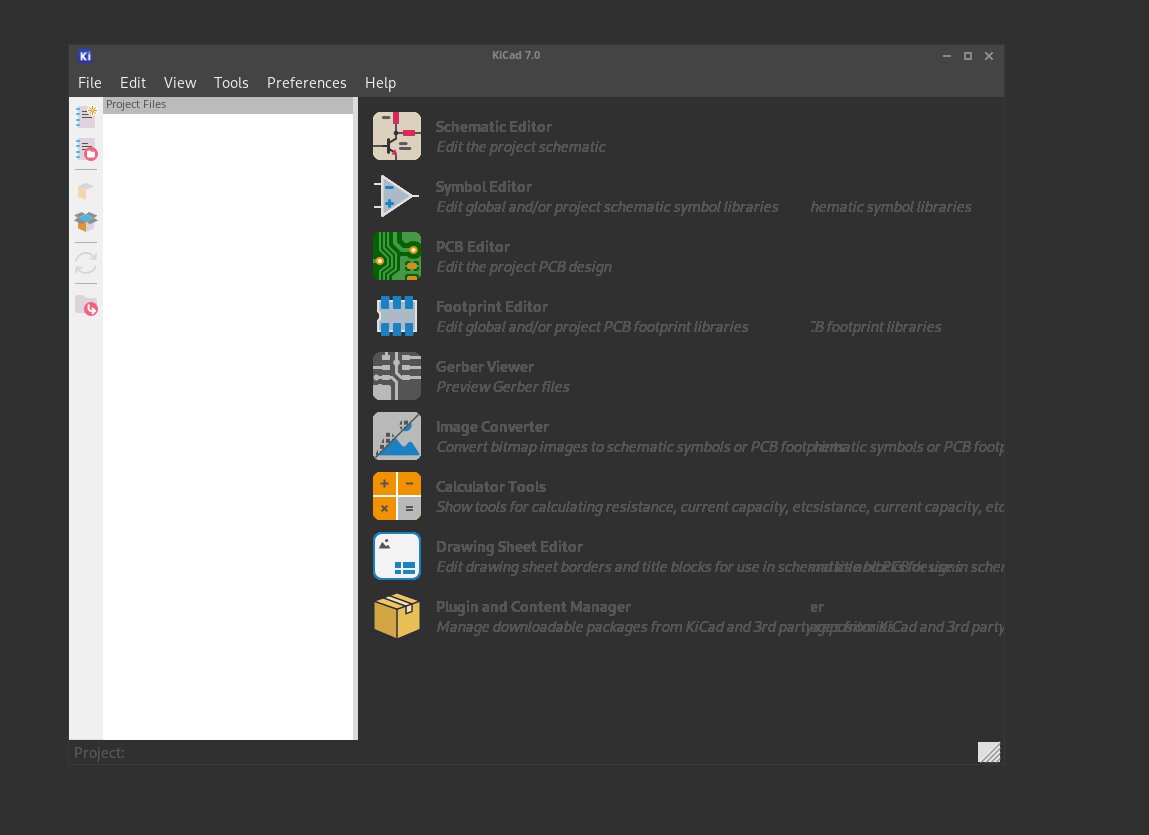
I also noticed that only certain parts of the display issue, specifically areas with potentially bolded or italicized text rendering. I'm unsure if my observation is correct, as this is my first time installing kicad and I have not had normal display behavior.
I also tried switching to the i3 window manager (X11) and disabling xcompmgr, but encountered the same issue.
Thank you.
Last edited by rk_au (2023-10-24 05:21:41)
Offline
#8 2024-08-11 04:41:30
- wisag0d
- Member
- Registered: 2018-11-04
- Posts: 1
Re: Issue with kicad display
I encountered a similar issue.
It was caused by GTK_IM_MODULE because I was using gcin as the Input Method.
After unsetting GTK_IM_MODULE, KiCad appeared to function normally.
Offline
Pages: 1