You are not logged in.
- Topics: Active | Unanswered
#1 2025-03-15 13:01:47
- geopardo
- Member

- From: Europe
- Registered: 2021-03-23
- Posts: 169
[SOLVED] set rgb pixel format (ati radeon)
How to force RGB instead of YCbCr output for HDMI on Arch?
In windows I had the application installed with the radeon drivers that solved the problem.
Now it seems that we need to get to grips with edid
The problem arose after following the wiki guide, after installing the xf86-video-amdgpu drivers.
With the clean system just installed everything was set correctly.
Whit wayland the problem is solved
https://bbs.archlinux.org/viewtopic.php?id=271582
I found this https://www.wezm.net/v2/posts/2020/linu … el-format/
but I prefer to understand which drivers to use. restore the initial state if the mesa drivers were sufficient to play.
at the limit if you really have to do as it is written in the links proceed.
Last edited by geopardo (2025-03-21 12:02:58)
Some 'security people are f*cking morons' says Linus Torvalds..
Offline
#2 2025-03-15 16:43:22
- seth
- Member

- From: Won't reply 2 private help req
- Registered: 2012-09-03
- Posts: 77,713
Re: [SOLVED] set rgb pixel format (ati radeon)
The linked thread deals w/ the EDID, that has nothing to do w/ the display server (X11 or wayland)
cehck "xrandr --props", you'll likely be able to change it, why are you using xf86-video-amdgpu?
Offline
#3 2025-03-17 11:20:44
- geopardo
- Member
- From: Europe
- Registered: 2021-03-23
- Posts: 169
Re: [SOLVED] set rgb pixel format (ati radeon)
Is wrong xf86-video-amdgpu, for my gpu is ok mesa, and all worlk fine..
Some 'security people are f*cking morons' says Linus Torvalds..
Offline
#4 2025-03-17 11:42:47
- Lone_Wolf
- Administrator

- From: Netherlands, Europe
- Registered: 2005-10-04
- Posts: 15,394
Re: [SOLVED] set rgb pixel format (ati radeon)
after installing the xf86-video-amdgpu drivers
X will use those drivers if they are present, try removing the xf86-video-amdgpu pacakge .
Disliking systemd intensely, but not satisfied with alternatives so focusing on taming systemd.
clean chroot building not flexible enough ?
Try clean chroot manager by graysky
Offline
#5 2025-03-21 12:02:28
- geopardo
- Member
- From: Europe
- Registered: 2021-03-23
- Posts: 169
Re: [SOLVED] set rgb pixel format (ati radeon)
Removed al works fine, tnx seth and Lone_Wolf I mark solved..
Some 'security people are f*cking morons' says Linus Torvalds..
Offline
#6 2025-03-21 12:03:50
- geopardo
- Member
- From: Europe
- Registered: 2021-03-23
- Posts: 169
Re: [SOLVED] set rgb pixel format (ati radeon)
The linked thread deals w/ the EDID, that has nothing to do w/ the display server (X11 or wayland)
cehck "xrandr --props", you'll likely be able to change it, why are you using xf86-video-amdgpu?
If I have problems I will look for this post.
Some 'security people are f*cking morons' says Linus Torvalds..
Offline
#7 2025-03-31 20:45:00
- geopardo
- Member
- From: Europe
- Registered: 2021-03-23
- Posts: 169
Re: [SOLVED] set rgb pixel format (ati radeon)
After system update is return the problem..
https://wiki.archlinux.org/title/Xrandr Here I don't find the way to fix settings YCbCr to RGB..
If I start the system from scratch I don't see any green screens. If I reboot I see the green screen right away when it starts to load.
Last edited by geopardo (2025-03-31 20:53:26)
Some 'security people are f*cking morons' says Linus Torvalds..
Offline
#8 2025-03-31 22:54:16
- seth
- Member
- From: Won't reply 2 private help req
- Registered: 2012-09-03
- Posts: 77,713
Re: [SOLVED] set rgb pixel format (ati radeon)
If I reboot I see the green screen right away when it starts to load.
Before even the bootloader?
https://wiki.archlinux.org/title/Xrandr Here I don't find
check "xrandr --props"
Offline
#9 2025-04-01 00:35:31
- geopardo
- Member
- From: Europe
- Registered: 2021-03-23
- Posts: 169
Re: [SOLVED] set rgb pixel format (ati radeon)
Before the bootloader,
$ xrandr --props
Screen 0: minimum 320 x 200, current 3840 x 2160, maximum 16384 x 16384
DisplayPort-0 disconnected (normal left inverted right x axis y axis)
        TearFree: auto
                supported: off, on, auto
        subconnector: Unknown
                supported: Unknown, VGA, DVI-D, HDMI, DP, Wireless, Native
        vrr_capable: 0
                range: (0, 1)
        Colorspace: Default
                supported: Default, BT709_YCC, opRGB, BT2020_RGB, BT2020_YCC
        max bpc: 16
                range: (8, 16)
        underscan vborder: 0
                range: (0, 128)
        underscan hborder: 0
                range: (0, 128)
        underscan: off
                supported: off, on, auto
        scaling mode: None
                supported: None, Full, Center, Full aspect
        link-status: Good
                supported: Good, Bad
        CONNECTOR_ID: 77
                supported: 77
        non-desktop: 0
                range: (0, 1)
DisplayPort-1 disconnected (normal left inverted right x axis y axis)
        TearFree: auto
                supported: off, on, auto
        subconnector: Unknown
                supported: Unknown, VGA, DVI-D, HDMI, DP, Wireless, Native
        vrr_capable: 0
                range: (0, 1)
        Colorspace: Default
                supported: Default, BT709_YCC, opRGB, BT2020_RGB, BT2020_YCC
        max bpc: 16
                range: (8, 16)
        underscan vborder: 0
                range: (0, 128)
        underscan hborder: 0
                range: (0, 128)
        underscan: off
                supported: off, on, auto
        scaling mode: None
                supported: None, Full, Center, Full aspect
        link-status: Good
                supported: Good, Bad
        CONNECTOR_ID: 83
                supported: 83
        non-desktop: 0
                range: (0, 1)
HDMI-A-0 disconnected (normal left inverted right x axis y axis)
        TearFree: auto
                supported: off, on, auto
        vrr_capable: 0
                range: (0, 1)
        Colorspace: Default
                supported: Default, BT709_YCC, opRGB, BT2020_RGB, BT2020_YCC
        content type: No Data
                supported: No Data, Graphics, Photo, Cinema, Game
        max bpc: 16
                range: (8, 16)
        underscan vborder: 0
                range: (0, 128)
        underscan hborder: 0
                range: (0, 128)
        underscan: off
                supported: off, on, auto
        scaling mode: None
                supported: None, Full, Center, Full aspect
        link-status: Good
                supported: Good, Bad
        CONNECTOR_ID: 88
                supported: 88
        non-desktop: 0
                range: (0, 1)
HDMI-A-1 connected primary 3840x2160+0+0 (normal left inverted right x axis y axis) 621mm x 341mm
        _KDE_SCREEN_INDEX: 1
        EDID:
                00ffffffffffff00410cf2089b080000
                0d1c0103803e22782a5525a1574fa028
                0f5054bd4b00d1c081808140950f9500
                b30081c00101a36600a0f0701f803020
                35006d552100001a565e00a0a0a02950
                302035006d552100001e000000fc0050
                484c2032383850364c0a2020000000fd
                0017501e631e000a202020202020015e
                02032af14f0102030506071011121314
                15161f0423090707830100006d030c00
                1000393c200060010203023a80d07238
                2d40102c96806d5521000018ef5100a0
                f0701980302035000f282100001a0474
                0030f2705a80b0588a006d552100001a
                7d3900a080381f4030203a000f282100
                001a00000000000000000000000000f0
        TearFree: auto
                supported: off, on, auto
        vrr_capable: 0
                range: (0, 1)
        Colorspace: Default
                supported: Default, BT709_YCC, opRGB, BT2020_RGB, BT2020_YCC
        content type: No Data
                supported: No Data, Graphics, Photo, Cinema, Game
        max bpc: 16
                range: (8, 16)
        underscan vborder: 0
                range: (0, 128)
        underscan hborder: 0
                range: (0, 128)
        underscan: off
                supported: off, on, auto
        scaling mode: None
                supported: None, Full, Center, Full aspect
        link-status: Good
                supported: Good, Bad
        CONNECTOR_ID: 94
                supported: 94
        non-desktop: 0
                range: (0, 1)
   3840x2160     29.98*+  30.00    30.00    25.00    24.00    29.97    23.98    24.00
   2560x1440     59.95
   1920x1200     29.98
   2048x1080     59.99
   1920x1080     60.00    60.00    50.00    50.00    59.94
   1600x1200     29.98
   1680x1050     59.88
   1280x1024     75.02    60.02
   1440x900      74.98    59.90
   1280x960      60.00
   1280x800      29.98
   1280x720      60.00    50.00    59.94
   1024x768      75.03    60.00
   800x600       75.00    60.32
   720x576       50.00
   720x480       60.00    59.94
   640x480       75.00    72.81    66.67    60.00    59.94
   720x400       70.08
DVI-D-0 disconnected (normal left inverted right x axis y axis)
        TearFree: auto
                supported: off, on, auto
        max bpc: 16
                range: (8, 16)
        underscan vborder: 0
                range: (0, 128)
        underscan hborder: 0
                range: (0, 128)
        underscan: off
                supported: off, on, auto
        scaling mode: None
                supported: None, Full, Center, Full aspect
        link-status: Good
                supported: Good, Bad
        CONNECTOR_ID: 100
                supported: 100
        non-desktop: 0
                range: (0, 1)
I see something.. in HDMI-A-1 connected
Colorspace: Default
supported: Default, BT709_YCC, opRGB, BT2020_RGB, BT2020_YCC
Some 'security people are f*cking morons' says Linus Torvalds..
Offline
#10 2025-04-01 10:40:21
- geopardo
- Member
- From: Europe
- Registered: 2021-03-23
- Posts: 169
Re: [SOLVED] set rgb pixel format (ati radeon)
I don't know what to say... now after the updates it hasn't done the green screen since the first UEFI.
Precisely it's all green, the screen becomes black from the login screen. And when the screen is green the system becomes unstable subsequently launched. It freezes easily.
Some 'security people are f*cking morons' says Linus Torvalds..
Offline
#11 2025-04-01 10:59:07
- geopardo
- Member
- From: Europe
- Registered: 2021-03-23
- Posts: 169
Re: [SOLVED] set rgb pixel format (ati radeon)
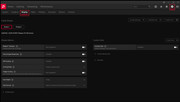
In windows there is a specific application that fixes the problem, it is not a question of incorrect drivers, it is just another problem that causes the initial green screen.
This application would be really useful on Linux.
Some 'security people are f*cking morons' says Linus Torvalds..
Offline
#12 2025-04-01 13:18:38
- seth
- Member
- From: Won't reply 2 private help req
- Registered: 2012-09-03
- Posts: 77,713
Re: [SOLVED] set rgb pixel format (ati radeon)
That's your windows graphics driver?
But if the problem exists before even the bootloader, it is unlikely that some OS driver can do anything about it.
xrandr --output HDMI-0 --set Colorspace opRGBBut I'm not convinced that this is about the wrong colorspace.
when the screen is green the system becomes unstable subsequently launched. It freezes easily.
sounds related to the power supply - how exactly does the windows driver config "fix" it? What setting do you change there?
Please post your complete system journal for an affected the boot, eg.
sudo journalctl -b -2 | curl -F 'file=@-' 0x0.stfor the second previous one.
Offline
#13 2025-04-01 16:33:06
- geopardo
- Member
- From: Europe
- Registered: 2021-03-23
- Posts: 169
Re: [SOLVED] set rgb pixel format (ati radeon)
The screen posted, are settings present in the application that is installed together with the radeon gpu drivers, dedicated to my card.
But the reboot problem was also on windows 10... Not the random freezing. Which seems similar to the other discussion to which I replied.
https://bbs.archlinux.org/viewtopic.php?id=304598
I abandoned windows for other reasons and I don't want to go back..
I think two discussions can be solved at a time.
That's your windows graphics driver?
But if the problem exists before even the bootloader, it is unlikely that some OS driver can do anything about it.xrandr --output HDMI-0 --set Colorspace opRGB
Ok Seth,
We try this in second moment..
is temporary adjustment? Or fix the problem ? 
Let's try when the problem reappears, because there are things I had thought of too. Let's try when the problem persists reboot after reboot.
But I'm not convinced that this is about the wrong colorspace.
when the screen is green the system becomes unstable subsequently launched. It freezes easily.
sounds related to the power supply - how exactly does the windows driver config "fix" it? What setting do you change there?
In fact in fact... I recently changed the PSU.. The problem has shown itself less..
I only had a 600W one available.. and I put these watts. The problem with the green screen from UEFI I thought had little to do with it, instead it still makes me doubt.. certainly possible.
Please post your complete system journal for an affected the boot, eg.
sudo journalctl -b -2 | curl -F 'file=@-' 0x0.stfor the second previous one.
this is the output
curl: (7) Failed to connect to 0x0.s port 80 after 31 ms: Could not connect to serverI reboot and don't here the problem..
Last edited by geopardo (2025-04-01 16:57:06)
Some 'security people are f*cking morons' says Linus Torvalds..
Offline
#14 2025-04-01 17:04:40
- geopardo
- Member
- From: Europe
- Registered: 2021-03-23
- Posts: 169
Re: [SOLVED] set rgb pixel format (ati radeon)
i see this error in systemjournal
apr 01 18:51:30 greenhub systemd[1]: bpf-restrict-fs: Failed to load BPF object: No such process
apr 01 18:51:32 greenhub kernel: snd_hda_intel 0000:0a:00.1: AER:   Error of this Agent is reported first
lines 6764-6850/6850 (END)
The second error is relative a missed firmware i think...
But is strange the problem is reappeared..
Now all work fine..
Last edited by geopardo (2025-04-01 17:05:15)
Some 'security people are f*cking morons' says Linus Torvalds..
Offline