You are not logged in.
- Topics: Active | Unanswered
#1 2025-11-13 09:49:29
- Blue26
- Member
- From: Argentina
- Registered: 2025-11-13
- Posts: 11
[Solved] fsck booting section(/dev/sdaX clean) missing in new setup
Hello.
I have installed a new archlinux setup after an issue with the previous one.
I noticed that there is something different in the booting process: there was a screen that said:
/dev/sdaX clean, X/Y files, Z/A blocks
that is related to fsck, which checks the disk in the booting process, before mounting and initializing it (somehow). Something like this: https://i.sstatic.net/4Gjhr.jpg

The new setup lacks that screen. I also had to force-check fsck on every boot, because
`# dumpe2fs -h /dev/sdaX | grep -i 'mount count'`
showed
Maximum mount count: -1
(no fsck check enabled on boot)
reference: https://wiki.archlinux.org/title/Fsck#C … _frequency
So, after i enabled that, fsck is run in the background correctly, my main concern is that during a blackout or some disk error, i will need to "tell" fsck during the boot process something about a sector (happened to me in the past) and in this way, this will be impossible.
I checked the wiki and in internet for a while, but i cannot found anything.
I also checked in an old archlinux setup i have in another disk, and i've not found any relevant differences in the `/boot/grub/grub.cfg` and `/etc/mkinitcpio.conf`. In the latter, i have seen that the `udev` hook was replaced by the `systemd`hook, but this one has udev inside, according to https://wiki.archlinux.org/title/Mkinit … mmon_hooks
I really think that this screen step is important so i would like to activate it in my setup.
Last edited by Blue26 (2025-11-16 13:29:27)
Offline
#2 2025-11-13 10:01:36
- Lone_Wolf
- Administrator

- From: Netherlands, Europe
- Registered: 2005-10-04
- Posts: 15,162
Re: [Solved] fsck booting section(/dev/sdaX clean) missing in new setup
Verify you have fsck on the HOOKS= line in /etc/mkinitcpio.conf .
If it is present , as root/with root rights run
# journalctl -b | grep fsckand post the output.
Disliking systemd intensely, but not satisfied with alternatives so focusing on taming systemd.
clean chroot building not flexible enough ?
Try clean chroot manager by graysky
Offline
#3 2025-11-13 10:04:24
- Blue26
- Member
- From: Argentina
- Registered: 2025-11-13
- Posts: 11
Re: [Solved] fsck booting section(/dev/sdaX clean) missing in new setup
/etc/mkinitcpio.conf:
HOOKS=(base systemd autodetect microcode modconf kms keyboard keymap sd-vconsole block filesystems fsck)
# journalctl -b | grep fsck:
Nov 13 05:50:51 archlinux systemd-fsck[152]: /dev/sdaX has been mounted 1 times without being checked, check forced.
Nov 13 05:50:51 archlinux systemd-fsck[152]: /dev/sdaX: Inode 5505547 extent tree (at level 1) could be narrower. IGNORED.
Nov 13 05:50:51 archlinux systemd-fsck[152]: /dev/sdaX: Inode 5507684 extent tree (at level 1) could be narrower. IGNORED.
Nov 13 05:50:51 archlinux systemd-fsck[152]: /dev/sdaX: Inode 5508919 extent tree (at level 1) could be narrower. IGNORED.
Nov 13 05:50:51 archlinux systemd-fsck[152]: /dev/sdaX: Inode 5508920 extent tree (at level 1) could be narrower. IGNORED.
Nov 13 05:50:53 archlinux systemd-fsck[152]: /dev/sdaX: 427968/12148736 files (0.3% non-contiguous), 12671404/48578560 blocks
Nov 13 05:50:55 HOSTNAME kernel: FAT-fs (sdaY): Volume was not properly unmounted. Some data may be corrupt. Please run fsck.
Last edited by Blue26 (2025-11-13 10:05:22)
Offline
#4 2025-11-13 11:30:20
- Lone_Wolf
- Administrator
- From: Netherlands, Europe
- Registered: 2005-10-04
- Posts: 15,162
Re: [Solved] fsck booting section(/dev/sdaX clean) missing in new setup
Please use [ code ] [ /code] tags for program output, not quote tags.
The outputs verify fsck is working and run as intended.
Please post the contents of /etc/default/grub and /etc/fstab .
Disliking systemd intensely, but not satisfied with alternatives so focusing on taming systemd.
clean chroot building not flexible enough ?
Try clean chroot manager by graysky
Offline
#5 2025-11-13 16:44:04
- Blue26
- Member
- From: Argentina
- Registered: 2025-11-13
- Posts: 11
Re: [Solved] fsck booting section(/dev/sdaX clean) missing in new setup
Sorry, i used the wrong tag.
Here is the content of /etc/default/grub
# GRUB boot loader configuration

GRUB_DEFAULT=0
GRUB_TIMEOUT=5
GRUB_DISTRIBUTOR="Arch"
GRUB_CMDLINE_LINUX_DEFAULT="loglevel=3 quiet"
GRUB_CMDLINE_LINUX=""

# Preload both GPT and MBR modules so that they are not missed
GRUB_PRELOAD_MODULES="part_gpt part_msdos"

# Uncomment to enable booting from LUKS encrypted devices
#GRUB_ENABLE_CRYPTODISK=y

# Set to 'countdown' or 'hidden' to change timeout behavior,
# press ESC key to display menu.
GRUB_TIMEOUT_STYLE=menu

# Uncomment to use basic console
GRUB_TERMINAL_INPUT=console

# Uncomment to disable graphical terminal
#GRUB_TERMINAL_OUTPUT=console

# The resolution used on graphical terminal
# note that you can use only modes which your graphic card supports via VBE
# you can see them in real GRUB with the command `videoinfo'
GRUB_GFXMODE=auto

# Uncomment to allow the kernel use the same resolution used by grub
GRUB_GFXPAYLOAD_LINUX=keep

# Uncomment if you want GRUB to pass to the Linux kernel the old parameter
# format "root=/dev/xxx" instead of "root=/dev/disk/by-uuid/xxx"
#GRUB_DISABLE_LINUX_UUID=true

# Uncomment to disable generation of recovery mode menu entries
GRUB_DISABLE_RECOVERY=true

# Uncomment and set to the desired menu colors.  Used by normal and wallpaper
# modes only.  Entries specified as foreground/background.
#GRUB_COLOR_NORMAL="light-blue/black"
#GRUB_COLOR_HIGHLIGHT="light-cyan/blue"

# Uncomment one of them for the gfx desired, a image background or a gfxtheme
#GRUB_BACKGROUND="/path/to/wallpaper"
#GRUB_THEME="/path/to/gfxtheme"

# Uncomment to get a beep at GRUB start
#GRUB_INIT_TUNE="480 440 1"

# Uncomment to make GRUB remember the last selection. This requires
# setting 'GRUB_DEFAULT=saved' above.
#GRUB_SAVEDEFAULT=true

# Uncomment to disable submenus in boot menu
#GRUB_DISABLE_SUBMENU=y

# Probing for other operating systems is disabled for security reasons. Read
# documentation on GRUB_DISABLE_OS_PROBER, if still want to enable this
# functionality install os-prober and uncomment to detect and include other
# operating systems.
GRUB_DISABLE_OS_PROBER=false
Here is the content of /etc/fstab
# Static information about the filesystems.
# See fstab(5) for details.

# <file system> <dir> <type> <options> <dump> <pass>
# /dev/sda7
UUID=UUID1	/         	ext4      	rw,relatime	0 1

# /dev/sda6
UUID=UUID2      	/boot     	vfat      	rw,relatime,fmask=0022,dmask=0022,codepage=437,iocharset=ascii,shortname=mixed,utf8,errors=remount-ro	0 2

# /dev/sda5
UUID=UUID3	none      	swap      	defaults  	0 0

# /dev/sda3
UUID=UUID4             /media/windows10      ntfs    defaults,uid=1000       0       0
Offline
#6 2025-11-14 09:53:48
- Lone_Wolf
- Administrator
- From: Netherlands, Europe
- Registered: 2005-10-04
- Posts: 15,162
Re: [Solved] fsck booting section(/dev/sdaX clean) missing in new setup
fstab indicates sda7 and sda6 should be checked, those 2 are probably sdaX and sdaY .
In /etc/default/grub there's
GRUB_CMDLINE_LINUX_DEFAULT="loglevel=3 quiet"Remove quiet from that line and reboot.
Disliking systemd intensely, but not satisfied with alternatives so focusing on taming systemd.
clean chroot building not flexible enough ?
Try clean chroot manager by graysky
Offline
#7 2025-11-14 10:10:39
- Blue26
- Member
- From: Argentina
- Registered: 2025-11-13
- Posts: 11
Re: [Solved] fsck booting section(/dev/sdaX clean) missing in new setup
Yes, those are the root and the boot partition. I used sdaX and sdaY in previous comments because the number was not important in there, but in the latest message was kept to avoid confusions with other mount points.
I've changed:
GRUB_CMDLINE_LINUX_DEFAULT="loglevel=3 quiet"to
GRUB_CMDLINE_LINUX_DEFAULT="loglevel=3"saved the changes, did a reboot, but nothing has changed. It is worth mentioning that in my previous setup, there was a "quiet" argument in /etc/grub/grub.cfg:
linux /vmlinuz-linux root=UUID=SOME_UUID rw loglevel=3 quietSo the issue might be somewhere else, i guess.
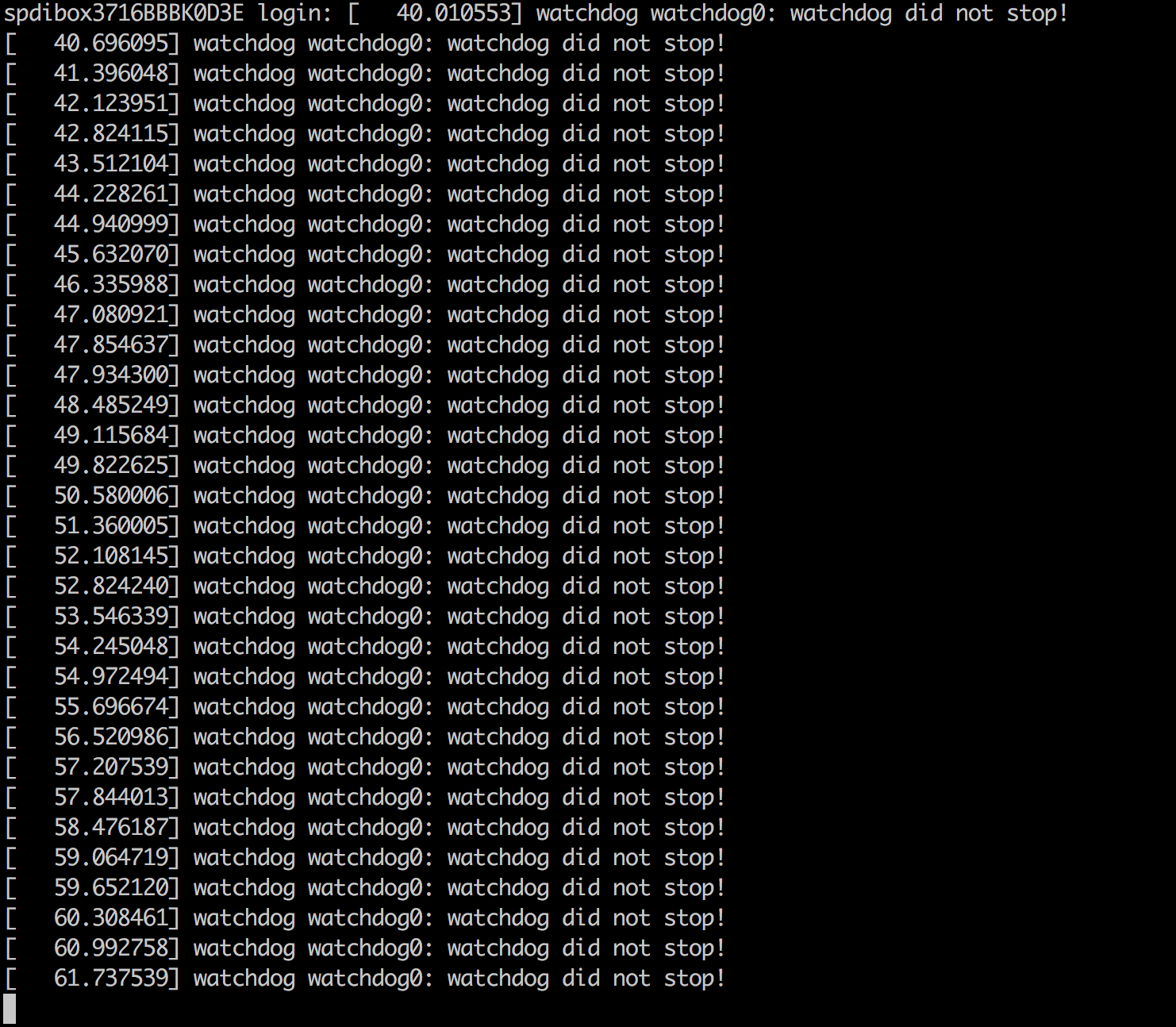
I also noticed that the only thing that seems to be "working" is the descriptive message on shutdown, "watchdog did not stop", like this ones (i dont have all those, its just a explanatory picture): https://forum.beagleboard.org/uploads/d … bb2f02.png
Might be worth mentioning that after selecting the archlinux entry in GRUB, the latest message i see before the SDDM screen(my login manager) is:
Loading archlinux
Loading initial ramdisk
Then the screen waits a seconds (fsck check probably), blinks a moment (i think this is normal from previous setups) and then SDDM appears.
Last edited by Blue26 (2025-11-14 10:11:48)
Offline
#8 2025-11-14 11:01:39
- Lone_Wolf
- Administrator
- From: Netherlands, Europe
- Registered: 2005-10-04
- Posts: 15,162
Re: [Solved] fsck booting section(/dev/sdaX clean) missing in new setup
For clarity : this is on a cold boot , not a resume from suspend or hibernation ?
Please post the output of lspci -k and your /etc/mkinitcpio.conf .
Disliking systemd intensely, but not satisfied with alternatives so focusing on taming systemd.
clean chroot building not flexible enough ?
Try clean chroot manager by graysky
Offline
#9 2025-11-14 11:06:47
- Blue26
- Member
- From: Argentina
- Registered: 2025-11-13
- Posts: 11
Re: [Solved] fsck booting section(/dev/sdaX clean) missing in new setup
Nope, it happens on cold boot (shutdown then power on later) and reboots.
The output of lspci -k is:
00:00.0 Host bridge: Intel Corporation Xeon E3-1200 v6/7th Gen Core Processor Host Bridge/DRAM Registers (rev 02)
        Subsystem: CLEVO/KAPOK Computer Device 2410
        Kernel driver in use: skl_uncore
00:02.0 VGA compatible controller: Intel Corporation HD Graphics 620 (rev 02)
        Subsystem: CLEVO/KAPOK Computer Device 2410
        Kernel driver in use: i915
        Kernel modules: i915
00:08.0 System peripheral: Intel Corporation Xeon E3-1200 v5/v6 / E3-1500 v5 / 6th/7th/8th Gen Core Processor Gaussian Mixture Model
        Subsystem: CLEVO/KAPOK Computer Device 2410
00:14.0 USB controller: Intel Corporation Sunrise Point-LP USB 3.0 xHCI Controller (rev 21)
        Subsystem: CLEVO/KAPOK Computer Device 2410
        Kernel driver in use: xhci_hcd
00:14.2 Signal processing controller: Intel Corporation Sunrise Point-LP Thermal subsystem (rev 21)
        Subsystem: CLEVO/KAPOK Computer Device 2410
        Kernel driver in use: intel_pch_thermal
        Kernel modules: intel_pch_thermal
00:16.0 Communication controller: Intel Corporation Sunrise Point-LP CSME HECI #1 (rev 21)
        Subsystem: CLEVO/KAPOK Computer Device 2410
        Kernel driver in use: mei_me
        Kernel modules: mei_me
00:17.0 SATA controller: Intel Corporation Sunrise Point-LP SATA Controller [AHCI mode] (rev 21)
        Subsystem: CLEVO/KAPOK Computer Device 2410
        Kernel driver in use: ahci
00:1c.0 PCI bridge: Intel Corporation Sunrise Point-LP PCI Express Root Port #1 (rev f1)
        Subsystem: CLEVO/KAPOK Computer Device 2410
        Kernel driver in use: pcieport
00:1c.2 PCI bridge: Intel Corporation Sunrise Point-LP PCI Express Root Port #3 (rev f1)
        Subsystem: CLEVO/KAPOK Computer Device 2410
        Kernel driver in use: pcieport
00:1c.5 PCI bridge: Intel Corporation Sunrise Point-LP PCI Express Root Port #6 (rev f1)
        Subsystem: CLEVO/KAPOK Computer Device 2410
        Kernel driver in use: pcieport
00:1f.0 ISA bridge: Intel Corporation Sunrise Point LPC/eSPI Controller (rev 21)
        Subsystem: CLEVO/KAPOK Computer Device 2410
00:1f.2 Memory controller: Intel Corporation Sunrise Point-LP PMC (rev 21)
        Subsystem: CLEVO/KAPOK Computer Device 2410
00:1f.3 Audio device: Intel Corporation Sunrise Point-LP HD Audio (rev 21)
        Subsystem: CLEVO/KAPOK Computer Device 2415
        Kernel driver in use: snd_hda_intel
        Kernel modules: snd_soc_avs, snd_hda_intel
00:1f.4 SMBus: Intel Corporation Sunrise Point-LP SMBus (rev 21)
        Subsystem: CLEVO/KAPOK Computer Device 2410
        Kernel driver in use: i801_smbus
        Kernel modules: i2c_i801
02:00.0 Network controller: Intel Corporation Dual Band Wireless-AC 3168NGW [Stone Peak] (rev 10)
        Subsystem: Intel Corporation Device 2110
        Kernel driver in use: iwlwifi
        Kernel modules: iwlwifi
03:00.0 Unassigned class [ff00]: Realtek Semiconductor Co., Ltd. RTL8411B PCI Express Card Reader (rev 01)
        Subsystem: CLEVO/KAPOK Computer Device 2410
        Kernel driver in use: rtsx_pci
        Kernel modules: rtsx_pci
03:00.1 Ethernet controller: Realtek Semiconductor Co., Ltd. RTL8111/8168/8211/8411 PCI Express Gigabit Ethernet Controller (rev 12)
        Subsystem: CLEVO/KAPOK Computer Device 2410
        Kernel driver in use: r8169
        Kernel modules: r8169
The contents of my etc/mkinitcpio.conf is:
# vim:set ft=sh:
# MODULES
# The following modules are loaded before any boot hooks are
# run.  Advanced users may wish to specify all system modules
# in this array.  For instance:
#     MODULES=(usbhid xhci_hcd)
MODULES=()

# BINARIES
# This setting includes any additional binaries a given user may
# wish into the CPIO image.  This is run last, so it may be used to
# override the actual binaries included by a given hook
# BINARIES are dependency parsed, so you may safely ignore libraries
BINARIES=()

# FILES
# This setting is similar to BINARIES above, however, files are added
# as-is and are not parsed in any way.  This is useful for config files.
FILES=()

# HOOKS
# This is the most important setting in this file.  The HOOKS control the
# modules and scripts added to the image, and what happens at boot time.
# Order is important, and it is recommended that you do not change the
# order in which HOOKS are added.  Run 'mkinitcpio -H <hook name>' for
# help on a given hook.
# 'base' is _required_ unless you know precisely what you are doing.
# 'udev' is _required_ in order to automatically load modules
# 'filesystems' is _required_ unless you specify your fs modules in MODULES
# Examples:
##   This setup specifies all modules in the MODULES setting above.
##   No RAID, lvm2, or encrypted root is needed.
#    HOOKS=(base)
#
##   This setup will autodetect all modules for your system and should
##   work as a sane default
#    HOOKS=(base udev autodetect microcode modconf block filesystems fsck)
#
##   This setup will generate a 'full' image which supports most systems.
##   No autodetection is done.
#    HOOKS=(base udev microcode modconf block filesystems fsck)
#
##   This setup assembles a mdadm array with an encrypted root file system.
##   Note: See 'mkinitcpio -H mdadm_udev' for more information on RAID devices.
#    HOOKS=(base udev microcode modconf keyboard keymap consolefont block mdadm_udev encrypt filesystems fsck)
#
##   This setup loads an lvm2 volume group.
#    HOOKS=(base udev microcode modconf block lvm2 filesystems fsck)
#
##   This will create a systemd based initramfs which loads an encrypted root filesystem.
#    HOOKS=(base systemd autodetect microcode modconf kms keyboard sd-vconsole sd-encrypt block filesystems fsck)
#
##   NOTE: If you have /usr on a separate partition, you MUST include the
#    usr and fsck hooks.
HOOKS=(base systemd autodetect microcode modconf kms keyboard keymap sd-vconsole block filesystems fsck)

# COMPRESSION
# Use this to compress the initramfs image. By default, zstd compression
# is used for Linux ≥ 5.9 and gzip compression is used for Linux < 5.9.
# Use 'cat' to create an uncompressed image.
#COMPRESSION="zstd"
#COMPRESSION="gzip"
#COMPRESSION="bzip2"
#COMPRESSION="lzma"
#COMPRESSION="xz"
#COMPRESSION="lzop"
#COMPRESSION="lz4"

# COMPRESSION_OPTIONS
# Additional options for the compressor
#COMPRESSION_OPTIONS=()

# MODULES_DECOMPRESS
# Decompress loadable kernel modules and their firmware during initramfs
# creation. Switch (yes/no).
# Enable to allow further decreasing image size when using high compression
# (e.g. xz -9e or zstd --long --ultra -22) at the expense of increased RAM usage
# at early boot.
# Note that any compressed files will be placed in the uncompressed early CPIO
# to avoid double compression.
#MODULES_DECOMPRESS="no"
As a side note, an older (not the last one) had the following hooks in /etc/mkinitcpio.conf (I have this previous setup in a HDD that i can connect with USB, so i can access other files too, just in case):
HOOKS=(base udev autodetect microcode modconf kms keyboard keymap consolefont block filesystems fsck)The difference is udev instead of systemd hook, but as https://wiki.archlinux.org/title/Mkinit … mmon_hooks shows, the udev hook is contained in the systemd hook.
Offline
#10 2025-11-14 11:08:36
- Blue26
- Member
- From: Argentina
- Registered: 2025-11-13
- Posts: 11
Re: [Solved] fsck booting section(/dev/sdaX clean) missing in new setup
Nope, it happens on cold boot (shutdown then power on later) and reboots.
The output of lspci -k is:
00:00.0 Host bridge: Intel Corporation Xeon E3-1200 v6/7th Gen Core Processor Host Bridge/DRAM Registers (rev 02)
        Subsystem: CLEVO/KAPOK Computer Device 2410
        Kernel driver in use: skl_uncore
00:02.0 VGA compatible controller: Intel Corporation HD Graphics 620 (rev 02)
        Subsystem: CLEVO/KAPOK Computer Device 2410
        Kernel driver in use: i915
        Kernel modules: i915
00:08.0 System peripheral: Intel Corporation Xeon E3-1200 v5/v6 / E3-1500 v5 / 6th/7th/8th Gen Core Processor Gaussian Mixture Model
        Subsystem: CLEVO/KAPOK Computer Device 2410
00:14.0 USB controller: Intel Corporation Sunrise Point-LP USB 3.0 xHCI Controller (rev 21)
        Subsystem: CLEVO/KAPOK Computer Device 2410
        Kernel driver in use: xhci_hcd
00:14.2 Signal processing controller: Intel Corporation Sunrise Point-LP Thermal subsystem (rev 21)
        Subsystem: CLEVO/KAPOK Computer Device 2410
        Kernel driver in use: intel_pch_thermal
        Kernel modules: intel_pch_thermal
00:16.0 Communication controller: Intel Corporation Sunrise Point-LP CSME HECI #1 (rev 21)
        Subsystem: CLEVO/KAPOK Computer Device 2410
        Kernel driver in use: mei_me
        Kernel modules: mei_me
00:17.0 SATA controller: Intel Corporation Sunrise Point-LP SATA Controller [AHCI mode] (rev 21)
        Subsystem: CLEVO/KAPOK Computer Device 2410
        Kernel driver in use: ahci
00:1c.0 PCI bridge: Intel Corporation Sunrise Point-LP PCI Express Root Port #1 (rev f1)
        Subsystem: CLEVO/KAPOK Computer Device 2410
        Kernel driver in use: pcieport
00:1c.2 PCI bridge: Intel Corporation Sunrise Point-LP PCI Express Root Port #3 (rev f1)
        Subsystem: CLEVO/KAPOK Computer Device 2410
        Kernel driver in use: pcieport
00:1c.5 PCI bridge: Intel Corporation Sunrise Point-LP PCI Express Root Port #6 (rev f1)
        Subsystem: CLEVO/KAPOK Computer Device 2410
        Kernel driver in use: pcieport
00:1f.0 ISA bridge: Intel Corporation Sunrise Point LPC/eSPI Controller (rev 21)
        Subsystem: CLEVO/KAPOK Computer Device 2410
00:1f.2 Memory controller: Intel Corporation Sunrise Point-LP PMC (rev 21)
        Subsystem: CLEVO/KAPOK Computer Device 2410
00:1f.3 Audio device: Intel Corporation Sunrise Point-LP HD Audio (rev 21)
        Subsystem: CLEVO/KAPOK Computer Device 2415
        Kernel driver in use: snd_hda_intel
        Kernel modules: snd_soc_avs, snd_hda_intel
00:1f.4 SMBus: Intel Corporation Sunrise Point-LP SMBus (rev 21)
        Subsystem: CLEVO/KAPOK Computer Device 2410
        Kernel driver in use: i801_smbus
        Kernel modules: i2c_i801
02:00.0 Network controller: Intel Corporation Dual Band Wireless-AC 3168NGW [Stone Peak] (rev 10)
        Subsystem: Intel Corporation Device 2110
        Kernel driver in use: iwlwifi
        Kernel modules: iwlwifi
03:00.0 Unassigned class [ff00]: Realtek Semiconductor Co., Ltd. RTL8411B PCI Express Card Reader (rev 01)
        Subsystem: CLEVO/KAPOK Computer Device 2410
        Kernel driver in use: rtsx_pci
        Kernel modules: rtsx_pci
03:00.1 Ethernet controller: Realtek Semiconductor Co., Ltd. RTL8111/8168/8211/8411 PCI Express Gigabit Ethernet Controller (rev 12)
        Subsystem: CLEVO/KAPOK Computer Device 2410
        Kernel driver in use: r8169
        Kernel modules: r8169
The contents of my etc/mkinitcpio.conf is:
# vim:set ft=sh:
# MODULES
# The following modules are loaded before any boot hooks are
# run.  Advanced users may wish to specify all system modules
# in this array.  For instance:
#     MODULES=(usbhid xhci_hcd)
MODULES=()

# BINARIES
# This setting includes any additional binaries a given user may
# wish into the CPIO image.  This is run last, so it may be used to
# override the actual binaries included by a given hook
# BINARIES are dependency parsed, so you may safely ignore libraries
BINARIES=()

# FILES
# This setting is similar to BINARIES above, however, files are added
# as-is and are not parsed in any way.  This is useful for config files.
FILES=()

# HOOKS
# This is the most important setting in this file.  The HOOKS control the
# modules and scripts added to the image, and what happens at boot time.
# Order is important, and it is recommended that you do not change the
# order in which HOOKS are added.  Run 'mkinitcpio -H <hook name>' for
# help on a given hook.
# 'base' is _required_ unless you know precisely what you are doing.
# 'udev' is _required_ in order to automatically load modules
# 'filesystems' is _required_ unless you specify your fs modules in MODULES
# Examples:
##   This setup specifies all modules in the MODULES setting above.
##   No RAID, lvm2, or encrypted root is needed.
#    HOOKS=(base)
#
##   This setup will autodetect all modules for your system and should
##   work as a sane default
#    HOOKS=(base udev autodetect microcode modconf block filesystems fsck)
#
##   This setup will generate a 'full' image which supports most systems.
##   No autodetection is done.
#    HOOKS=(base udev microcode modconf block filesystems fsck)
#
##   This setup assembles a mdadm array with an encrypted root file system.
##   Note: See 'mkinitcpio -H mdadm_udev' for more information on RAID devices.
#    HOOKS=(base udev microcode modconf keyboard keymap consolefont block mdadm_udev encrypt filesystems fsck)
#
##   This setup loads an lvm2 volume group.
#    HOOKS=(base udev microcode modconf block lvm2 filesystems fsck)
#
##   This will create a systemd based initramfs which loads an encrypted root filesystem.
#    HOOKS=(base systemd autodetect microcode modconf kms keyboard sd-vconsole sd-encrypt block filesystems fsck)
#
##   NOTE: If you have /usr on a separate partition, you MUST include the
#    usr and fsck hooks.
HOOKS=(base systemd autodetect microcode modconf kms keyboard keymap sd-vconsole block filesystems fsck)

# COMPRESSION
# Use this to compress the initramfs image. By default, zstd compression
# is used for Linux ≥ 5.9 and gzip compression is used for Linux < 5.9.
# Use 'cat' to create an uncompressed image.
#COMPRESSION="zstd"
#COMPRESSION="gzip"
#COMPRESSION="bzip2"
#COMPRESSION="lzma"
#COMPRESSION="xz"
#COMPRESSION="lzop"
#COMPRESSION="lz4"

# COMPRESSION_OPTIONS
# Additional options for the compressor
#COMPRESSION_OPTIONS=()

# MODULES_DECOMPRESS
# Decompress loadable kernel modules and their firmware during initramfs
# creation. Switch (yes/no).
# Enable to allow further decreasing image size when using high compression
# (e.g. xz -9e or zstd --long --ultra -22) at the expense of increased RAM usage
# at early boot.
# Note that any compressed files will be placed in the uncompressed early CPIO
# to avoid double compression.
#MODULES_DECOMPRESS="no"
As a side note, an older (not the last one) had the following hooks in /etc/mkinitcpio.conf. I have this previous setup in a HDD that i can connect with USB, so i can access other files too, just in case:
HOOKS=(base udev autodetect microcode modconf kms keyboard keymap consolefont block filesystems fsck)This previous setup has always shown the /dev/sdaX thing, and my last one(deleted, in the actual disk) also did.
The difference is udev instead of systemd hook, but as https://wiki.archlinux.org/title/Mkinit … mmon_hooks shows, the udev hook is contained in the systemd hook.
Offline
#11 2025-11-14 13:28:31
- Scimmia
- Fellow

- Registered: 2012-09-01
- Posts: 13,729
Re: [Solved] fsck booting section(/dev/sdaX clean) missing in new setup
saved the changes, did a reboot, but nothing has changed.
You have to regenerate the config after this change.
Offline
#12 2025-11-14 16:48:24
- Blue26
- Member
- From: Argentina
- Registered: 2025-11-13
- Posts: 11
Re: [Solved] fsck booting section(/dev/sdaX clean) missing in new setup
Blue26 wrote:saved the changes, did a reboot, but nothing has changed.
You have to regenerate the config after this change.
Yes, i forgot about that. Now i have made the change, and then i run grub-mkconfig.
Upon the reboot, i can see a new verbosity in the screen,showing all the "behind the scenes" that is loaded, included a fsck scan inside that.
The problem with this is that the fsck step is not shown "individually" as it was back then. This time i see all the "[OK]" things loaded in the kernel and else.
What i am expecting is an individual "step" like this one: https://i.ytimg.com/vi/b2byKc5d0Tc/maxresdefault.jpg, which was what i had in the past. In the case of a disk error, this step is also able to let me solve the errors by deciding to do X actions before starting SDDM.

Offline
#13 2025-11-14 16:49:45
- Scimmia
- Fellow
- Registered: 2012-09-01
- Posts: 13,729
Re: [Solved] fsck booting section(/dev/sdaX clean) missing in new setup
And you already discovered the difference, which is why it changed.
Offline
#14 2025-11-14 17:06:23
- Blue26
- Member
- From: Argentina
- Registered: 2025-11-13
- Posts: 11
Re: [Solved] fsck booting section(/dev/sdaX clean) missing in new setup
Yes, but my problem should be somewhere else, since removing the quiet parameter does not show exactly the described in the picture(see previous comment), but a scanning progress bar.
Last edited by Blue26 (2025-11-14 17:07:10)
Offline
#15 2025-11-14 17:07:38
- Scimmia
- Fellow
- Registered: 2012-09-01
- Posts: 13,729
Re: [Solved] fsck booting section(/dev/sdaX clean) missing in new setup
Again, because you switched from a busybox initramfs to a systemd initramfs. There is no problem here, everything is working exactly like it's supposed to, even if it's not what you expect.
Offline
#16 2025-11-14 17:16:47
- Blue26
- Member
- From: Argentina
- Registered: 2025-11-13
- Posts: 11
Re: [Solved] fsck booting section(/dev/sdaX clean) missing in new setup
Again, because you switched from a busybox initramfs to a systemd initramfs. There is no problem here, everything is working exactly like it's supposed to, even if it's not what you expect.
Is there some way to show this step without changing initramfs thing? i am not really versed in this.
I only want to be able to solve the disk issues that could appear in the future, which i was able in that busybox scheme.
Offline
#17 2025-11-15 12:49:39
- Lone_Wolf
- Administrator
- From: Netherlands, Europe
- Registered: 2005-10-04
- Posts: 15,162
Re: [Solved] fsck booting section(/dev/sdaX clean) missing in new setup
So you didn't check what the changes in mkinitcpio.conf would have for effect on your system ?
That's not a good habit for archlinux users .
There are a few cases where the systemd hook offers more functionality then the busybox hook, full disk encryption is the best known of those.
Keep in mind the default mkinicpio hooks are like a catch-all and customizing them improves start times and lowers initramfs size.
Added
Below is an example of the 2 most important lines of my /etc/mkinitcpio.conf
MODULES=(amdgpu ext4)

HOOKS=(base udev autodetect microcode modconf block keyboard numlock fsck)
My /boot contains 4 initramfs images : linux , linux-fallback, linux-lts , linux-lts-fallback and takes up a total of 213 MiB.
Last edited by Lone_Wolf (2025-11-15 12:57:58)
Disliking systemd intensely, but not satisfied with alternatives so focusing on taming systemd.
clean chroot building not flexible enough ?
Try clean chroot manager by graysky
Offline
#18 2025-11-15 20:21:54
- Blue26
- Member
- From: Argentina
- Registered: 2025-11-13
- Posts: 11
Re: [Solved] fsck booting section(/dev/sdaX clean) missing in new setup
So you didn't check what the changes in mkinitcpio.conf would have for effect on your system ?
That's not a good habit for archlinux users .There are a few cases where the systemd hook offers more functionality then the busybox hook, full disk encryption is the best known of those.
Keep in mind the default mkinicpio hooks are like a catch-all and customizing them improves start times and lowers initramfs size.
Added
Below is an example of the 2 most important lines of my /etc/mkinitcpio.conf
MODULES=(amdgpu ext4)

HOOKS=(base udev autodetect microcode modconf block keyboard numlock fsck)
My /boot contains 4 initramfs images : linux , linux-fallback, linux-lts , linux-lts-fallback and takes up a total of 213 MiB.
I have installed archlinux from zero after my system broke after a bad change i made, i have not seen any news or messages regarding the change form udev to systemd, i installed the system "as is" and noticed the change after that. I have not switched from udev to systemd per se, the default hooks was changed in archlinux , i guess.
PS: Would changing the hook systemd for udev plus some extra command solve my issue? or does the hook change implies a lot of troubleshooting?
PS2: i mean, changing:
HOOKS=(base systemd autodetect microcode modconf kms keyboard keymap sd-vconsole block filesystems fsck)for
HOOKS=(base udev autodetect microcode modconf kms keyboard keymap consolefont block filesystems fsck)Last edited by Blue26 (2025-11-15 20:27:10)
Offline
#19 2025-11-15 23:02:16
- Scimmia
- Fellow
- Registered: 2012-09-01
- Posts: 13,729
Re: [Solved] fsck booting section(/dev/sdaX clean) missing in new setup
What issue? fdisk is still happening, it will still stop if there's a problem, and you can still access a terminal and fix things if needed. There is no problem here.
Offline
#20 2025-11-16 13:06:03
- Blue26
- Member
- From: Argentina
- Registered: 2025-11-13
- Posts: 11
Re: [Solved] fsck booting section(/dev/sdaX clean) missing in new setup
I changed the hooks acoordingly to busybox. You can close this as solved.
Offline
#21 2025-11-16 13:19:52
- Lone_Wolf
- Administrator
- From: Netherlands, Europe
- Registered: 2005-10-04
- Posts: 15,162
Re: [Solved] fsck booting section(/dev/sdaX clean) missing in new setup
You can close this as solved.
Please prepend [Solved] to the thread title (edit first post of the thread).
Disliking systemd intensely, but not satisfied with alternatives so focusing on taming systemd.
clean chroot building not flexible enough ?
Try clean chroot manager by graysky
Offline