You are not logged in.
- Topics: Active | Unanswered
#1 2026-06-21 18:28:09
- Everything2067
- Member
- Registered: 2025-06-29
- Posts: 117
[SOLVED] Vivaldi can't load any websites at all
I am trying out Vivaldi on Arch but it can't load websites at all. It does not display any errors. All it can load is its internal websites (vivaldi://settings, etc) and local HTML files but nothing else. Other web browsers, including chromium based web browsers (like Brave) work perfectly. My network is completely fine.
Here is some console output when I try to load example.com in Vivaldi:
[286148:286148:0621/235318.881367:ERROR:chromium/ui/ozone/platform/wayland/gpu/wayland_surface_factory.cc:252] '--ozone-platform=wayland' is not compatible with Vulkan. Consider switching to '--ozone-platform=x11' or disabling Vulkan
[286096:286096:0621/235319.570768:ERROR:CONSOLE:0] "Uncaught (in promise) Error: Services not available for profile.", source: chrome-extension://mpognobbkildjkofajifpdfhcoklimli/main.html (0)
There is no extension installed, I have checked.
Vivaldi version: Vivaldi 8.0.4033.50 stable
Screenshot of loading example.com: https://paste.rs/kHLxT.png
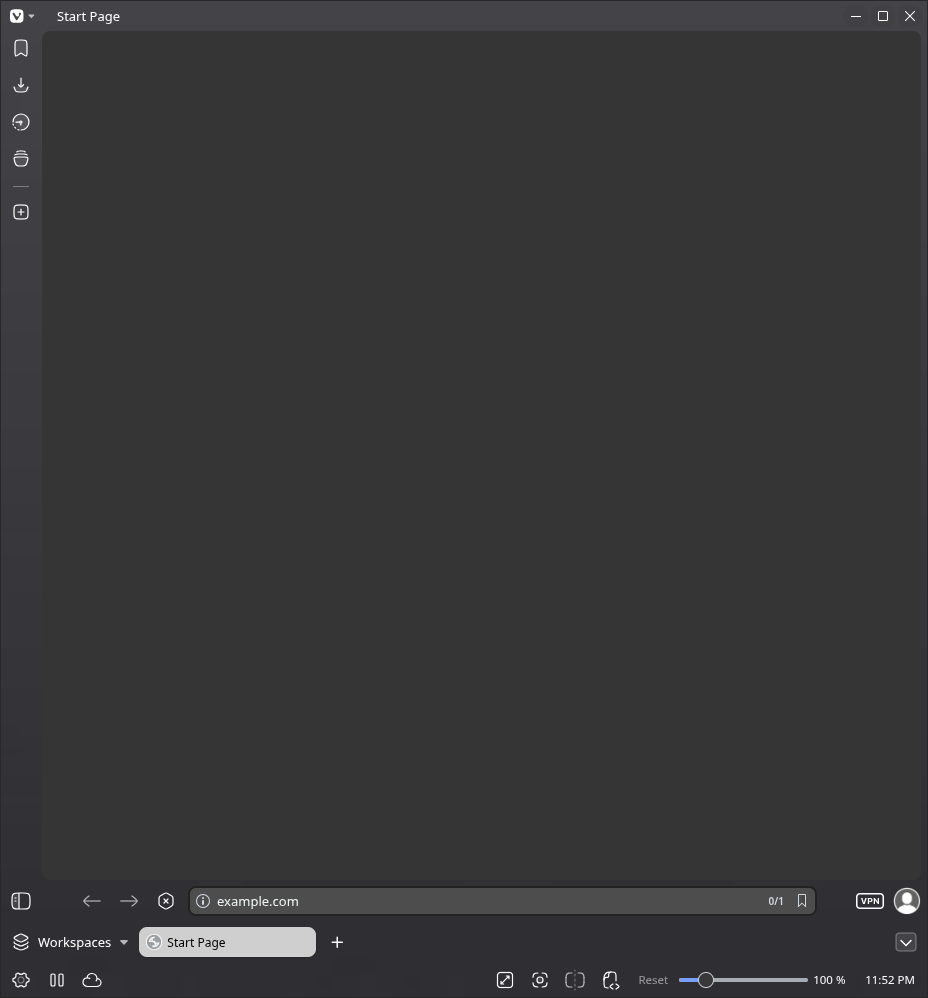
I have tried:
1. Disabling hardware acceleration
2. Changing DNS settings
3. Using the flag --ozone-platform=wayland --ozone-platform=x11 as suggested by the output
Some useful information:
1. This is a fresh vanilla installation, there are no extensions installed, and settings are unmodified.
2. I am using Niri as my WM, if that helps.
Last edited by Everything2067 (2026-06-21 19:39:29)
How it feels to run shred/wipe in a COW system
Offline
#2 2026-06-21 19:03:32
- seth
- Member

- From: Won't reply 2 private help req
- Registered: 2012-09-03
- Posts: 78,500
Re: [SOLVED] Vivaldi can't load any websites at all
All it can load is its internal websites (vivaldi://settings, etc) and local HTML files
Kinda yells network/firewall still…
Open a webpage and then the web inspector (ctrl+shift+i)
Elements is the DOM, Console is where errors might get printed and pressing F5 in Network will reload the page and should™ show some activity?
Using the flag --ozone-platform=wayland as suggested by the output
The output suggests to NOT do that because apparently vulkan doesn't work w/ wayland - but if it was a rendering issue, local pages would also be affected.
Does localhost:631 open the cups web interface (provided you've cups installed and running)
Offline
#3 2026-06-21 19:16:23
- Everything2067
- Member
- Registered: 2025-06-29
- Posts: 117
Re: [SOLVED] Vivaldi can't load any websites at all
All it can load is its internal websites (vivaldi://settings, etc) and local HTML files
Kinda yells network/firewall still…
Open a webpage and then the web inspector (ctrl+shift+i)
Elements is the DOM, Console is where errors might get printed and pressing F5 in Network will reload the page and should™ show some activity?
No activity at all. https://paste.rs/dMu8o.png
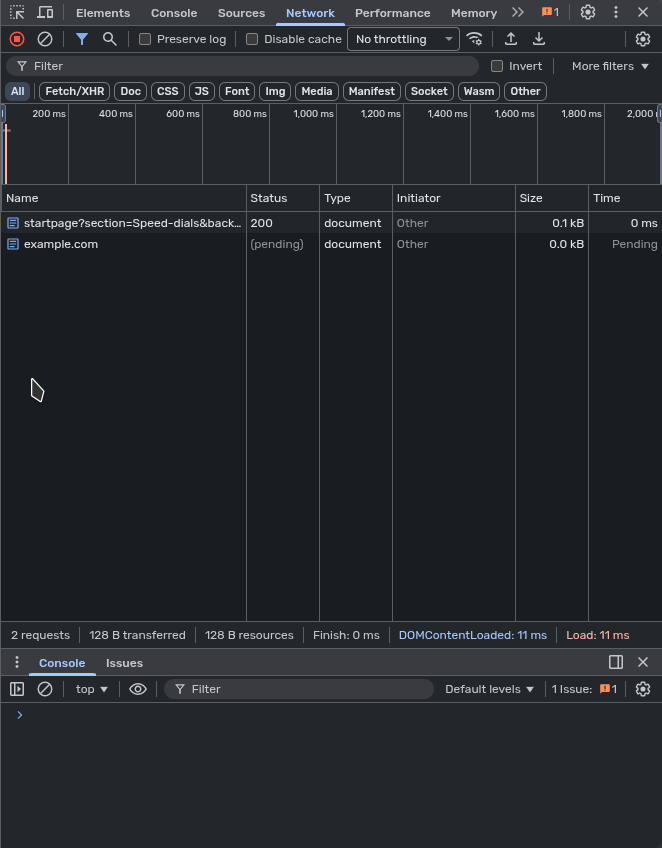
Using the flag --ozone-platform=wayland as suggested by the output
The output suggests to NOT do that because apparently vulkan doesn't work w/ wayland - but if it was a rendering issue, local pages would also be affected.
Sorry, meant to say --ozone-platform=x11. I'll edit this in my original post.
Does localhost:631 open the cups web interface (provided you've cups installed and running)
No, none of the web interfaces (CUPS, Syncthing) do not work.
How it feels to run shred/wipe in a COW system
Offline
#4 2026-06-21 19:20:31
- seth
- Member
- From: Won't reply 2 private help req
- Registered: 2012-09-03
- Posts: 78,500
Re: [SOLVED] Vivaldi can't load any websites at all
No, none of the web interfaces (CUPS, Syncthing) do not work.
The do in other browsers?
example.com is pending, same for local services?
Offline
#5 2026-06-21 19:22:25
- Everything2067
- Member
- Registered: 2025-06-29
- Posts: 117
Re: [SOLVED] Vivaldi can't load any websites at all
No, none of the web interfaces (CUPS, Syncthing) do not work.
The do in other browsers?
Yes.
example.com is pending, same for local services?
Yes.
How it feels to run shred/wipe in a COW system
Offline
#6 2026-06-21 19:28:40
- seth
- Member
- From: Won't reply 2 private help req
- Registered: 2012-09-03
- Posts: 78,500
Re: [SOLVED] Vivaldi can't load any websites at all
Does http://127.0.0.1:631 work?
This is either a problem w/ DNS (vivaldi has some config options to control that) or vivaldi is otherwise stuck in http requests - have you restarted it?
(Make sure there're no stale processes around after closing the window, in doubt kill them)
Offline
#7 2026-06-21 19:39:16
- Everything2067
- Member
- Registered: 2025-06-29
- Posts: 117
Re: [SOLVED] Vivaldi can't load any websites at all
Nevermind, a simple system reboot worked for some reason. Thanks for the help though.
How it feels to run shred/wipe in a COW system
Offline