You are not logged in.
- Topics: Active | Unanswered
#1 2026-07-28 09:11:17
- Amir_USBridge
- Member
- From: Spain
- Registered: 2026-07-28
- Posts: 4
- Website
[RELEASE] USBridge Remote - FOSS Remote Desktop with native Wayland
I was tired of the current state of Linux remote desktop clients—especially the constant permission popups and screen capture issues with modern Wayland compositors. To solve my own problems, I created USBridge Remote.
It's a unified client/agent architecture designed to combine software-based remote desktops and out-of-band hardware management (USBridge-KVM 2.0).
The Linux agent handles screen capture and input directly. Since screen capture occurs at the driver level, it prevents annoying permission prompts or manual confirmations every time a session is started.
Moonlight integration provides high resolution at a stable 240 FPS without noticeable lag. Encrypted P2P tunneling is natively integrated using Tailscale. It also features a shared clipboard (text, images, files), as well as multi-monitor support. The project is completely free and is currently in beta.
Architecture and downloads: https://github.com/USBridge-Technologie … dge-Remote
I need technical feedback. I would greatly appreciate your help and collaboration! Share your thoughts.
Screenshots:


Offline
#2 2026-08-31 19:16:35
- Amir_USBridge
- Member
- From: Spain
- Registered: 2026-07-28
- Posts: 4
- Website
Re: [RELEASE] USBridge Remote - FOSS Remote Desktop with native Wayland
I've restructured USBridge into three separate components: a client (a unified user interface), a software agent (the Wayland/Linux desktop host I mentioned above), and a hardware agent (out-of-band management).
I'm currently focusing on the firmware for the hardware agent (USBridge-KVM 2.0). The goal is to allow anyone to build a DIY hardware IP KVM using their own hardware.
You'll only need a supported single-board computer (I'm currently finishing up builds for the Radxa Zero 3W and Cube A7) and an inexpensive USB video capture adapter. The key here is that this hardware KVM integrates directly into the same USBridge-Remote client. You get access to layer 0 hardware alongside Wayland desktop sessions in a single interface. And also the full functionality of USBridge KVM 2.0 (low latency, data snapshots, BIOS-in-Terminal).
I was actually planning to post firmware images for self-installation today, but I spent the whole day struggling with Windows installation scripts. Links to the releases will be coming soon. Let me know if anyone is interested in testing the KVM connection on physical hardware.
Offline
#3 2026-09-02 09:49:09
- Amir_USBridge
- Member
- From: Spain
- Registered: 2026-07-28
- Posts: 4
- Website
Re: [RELEASE] USBridge Remote - FOSS Remote Desktop with native Wayland
Just a quick update: I've officially released the USBridge client on the Google Play Store.
https://play.google.com/store/apps/deta … dge.client
You can use this client to connect to the software agent or the hardware KVM agent that I mentioned in my previous post. I'm still finalizing the firmware releases for the DIY hardware builds, but the Android client is stable and ready to use.
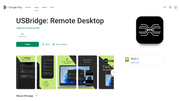
I would appreciate any feedback.
Offline
#4 2026-10-01 13:49:57
- Amir_USBridge
- Member
- From: Spain
- Registered: 2026-07-28
- Posts: 4
- Website
Re: [RELEASE] USBridge Remote - FOSS Remote Desktop with native Wayland
I have been actively working on improving core features, and this update introduces several important enhancements:
✅ Virtual display support: the agent can now create full-fledged virtual monitors on the host system (using VKMS on Linux, MttVDD on Windows, and CGVirtualDisplay on macOS). On Windows, the system also handles the lock screen correctly (prior to user login).
✅ Connection synchronization: connection syncing and session stability have been improved for cross-device usage.
✅ Built-in benchmark: I wanted to objectively measure performance without relying on marketing claims. I integrated a protocol benchmark directly into the native client. Selecting "Run benchmark" from the menu (gear icon) triggers a sequential test of the custom Rust-based engine and Sunshine (in 1080p60 mode), outputting results in JSON format and as PNG graphs showing frametime, network latency, RTT/jitter, and host CPU/GPU load. ( demo - https://youtu.be/BwHFgpfgcnk )
A brief overview of the technologies used:
Rust-based USBridge engine: written entirely from scratch (it is not a fork of Sunshine). Originally designed for low-performance single-board computers (SBCs) like the Raspberry Pi, it does not rely on FFmpeg and interacts directly with hardware APIs (NVENC, VAAPI, QSV, VideoToolbox, and even Allwinner boards that lack full Linux drivers).
Client and features: resizable window mode (similar to VirtualBox) utilizing native rendering (Metal on Mac, Vulkan on Linux, MediaCodec on Android). Full support for USB device and gamepad passthrough. Built-in Tailscale support for easy NAT traversal without the need for port forwarding. I’d be happy if you tested the new features and both engines on your Wi-Fi or Mesh networks, and then shared your results or feedback right here!
Mod note: Replaced oversized image with link
Last edited by schard (2026-10-03 11:01:41)
Offline