You are not logged in.
- Topics: Active | Unanswered
#1 2022-02-10 17:18:05
- rasat
- Forum Fellow

- From: Finland
- Registered: 2002-12-27
- Posts: 2,305
- Website
Xfce + Fvwm Extensions = perfect WM
I have opened this topic for the new myExt version 3. It is quite different from the previous one with the aim of being user-centered. Where the user can make changes and create his or her own. Hopefully, this removes the old image of Fvwm being difficult to configure. Also, it is easy to share user-made configs. And co-exist with other Fvwm based WMs and DEs.
Version 3.0.2 will be soon uploaded. Until then, take a look at the preview video.
https://youtu.be/Jw9I93JfIwo
Last edited by rasat (2022-04-21 20:21:22)
Markku
Offline
#2 2022-02-16 20:14:36
- rasat
- Forum Fellow
- From: Finland
- Registered: 2002-12-27
- Posts: 2,305
- Website
Re: Xfce + Fvwm Extensions = perfect WM
I have tested the current 55 extensions on NsCDE. A minor change from using on Fvwm3, they work fine. When I get time, planning to make one short video. Check the screenshot.
Markku
Offline
#3 2022-02-19 15:38:11
- rasat
- Forum Fellow
- From: Finland
- Registered: 2002-12-27
- Posts: 2,305
- Website
Re: Xfce + Fvwm Extensions = perfect WM
Here is some interesting news when speaking about tiling, that I want to share. Been searching for this for a long.
NsCDE does tiling nicely both vertically and horizontally.
FvwmRearrange -tile $0 -r -mn 3 -maximize 0 0 $[wa.width]p $[wa.height]p #vertical
FvwmRearrange -tile $0 -r -mn 2 -maximize 0 0 $[wa.width]p $[wa.height]p #horizontal
Could not find in NsCDE how does it restore all windows in their original position and size. Today, found the solution.
DestroyFunc DeTile
AddToFunc DeTile
+ I All (CurrentPage, !Iconic, CirculateHit, !Sticky) Maximize Off
+ I WindowId $0 WarpToWindow 50 50

This will become a great addon in myExt with one on/off button.
Last edited by rasat (2022-02-19 15:38:44)
Markku
Offline
#4 2022-04-19 15:49:56
- rasat
- Forum Fellow
- From: Finland
- Registered: 2002-12-27
- Posts: 2,305
- Website
Re: Xfce + Fvwm Extensions = perfect WM
I have changed the title of this thread to a new project that makes Fvwm interesting.
A perfect VM with the merge of Xfce and Fvwm. The former has an excellent application manager and the latter is the best window/virtual manager. Super light and with unlimited functionalities. Creating new configs as per need and choices and managing them with a graphical installer.
Xfce 4.16
Fvwm3 1.0.4 (also works well on Fvwm 2.6.8 )
Xfce panel 1 (taskbar), panel 2 (app icons), and whisker menu. Visible Fvwm extensions (left to right):
1. Fvwm OverView button of current windows.
2. Menu for system tasks and wallpapers.
3. Thin window title bar.
4. Window manager bar to resize, move, tiling, etc.
5. CurW/AllW - List of windows on current and all desk pages.
6. VM Desk - Virtual Window Manager 2x2 Pages.
7. Thumbnails of iconified windows (terminal and thunar).
8. 1x5 Miniature view of desktops.
9. Calendar, time, and date button.
Install:
Add this to .config/autostart/xfce-fvwm.desktop and load Xfce.
[Desktop Entry]
Exec=fvwm3 --replace
Exec=fvwm --replace
Download Xfce-FvwmEXT (ver. 1.2.1) package (one install and upgrade with Extention Installer):
https://sourceforge.net/projects/fvwm3- … ion/files/
GitHub: (ver. 1.2.1)
https://github.com/rasatpc/Xfce-FvwmEXT
Last edited by rasat (Yesterday 13:24:32)
Markku
Offline
#5 Yesterday 13:15:34
- rasat
- Forum Fellow
- From: Finland
- Registered: 2002-12-27
- Posts: 2,305
- Website
Re: Xfce + Fvwm Extensions = perfect WM
Users were asking about Xfce with Fvwm Extensions; time to wake it up.
This new upgrade (Xfce-FvwmEXT version 3.0.1) includes helpful Fvwm configs for the Desktop Environment. The configs (extensions) are few and integrate well with Xfce.
Screenshot: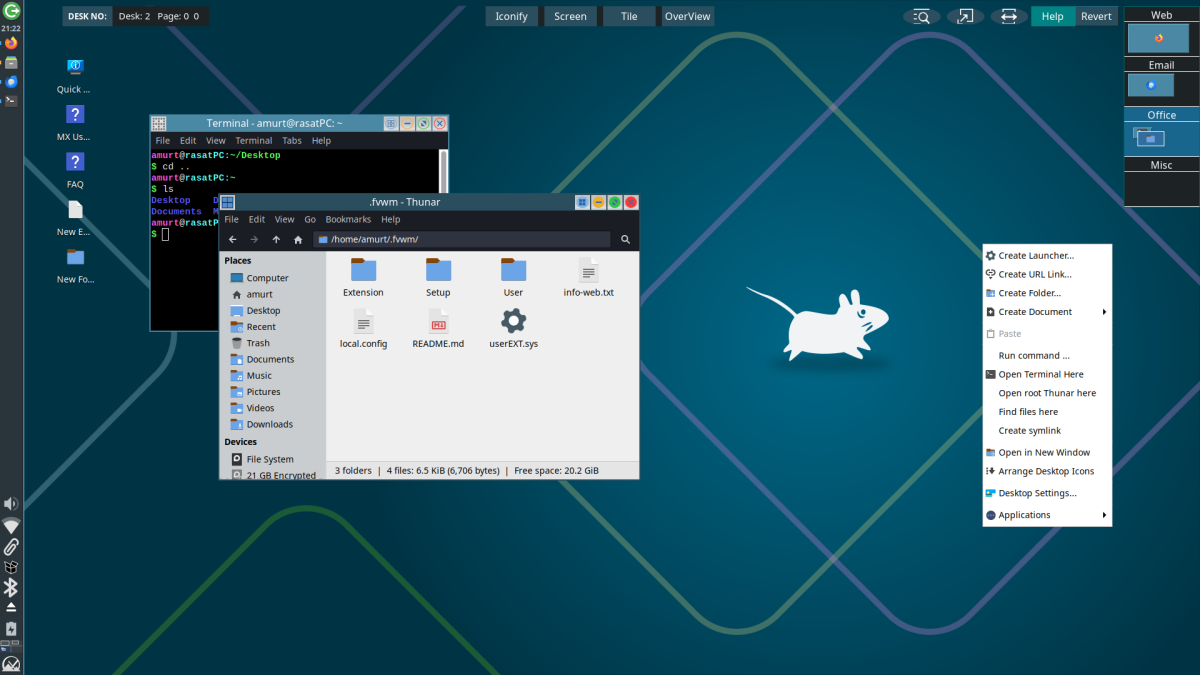
Transparent:
https://rasatpc.net/Xfce-FvwmEXT/xfce-f … parent.png
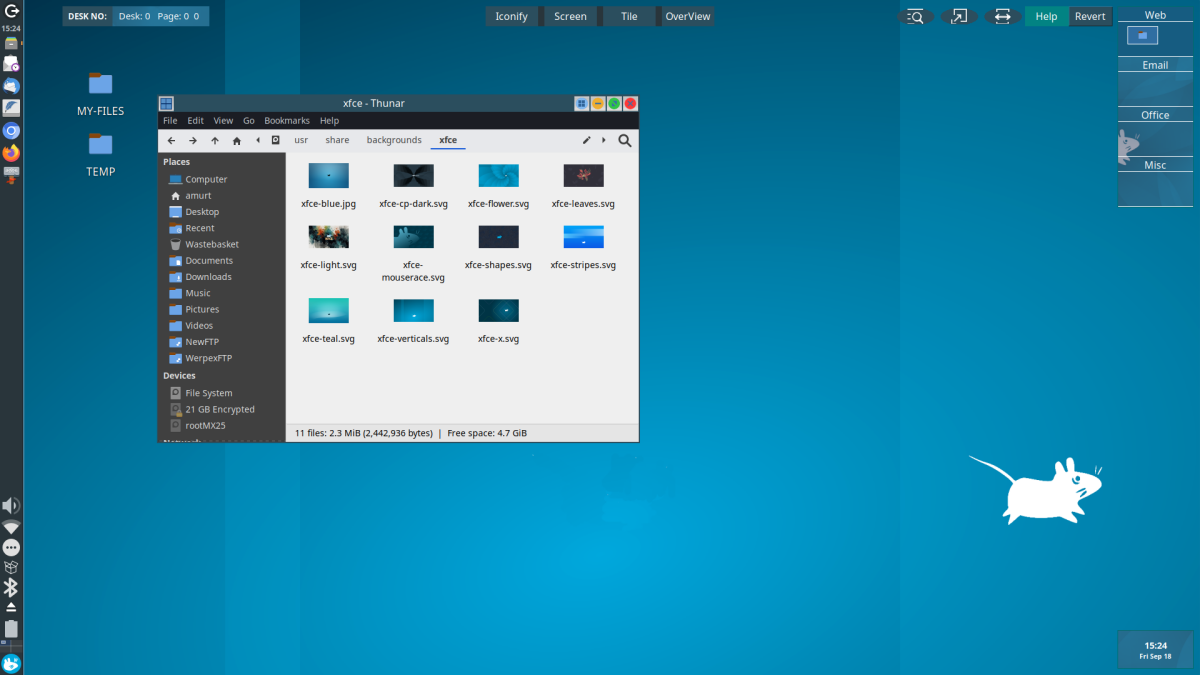
Main features:
* Iconified Thumbnails.
* Full-Screen Maximize.
* Fvwm OverView (overview of active windows).
* Tiling (automatically snaps windows into non-overlapping grids).
After extracting to ~/.fvwm, you only need to install three packages.
sudo pacman -Syu fvwm3 imagemagick xorg-xdpyinfo
More Information
https://www.xfce-look.org/p/1774061
Last edited by rasat (Yesterday 13:27:06)
Markku
Offline
#6 Today 10:35:25
- amlug
- Member
- Registered: 2026-03-09
- Posts: 8
Re: Xfce + Fvwm Extensions = perfect WM
Thanks @rasat for upgrading this combination.
What I really like about this combination of Xfce and Fvwm is that it brings together the strengths of both desktop and window management. For example, Fvwm does not support desktop icons and session management, whereas Xfce does not control window frames and layout and offers only minimal window management.
There is now a new version 3.1.1. It includes RootTransparency, a time/day button, and a wallpaper menu.
Offline