You are not logged in.
- Topics: Active | Unanswered
#1 2026-09-26 08:28:54
- Random-Penguin
- Member

- Registered: 2025-07-16
- Posts: 15
[SOLVED] Turn off all but one monitor when in linux console?
So I have a dual-monitor setup consisting of a 1440p main screen and a 1080p secondary screen to my right, and I get these really ugly borders on my main screen when I use the linux console.
I'm making an educated guess in that the console has to fit on all screens, so it chooses the smallest resolution and goes with that.
The problem is, I use ly-dm as a login manager and as you could probably infer, it really doesn't look good on my 1440p. Here's a quick graphic (exaggerated):
 __________
|      |   |
|      |   |
|------    |
|          |
 ----------
The smaller part is the actual rendered part, where ly (and the console) is. The bigger part is just black.
My question is thus as follows: Is there a way to turn off all but one monitor specifically in the linux console only? And if not, how can I make my 1440p screen 1080p only in the linux console?
Last edited by Random-Penguin (2026-09-26 13:37:28)
Offline
#2 2026-09-26 10:13:53
- seth
- Member

- From: Won't reply 2 private help req
- Registered: 2012-09-03
- Posts: 78,496
Re: [SOLVED] Turn off all but one monitor when in linux console?
Offline
#3 2026-09-26 13:36:19
- Random-Penguin
- Member
- Registered: 2025-07-16
- Posts: 15
Re: [SOLVED] Turn off all but one monitor when in linux console?
It took a few tries but I managed to get both of my ideas working with this; however, disabling a display affects it not only in the linux console but in a GUI too. Go figure.
In the end, and for future reference, I put this in my kernel command-line options to set my main monitor to 1080p in the linux console.
video=DP-1:1920x1080@60 video=HDMI-A-1:1920x1080@60This allows both monitors to stay on, while having all of the space taken up on both screens. It does look a bit blurry, but that's probably as good as it'll get anyways.
Thanks for the help!
Offline
#4 2026-09-26 13:39:49
- seth
- Member
- From: Won't reply 2 private help req
- Registered: 2012-09-03
- Posts: 78,496
Re: [SOLVED] Turn off all but one monitor when in linux console?
You can still (re) enable the output in the (most likely wayland) GUI using eg. wlr-randr or the compositors configuration.
Offline
#5 2026-09-26 13:42:26
- Random-Penguin
- Member
- Registered: 2025-07-16
- Posts: 15
Re: [SOLVED] Turn off all but one monitor when in linux console?
Oh, well that's good to know, I'll explore that a bit then. Thanks!
Offline
#6 2026-09-26 16:46:33
- Random-Penguin
- Member
- Registered: 2025-07-16
- Posts: 15
Re: [SOLVED] Turn off all but one monitor when in linux console?
You can still (re) enable the output in the (most likely wayland) GUI using eg. wlr-randr or the compositors configuration.
Unfortunately, neither the Hyprland configuration nor wrl-randr detect the monitor if I disable it in the kernel modesetting.
Last edited by Random-Penguin (2026-09-26 16:46:49)
Offline
#7 2026-09-26 18:38:34
- seth
- Member
- From: Won't reply 2 private help req
- Registered: 2012-09-03
- Posts: 78,496
Re: [SOLVED] Turn off all but one monitor when in linux console?
if I disable it in the kernel modesetting
What *exactly* are you currently doing to get there?
Under no circumstances use "nomodeset", that will just run the system on the simpledrm device (one monitor but also software emulation only)
Offline
#8 2026-09-26 21:19:38
- Random-Penguin
- Member
- Registered: 2025-07-16
- Posts: 15
Re: [SOLVED] Turn off all but one monitor when in linux console?
What *exactly* are you currently doing to get there?
I showed you what I did, I added the command-line options I stated before to the boot image (I use UKIs).
Under no circumstances use "nomodeset", that will just run the system on the simpledrm device (one monitor but also software emulation only)
I never used that at all, only video, rw and quiet.
Offline
#9 2026-09-26 21:27:52
- seth
- Member
- From: Won't reply 2 private help req
- Registered: 2012-09-03
- Posts: 78,496
Re: [SOLVED] Turn off all but one monitor when in linux console?
video=DP-1:1920x1080@60 video=HDMI-A-1:1920x1080@60
will not disable anything.
With "video=DP-1:d", what's the output of
for OUT in /sys/class/drm/card*; do echo $OUT; edid-decode $OUT/edid; echo "================="; doneYou'll need https://archlinux.org/packages/extra/x86_64/v4l-utils/
It might however be indeed possible that the output is still there and X11 can enable it but wayland can't 
Offline
#10 2026-09-27 10:43:02
- Random-Penguin
- Member
- Registered: 2025-07-16
- Posts: 15
Re: [SOLVED] Turn off all but one monitor when in linux console?
Oh, sorry, I thought you meant what I was using as a solution.
Here's the output of the shell command, however I disabled HDMI-A-1 instead since it's my secondary screen.
>>> for OUT in /sys/class/drm/card*; do echo $OUT; edid-decode $OUT/edid; echo "================="; done
/sys/class/drm/card1
/sys/class/drm/card1/edid: No such file or directory
=================
/sys/class/drm/card1-DP-1
edid-decode (hex):

00 ff ff ff ff ff ff 00 21 63 21 32 00 00 00 00
2d 22 01 04 b5 46 27 78 3b 43 11 ad 4f 44 a6 26
11 50 54 a5 4b 00 95 00 b3 00 01 01 01 01 01 01
01 01 01 01 01 01 6a 5e 00 a0 a0 a0 29 50 30 20
35 00 b9 88 21 00 00 1e 00 00 00 fd 00 30 aa ff
ff 46 01 0a 20 20 20 20 20 20 00 00 00 fc 00 47
33 32 32 31 53 43 00 0a 20 20 20 20 00 00 00 ff
00 30 30 30 30 30 30 30 30 30 30 30 30 31 02 04

02 03 2c f4 48 90 04 03 01 12 3f 13 1f 23 09 07
07 83 01 00 00 68 1a 00 00 01 01 30 aa 00 e6 06
07 01 60 50 00 e3 05 e3 01 e2 00 7f f9 bd 00 a0
a0 a0 32 50 20 40 35 00 b9 88 21 00 00 1e 98 e2
00 a0 a0 a0 29 50 30 20 35 00 b9 88 21 00 00 1e
00 00 00 00 00 00 00 00 00 00 00 00 00 00 00 00
00 00 00 00 00 00 00 00 00 00 00 00 00 00 00 00
00 00 00 00 00 00 00 00 00 00 00 00 00 00 00 86

70 12 79 00 00 03 01 14 58 0b 01 04 ff 09 9f 00
2f 80 1f 00 9f 05 28 00 02 00 09 00 00 00 00 00
00 00 00 00 00 00 00 00 00 00 00 00 00 00 00 00
00 00 00 00 00 00 00 00 00 00 00 00 00 00 00 00
00 00 00 00 00 00 00 00 00 00 00 00 00 00 00 00
00 00 00 00 00 00 00 00 00 00 00 00 00 00 00 00
00 00 00 00 00 00 00 00 00 00 00 00 00 00 00 00
00 00 00 00 00 00 00 00 00 00 00 00 00 00 a9 90

----------------

Block 0, Base EDID:
  EDID Structure Version & Revision: 1.4
  Vendor & Product Identification:
    Manufacturer: HKC
    Model: 12833
    Made in: week 45 of 2024
  Basic Display Parameters & Features:
    Digital display
    Bits per primary color channel: 10
    DisplayPort interface
    Maximum image size: 70 cm x 39 cm
    Gamma: 2.20
    DPMS levels: Off
    Supported color formats: RGB 4:4:4, YCrCb 4:4:4, YCrCb 4:2:2
    First detailed timing includes the native pixel format and preferred refresh rate
    Display supports continuous frequencies
  Color Characteristics:
    Red  : 0.6767, 0.3085
    Green: 0.2656, 0.6513
    Blue : 0.1484, 0.0673
    White: 0.3125, 0.3291
  Established Timings I & II:
    IBM     :   720x400    70.081663 Hz   9:5     31.467 kHz     28.320000 MHz
    DMT 0x04:   640x480    59.940476 Hz   4:3     31.469 kHz     25.175000 MHz
    DMT 0x06:   640x480    75.000000 Hz   4:3     37.500 kHz     31.500000 MHz
    DMT 0x09:   800x600    60.316541 Hz   4:3     37.879 kHz     40.000000 MHz
    DMT 0x0b:   800x600    75.000000 Hz   4:3     46.875 kHz     49.500000 MHz
    DMT 0x10:  1024x768    60.003840 Hz   4:3     48.363 kHz     65.000000 MHz
    DMT 0x12:  1024x768    75.028582 Hz   4:3     60.023 kHz     78.750000 MHz
    DMT 0x24:  1280x1024   75.024675 Hz   5:4     79.976 kHz    135.000000 MHz
  Standard Timings:
    DMT 0x2f:  1440x900    59.887445 Hz  16:10    55.935 kHz    106.500000 MHz
    DMT 0x3a:  1680x1050   59.954250 Hz  16:10    65.290 kHz    146.250000 MHz
  Detailed Timing Descriptors:
    DTD 1:  2560x1440   60.000199 Hz  16:9     88.860 kHz    241.700000 MHz (697 mm x 392 mm)
                 Hfront   48 Hsync  32 Hback   80 Hpol P
                 Vfront    3 Vsync   5 Vback   33 Vpol P
    Display Range Limits:
      Monitor ranges (Range Limits Only): 48-170 Hz V, 255-255 kHz H, max dotclock 700 MHz
    Display Product Name: 'G3221SC'
    Display Product Serial Number: '0000000000001'
  Extension blocks: 2
Checksum: 0x04

----------------

Block 1, CTA-861 Extension Block:
  Revision: 3
  Underscans IT Video Formats by default
  Basic audio support
  Supports YCbCr 4:4:4
  Supports YCbCr 4:2:2
  Native detailed modes: 4
  Video Data Block:
    VIC  16:  1920x1080   60.000000 Hz  16:9     67.500 kHz    148.500000 MHz (native)
    VIC   4:  1280x720    60.000000 Hz  16:9     45.000 kHz     74.250000 MHz
    VIC   3:   720x480    59.940060 Hz  16:9     31.469 kHz     27.000000 MHz
    VIC   1:   640x480    59.940476 Hz   4:3     31.469 kHz     25.175000 MHz
    VIC  18:   720x576    50.000000 Hz  16:9     31.250 kHz     27.000000 MHz
    VIC  63:  1920x1080  120.000000 Hz  16:9    135.000 kHz    297.000000 MHz
    VIC  19:  1280x720    50.000000 Hz  16:9     37.500 kHz     74.250000 MHz
    VIC  31:  1920x1080   50.000000 Hz  16:9     56.250 kHz    148.500000 MHz
  Audio Data Block:
    Linear PCM:
      Max channels: 2
      Supported sample rates (kHz): 48 44.1 32
      Supported sample sizes (bits): 24 20 16
  Speaker Allocation Data Block:
    FL/FR - Front Left/Right
  Vendor-Specific Data Block (AMD), OUI 00-00-1A:
    Version: 1
    Feature Caps: 0x01
    Minimum Refresh Rate: 48 Hz
    Maximum Refresh Rate: 170 Hz
    Flags 1.x: 0x00
  HDR Static Metadata Data Block:
    Electro optical transfer functions:
      Traditional gamma - SDR luminance range
      Traditional gamma - HDR luminance range
      SMPTE ST2084
    Supported static metadata descriptors:
      Static metadata type 1
    Desired content max luminance: 96 (400.000 cd/m^2)
    Desired content max frame-average luminance: 80 (282.843 cd/m^2)
    Desired content min luminance: 0 (0.000 cd/m^2)
  Colorimetry Data Block:
    xvYCC601
    xvYCC709
    BT2020cYCC
    BT2020YCC
    BT2020RGB
    Gamut Boundary Description Metadata Profile P0
  Video Capability Data Block:
    YCbCr quantization: No Data
    RGB quantization: Selectable (via AVI Q)
    PT scan behavior: Supports both over- and underscan
    IT scan behavior: Supports both over- and underscan
    CE scan behavior: Supports both over- and underscan
  Detailed Timing Descriptors:
    DTD 2:  2560x1440  119.998520 Hz  16:9    178.798 kHz    486.330000 MHz (697 mm x 392 mm)
                 Hfront   32 Hsync  64 Hback   64 Hpol P
                 Vfront    3 Vsync   5 Vback   42 Vpol P
    DTD 3:  2560x1440  144.000477 Hz  16:9    213.265 kHz    580.080000 MHz (697 mm x 392 mm)
                 Hfront   48 Hsync  32 Hback   80 Hpol P
                 Vfront    3 Vsync   5 Vback   33 Vpol P
Checksum: 0x86  Unused space in Extension Block: 47 bytes

----------------

Block 2, DisplayID Extension Block:
  Version: 1.2
  Extension Count: 0
  Display Product Type: Extension Section
  Video Timing Modes Type 1 - Detailed Timings Data Block:
    DTD:  2560x1440  169.899611 Hz  16:9    251.621 kHz    684.410000 MHz (aspect 16:9, no 3D stereo)
               Hfront   48 Hsync  32 Hback   80 Hpol P
               Vfront    3 Vsync  10 Vback   28 Vpol N
  Checksum: 0xa9
Checksum: 0x90
=================
/sys/class/drm/card1-DP-2
EDID of '/sys/class/drm/card1-DP-2/edid' was empty.
=================
/sys/class/drm/card1-DP-3
EDID of '/sys/class/drm/card1-DP-3/edid' was empty.
=================
/sys/class/drm/card1-HDMI-A-1
EDID of '/sys/class/drm/card1-HDMI-A-1/edid' was empty.
=================
/sys/class/drm/card1-Writeback-1
EDID of '/sys/class/drm/card1-Writeback-1/edid' was empty.
=================
Offline
#11 2026-09-27 11:26:17
- seth
- Member
- From: Won't reply 2 private help req
- Registered: 2012-09-03
- Posts: 78,496
Re: [SOLVED] Turn off all but one monitor when in linux console?
So the HDMI output doesn't register at all - indeed no solution (as it won't be picked up even by X11)
ooc you could check whether thee DP output behaves the same.
Offline
#12 2026-09-27 13:50:47
- Random-Penguin
- Member
- Registered: 2025-07-16
- Posts: 15
Re: [SOLVED] Turn off all but one monitor when in linux console?
Yeah, same thing. Unfortunate, but not much I can do there.
Thanks for the troubleshooting though 
Offline
#13 2026-09-27 17:44:21
- topcat01
- Member

- Registered: 2019-09-17
- Posts: 349
Re: [SOLVED] Turn off all but one monitor when in linux console?
I was also curious about this and found a reddit post where the OP describes a way they got it to work, FWIW. See force-monitors.sh.
Offline
#14 2026-09-27 18:33:13
- Random-Penguin
- Member
- Registered: 2025-07-16
- Posts: 15
Re: [SOLVED] Turn off all but one monitor when in linux console?
Interesting, but I'm confused on what my_edid.bin is, how they got it and where it is. Could be a viable way however.
Offline
#15 2026-09-27 18:48:16
- seth
- Member
- From: Won't reply 2 private help req
- Registered: 2012-09-03
- Posts: 78,496
Re: [SOLVED] Turn off all but one monitor when in linux console?
You can just copy it from /sys/class/drm/card1-HDMI-A-1/edid when booting w/o disabling the output.
Offline
#16 2026-09-27 18:56:27
- Random-Penguin
- Member
- Registered: 2025-07-16
- Posts: 15
Re: [SOLVED] Turn off all but one monitor when in linux console?
... why didn't i think of that
Offline
#17 2026-09-27 19:57:11
- Random-Penguin
- Member
- Registered: 2025-07-16
- Posts: 15
Re: [SOLVED] Turn off all but one monitor when in linux console?
Issue, when putting the relevant commands in ly's setup.sh, I'm getting permission errors on those three lines specifically, making it unable to write data to /sys/kernel/debug. Is there a way to correct that?
Offline
#18 2026-09-27 20:11:33
- seth
- Member
- From: Won't reply 2 private help req
- Registered: 2012-09-03
- Posts: 78,496
Re: [SOLVED] Turn off all but one monitor when in linux console?
As what user does the setup.sh run?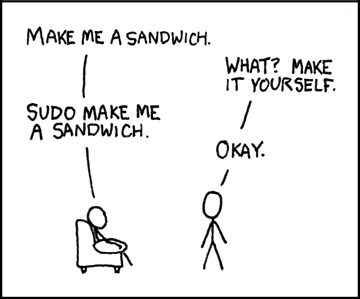
Offline
#19 2026-09-27 20:15:14
- Random-Penguin
- Member
- Registered: 2025-07-16
- Posts: 15
Re: [SOLVED] Turn off all but one monitor when in linux console?
Nice xkcd.
I'm unsure about that one, I thought it would be root because setup.sh would run regardless of user.
Offline
#20 2026-09-27 20:25:25
- Random-Penguin
- Member
- Registered: 2025-07-16
- Posts: 15
Re: [SOLVED] Turn off all but one monitor when in linux console?
We're in business! sudo did work (xkcd is always right lol), and the display correctly got initialised!
Thanks again for the help!
Offline
#21 2026-09-27 20:26:16
- seth
- Member
- From: Won't reply 2 private help req
- Registered: 2012-09-03
- Posts: 78,496
Re: [SOLVED] Turn off all but one monitor when in linux console?
Edit: well, F5ck
Make it log
whoamibut https://codeberg.org/fairyglade/ly/src/ … s/setup.sh looks like it sets up the session as user.
nb. "sudo echo edid/your_edid.bin > /sys/module/drm/parameters/edid_firmware" will not work (what you will understand when thinking about what requires privileges and what gets sudo'd)
Last edited by seth (2026-09-27 20:26:44)
Offline
#22 2026-09-27 20:29:59
- Random-Penguin
- Member
- Registered: 2025-07-16
- Posts: 15
Re: [SOLVED] Turn off all but one monitor when in linux console?
nb. "sudo echo edid/your_edid.bin > /sys/module/drm/parameters/edid_firmware" will not work (what you will understand when thinking about what requires privileges and what gets sudo'd)
Yeah, I used echo <file> | sudo tee <debug drm path> and that made it work
Also I checked and yeah, it runs zsh, which is my user shell, so it must be running as my user.
Offline
#23 2026-09-27 20:34:40
- Random-Penguin
- Member
- Registered: 2025-07-16
- Posts: 15
Re: [SOLVED] Turn off all but one monitor when in linux console?
Summary
To set my main monitor to 1080p in the linux console, I put this in my kernel command-line options:
video=DP-1:1920x1080@60 video=HDMI-A-1:1920x1080@60To set my main monitor to 1440p and turn off my secondary monitor in the linux console, I put this in my kernel command-line options:
video=DP-1:2560x1920@144 video=HDMI-A-1:dI put this in an executable file named /usr/local/bin/display-on.sh:
cat /usr/local/share/drm/HDMI-A-1_edid | tee /sys/kernel/debug/dri/1/HDMI-A-1/edid_override
echo on | tee /sys/kernel/debug/dri/0000\:03\:00.0/HDMI-A-1/force
echo 1 | tee /sys/kernel/debug/dri/0000\:03\:00.0/HDMI-A-1/trigger_hotplug
Note: to get the custom edid file, I did this command as root while the screen is on:
cat /sys/class/drm/card1-HDMI-A-1/edid | tee /usr/local/share/drm/HDMI-A-1_edidI made an entry in /etc/sudoers:
%wheel ALL=(ALL:ALL) NOPASSWD: /usr/local/bin/display-on.shI put this in my Ly setup.sh:
sudo /usr/local/bin/display-on.shAnd I put this in my Hyprland config:
hl.on("hyprland.start", function ()
    hl.exec_cmd("wlr-randr --output HDMI-A-1 --on")
end)
Not sure if sudo is recommended, but that works for me.
(edited)
Last edited by Random-Penguin (2026-09-27 21:41:11)
Offline
#24 2026-09-27 20:41:34
- topcat01
- Member
- Registered: 2019-09-17
- Posts: 349
Re: [SOLVED] Turn off all but one monitor when in linux console?
Great! I don't use ly myself, so wondering when you enter the password for sudo.
Offline
#25 2026-09-27 21:05:39
- seth
- Member
- From: Won't reply 2 private help req
- Registered: 2012-09-03
- Posts: 78,496
Re: [SOLVED] Turn off all but one monitor when in linux console?
I'd probably collect that in a script and allow that in sudoers rather than entering the passwords (twice) or just sudo everything or even just leave the sudo shell verified…
Offline