You are not logged in.
- Topics: Active | Unanswered
#376 2008-09-20 03:12:07
- Jessehk
- Member

- From: Toronto, Ontario, Canada
- Registered: 2007-01-16
- Posts: 152
Re: September 2008 Screenshots
My first time deviating from the usual Gnome or KDE. This is Openbox and PyPanel (both of which I actually quite like).

Last edited by Jessehk (2008-09-20 03:12:45)
Offline
#377 2008-09-20 03:42:14
- fwojciec
- Member

- Registered: 2007-05-20
- Posts: 1,411
Re: September 2008 Screenshots

GTK theme is modified royalty
OB theme is modified carbon
Wallpaper
Offline
#378 2008-09-20 05:27:06
- Mr Green
- Forum Fellow

- From: U.K.
- Registered: 2003-12-21
- Posts: 5,932
- Website
Re: September 2008 Screenshots
My first time deviating from the usual Gnome or KDE. This is Openbox and PyPanel (both of which I actually quite like).
http://img232.imageshack.us/img232/7245/scjp6.th.jpghttp://img232.imageshack.us/images/thpix.gif
Wow thats cool... makes me wish I could run Openbox again :-)
Mr Green
Offline
#379 2008-09-20 07:04:08
- TjPhysicist
- Member
- From: Waterloo, Canada
- Registered: 2008-04-12
- Posts: 126
- Website
Re: September 2008 Screenshots
Here is my new screenie...it's pretty plain, but it took me a while to get it to work the way i want.
Thanks to everone here who helped me get my wm to work exactly the way i want it to...you know who you are, thanks a lot guys.

I am using dwm. I love it so far...well, i do NOW, since i got it to work fully. I use feh for wallpaper and images and gnome-apps for terminal and filebrowsing. (yes i know i am a horrible person, someday i shall move completely away from gnome...someday).
I recently re-installed but I everything is mostly the same, except i took this chance to clean up some stuff i dont use (like wmii, awesome, gnome...all gone).
I have gnome-terminal Running in the back, with a custom script that plays videos according to any pattern i give it (title, episode number etc) -- uses mplayer of course, its just a bash script. Someday i shall write a hep python script that uses gtk....
Last edited by TjPhysicist (2008-09-20 07:09:44)
-Tj
Now reborn as Tjh_ (to keep it similar to my username in other places)
Offline
#380 2008-09-20 07:27:57
- droog
- Member

- Registered: 2004-11-18
- Posts: 877
Re: September 2008 Screenshots
Here is my new screenie
Someday i shall write a hep python script that uses gtk....
nice and love lucky star. If you havent seen pymp you should check it out its a nice small pygtk frontend for mplayer, im pretty sure its in aur.
Offline
#381 2008-09-20 08:42:25
- distortion
- Member
- Registered: 2007-11-08
- Posts: 45
Re: September 2008 Screenshots
http://www.loka.pl/outgoing/desktop_september-thumb.png
GTK theme is modified royalty
OB theme is modified carbon
Wallpaper
Sweet themes, mind sharing? 
Offline
#382 2008-09-20 09:48:43
- TjPhysicist
- Member
- From: Waterloo, Canada
- Registered: 2008-04-12
- Posts: 126
- Website
Re: September 2008 Screenshots
TjPhysicist wrote:Here is my new screenie
Someday i shall write a hep python script that uses gtk....nice and love lucky star. If you havent seen pymp you should check it out its a nice small pygtk frontend for mplayer, im pretty sure its in aur.
Nice, din know there was one. Altho i rarely ever use mplayer GUI front end. As you can see anime's and tv shows are seen thru my liittle Play script, and anything all the videos i watch are either symlinked or in thato one video's folder. Ii will download pymp tho, if only cuz it sounds supiciously like pimp. I wanted to at some point combine my Play script by writing a gtk wrapper for it....i use to ddo that in windows (wrap shell scripts using VB as a front end). I am currently learning python....any suggestions on where to learn it from?
also anyone know why the thumb did not actually come on the thread as a thumb but just the text of the url? and also how do i make the [img]tags in my sig appear as images and not just [img]...[/img].
-Tj
-Tj
Now reborn as Tjh_ (to keep it similar to my username in other places)
Offline
#383 2008-09-20 10:04:31
- Arkane
- Member

- From: Switzerland
- Registered: 2008-02-18
- Posts: 263
Re: September 2008 Screenshots
Yet another variation on the same theme:


(Openbox, Conky, netwmpager, ROX.)
Last edited by Arkane (2008-09-20 16:34:12)
What does not kill you will hurt a lot.
Offline
#384 2008-09-20 11:08:10
- Michael W
- Member
- From: Minneapolis, MN
- Registered: 2008-02-26
- Posts: 2
Re: September 2008 Screenshots


urxvt
thunar
xchat
pypanel
Offline
#385 2008-09-20 16:20:39
- dmz
- Member

- From: Sweden
- Registered: 2008-08-27
- Posts: 881
- Website
Re: September 2008 Screenshots

Offline
#386 2008-09-20 16:37:46
- MarCustomized
- Member

- From: Detroit, MI
- Registered: 2008-09-05
- Posts: 116
Re: September 2008 Screenshots


Offline
#387 2008-09-20 17:01:07
- fwojciec
- Member
- Registered: 2007-05-20
- Posts: 1,411
Re: September 2008 Screenshots
Sweet themes, mind sharing?
Not at all:
modified royaltyGTK theme (original theme by lyrae)
modified carbon OB theme (original theme by gabehcuod)
Last edited by fwojciec (2008-09-23 20:00:20)
Offline
#388 2008-09-20 17:35:54
- kernel_script
- Member

- Registered: 2008-08-30
- Posts: 44
Re: September 2008 Screenshots
@Arkane
Nice Desktop
[Off-Topic]
Please, what Anime is that in the video?
[/Off-Topic]
My Blog - http://openmindlifestyle.wordpress.com/
Offline
#389 2008-09-20 18:22:48
- haxit
- Member

- From: /home/haxit
- Registered: 2008-03-04
- Posts: 1,247
- Website
Re: September 2008 Screenshots

Archi686 User | Old Screenshots | Old .Configs
Vi veri universum vivus vici.
Offline
#390 2008-09-20 18:56:35
- rine
- Member

- From: Germany
- Registered: 2008-03-04
- Posts: 217
Re: September 2008 Screenshots
@Arkane
Nice Desktop
[Off-Topic]
Please, what Anime is that in the video?
[/Off-Topic]
I think it's .hack//SIGN
http://www.tv.com/-hack-sign/show/16327/summary.html
edit: you can even see it in the console titles
Last edited by rine (2008-09-20 19:00:24)
Offline
#391 2008-09-20 19:29:04
- Jayem
- Member
- From: Glasgow, Scotland
- Registered: 2008-09-10
- Posts: 21
Re: September 2008 Screenshots
Here is my first ever Arch Linux desktop!
Clean:

Dirty:

I'm very pleased with Arch Linux so far. I can now just 'use' the system. 
Offline
#392 2008-09-20 20:32:05
- Arkane
- Member
- From: Switzerland
- Registered: 2008-02-18
- Posts: 263
Re: September 2008 Screenshots
Really? To me, the whole point of Arch is that I can always find something to do with it besides using it productively.
I mean, whats's so fun with getting work done?
Nice Desktop
[Off-Topic]
Please, what Anime is that in the video?
[/Off-Topic]
Thanks  .
.
rine's right, it's .hack//SIGN. You should definitely watch it if you've got free time.
Last edited by Arkane (2008-09-20 20:32:50)
What does not kill you will hurt a lot.
Offline
#393 2008-09-20 20:32:17
- buttons
- Member

- From: NJ, USA
- Registered: 2007-08-04
- Posts: 620
Re: September 2008 Screenshots


xmonad
Cthulhu For President!
Offline
#394 2008-09-20 22:20:02
- kernel_script
- Member
- Registered: 2008-08-30
- Posts: 44
Re: September 2008 Screenshots
@Arkane
Thank you very much
My Blog - http://openmindlifestyle.wordpress.com/
Offline
#395 2008-09-20 22:33:12
- Cosay
- Member

- From: United States
- Registered: 2008-08-12
- Posts: 82
- Website
Re: September 2008 Screenshots


This is a screenshot of my attempt to use Xfwm4 as a window manager while installing as little of Xfce4 as possible. I initially only installed Xfwm4 and Xfce-mcs-manager, but I couldn't set a wallpaper so I had to install Xfdesktop, which requires Thunar. And since I was installing Thunar, I also installed the Tango icons. EDIT: I also added the Xfce Panel.
This setup is very light and fits me well. I generally use the command line to manage my files but I will give Thunar a chance to win me over.
By the way, today I completed my first install of Arch using LVM2. I thought going in that it was going to be difficult but the Arch Wiki page made it easy.
.
Last edited by Cosay (2008-09-26 18:18:44)
Offline
#396 2008-09-20 22:34:22
- voteforpedro36
- Member
- Registered: 2008-08-06
- Posts: 99
Re: September 2008 Screenshots
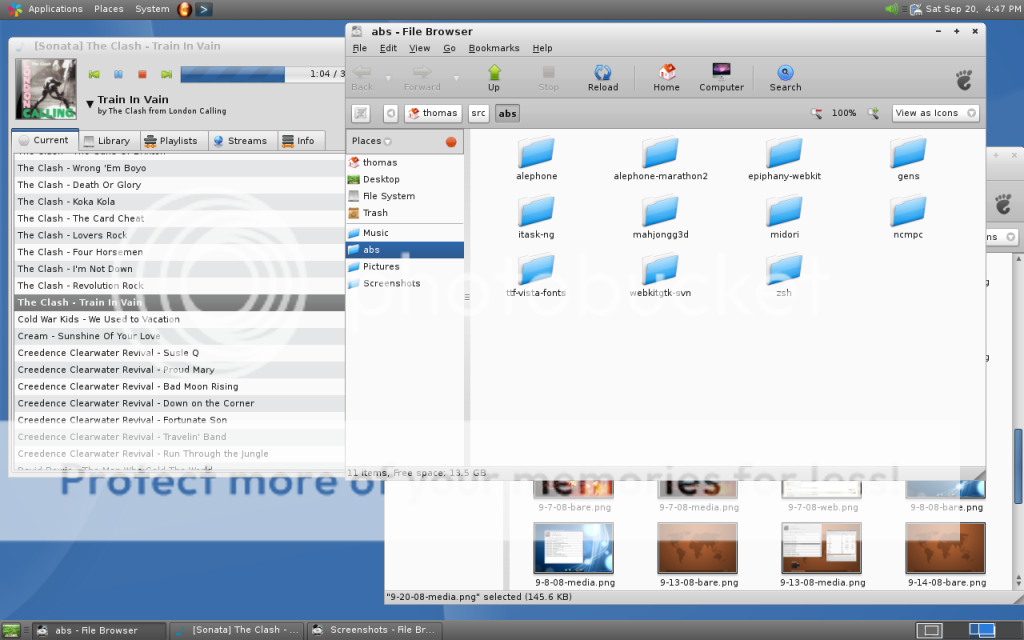
GNOME for the first time in a while.
Offline
#397 2008-09-20 22:55:07
- sen
- Member

- From: .de
- Registered: 2007-02-18
- Posts: 153
- Website
Re: September 2008 Screenshots
After a long time some new content from me.

GTK: Mira
@TjPhysicist
Lucky Star ftw 
Last edited by sen (2008-09-20 22:56:49)
deviantART | GitHub | Last.fm
Offline
#398 2008-09-21 02:44:28
- dmz
- Member
- From: Sweden
- Registered: 2008-08-27
- Posts: 881
- Website
Re: September 2008 Screenshots
http://farm4.static.flickr.com/3052/287 … 61d808.jpg
Flickr PageThis is a screenshot of my attempt to use Xfwm4 as a window manager while installing as little of Xfce4 as possible. I initially only installed Xfwm4 and Xfce-mcs-manager, but I couldn't set a wallpaper so I had to install Xfdesktop, which requires Thunar. And since I was installing Thunar, I also installed the Tango icons.
This setup is very light and fits me well. I generally use the command line to manage my files but I will give Thunar a chance to win me over.
By the way, today I completed my first install of Arch using LVM2. I thought going in that it was going to be difficult but the Arch Wiki page made it easy.

You can set the wallpaper using feh?
Offline
#399 2008-09-21 02:59:09
- openBrandon
- Member
- Registered: 2008-07-24
- Posts: 33
Re: September 2008 Screenshots
http://openbrandon.deviantart.com/art/A … 8-98526098
Gtk: Dyne by Thrynk
OB: Dyne (include with openbox)
PyPanel, Sonata, Mpd, volwheel, Pidgin, Sakura, Firefox
.pypanelrc
#------------------------------------------------------------------------------
#
#                         PyPanel v2.4 Configuration
#
# This configuration file is a Python script that will be executed when
# PyPanel is started.  In order for PyPanel to start properly, make sure that
# this file contains proper Python formatting and no syntax errors.
#------------------------------------------------------------------------------
VERSION         = 2.4           # Config file version

#------------------------------------------------------------------------------
# Colors: Format is hex triplet - 0xrrggbb
#------------------------------------------------------------------------------
BG_COLOR        = "0x333333" # Panel background and tinting color
TASK_COLOR      = "0xffffff"    # Normal task name color
FOCUSED_COLOR   = "0xffffff"    # Focused task name color
SHADED_COLOR    = "0xffffff"    # Shaded task name color
MINIMIZED_COLOR = "0x808080"    # Minimized task name color
DESKTOP_COLOR   = "0x3399cc"    # Desktop name color
CLOCK_COLOR     = "0xffffff"    # Clock text color
LINE_COLOR      = "0x606060"    # Vertical line color

# Text Shadow Colors
TASK_SHADOW_COLOR      = "0xffffff"
FOCUSED_SHADOW_COLOR   = "0xffffff"
SHADED_SHADOW_COLOR    = "0xffffff"
MINIMIZED_SHADOW_COLOR = "0xffffff"
DESKTOP_SHADOW_COLOR   = "0xffffff"
CLOCK_SHADOW_COLOR     = "0xffffff"

#------------------------------------------------------------------------------
# Panel Spacing and Location Options: Measured in pixels
#------------------------------------------------------------------------------
P_LOCATION      = 1             # Panel placement: 0 = top, 1 = bottom
P_WIDTH         = 0             # Panel width: 0 = Use full screen width
P_START         = 0             # Starting X coordinate of the panel
P_SPACER        = 6             # Spacing between panel objects
P_HEIGHT        = 14            # Panel height

#------------------------------------------------------------------------------
# Icon Size Options: Measured in pixels
#------------------------------------------------------------------------------
I_HEIGHT        = 0            # Panel application icon height
I_WIDTH         = 0            # Panel application icon Width
APPL_I_HEIGHT   = 24            # Application launcher icon height
APPL_I_WIDTH    = 24            # Application launcher icon width
TRAY_I_HEIGHT   = 24            # System tray icon height (usually 16 or 24)
TRAY_I_WIDTH    = 24            # System tray icon width  (usually 16 or 24)
                                # If TRAY_I_WIDTH is set to 0, then the
                                # width specified by the tray app will be used

#------------------------------------------------------------------------------
# Panel Clock Format: 'man strftime' for detailed formatting options and help
#------------------------------------------------------------------------------
CLOCK_FORMAT    = " %I:%M %p"    # Ex: 2004-09-25 17:45

#------------------------------------------------------------------------------
# Clock Delay: Seconds between each clock update during periods of inactivity
#------------------------------------------------------------------------------
CLOCK_DELAY     = 20

#------------------------------------------------------------------------------
# Hidden Application List: Apps listed here will not be display on the panel
# The application name is its WM_CLASS name, use 'xprop' to find WM_CLASS
# Ex: ["xmms", "xine", "gDesklets"]
#------------------------------------------------------------------------------
HIDE_LIST       = []

#------------------------------------------------------------------------------
# Hidden Panel Size: Size of the panel when it's hidden/minimized
#------------------------------------------------------------------------------
HIDDEN_SIZE     = 2

#------------------------------------------------------------------------------
# Panel Text Font: This option takes either a traditional or Xft font string
# Ex: "-schumacher-clean-medium-r-normal-*-12-*-*-*-*-*-*-*"
#     "aquafont-8"
#------------------------------------------------------------------------------
FONT            = "bitstream vera sans-7"

#------------------------------------------------------------------------------
# Show All Applications: Show apps from all desktops or just the current
# 0: Disabled - Only applications on the current desktop will be displayed
# 1: Enabled  - Selected apps are moved to the current desktop
# 2: Enabled  - Current desktop is changed to the selected apps desktop
#------------------------------------------------------------------------------
SHOWALL         = 0             # 0, 1 or 2 - see descriptions above

#------------------------------------------------------------------------------
# Show Minimized/Iconified Applications: Show only minimized apps or all apps
# 0: Disabled - Show all applications on the panel
# 1: Enabled  - Show only minimized apps on the panel
#------------------------------------------------------------------------------
SHOWMINIMIZED   = 0

#------------------------------------------------------------------------------
# Application Icon List: List of custom icons for specific applications
# The application name is its WM_CLASS name, use 'xprop' to find WM_CLASS
#
# The "default" entry is used for applications with no icon.  If left "",
# PyPanel will use the default icon distributed with the source.
#
# Add entries using the following format -
#     "<application name>" : "<full path to icon>",
#------------------------------------------------------------------------------
ICON_LIST       = {
                   "default" : "",
                   "example" : "/usr/share/imlib2/data/images/audio.png",
                  }

#------------------------------------------------------------------------------
# Application Launch List: Ordered list of icons and applications for the
#                          application launcher.
#
# Add entries using the following format -
#     ("<executable>", "<full path to icon>")
#------------------------------------------------------------------------------
LAUNCH_LIST     = [
                   ("gimp-2.2", "/usr/share/imlib2/data/images/paper.png"),
                  ]

#------------------------------------------------------------------------------
# Background Alpha/Shade Level: 0 (Fully Translucent) -> 255 (Fully Opaque)
# BG_COLOR is used for tinting
#------------------------------------------------------------------------------
SHADE           = 255

#------------------------------------------------------------------------------
# Misc. Options: 1 = Enabled/Yes, 0 = Disabled/No
#------------------------------------------------------------------------------
ABOVE           = 1             # Panel is always above other apps
APPICONS        = 1             # Show application icons
AUTOHIDE        = 0             # Autohide uses the CLOCK_DELAY timer above
SHADOWS         = 0             # Show text shadows
SHOWLINES       = 0             # Show object seperation lines
SHOWBORDER      = 0             # Show a border around the panel

#------------------------------------------------------------------------------
# Desktop Names: Configure the names of your desktops
# If the option is [], PyPanel will attempt to use the desktop name specified
# by the XServer, if that fails it will use the desktop number as its name
# Ex. ["One", "Two", "Three", "Four", "Five", "Six", "Seven", "Eight"]
#------------------------------------------------------------------------------
DESKTOP_NAMES   = []

#------------------------------------------------------------------------------
# Panel Layout:       -----------------------------------
#                     [  1  ][  2  ][  3  ][  4  ][  5  ]
#                     -----------------------------------
#
# The panel layout is split into 5 sections numbered 1, 2, 3, 4 or 5 as shown
# in the diagram above.  Each of the following objects can be enabled by
# assigning it a section number or disabled by assigning it 0:
#------------------------------------------------------------------------------
DESKTOP         = 0             # Desktop name section
TASKS           = 2             # Task names section
TRAY            = 3             # System tray section
CLOCK           = 4             # Clock section
LAUNCHER        = 0             # Application launcher section

#------------------------------------------------------------------------------
#                       Button Event Function Definitions
#------------------------------------------------------------------------------
# Left click   - button 1
# Middle click - button 2
# Right click  - button 3
# Wheel up     - button 4
# Wheel down   - button 5
#
# changeDesktop(x)
# - Change Desktop: Increase or decrease the current desktop by 'x' amount
#
# toggleShade(task)
# - Shade or Unshade an application
#
# toggleHidden()
# - Minimize the panel to the top or bottom depending on its start location
#
# toggleMinimize(task, traise=1)
# - Minimize or Unminimize an application and optionally raise it
#
# taskRaise(task, focus=1)
# - Raise an application to the top of the window list and optionally focus it
#
# taskLower(task, focus=0)
# - Lower an app to the bottom of the window list and optionally focus it
#
# taskFocus(task)
# - Give focus to the selected application, if it has focus then minimize it
#
# showDesktop()
# - Toggle between hiding and unhiding ALL applications
#------------------------------------------------------------------------------

#----------------------------------
def desktopButtonEvent(pp, button):
#----------------------------------
    """ Button event handler for the panel's desktop object """

    if button == 1:
        pp.changeDesktop(-1)
    elif button == 2:
        pp.changeDesktop(2)
    elif button == 3:
        pp.changeDesktop(1)
    elif button == 4:
        pp.changeDesktop(1)
    elif button == 5:
        pp.changeDesktop(-1)

#--------------------------------
def clockButtonEvent(pp, button):
#--------------------------------
    """ Button event handler for the panel's clock object """

    if button == 1:
        os.system("xclock &")
    elif button == 2:
        pass
    elif button == 3:
        pp.toggleHidden()
    elif button == 4:
        pp.showDesktop()
    elif button == 5:
        pp.showDesktop()

#--------------------------------
def panelButtonEvent(pp, button):
#--------------------------------
    """ Button event handler for the panel with no active tasks """

    if button == 1:
        pass
    elif button == 2:
        pass
    elif button == 3:
        pass
    elif button == 4:
        pass
    elif button == 5:
        pass

#-------------------------------------
def taskButtonEvent(pp, button, task):
#-------------------------------------
    """ Button event handler for the panel's tasks """

    if button == 1:
        pp.taskFocus(task)
    elif button == 2:
        # Destroy the application
        task.obj.destroy()
    elif button == 3:
        # Ex. - XMMS doesn't shade, so we want to minimize it instead and
        #       still use button 3 to shade other applications
        #       task.tclass is the tasks class name (WM_CLASS)
        if "xmms" in task.tclass:
            pp.toggleMinimize(task)
        else:
            pp.toggleShade(task)
    elif button == 4:
        pp.taskRaise(task, focus=1)
    elif button == 5:
        pp.taskLower(task, focus=0)
.conkyrc
#avoid flicker
double_buffer yes

#own window to run simultanious 2 or more conkys
own_window yes
own_window_transparent no
own_window_type normal
own_window_hints undecorate,sticky,skip_taskbar,skip_pager

#borders
draw_borders no
border_margin 1

#shades
draw_shades no

#position
gap_x 0
gap_y 0
alignment top_center

#behaviour
update_interval 1

#colour
default_color  ffffff

#default_shade_color 0000003d352a
own_window_colour 333333

#font
use_xft yes
xftfont Bitstream Vera Sans:pixelsize=10

TEXT
${alignc}${color}Kernel: ${color }$kernel  |  ${color} Up: ${color }${font}${uptime_short}${color} |  ${color}Processes: ${color }$processes  ${color}Running: ${color }$running_processes |  ${color}Mem: ${color }$memperc%  |  ${color}Root: ${color }${font}${fs_free /}  / ${fs_size /}  |  ${color}Home: ${color }${fs_free /home}  / ${fs_size /home}  |  ${color}IP: ${color }${addr eth0}  |  ${color}Down: ${color }${downspeedf eth0}k/s  -  ${color}Up: ${color }${upspeedf eth0}k/s  |   ${color}Artist: ${color }$mpd_artist  ${color}Title : ${color }${mpd_title 30}
Last edited by openBrandon (2008-09-21 12:53:59)
Offline
#400 2008-09-21 03:29:05
- dav7
- Member
- From: Australia
- Registered: 2008-02-08
- Posts: 674
Re: September 2008 Screenshots
Arkane, what font is that in your terminals?
-dav7
Windows was made for looking at success from a distance through a wall of oversimplicity. Linux removes the wall, so you can just walk up to success and make it your own.
--
Reinventing the wheel is fun. You get to redefine pi.
Offline