You are not logged in.
- Topics: Active | Unanswered
Pages: 1
#1 2024-02-14 17:27:50
- addictum
- Member
- Registered: 2024-02-14
- Posts: 6
[Solved]Extra line in terminal
Hi , Im getting this weird extra line of text : ~/Production/myforms above graphical version from starship toml config. It all happened after I installed zsh (my default shell)and three plugins and starship , now using Tabby over zsh or smthing I dont understant. Im pretty newbee.


Last edited by addictum (2024-02-15 19:37:32)
Offline
#2 2024-02-14 18:23:37
- dogknowsnx
- Guest
Re: [Solved]Extra line in terminal
Hi, and welcome to the forums!
EDIT: I skipped the crucial part(?)...
What's the output of
pwd?
Maybe post your '.zshrc' and 'starship.toml' as well...
EDIT#2: Re-reading your post it still doesn't make sense to me - my initial post was:
---
Try
...
add_newline = false
...
See: https://starship.rs/config/
---
Last edited by dogknowsnx (2024-02-14 19:05:17)
#3 2024-02-14 18:46:51
- Manix
- Member

- Registered: 2021-04-17
- Posts: 81
Re: [Solved]Extra line in terminal
check if there is no carriage return in your starship configuration. \n
I don't love rosbeef
Offline
#4 2024-02-14 19:10:22
- addictum
- Member
- Registered: 2024-02-14
- Posts: 6
Re: [Solved]Extra line in terminal
Hi, and welcome to the forums!
EDIT: I overread the crucial part...
What's the output of
pwd?
Maybe post your '.zshrc' and 'starship.toml' as well...EDIT#2: Re-reading your post it still doesn't make sense to me - my initial post was:
---
Try
...
add_newline = false
...
See: https://starship.rs/config/
---
What mean is repeated fraze above graphical one in this example it is ~/.zsh , check pic with highlighted problem.
I'll post all other files tomorrow as little one is sleeping, can't go to the bedroom.
Thank you for helping

Last edited by addictum (2024-02-14 19:12:43)
Offline
#5 2024-02-14 21:03:31
- seth
- Member

- From: Won't reply 2 private help req
- Registered: 2012-09-03
- Posts: 78,423
Re: [Solved]Extra line in terminal
OP seems to object to the $PWD being printed before the fancy line - this is gonna be one of the PS* or pre* functions and probably a bug in starship or their config.
echo $PS1
echo $PS2
echo $PS3
echo $PS4
type -f preexec
type -f precmdOnline
#6 2024-02-15 08:30:27
- addictum
- Member
- Registered: 2024-02-14
- Posts: 6
Re: [Solved]Extra line in terminal
OP seems to object to the $PWD being printed before the fancy line - this is gonna be one of the PS* or pre* functions and probably a bug in starship or their config.
echo $PS1
echo $PS2
echo $PS3
echo $PS4
type -f preexec
type -f precmd
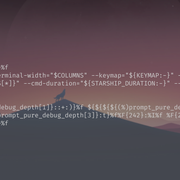
I had this problem before installing starship. It all happened when installed zsh on root and user.

Last edited by addictum (2024-02-15 08:32:58)
Offline
#7 2024-02-15 08:37:49
- dogknowsnx
- Guest
Re: [Solved]Extra line in terminal
Please refrain from posting basically the same pictures over and over again - rather post the requested output, thanks
https://bbs.archlinux.org/viewtopic.php?id=57855
@seth will take it from here...
Last edited by dogknowsnx (2024-02-15 09:14:57)
#8 2024-02-15 09:02:57
- seth
- Member
- From: Won't reply 2 private help req
- Registered: 2012-09-03
- Posts: 78,423
Re: [Solved]Extra line in terminal
The second screenshot actually shows the command output, but please
* run each command by itself to separate the output
* post the text, not an image thereof
That being said, the PS1 seems to reflect the display "…(%~%f\n%}…" so inspect your zshrc and starship config itr.
Online
#9 2024-02-15 12:34:16
- addictum
- Member
- Registered: 2024-02-14
- Posts: 6
Re: [Solved]Extra line in terminal
I dont see anythnig suscpicious.
My .zshrc file
HISTFILE=~/.histfile
HISTSIZE=2000
SAVEHIST=1000
# End of lines configured by zsh-newuser-install
# The following lines were added by compinstall
zstyle :compinstall filename '/home/addictum/.zshrc'
autoload -Uz compinit
compinit
# End of lines added by compinstall

# Plugins

# syntax-highlighting

source ~/.zsh/zsh-syntax-highlighting/zsh-syntax-highlighting.zsh

# autosuggestions
source ~/.zsh/zsh-autosuggestions/zsh-autosuggestions.zsh

# Themes

fpath+=($HOME/.zsh/pure)

# Prompt

autoload -Uz promptinit && promptinit
prompt pure

# Starship

eval "$(starship init zsh)"
starship.toml
"$schema" = '[url]https://starship.rs/config-schema.json[/url]'
format = """
[](color_orange)\
$os\
$username\
[](bg:color_yellow fg:color_orange)\
$directory\
[](fg:color_yellow bg:color_aqua)\
$git_branch\
$git_status\
[](fg:color_aqua bg:color_blue)\
$c\
$rust\
$golang\
$nodejs\
$php\
$java\
$kotlin\
$haskell\
$python\
[](fg:color_blue bg:color_bg3)\
$docker_context\
[](fg:color_bg3 bg:color_bg1)\
$time\
[ ](fg:color_bg1)\
$line_break$character"""
palette = 'gruvbox_dark'
[palettes.gruvbox_dark]
color_fg0 = '#fbf1c7'
color_bg1 = '#3c3836'
color_bg3 = '#665c54'
color_blue = '#458588'
color_aqua = '#689d6a'
color_green = '#98971a'
color_orange = '#d65d0e'
color_purple = '#b16286'
color_red = '#cc241d'
color_yellow = '#d79921'
[os]
disabled = false
style = "bg:color_orange fg:color_fg0"
[os.symbols]
Windows = "?"
Ubuntu = "?"
SUSE = ""
Raspbian = "?"
Mint = "?"
Macos = "?"
Manjaro = ""
Linux = "?"
Gentoo = "?"
Fedora = "?"
Alpine = ""
Amazon = ""
Android = ""
Arch = "?"
Artix = "?"
CentOS = ""
Debian = "?"
Redhat = "?"
RedHatEnterprise = "?"
[username]
show_always = true
style_user = "bg:color_orange fg:color_fg0"
style_root = "bg:color_orange fg:color_fg0"
format = '[ $user ]($style)'
[directory]
style = "fg:color_fg0 bg:color_yellow"
format = "[ $path ]($style)"
truncation_length = 3
truncation_symbol = "…/"
[directory.substitutions]
"Documents" = "? "
"Downloads" = " "
"Music" = "? "
"Pictures" = " "
"Developer" = "? "
[git_branch]
symbol = ""
style = "bg:color_aqua"
format = '[[ $symbol $branch ](fg:color_fg0 bg:color_aqua)]($style)'
[git_status]
style = "bg:color_aqua"
format = '[[($all_status$ahead_behind )](fg:color_fg0 bg:color_aqua)]($style)'
[nodejs]
symbol = ""
style = "bg:color_blue"
format = '[[ $symbol( $version) ](fg:color_fg0 bg:color_blue)]($style)'
[c]
symbol = " "
style = "bg:color_blue"
format = '[[ $symbol( $version) ](fg:color_fg0 bg:color_blue)]($style)'
[rust]
symbol = ""
style = "bg:color_blue"
format = '[[ $symbol( $version) ](fg:color_fg0 bg:color_blue)]($style)'
[golang]
symbol = ""
style = "bg:color_blue"
format = '[[ $symbol( $version) ](fg:color_fg0 bg:color_blue)]($style)'
[php]
symbol = ""
style = "bg:color_blue"
format = '[[ $symbol( $version) ](fg:color_fg0 bg:color_blue)]($style)'
[java]
symbol = " "
style = "bg:color_blue"
format = '[[ $symbol( $version) ](fg:color_fg0 bg:color_blue)]($style)'
[kotlin]
symbol = ""
style = "bg:color_blue"
format = '[[ $symbol( $version) ](fg:color_fg0 bg:color_blue)]($style)'
[haskell]
symbol = ""
style = "bg:color_blue"
format = '[[ $symbol( $version) ](fg:color_fg0 bg:color_blue)]($style)'
[python]
symbol = ""
style = "bg:color_blue"
format = '[[ $symbol( $version) ](fg:color_fg0 bg:color_blue)]($style)'
[docker_context]
symbol = ""
style = "bg:color_bg3"
format = '[[ $symbol( $context) ](fg:#83a598 bg:color_bg3)]($style)'
[time]
disabled = false
time_format = "%R"
style = "bg:color_bg1"
format = '[[ $time ](fg:color_fg0 bg:color_bg1)]($style)'
[line_break]
disabled = false
[character]
disabled = false
success_symbol = '[](bold fg:color_green)'
error_symbol = '[](bold fg:color_red)'
vimcmd_symbol = '[](bold fg:color_green)'
vimcmd_replace_one_symbol = '[](bold fg:color_purple)'
vimcmd_replace_symbol = '[](bold fg:color_purple)'
vimcmd_visual_symbol = '[](bold fg:color_yellow)'I have aswell .zshrc~ and .zshr that cointains code
❯ ls -a
.              .bashrc    .histfile  Pictures    Videos       .zcompdump
..             .cache     .local     .pki        .viminfo     .zsh
AUR            .config    Music      Production  .vscode      .zshr
.bash_history  Desktop    .npm       Public      .vscode-oss  .zshrc
.bash_logout   Documents  .nv        Templates   .wget-hsts   .zshrc~
.bash_profile  Downloads  .nvm       .var        yay          zsh-syntax-highlighting
.zshrc~ , but only pasted uncommented lines
# Path to your oh-my-zsh installation.
ZSH=/usr/share/oh-my-zsh/
ZSH_THEME="robbyrussell"
plugins=(git)

ZSH_CACHE_DIR=$HOME/.cache/oh-my-zsh
if [[ ! -d $ZSH_CACHE_DIR ]]; then
  mkdir $ZSH_CACHE_DIR
fi

source $ZSH/oh-my-zsh.sh
Thank you @2ManyDogs for letting me know. Cheers
Last edited by addictum (2024-02-15 13:24:48)
Offline
#10 2024-02-15 13:07:46
- 2ManyDogs
- Forum Fellow
- Registered: 2012-01-15
- Posts: 4,648
Re: [Solved]Extra line in terminal
Please edit your post and use [ code ] tags (not quote tags) when posting output. This makes the output easier to read and provides a scroll box for long output.
https://wiki.archlinux.org/title/Genera … s_and_code
https://bbs.archlinux.org/help.php#bbcode
Offline
#11 2024-02-15 14:12:45
- seth
- Member
- From: Won't reply 2 private help req
- Registered: 2012-09-03
- Posts: 78,423
Re: [Solved]Extra line in terminal
Do you still have OMZ installed?
Do you have an /etc/zshrc (and what does it look like)
What if you don't source syntax-highlighting and autocompletion and
==> what is $HOME/.zsh/pure and should it not be "prompt starship pure"?
Is this desireable / required along starship at all?
Online
#12 2024-02-15 14:54:02
- addictum
- Member
- Registered: 2024-02-14
- Posts: 6
Re: [Solved]Extra line in terminal
Do you still have OMZ installed?
Do you have an /etc/zshrc (and what does it look like)
I dont have OMZ I think, never tried and I dont want it.
Couldnt find /etc/zshrc , just zsh.
What if you don't source syntax-highlighting and autocompletion and
==> what is $HOME/.zsh/pure and should it not be "prompt starship pure"?
Is this desireable / required along starship at all?
I installed highlighting and autocomp + pure manually in root so it does work there and as a user. If I comment out code for syntax-highlighting and autocomp - it doesnt work after that.
I'm Sorry to many questions I guess Im a totally linux newb and all. Thank you anyway.
root in /etc
❯ cd $HOME/.zsh/pure
root@ArchLinux ~/.zsh/pure main
root in pure on main is ? v1.22.0 via v21.6.1
❯ ls -a
. async.zsh .github prompt_pure_setup screenshot.png
.. .editorconfig license pure.plugin.zsh screenshot-title-cmd.png
arch .git .npmrc pure.zsh
async .gitattributes package.json readme.mdOffline
#13 2024-02-15 15:02:22
- seth
- Member
- From: Won't reply 2 private help req
- Registered: 2012-09-03
- Posts: 78,423
Re: [Solved]Extra line in terminal
Yes, sorry /etc/zsh/zshrc - does it exist?
You do have OMZ reference in your older/backup zshrc~?
syntax-highlighting and autocomp not working after commenting that is expected, the only question is the impact on the spurious PWD line.
Try
HISTFILE=~/.histfile
HISTSIZE=2000
SAVEHIST=1000
# End of lines configured by zsh-newuser-install
# The following lines were added by compinstall
zstyle :compinstall filename '/home/addictum/.zshrc'
autoload -Uz compinit
compinit
# End of lines added by compinstall

# Plugins

# syntax-highlighting

source ~/.zsh/zsh-syntax-highlighting/zsh-syntax-highlighting.zsh

# autosuggestions
source ~/.zsh/zsh-autosuggestions/zsh-autosuggestions.zsh

# Themes

# fpath+=($HOME/.zsh/pure)

# Prompt

# autoload -Uz promptinit && promptinit
# prompt pure

# Starship

eval "$(starship init zsh)" Online
#14 2024-02-15 15:38:57
- addictum
- Member
- Registered: 2024-02-14
- Posts: 6
Re: [Solved]Extra line in terminal
Fantastic job seth
Its working.
Thank you
/etc/zsh/zshrc doesn't exitst , but does it matter ?
Yes, sorry /etc/zsh/zshrc - does it exist?
You do have OMZ reference in your older/backup zshrc~?
syntax-highlighting and autocomp not working after commenting that is expected, the only question is the impact on the spurious PWD line.Try
HISTFILE=~/.histfile
HISTSIZE=2000
SAVEHIST=1000
# End of lines configured by zsh-newuser-install
# The following lines were added by compinstall
zstyle :compinstall filename '/home/addictum/.zshrc'
autoload -Uz compinit
compinit
# End of lines added by compinstall

# Plugins

# syntax-highlighting

source ~/.zsh/zsh-syntax-highlighting/zsh-syntax-highlighting.zsh

# autosuggestions
source ~/.zsh/zsh-autosuggestions/zsh-autosuggestions.zsh

# Themes

# fpath+=($HOME/.zsh/pure)

# Prompt

# autoload -Uz promptinit && promptinit
# prompt pure

# Starship

eval "$(starship init zsh)"
Last edited by addictum (2024-02-15 15:45:01)
Offline
#15 2024-02-15 19:45:47
- seth
- Member
- From: Won't reply 2 private help req
- Registered: 2012-09-03
- Posts: 78,423
Re: [Solved]Extra line in terminal
/etc/zsh/zshrc doesn't exitst , but does it matter ?
No, that's normal - I was just looking at stuff that might go wrong here.
Online
Pages: 1