You are not logged in.
- Topics: Active | Unanswered
Pages: 1
#1 2024-12-28 15:23:33
- tugoese
- Member
- Registered: 2023-10-15
- Posts: 63
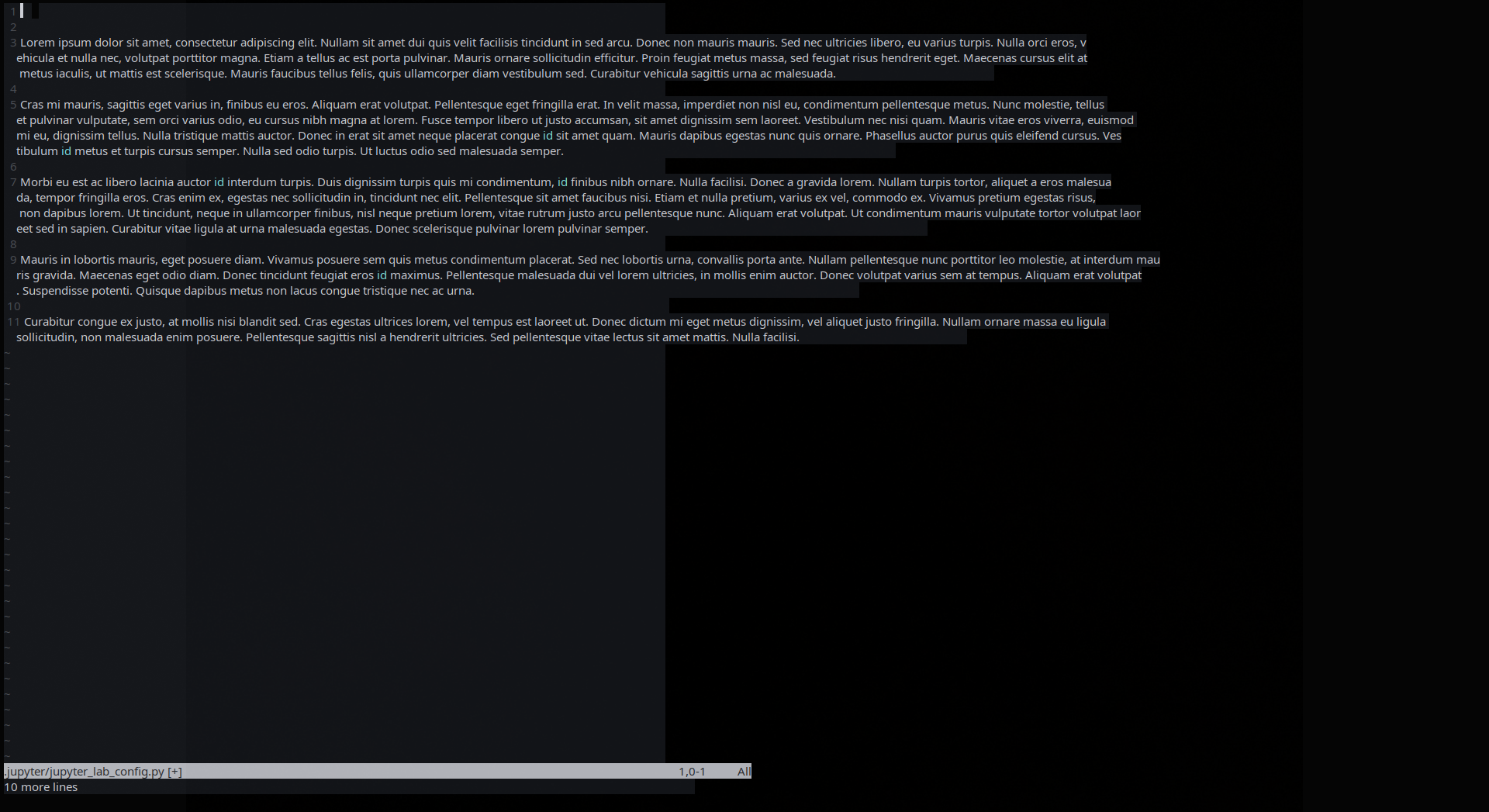
[SOLVED] UI: Terminal weird effects

Offline
#2 2024-12-28 16:21:16
- WorMzy
- Administrator

- From: Scotland
- Registered: 2010-06-16
- Posts: 13,653
- Website
Re: [SOLVED] UI: Terminal weird effects
Mod note: not a pacman issue, moving to NC.
Sakura:-
Mobo: MSI MAG X570S TORPEDO MAX // Processor: AMD Ryzen 9 5950X @4.9GHz // GFX: AMD Radeon RX 5700 XT // RAM: 32GB (4x 8GB) Corsair DDR4 (@ 3000MHz) // Storage: 1x 3TB HDD, 6x 1TB SSD, 2x 120GB SSD, 1x 275GB M2 SSD
Making lemonade from lemons since 2015.
Offline
#3 2024-12-28 20:45:35
- seth
- Member

- From: Won't reply 2 private help req
- Registered: 2012-09-03
- Posts: 77,842
Re: [SOLVED] UI: Terminal weird effects
You're using a variable width font, which generally does not properly work w/ column oriented terminals.
(You'll either maintain a fixed width and get stretched out text with weird spacing or variable width text that breaks the column layout of the termina)
=> use some monospace font.
Offline
#4 2024-12-31 04:20:25
- tugoese
- Member
- Registered: 2023-10-15
- Posts: 63
Re: [SOLVED] UI: Terminal weird effects
use some monospace font.
Already did it & still not working
Offline
#5 2024-12-31 08:33:55
- seth
- Member
- From: Won't reply 2 private help req
- Registered: 2012-09-03
- Posts: 77,842
Re: [SOLVED] UI: Terminal weird effects
Please don't paraphrase, https://bbs.archlinux.org/viewtopic.php?id=57855
Link an updated screenshot, but if it looks similar, you're not using a monospace font.
https://github.com/lxqt/qterminal/issues/1139 - not sure whether there's a legit bug.
Also
fc-match monospaceOffline
#6 2024-12-31 13:18:28
- tugoese
- Member
- Registered: 2023-10-15
- Posts: 63
Re: [SOLVED] UI: Terminal weird effects
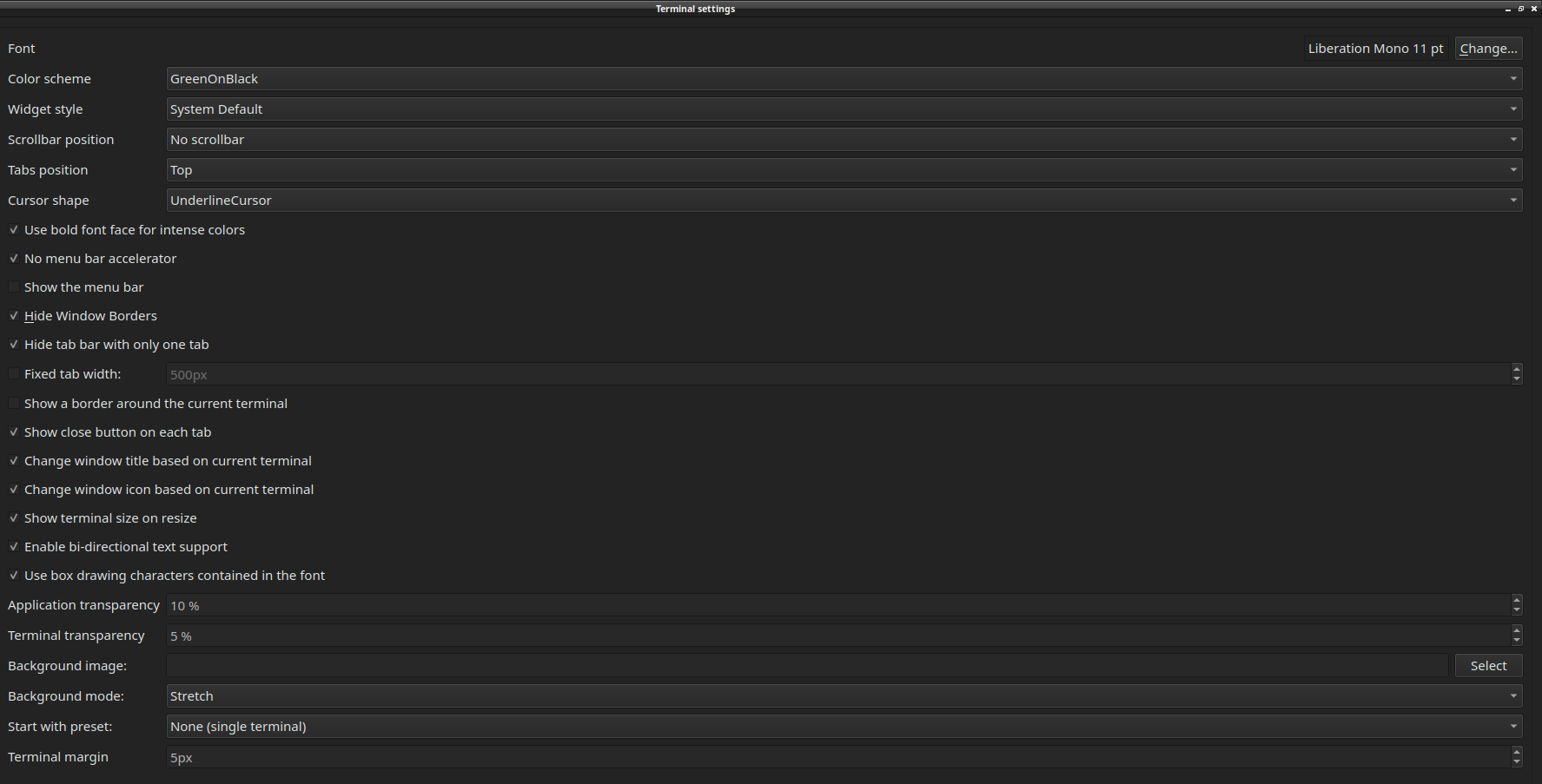
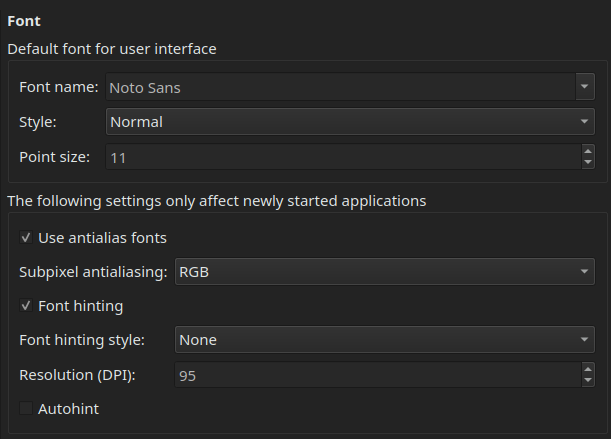
Sorry, here's for the terminal & here's the main font
https://github.com/lxqt/qterminal/issues/1139 - not sure whether there's a legit bug.
This's exactly what happen to me
$ fc-match monospace
NotoSans-Regular.ttf: "Noto Sans" "Regular"
Offline
#7 2024-12-31 13:24:15
- seth
- Member
- From: Won't reply 2 private help req
- Registered: 2012-09-03
- Posts: 77,842
Re: [SOLVED] UI: Terminal weird effects
NonoSans-Regular is *not* a monospace font.
fc-list :mono
fc-conflistOffline
#8 2024-12-31 14:03:33
- tugoese
- Member
- Registered: 2023-10-15
- Posts: 63
Re: [SOLVED] UI: Terminal weird effects
I know that, I couldn't change because it always revert back into previous font
fc-list :mono
fc-conflist
What am I supposed to do with this?
Offline
#9 2024-12-31 14:10:17
- seth
- Member
- From: Won't reply 2 private help req
- Registered: 2012-09-03
- Posts: 77,842
Re: [SOLVED] UI: Terminal weird effects
You could look at it, figure what monospace fonts you have installed at all and then check your fontconfig files whether you maybe added a bogus one.
This has absolutely nothing to do w/ qterminal.
Offline
Pages: 1